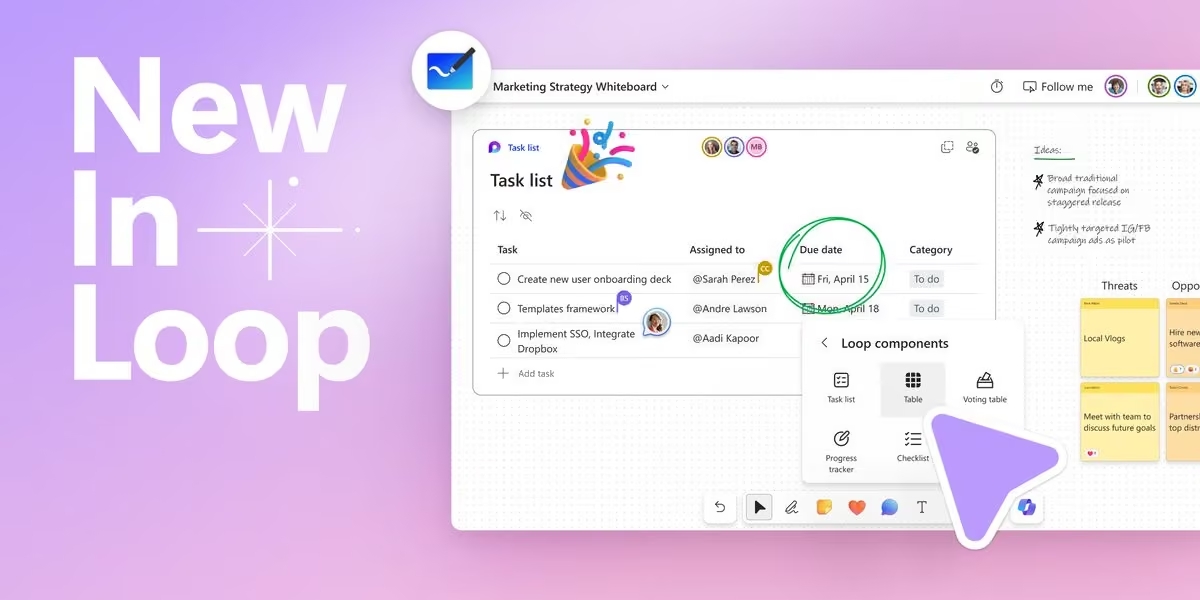
Copilot Notebooks just leveled up 📓 Start a notebook from a prompt, hand off tasks, schedule recurring tasks, and edit Word, Excel and PowerPoint files in place. You can also create interactive reports and PDFs. Rolling out now in Frontier.
Read more now:
Microsoft Loop
Microsoft Loop is an online collaborative workspace developed by Microsoft that offers a variety of features to help users gather, organize, and build notes, ideas, and projects. More on Wikipedia
-
Microsoft Loop
@MicrosoftLoop

-
Microsoft Loop
@MicrosoftLoop
Go from questions to insights with Researcher in Microsoft 365 Copilot. 🔎
Bring together information, explore a topic in depth, and turn research into work you can act on, all with #copilot.
Watch now: medius.microsoft.com/Embed/video-nc/af1675f8-715c-43bb-af… -
Microsoft Loop
@MicrosoftLoop
🎬 Got questions about the Microsoft 365 Copilot app? We've got answers.
Join our live Ask Microsoft Anything (AMA) on June 30 to connect directly with the product and engineering teams. Whether you're just getting started or looking to get more out of Copilot, this is your chance to ask questions and learn from the experts.
👉 Register now: techcommunity.microsoft.com/event/microsoft365copilot-eve…
#microsoft365copilot #copilot #ai #productivity -
Microsoft Loop
@MicrosoftLoop
🎨 Learn how to create branded visual content with Create in the Microsoft 365 Copilot app: www.youtube.com/watch?v=WYOXy4AuXIM
Create helps transform ideas into visual assets using prompts, project context, and available brand resources—making it easier to go from concept to content.
In this session, you'll learn how to:
✅ Generate visual concepts from prompts
✅ Apply brand kits and brand elements when available
✅ Create social-ready assets like carousel posts
✅ Turn presentations into short videos and other shareable formats when available
✅ Refine outputs to better align with your audience, message, and brand guidance
🎬 Register for the live AMA (Ask Microsoft Anything) on June 30th: techcommunity.microsoft.com/event/microsoft365copilot-eve… -
Microsoft Loop
@MicrosoftLoop
📓 Working across files, notes, Pages, and project docs? Watch our session on Copilot Notebooks and learn how to keep AI grounded in the context that matters: www.youtube.com/watch?v=LzOahTl6MF0
You'll see how to:
✅ Organize project references in one workspace
✅ Use Notebook overviews to uncover themes and insights
✅ Guide responses with custom instructions
✅ Ask questions grounded in your sources
✅ Generate summaries and audio overviews
✅ Collaborate while managing sharing and permissions
Perfect for project planning, research, and cross-team collaboration.
✋ Have a question? Register for the live AMA (Ask Microsoft Anything) on June 30th: techcommunity.microsoft.com/event/microsoft365copilot-eve… -
Microsoft Loop
@MicrosoftLoop
🔍 Want to tackle complex research projects faster with Microsoft 365 Copilot?
Join our session on Researcher in the Microsoft 365 Copilot app www.youtube.com/watch?v=d1ngR1TmPAo
Learn how to:
✅ Turn a research question into a focused investigation
✅ Build structured reports with cited sources
✅ Leverage web information alongside your files, emails, meetings, and chats
✅ Export insights into Word, PowerPoint, or PDF
Perfect for market research, competitive analysis, strategic planning, and stakeholder prep.
🎙️ Featuring Carl Mekala & Leo Daniel Gnanamanickam
✋ Have a question? Register for the live AMA (Ask Microsoft Anything) on June 30th: techcommunity.microsoft.com/event/microsoft365copilot-eve…
#microsoft365copilot #m365copilot #aiatwork #researcher #productivity -
Microsoft Loop
@MicrosoftLoop
✨ Turn Copilot responses into polished, collaborative content with Copilot Pages: www.youtube.com/watch?v=ci3_7u-zlvU
In this session, you'll learn how to:
📝 Generate structured drafts from Copilot Chat
✏️ Refine, expand, and reformat content with Copilot
🎯 Adapt content for different audiences and scenarios
🤝 Collaborate in real time across Teams, Outlook, and the Microsoft 365 app
Perfect for brainstorming, drafting, and turning ideas into shareable deliverables.
🎙️ Presenters: Cora Chen & Oby Omu
🎬 Part of the Microsoft 365 Copilot app learning series: adoption.microsoft.com/en-us/copilot/app/
#microsoft365 #copilot #copilotpages #aiatwork #productivity -
Microsoft Loop
@MicrosoftLoop
Ready to work smarter with M365 Copilot? 🚀
Our upcoming learning series will explore Pages, Notebooks, and Create, with practical tips you can start using right away.
Discover how to:
✨ Customize Notebooks with instructions
✨ Collaborate seamlessly on Pages
✨ Stay informed with Copilot catch-up experiences
✨ And many more!
Stay tuned for session details! -
Microsoft Loop
@MicrosoftLoop
👀 Just set up a few scheduling prompts in Microsoft Copilot today—and it already feels like I hired a tiny ops assistant.
😍 Daily standup reminders, follow-ups, and recurring updates now just… happen. Quietly obsessed with how much friction this removes.
Watch now: medius.microsoft.com/Embed/video-nc/0e3d4138-cf19-4e44-80…
#m365copilot #copilot -
Microsoft Loop
@MicrosoftLoop
✨ Deep work starts with clarity.
Researcher connects the dots across your work content — meetings, chats, emails, files, and more — to help you uncover insights faster and move work forward with confidence.
A simple way to get started? Try the Daily Briefing prompt each morning to quickly catch up, prioritize what matters, and start your day with clarity. ☀️
Watch now: medius.microsoft.com/Embed/video-nc/f0ac063c-3381-4115-b3…
#m365copilot #copilot #researcher -
Microsoft Loop
@MicrosoftLoop
✨ Make Copilot work your way.
Save time, stay consistent, and level up your workflows: try creating and saving your own prompts in the Microsoft 365 Copilot app today.
Your future self will thank you. 😉
Watch now: medius.microsoft.com/Embed/video-nc/1c3bdbff-ec89-41f2-ae… -
Microsoft Loop
@MicrosoftLoop
😇 Coming back from OOO doesn’t have to mean digging through endless chats and meetings.
In the #m365copilot app, just ask Copilot to summarize what you missed across key conversations and meetings, then turn it into an actionable task list with owners, follow-ups, and next steps. ✅
Watch now: medius.microsoft.com/Embed/video-nc/65f7a662-2283-4fe0-a2… -
Microsoft Loop
@MicrosoftLoop
⭐️ Earlier this week, we shared how to get started with the M365 Copilot app for your day-to-day work, from exploring prompts to navigating the experience.
In case you missed it, you can watch the full episode here: www.youtube.com/watch?v=ZKjU6UTh8lA&list=PLR9nK3mnD-OVokg… -
Microsoft Loop
@MicrosoftLoop
😇 Getting started with the Microsoft 365 Copilot app?
This short video walks through how to begin using Copilot in your day-to-day work—from exploring prompts to navigating the experience
Watch the full episode here: www.youtube.com/watch?v=ZKjU6UTh8lA&list=PLR9nK3mnD-OVokg…
For more episodes and scenarios, explore the full Copilot learning here:adoption.microsoft.com/en-us/copilot/app/ -
Microsoft Loop
@MicrosoftLoop
🧠 🎬 Looking for practical ways to stay on top of your workday?
This new Copilot video series walks through common scenarios like reviewing your day, previewing files without opening them, catching up on meetings with highlights, and bringing project context together in one place.
Watch here: techcommunity.microsoft.com/blog/microsoft365insiderblog/…
#microsoft365 #microsoft365copilot #futureofwork -
Microsoft Loop
@MicrosoftLoop
👀 Earlier this week, we shared how you can use Copilot Notebooks to empower your workflow.
Less catching up, more clarity.
In case you missed it, learn more about it now: medius.microsoft.com/Embed/video-nc/3f76c04f-abf1-4c3e-85… -
Microsoft Loop
@MicrosoftLoop
You join a project.
Docs everywhere. Meeting tomorrow. 😅
Go-to move: Copilot Notebooks.
Drop the files in one place and let Copilot summarize what matters, surface open questions, and connect the dots.
Less catching up, more clarity: adoption.microsoft.com/en-us/copilot/app/
Watch now: medius.microsoft.com/Embed/video-nc/3f76c04f-abf1-4c3e-85…
#microsoft365 #copilot #futureofwork #copilotnotebooks -
Microsoft Loop
@MicrosoftLoop
Earlier this week, we shared how Copilot helps you stay on top of meetings.
Here's a simple way to stay in flow: medius.microsoft.com/Embed/video-nc/0c2bf232-b781-4c95-81…
#microsoft365 #copilot #futureofwork -
Microsoft Loop
@MicrosoftLoop
Missed a meeting?
🎥 Copilot can generate a short video recap and surface it directly in Copilot Chat. Helpful when you just need context and want to keep moving.
Watch now: medius.microsoft.com/Embed/video-nc/0c2bf232-b781-4c95-81…
#microsoft365 #copilot #futureofwork
#meetings -
Microsoft Loop
@MicrosoftLoop
⚡ From chaos to coordination in minutes
Discover how Microsoft 365 Copilot helps you pull insights together, create with ease, and stay effortlessly on top of your work in our video series.
Check it out: techcommunity.microsoft.com/blog/microsoft365insiderblog/…
#microsoft365 #microsoft365copilot -
Microsoft Loop
@MicrosoftLoop
Not sure which file is the right one?
Preview cards in the Microsoft 365 Copilot app show:
📄 File preview
🧠 Copilot summary
💬 Quick Q&A
Find what you need—before opening it.
Try it today in the #microsoft365copilot app.
Watch now: medius.microsoft.com/Embed/video-nc/4dd89cb3-5bfc-4d4a-bb… -
Microsoft Loop
@MicrosoftLoop
Session 4 💼
See how Executive Admins use Microsoft 365 Copilot to stay organized, prep for meetings, and keep days on track..
Watch → adoption.microsoft.com/en-us/copilot/app/
Sign up for the AMA: techcommunity.microsoft.com/event/microsoft365copilot-eve…
#copilot #m365copilotThis media couldn't be displayed. See it on the original post. -
Microsoft Loop
@MicrosoftLoop
Missed a meeting?
Session 3 shows how Microsoft 365 Copilot helps you catch up fast—key moments, summaries, and actionable outputs.
Watch → adoption.microsoft.com/en-us/copilot/app/
Sign up for the AMA: techcommunity.microsoft.com/event/microsoft365copilot-eve…
#copilot #m365copilotThis media couldn't be displayed. See it on the original post. -
Microsoft Loop
@MicrosoftLoop
Start the day by bringing updates into focus.
Copilot Chat in the #microsoft365copilot app can help you catch up across Outlook + Teams, spot follow‑ups, and turn activity into shared priorities with next steps — all in one place.
Watch now: www.bing.com?ref=aka&shorturl=M365CopilotApp/C2E1Watch -
Microsoft Loop
@MicrosoftLoop
We’re live right now for an AMA on the #m365copilot app 🎤
Join us to ask questions and explore practical ways to get started.
Join here: techcommunity.microsoft.com/event/microsoft365copilot-eve… -
Microsoft Loop
@MicrosoftLoop
Session 4 💼
See how Executive Admins use Microsoft 365 Copilot to stay organized, prep for meetings, and keep days on track..
Watch → adoption.microsoft.com/en-us/copilot/app/
Sign up for the AMA: techcommunity.microsoft.com/event/microsoft365copilot-eve…
#copilot #m365copilot -
Microsoft Loop
@MicrosoftLoop
Missed a meeting?
Session 3 shows how Microsoft 365 Copilot helps you catch up fast—key moments, summaries, and actionable outputs.
Watch → adoption.microsoft.com/copilot/app/
Sign up for the AMA: techcommunity.microsoft.com/event/microsoft365copilot-eve…
#copilot #m365copilot -
Microsoft Loop
@MicrosoftLoop
Meetings, but more focused ✅
Session 2 shows how the Facilitator agent in Microsoft Teams helps track agendas, capture notes, and clarify next steps.
Watch → adoption.microsoft.com/en-us/copilot/app/
Sign up for the AMA: techcommunity.microsoft.com/event/microsoft365copilot-eve…
#copilot #m365copilot -
Microsoft Loop
@MicrosoftLoop
New to Copilot? Start here 👋
Session 1 of the 5 part M365 Copilot app learning series shows how the Microsoft 365 Copilot App helps you access apps, find files, and get quick insights—no subscription required.
Watch → adoption.microsoft.com/en-us/copilot/app/
Sign up for the AMA: techcommunity.microsoft.com/event/microsoft365copilot-eve…
#copilot #m365copilot -
Microsoft Loop
@MicrosoftLoop
Today’s the drop 🎬
The Microsoft 365 Copilot App learning series is live.
4 episodes this week + AMA on Mar 31
Watch now 👉 adoption.microsoft.com/copilot/app/
#copilot #m365copilot -
Microsoft Loop
@MicrosoftLoop
Last week we shared how you can access #m365copilot from different devices and platforms - how are you finding it?
Let us know what you think below 👇
And in case you missed it: medius.microsoft.com/Embed/video-nc/f4d99f9b-ba42-41ca-b6… -
Microsoft Loop
@MicrosoftLoop
New learning series coming next week 👀
Real-life scenarios with the Microsoft 365 Copilot App
📅 Video Drop: Mar 24
🎤 Live AMA: Mar 31
Watch the trailer now: www.youtube.com/watch?v=B_nIhZxi9SI
Start here → adoption.microsoft.com/en-us/copilot/app/ -
Microsoft Loop
@MicrosoftLoop
👉 Have a work question? Ask M365 Copilot.
See how the Microsoft 365 Copilot app helps you get answers across mobile, Windows, and Mac.
medius.microsoft.com/Embed/video-nc/f4d99f9b-ba42-41ca-b6…
Get Started now: www.microsoft.com/en-US/copilot/download-copilot-app?msoc… -
Microsoft Loop
@MicrosoftLoop
⭐️ Your work doesn't happen in a single chat. It spans months, files, meetings, and decisions. Meet the updated Copilot Notebooks experience, a persistent AI workspace that grows with your project.
🎧 Audio Overviews. Flashcards. Shared notebooks. All grounded in your content.
Learn more: 🔗 techcommunity.microsoft.com/blog/microsoft365copilotblog/…
#microsoft365 #copilotnotebooks -
Microsoft Loop
@MicrosoftLoop
👀 Last week we shared how the Microsoft 365 Copilot app helps to prepare for your meetings in a busy day. In case you missed it, check it out 👉 medius.microsoft.com/Embed/video-nc/9b2b12cf-13ca-4cc6-b6…
Get started now: m365.cloud.microsoft?ocid=cmmfmix68ki&fromcode=cmmfmix68ki -
Microsoft Loop
@MicrosoftLoop
👀 Prepare for meetings with more clarity and less stress.
💭 #m365copilot helps you pull key points from your deck and think through likely questions — so you can walk in focused, confident, and ready to engage.
Watch now: medius.microsoft.com/Embed/video-nc/9b2b12cf-13ca-4cc6-b6…
Get Started: -
Microsoft Loop
@MicrosoftLoop
👀 Earlier this week we shared how the M365 Copilot app can create a polished poster in minutes ✨ In case you missed it:
🎥 Watch: medius.microsoft.com/Embed/video-nc/b4894205-2352-4e11-bc…
Get started: m365.cloud.microsoft?ocid=cmmrza0y20g&fromcode=cmmrza0y20g -
Microsoft Loop
@MicrosoftLoop
In the Microsoft 365 Copilot app, Create generates posters & flyers fast—and applying your Brand Kit ✅ keeps everything on‑brand (logos, colors, fonts).
🎥 Watch: medius.microsoft.com/Embed/video-nc/b4894205-2352-4e11-bc…
👉 Get started: m365.cloud.microsoft?ocid=cmmrza0y20g&fromcode=cmmrza0y20g -
Microsoft Loop
@MicrosoftLoop
👀 Earlier this week we shared how the M365 Copilot app can summarize what you missed and turn it into a simple action plan: medius.microsoft.com/Embed/video-nc/65f7a662-2283-4fe0-a2…
Get started at: m365.cloud.microsoft?ocid=cmm4ihfts39&fromcode=cmm4ihfts39 -
Microsoft Loop
@MicrosoftLoop
Out of office → inbox + calendar chaos? 😅
Try this in the M365 Copilot app:
“Catch me up on what I missed while I was out of office. Summarize my meetings and important conversations.”
Then: “Create a task list of follow-ups and action items.”
Clarity + next steps.
🎥 Watch the quick scenario below and see it in action: medius.microsoft.com/Embed/video-nc/65f7a662-2283-4fe0-a2…
👉 Get started: www.microsoft.com/en-US/microsoft-365-copilot/download-co… -
Microsoft Loop
@MicrosoftLoop
Share a Page or a component straight into Teams, so the conversation and the work stay together.
No screenshots. No copy‑paste. Just shared context, in flow. -
Microsoft Loop
@MicrosoftLoop
Notebooks aren’t just for notes.
They’re where drafts evolve, ideas connect, and Copilot helps you move from “rough thought” to “ready to share.”
Try it out now: m365.cloud.microsoft/login?es=SSR&ru=%2Fnotebooks%3Fauth%… -
Microsoft Loop
@MicrosoftLoop
👀 Earlier this week we shared how the Microsoft 365 Copilot app helps turn scattered updates into coordinated momentum. In case you missed it, check it out 👉 medius.microsoft.com/Embed/video-nc/86a32778-dc54-4025-80…
Get started at: www.microsoft.com/en-US/microsoft-365-copilot/download-co… -
Microsoft Loop
@MicrosoftLoop
So many inputs. So little clarity. 🧩
This scenario shows how the M365 Copilot app brings focus and coordination back to work. 🧭
🎥
Get started: www.microsoft.com/en-US/microsoft-365-copilot/download-co…This media couldn't be displayed. See it on the original post. -
Microsoft Loop
@MicrosoftLoop
Earlier this week we highlighted how the M365 Copilot app can to turn work data into actionable insights and ready to use outputs. In case you missed it, check it out: medius.microsoft.com/Embed/video-nc/c0b66424-12fd-4353-b5…
Get started at: www.microsoft.com/en-US/microsoft-365-copilot/download-co… -
Microsoft Loop
@MicrosoftLoop
💡 Insights → Action
See how the M365 Copilot app turns work data into actionable insights and share‑ready outputs in this quick scenario 👇
🚀 medius.microsoft.com/Embed/video-nc/c0b66424-12fd-4353-b5…
Get started at: www.microsoft.com/en-US/microsoft-365-copilot/download-co…This media couldn't be displayed. See it on the original post. -
Microsoft Loop
@MicrosoftLoop
🥹 Tired of “final_v7_reallyfinal.docx”?
Copilot Pages stay live and in sync, so everyone’s always editing the same thing, in real time, across Teams, Outlook, and more.
Collaboration without the chaos. -
Microsoft Loop
@MicrosoftLoop
Great ideas don’t start polished.
They start messy.
Copilot Pages give you a lightweight space to capture thoughts, refine with Copilot, and share early, without overthinking structure or formatting. ✨ -
Microsoft Loop
@MicrosoftLoop
One project. One Copilot Notebook. Everything inside.
Notes, links, Pages, progress. All organized and shareable so nothing gets lost. -
Microsoft Loop
@MicrosoftLoop
Catch up without slowing down‼️
Audio overviews in Notebooks let you listen to key ideas and context anytime, perfect for on‑the‑go moments. -
Microsoft Loop
@MicrosoftLoop
💭 From rough thoughts to ready-to-share.
Pages give your team a single place to co‑create, iterate, and keep context intact as ideas evolve. -
Microsoft Loop
@MicrosoftLoop
Great ideas don’t have to wait for the “right tool.”
Open a Copilot Notebook or Page and start building momentum instantly, capturing thoughts, generating content, and organizing it all as you go.
It’s creation at the speed of thought. ⚡ -
Microsoft Loop
@MicrosoftLoop
Every project needs a source of truth that doesn’t get lost in threads and email chains.
Pages become that place — where decisions, notes, updates, and next steps all stay together and up to date.
Everyone aligned. No follow‑up messages required. 🔁📄 -
Microsoft Loop
@MicrosoftLoop
New plan? New idea? New pivot?
Use Copilot Pages to keep everyone aligned:
• One shared canvas
• Live collaboration
• Version history you can trust
Skip the “send me the latest doc” dance. Stay synced, always. 🔁✨ -
Microsoft Loop
@MicrosoftLoop
Share a Copilot Notebook, and you’re not just sharing content, you’re sharing a thinking partner.
Your team gets the full context plus Copilot’s reasoning, suggestions, and outputs.
From messy ideas to polished plans, together. 🤝⚡ -
Microsoft Loop
@MicrosoftLoop
Your best ideas happen together, and now your canvas reflects that.
Draw, type, plan, or map out concepts with your team in one shared space.
Watch contributions appear live as your project takes shape. 💡🎨 -
Microsoft Loop
@MicrosoftLoop
Stop juggling tabs, and start the year grounded. With Copilot Pages, every spark from Copilot Chat turns into a living, editable space you can build on. Plan goals, map projects, and keep your thinking in one place. Here’s to clearer workflows in 2026. 🚀
-
Microsoft Loop
@MicrosoftLoop
Docs aren’t static anymore. Copilot Pages live across your apps and evolve with you. Write once → stay updated everywhere.
-
Microsoft Loop
@MicrosoftLoop
Every time you switch apps, your brainstorm loses momentum.
Copilot Pages keep you grounded right inside Chat, turning ideas into editable, evolving docs without breaking flow.
Think less app‑hopping. Think more creating! ⭐️ -
Microsoft Loop
@MicrosoftLoop
Ever spent 10 minutes hunting for the right doc version? Copilot Notebooks scan your content automatically and keep insights fresh--no more archaeology. 😎
-
Microsoft Loop
@MicrosoftLoop
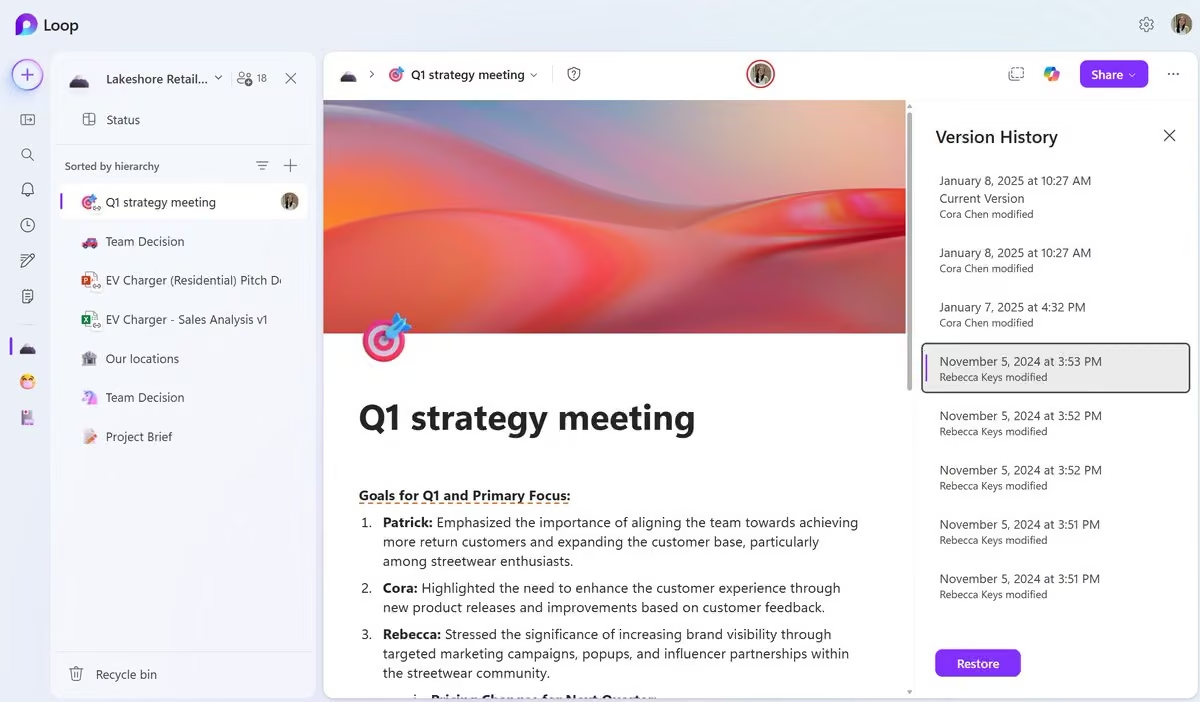
Now available in Copilot Pages & Copilot Notebooks: Version History ✨
Easily view, compare, and restore previous versions of your work across chats and Notebooks. Revisit earlier ideas, recover changes with confidence, and keep building without losing momentum. 🚀 -
Microsoft Loop
@MicrosoftLoop
2026 goal: start every project in a Copilot Notebook and share on day 1. 😎 Get alignment from the start.
-
Microsoft Loop
@MicrosoftLoop
From brainstorms to sign‑offs, ship faster with a shared Copilot Notebook: files, notes, and @mentions, plus Copilot summaries when clarity is needed.
-
Microsoft Loop
@MicrosoftLoop
⭐️ Year in review, minus the chaos. Copilot Notebooks can help keep past research, decisions, and next steps in one place. Shared, searchable, and ready for 2026.
-
Microsoft Loop
@MicrosoftLoop
💰 Budget reviews and policy drafts organized in Pages. Share securely, comment for clarifications, and maintain a clear audit trail of decisions.
-
Microsoft Loop
@MicrosoftLoop
Account plans and proposals in a shared Copilot Notebook. Loop in legal/finance, comment where it matters, and move deals forward with one source of truth. 👀
-
Microsoft Loop
@MicrosoftLoop
😎 Kickoff in one link. Share a project Page with roadmap, decisions, and next steps, @mention owners, track tasks, and keep everyone aligned in real time.
-
Microsoft Loop
@MicrosoftLoop
📌 Campaign HQ in one Page: goals, messaging, timeline. Share cross-functionally and use Pages to track progress from brainstorm to launch-ready.
-
Microsoft Loop
@MicrosoftLoop
⭐️ Kickoff-ready. Start a Notebook, drop in files + Pages, and share with the squad. Copilot helps summarize, you focus on outcomes.
-
Microsoft Loop
@MicrosoftLoop
📒 One source of truth. Share a Notebook for the project and watch research, tasks, and decisions live in one place.
-
Microsoft Loop
@MicrosoftLoop
🛠️ From chat to page, instantly. Turn a great Copilot response into a shared Page, then keep iterating with your team.
-
Microsoft Loop
@MicrosoftLoop
🔗 Share the right way. Notebooks let you bring files, chats, and ideas together, then share them so everyone stays aligned.
-
Microsoft Loop
@MicrosoftLoop
Edit boldly. With Version History in Pages, jump back, compare, and restore any draft, whether they are solo, Copilot-assisted, or team-edited. Create without fear. 😎
-
Microsoft Loop
@MicrosoftLoop
Design brief, stakeholder feedback, and assets, organized in a Page. Share for comments, then use version history to compare directions and keep the final approved take. ✅
-
Microsoft Loop
@MicrosoftLoop
‼️ Attention Data Scientists! Track experiments like a pro: hypotheses, queries, charts, share the Notebook with the team and use version history to revert to the best-performing run. Insights stay reproducible.
-
Microsoft Loop
@MicrosoftLoop
Ideas to impact. Co-create in Pages, share for feedback, then restore the winning version. Simple, transparent, fast. 💨
-
Microsoft Loop
@MicrosoftLoop
🚀 Handoff in one link. Share a Notebook before stand-up so everyone sees context, latest edits, and next steps.
-
Microsoft Loop
@MicrosoftLoop
Never lose the “best take.” You can save your progress with version history while you experiment with tone, structure, and visuals. 👀
-
Microsoft Loop
@MicrosoftLoop
🚀 Kick off new projects with clarity. Use Copilot Notebooks to outline milestones, assign tasks, and keep progress visible across the team.
-
Microsoft Loop
@MicrosoftLoop
📊 Prep for your next big meeting. Create a Copilot Page with sections for an agenda, talking points, and shared notes so everyone walks in ready.
-
Microsoft Loop
@MicrosoftLoop
🧠 Brainstorm smarter for 2026 strategy. Start a Copilot Notebook to capture ideas, organize research, and turn insights into actionable plans.
-
Microsoft Loop
@MicrosoftLoop
✅ Quarter-end planning made simple. Use Copilot Pages to align goals, track deliverables, and keep your team on the same page, literally.
-
Microsoft Loop
@MicrosoftLoop
New in Copilot Pages and Copilot Notebooks: Page History!
Now you can view and restore previous versions of your Pages across Chat, Notebooks, and Create. Build on past ideas, revisit earlier states, and keep your work moving forward. 🚀 -
Microsoft Loop
@MicrosoftLoop
We just updated the Notebooks UI! ✨📒
Tried it yet? What’s working, what’s not, what feels magical, what feels “hmm”?
Drop your feedback below! 👀💬 -
Microsoft Loop
@MicrosoftLoop
Happy Thanksgiving! 🦃🍁
Today I’m grateful for good food, good friends… and Pages keeping all my holiday planning in one place.
From grocery lists to who’s bringing what, Pages really said “I got you.” 🙌
Hope your day is as organized as my feast prep. 😂🥧 -
Microsoft Loop
@MicrosoftLoop
Have you tried sharing your Notebook with your teammates yet? It’s one of the easiest ways to level up collaboration, keep everyone aligned, and move faster together. Share it today and unlock the power of real teamwork. 😎✨
-
Microsoft Loop
@MicrosoftLoop
😎 In your next Teams meeting, focus on the discussion and leave the note-taking to Facilitator agent. Meeting notes powered by Loop are updated live during the meeting, organized by section. Any meeting attendee can edit them, and share with others after the meeting ends.
⭐️ Featured in the Innovation Session at Microsoft Ignite 2025: Microsoft 365 Copilot: AI Built for Work www.youtube.com/watch?t=1889&v=UiCtBkC9hgs -
Microsoft Loop
@MicrosoftLoop
What’s everyone’s favorite Ignite announcement this year? 👀⚡️
So many drops — which one impressed you the most? -
Microsoft Loop
@MicrosoftLoop
Now, you can truly focus on the meeting and leave the notetaking to Facilitator. 🤩
Notes stream in live during the meeting and are editable by all meeting attendees. Focus on the conversation, not the typing! -
Microsoft Loop
@MicrosoftLoop
🚀 Big news!
You can now share your Copilot Notebooks with your teammates! Collaborate seamlessly, co-create ideas, and keep everyone aligned, all in one place.
Start sharing today and unlock the power of teamwork. 😎 -
Microsoft Loop
@MicrosoftLoop
😎 Agent mode, on!
Read more about this year's #msignite announcements here: www.microsoft.com/en-us/microsoft-365/blog/2025/11/18/mic…
Watch Ignite live here: x.com/i/broadcasts/1djGXWEybBjKZ -
Microsoft Loop
@MicrosoftLoop
It’s #msignite week! 🔥
Catch sessions featuring Copilot Pages & Notebooks:
📌 Unlocking the all-in-one AI Advantage of Microsoft 365 Copilot: ignite.microsoft.com/en-US/sessions/BRK281?source=sessions
📌 What's new in Microsoft 365 Copilot Chat: Secure AI chat for everyone: ignite.microsoft.com/en-US/sessions/BRK278?source=sessions
📌 Reimagine collaboration with multi-user AI: ignite.microsoft.com/en-US/sessions/BRK284?source=sessions
📌 Innovation Session: Microsoft 365 Copilot: AI Built For Work: ignite.microsoft.com/en-US/sessions/BRK1710?source=sessions
📌 Unlocking the all-in-one AI Advantage of Microsoft 365 Copilot: ignite.microsoft.com/en-US/sessions/BRK281?source=sessions
Explore the catalog: ignite.microsoft.com/en-US/sessions
#copilot #microsoft365 -
Microsoft Loop
@MicrosoftLoop
Page ready for prime time? Hit Lock Page. Freeze edits, signal “final,” and keep everyone aligned. Perfect for FAQs, strategy docs, and compliance notes.
-
Microsoft Loop
@MicrosoftLoop
No time for a 10-page doc? Generate a podcast-style summary from your Notebook. Listen while walking the dog, commuting, or doing dishes.
-
Microsoft Loop
@MicrosoftLoop
Draft in Pages, analyze in Notebooks. Pages keep strategy clean; Notebooks surface patterns and gaps. The duo your workflow deserves.
-
Microsoft Loop
@MicrosoftLoop
Docs, chats, meeting notes - organized in one Notebook. Ask questions, spot trends, and turn knowledge into action. Smarter teams don’t just store info, they use it.
-
Microsoft Loop
@MicrosoftLoop
Messy threads? Scattered ideas? Turn them into a polished doc with Pages. Lock it when final, share with confidence. No more “latest version?” drama.
-
Microsoft Loop
@MicrosoftLoop
🗒️ We’re building Copilot Pages to make collaboration effortless - but we want to hear from you!
What’s your favorite feature so far? What’s missing? Drop your thoughts below and help us shape the future of pages together. -
Microsoft Loop
@MicrosoftLoop
‼️ Collaboration just got clearer. With attribution labels in Copilot Pages, you can see exactly who contributed what - whether it’s a paragraph, a comment, or an edit. No more guessing who added that insight or changed that metric.
-
Microsoft Loop
@MicrosoftLoop
No more wondering if your files are up to date. In Copilot Notebooks, every reference stays in sync with its source - whether it’s a Word doc, a OneNote page, or a Loop component.
✨ Add new files as your project evolves, and Copilot keeps everything current, so your insights are always grounded in the latest content. -
Microsoft Loop
@MicrosoftLoop
📌 Drop competitor decks, market reports, and trend analyses into a Notebook. Ask Copilot: ‘Summarize key differentiators.’ Turn raw data into insights before your next pitch.
-
Microsoft Loop
@MicrosoftLoop
⭐️ Ever finished a brainstorm and think, “We need one clean version of this”?
🗒️ Ask Copilot to turn scattered ideas into a polished doc you can lock, share, and trust.
No more “Which version is right?” drama, just clarity. -
Microsoft Loop
@MicrosoftLoop
🚀 Research reports, market trends, and competitor decks, drop them all into a Copilot Notebook.
✨ Ask: “Summarize key differentiators” or “Highlight gaps in our strategy.”
Turn raw data into actionable insights before your next pitch. -
Microsoft Loop
@MicrosoftLoop
To all the product managers out there 👀
Feature requests, bug reports, and customer insights, all organized in one Copilot Notebook.
Ask: “Summarize top pain points by priority.”
Build a roadmap grounded in real data, not guesswork. 😉 -
Microsoft Loop
@MicrosoftLoop
🩺 Quarterly health checks don’t have to mean digging through endless spreadsheets.
👉 Drop account notes, support tickets, and usage reports into a Copilot Notebook.
Ask: “Summarize account health by risk level.”
Get actionable insights in minutes, not hours.
#customersuccess -
Microsoft Loop
@MicrosoftLoop
🎫 Support tickets, NPS surveys, and renewal data - don’t let them live in silos.
⭐️ Drop everything into a Copilot Notebook and ask:
“What themes are driving churn?”
“Which accounts need proactive outreach?”
Get clear answers, spot patterns, and build retention strategies without digging through endless reports.
#customersuccess -
Microsoft Loop
@MicrosoftLoop
We’re curious: How are you using Notebooks today?
✅ As a team knowledge base
✅ To analyze trends and data
✅ For onboarding and training
✅ Something else entirely?
Drop your favorite use case in the comments—or tell us what you wish Notebooks could do next. Your feedback helps us build smarter tools for you. -
Microsoft Loop
@MicrosoftLoop
‼️ Turn statements into clarity.
Finance pros know the drill: Collect reports, invoices, and compliance docs in one Notebook.
Summarize variances, flag overdue items, and export structured table - fast, accurate, stress-free. -
Microsoft Loop
@MicrosoftLoop
✨ HR leaders, make onboarding effortless.
Store policy docs, training materials, and survey results in a Notebook.
Summarize sentiment trends, highlight policy changes, and auto-build FAQs for new hires with one click. -
Microsoft Loop
@MicrosoftLoop
⭐️ Marketing pros, tired of digging through decks and reports?
Consolidate analytics, creative briefs, and social data in a Copilot Notebook.
Find what messaging drove engagement last quarter and build trend-based calendars—no spreadsheets required. -
Microsoft Loop
@MicrosoftLoop
Ten files, five chats, three decks? Consolidate into a Copilot Notebook for context, then create a Copilot Page for the polished version. No more “Where’s the latest?” moments.
-
Microsoft Loop
@MicrosoftLoop
👩🏻💼 Legal teams, this one’s for you.
Contracts, case notes, regulatory updates—all in one Copilot Notebook.
Compare clauses across agreements, summarize compliance changes, and prep client-ready briefs in minutes all in your Notebook. -
Microsoft Loop
@MicrosoftLoop
When your Copilot Page is ready for prime time, hit Lock. No accidental edits, no version drama—just clarity. Perfect for FAQs, strategy docs, and compliance notes. 🔒
-
Microsoft Loop
@MicrosoftLoop
👀 Draft in Copilot Pages, analyze in Copilot Notebooks. Pages keep your strategy clean; Notebooks surface patterns and gaps. Together, they’re your productivity duo.
-
Microsoft Loop
@MicrosoftLoop
🧠 Copilot Notebooks isn't just storage, it's your thinking partner.
Collect research, link references, and build analysis in one place.
When it’s time to brief leadership, you’re already halfway there. -
Microsoft Loop
@MicrosoftLoop
Copilot Notebooks plays nice with your go-to formats:
✔ Word docs
✔ PowerPoint decks
✔ PDFs
✔ Excel sheets
✔ Loop pages
✔ OneNote pages
✔ URL links
Bring them in, reference them, and let your Notebook do the heavy lifting. -
Microsoft Loop
@MicrosoftLoop
📋 Spot patterns without the spreadsheet headache.
Upload reports, past campaigns, or survey data into your Copilot Notebook and ask questions like:
“What’s trending this quarter?”
Insights in plain language, no pivot tables required. -
Microsoft Loop
@MicrosoftLoop
🚀 Turn your Copilot Notebook into the team’s single source of truth.
Drop in docs, chats, and meeting notes—everything stays organized, searchable, and ready for quick answers.
No more “Where’s that file?” moments. -
Microsoft Loop
@MicrosoftLoop
✨ Meet the Facilitator Agent — your smart assistant for meetings.
It doesn’t just sit in. It:
📝 Takes real-time, collaborative notes — so nothing gets lost and follow-ups are clear.
💡 Provides answers — whether about the meeting itself or by pulling in context from the web.
✅ Manages tasks — capturing and assigning them as they come up, all tracked in Planner.
📄 Creates documents — spots when a doc is needed and drafts the first version in Word or Loop.
…and so much more. 🚀
Try out an interactive demo now: demos.microsoft.com/microsoft/play/5149/facilitator-agent -
Microsoft Loop
@MicrosoftLoop
We’re building Pages to help you turn ideas into impact—faster.
💬 What’s working for you?
🛠 What’s missing?
📌 What’s your favorite way to use Pages?
Drop your thoughts below. #feedbackfriday -
Microsoft Loop
@MicrosoftLoop
🚀 Generative AI is changing the way we work—every day. Join our session at TechFutures 2025 to explore how Microsoft Copilot Notebooks can help you:
📝 Take smarter meeting notes
📄 Summarize long docs in seconds
📧 Draft emails & reports faster
⚙️ Automate tasks with Copilot Notebooks
Event details: events.techfutures.com/2025/agenda/session/1733685 -
Microsoft Loop
@MicrosoftLoop
🔒 Pro Tip: Lock it down before you send it around.
Finalized your strategy doc or team FAQ in Pages? Open the ... menu and select "Lock Page" to freeze edits and signal it’s ready for review. No accidental changes, no “who rewrote this?” moments.
Perfect for knowledge management, approvals, or just keeping your masterpiece intact. -
Microsoft Loop
@MicrosoftLoop
🎧 Don’t read it—listen to it.
Copilot Notebooks can turn long docs into audio overviews you can play while walking the dog, commuting, or doing dishes. It’s like your content got a podcast. Smart, fast, and surprisingly human. -
Microsoft Loop
@MicrosoftLoop
👀 Pages are perfect for turning messy threads into clean deliverables. Copy key ideas from chat, add context, link files, and share one link that actually makes sense. Your team will thank you.
-
Microsoft Loop
@MicrosoftLoop
You know that moment when someone asks, “Can you summarize the last 3 months of strategy?” 😬
Instead of panic-searching your own inbox, drop your docs into a Notebook.
It’ll pull out the themes, decisions, and even the stuff you forgot you wrote.
Feels like having a chief of staff. 😎 -
Microsoft Loop
@MicrosoftLoop
Ever get asked, “Can you send me the latest thinking on this?” 👀
Instead of forwarding five chats and three files, create a Page.
Summarize the key points in Copilot, link the sources, and share one clean component.
Now your team’s not just caught up—they’re aligned. ✨ -
Microsoft Loop
@MicrosoftLoop
💬 Say you’re in a chat and someone drops a brilliant idea—or Copilot nails a phrasing you love.
Instead of letting it vanish into scrollback, hit “Add to Page.”
Now it’s editable, shareable, and ready to evolve into a strategy doc, launch plan, or team FAQ.
Pages are your way of saying: “This matters. Let’s build on it.” -
Microsoft Loop
@MicrosoftLoop
Join us tomorrow on how Microsoft 365 Copilot is transforming team management through real-world use cases.
Discover how to:
✨ Draft & plan with Copilot Pages
🧠 Synthesize with Notebooks
📊 Prioritize with data-driven insights
Sign up now: microsoftlearningsessions.eventbuilder.com/event/91768?so… -
Microsoft Loop
@MicrosoftLoop
✨ Pages update in real time, across chats, meetings, and Notebooks.
So when someone edits the timeline in Teams, it’s already updated in your workspace.
No version control drama. Just shared brainpower. -
Microsoft Loop
@MicrosoftLoop
🚀 Copilot Notebooks just leveled up! It can now reference up to 100 files in a single notebook. More grounding = more powerful insights. Perfect for deep dives, synthesis, and scaling your thinking. Try it out now!
Learn more here: support.microsoft.com/en-us/microsoft-365-copilot/add-ref… -
Microsoft Loop
@MicrosoftLoop
Whether it’s docs, chats, or pages—drop them in your Copilot Notebook and let it do the heavy lifting. ✨ Context-rich, clutter-free.
-
Microsoft Loop
@MicrosoftLoop
Type "/math" on your Page to format square roots, exponents, and more—right on canvas. No more hacks, just clean math. 🧮
-
Microsoft Loop
@MicrosoftLoop
Built a table in Pages? Click ... and select “Export to Excel” to instantly create a spreadsheet version—perfect for filtering, charting, or sharing with your team. One click, full flexibility. 📋
-
Microsoft Loop
@MicrosoftLoop
Join us for an interactive session on how Microsoft 365 Copilot is transforming team management through real-world use cases.
Discover how to:
✨ Draft & plan with Copilot Pages
🧠 Synthesize with Notebooks
📊 Prioritize with data-driven insights
When: September 24, 2025 at 1:00 PM ET
Sign up now:
microsoftlearningsessions.eventbuilder.com/event/91768?so… -
Microsoft Loop
@MicrosoftLoop
Components in @OneNote bring live collaboration to your notes, making meetings and brainstorming sessions more dynamic than ever. What’s been your go-to use case? Drop your thoughts below! #feedbackfriday
-
Microsoft Loop
@MicrosoftLoop
Unlike chat, Pages don’t "disappear". Use them to capture finalized thinking, decisions, or structured prompts you want to reuse or share. 🧠
-
Microsoft Loop
@MicrosoftLoop
Want Copilot in your Notebook to act like a coach or analyst?
👀 Set up custom instructions like “Be concise and data-driven” or “Explain like I’m new to this topic.” These guide all Copilot responses in that notebook. -
Microsoft Loop
@MicrosoftLoop
📌 Got a great draft from chat? Don’t leave it there. Hit “Edit in Pages” to refine tone, add context, and collaborate with teammates. Pages are designed for iteration—whether you’re polishing a strategy doc, prepping a client update, or building a FAQ.
-
Microsoft Loop
@MicrosoftLoop
Generate an audio overview in Copilot Notebooks and listen to your content podcast-style. Smart, hands-free, and ready to go! 🎧
-
Microsoft Loop
@MicrosoftLoop
Turn your Copilot chats into Pages, refine them, and link them to your Notebook. Your knowledge base just got smarter. 🔗
-
Microsoft Loop
@MicrosoftLoop
New project? No problem. 😉
Start a Copilot Notebook to get up to speed fast with the right context, summaries, and audio overviews—so you can start contributing from day one. -
Microsoft Loop
@MicrosoftLoop
Turning a doc pile into a one-pager used to take hours 😅
Now you can:
📥 Drop files into a Copilot Notebook
🧠 Add key points
📝 Ask Copilot to write it
And tweak in a Copilot Page, with your team editing live. -
Microsoft Loop
@MicrosoftLoop
Collect customer feedback in a Notebook, ask Copilot for themes, and build your response strategy. Listen, learn, lead. 🧠
-
Microsoft Loop
@MicrosoftLoop
Store your research notes in a Copilot Notebook, compare findings with Copilot, and build your POV. Smarter thinking, faster. 🧪
-
Microsoft Loop
@MicrosoftLoop
Track your weekly syncs in a Copilot Notebook, let Copilot surface decisions, and prep next steps. Your team’s memory, powered by AI. 🧠
-
Microsoft Loop
@MicrosoftLoop
Draft your onboarding checklist with Copilot, personalize it in Pages, and reference it in a Notebook. A warm welcome, powered by AI.
-
Microsoft Loop
@MicrosoftLoop
Drop your research docs into a Copilot Notebook, ask Copilot for insights, and get a summary tailored to your audience. Smart prep, fast delivery.
-
Microsoft Loop
@MicrosoftLoop
Copilot Notebooks can help to generate a FAQ from your Notebook content. No prompt writing needed—just click and publish.
-
Microsoft Loop
@MicrosoftLoop
🧪 Group survey results, chats, and follow-up actions in a Notebook, and let Copilot surface insights and trends automatically.
-
Microsoft Loop
@MicrosoftLoop
🚀 Starting a new project? Use Copilot Notebooks to group chats, files, and goals. It’s your AI-powered workspace for focused execution.
-
Microsoft Loop
@MicrosoftLoop
Draft your kickoff doc with Copilot, refine it in Pages, and add it to your Notebook. One source of truth, ready to go. 🧭
-
Microsoft Loop
@MicrosoftLoop
🔗 Add references, set instructions, and get personalized insights. Copilot Notebooks are your new productivity superpower.
-
Microsoft Loop
@MicrosoftLoop
✨ Turn your Copilot chats into shareable content! With Copilot Pages, you can capture, refine, and publish ideas in real-time—right in the flow of your work.
-
Microsoft Loop
@MicrosoftLoop
😄 Make your pages more fun (and easier to read).
💗 Add reactions, status markers, or a touch of personality with the emoji picker. Just type "/" on a page and select "emoji picker" from the insertion menu. -
Microsoft Loop
@MicrosoftLoop
📅 Your table, now a calendar
Add a date column to your table, switch to calendar view, and track deadlines, events, or milestones at a glance. -
Microsoft Loop
@MicrosoftLoop
💡 Your ideas deserve more than a blank page.
With Copilot Pages, you can draft, refine, and share — faster than ever. -
Microsoft Loop
@MicrosoftLoop
🗒️ From messy notes to clear takeaways.
Capture your thoughts in Copilot Notebooks — and let Copilot turn them into shareable summaries for your team. -
Microsoft Loop
@MicrosoftLoop
🚀 New project? No problem.
Copilot Notebooks gets you up to speed fast with the right context, summaries, and audio overviews — so you can start contributing from day one. 🏃♀️💨 -
Microsoft Loop
@MicrosoftLoop
Been using Copilot Pages or Notebooks?
We’d love to hear what’s working (and what’s not).
Drop your thoughts, requests, or even your wild ideas below. 👇 -
Microsoft Loop
@MicrosoftLoop
From quick questions to deep thinking —
Copilot Notebooks helps you talk through your ideas with AI grounded in your content. -
Microsoft Loop
@MicrosoftLoop
Whether you think in rows or by weeks, Copilot Pages has you covered.
Use tables to organize info, then switch to calendar view to see how it all fits over time.
Structure meets schedule. -
Microsoft Loop
@MicrosoftLoop
📍 Finished drafting in Copilot Pages?
With one click, export it to Word and fine-tune with advanced formatting — styles, headers, spacing, and more, all in your control. -
Microsoft Loop
@MicrosoftLoop
Need to compare ideas? Track feedback? Break down a plan?
Tables on Copilot Pages make it easy to organize your thinking — no spreadsheet stress required. Just start typing and let your structure fall into place. -
Microsoft Loop
@MicrosoftLoop
✨ Pro tip: Use Notebooks to think with your content.
Upload docs, add notes — and let Copilot help you connect the dots, generate ideas, or summarize what matters.
Less switching. More doing. -
Microsoft Loop
@MicrosoftLoop
🎥 New to Copilot or just want to level up?
Check out our M365 Copilot Learning Series on YouTube — quick tips, real examples, and everything you need to get the most out of Notebooks.
Watch here → www.youtube.com/playlist?list=PLR9nK3mnD-OVokgYKc0KX6fSwB… -
Microsoft Loop
@MicrosoftLoop
If Copilot Notebooks had one magic power — what would you wish it to be? 🪄
Make your wish 👇 #copilotnotebooks #feedbackfriday -
Microsoft Loop
@MicrosoftLoop
Your team’s brain is scattered across chats, docs, decks?
Copilot Notebooks bring it together.
One living space, powered by Copilot. -
Microsoft Loop
@MicrosoftLoop
🤔 Ever wished your docs came with a “catch me up” button?
Collect everything into a Copilot Notebook.
Then ask Copilot for the latest updates.
Stay in the loop — without reading every bullet. -
Microsoft Loop
@MicrosoftLoop
✍️ Writing a strategy doc from scratch?
Let Copilot Chat take the first pass and save it to a Page.
You just focus on what feels right to keep, cut, or clarify. -
Microsoft Loop
@MicrosoftLoop
From notes to launch plan.
Drop your thoughts into a Notebook, and let Copilot clean it up, organize it, and turn it into something you can use.
Your raw ideas deserve better than a forgotten doc. -
Microsoft Loop
@MicrosoftLoop
Components in @OneNote bring live collaboration to your notes, making meetings and brainstorming sessions more dynamic than ever. What’s been your go-to scenario? Drop your thoughts below! #feedbackfriday
-
Microsoft Loop
@MicrosoftLoop
Use Copilot Pages to turn AI drafts into living and breathing docs.
📌 Project brief?
📌 Marketing plan?
📌 Status update?
Refine it, share it, and build on it with people or Copilot. -
Microsoft Loop
@MicrosoftLoop
👀 Got PowerPoint slides? Excel sheets? A mountain of docs?
📕 Drop them all into a Notebook — no more tab-switching or losing your flow. Let Copilot help you find answers and create content, all in one place. -
Microsoft Loop
@MicrosoftLoop
Pro tip: Every time Copilot says something too good to ignore, hit “Add to Page.”
Future you will thank you when you’re not scrolling through chat history at 5pm on a Friday. -
Microsoft Loop
@MicrosoftLoop
No time to read that 10-page doc? Copilot Notebooks can generate a podcast-style summary of your files 🎧
Listen while walking the dog, doing dishes, or commuting! -
Microsoft Loop
@MicrosoftLoop
Got 3 half-finished docs and a random note-to-self? Drop it all into a Copilot Notebook and ask, "Can you turn this into a brief?" Instant coherence ✨
-
Microsoft Loop
@MicrosoftLoop
Once your Copilot Page is looking ✨chef’s kiss✨, send it straight to Word.
No formatting chaos. No lost links.
Just vibes and version control. -
Microsoft Loop
@MicrosoftLoop
You’ve got a solid pitch. Now it just needs…
✨a better hook
✨less jargon
✨an email-ready version
Ask Copilot to polish it for you!
No more late-night sessions fueled by stress. -
Microsoft Loop
@MicrosoftLoop
🤩 Copilot’s cool, but are you using it correctly? Tap into our new on-demand M365 Copilot learning series: real demos and tips from the PMs who actually built it.
📌 Watch here: techcommunity.microsoft.com/blog/microsoft365insiderblog/… -
Microsoft Loop
@MicrosoftLoop
Ok, so you’re back from vacation but your brain is still on a beach towel 😎
Have Copilot:
🌊 Scan your inbox & chats
🗂️ Find what’s relevant
✏️ Summarize it in plain language
Collect everything to a Page and think of it as your personal vacation buffer. -
Microsoft Loop
@MicrosoftLoop
Not me dropping my entire brain into a Copilot Page before going OOO so future me doesn’t hate past me 😎
-
Microsoft Loop
@MicrosoftLoop
Use Copilot Notebooks when your project is still a fuzzy blob of thoughts.
Collect all your relevant files into a Notebook, and it’ll help you synthesize, summarize, and maybe even figure out what you’re doing next 😅 -
Microsoft Loop
@MicrosoftLoop
You: “Let’s make a plan.”
Also you: opens a blank page, stares into the void
After asking Copilot for help: “Here’s a rough draft based on your last project and notes”
You: 🥹 -
Microsoft Loop
@MicrosoftLoop
📌 Curious how the Microsoft 365 Copilot app actually works?
🤩 In this live demo, Ron Pessner, Microsoft CVP, and Jake Cohen, Principal Product Manager, walk you through how Copilot Pages and Notebooks help teams collaborate, create, and stay in flow.
👇 Watch here: -
Microsoft Loop
@MicrosoftLoop
We’re working on future Copilot learning sessions and we want your input. What would be most useful to you?
-
Microsoft Loop
@MicrosoftLoop
Don’t sleep on the forward slash in Copilot Pages.
It’s your cheat code for adding headers, callouts, tables, and a lot more without lifting a finger off the keyboard ⌨️
Try it today by typing "/" in your Page. -
Microsoft Loop
@MicrosoftLoop
That moment when Copilot explains the problem you’ve been dealing with in terms your coworker can also understand ✨
Save it to a Page, add a note, and send it to the team.
Congrats, you're an amazing teammate! -
Microsoft Loop
@MicrosoftLoop
🚨 Learning session alert 🚨 Copilot can do wayyyyy more than chat. Join us live tomorrow to learn how it supports research, data analysis and more with real use cases.
Sign up here: microsoftlearningsessions.eventbuilder.com/event/91438?so… -
Microsoft Loop
@MicrosoftLoop
Out-of-office is calling 😎🌴 Here's a tip: Before you go, drop your notes + drafts into a Copilot Page so your team's not left guessing. Copilot can even summarize it all.
-
Microsoft Loop
@MicrosoftLoop
That “write me a project update” Copilot prompt? The result doesn’t have to stay in chat! ➡️ With Copilot, you can add it to a Page, tweak the language, turn it into a component and drop in your Team's chat when you're ready, all without switching tools ✨
-
Microsoft Loop
@MicrosoftLoop
Schedule? Handled. Now let's ✨collaborate✨ in Copilot Pages.
-
Microsoft Loop
@MicrosoftLoop
Big update for secure collaboration 🚨
MIP (Microsoft Information Protection) is now available for Meeting Notes & components in Teams across web, desktop & mobile. That means:
✔️ Manual & default sensitivity labeling
✔️ Watermarks, file encryption, access control
✔️ Configurable IT admin policies -
Microsoft Loop
@MicrosoftLoop
💡 Learn how the Microsoft 365 Copilot App can transform your workflow in our upcoming webinar!
From research to data analysis to synthesis with Copilot Notebooks — discover real-world ways to boost productivity and team efficiency.
📅 Save your spot: microsoftlearningsessions.eventbuilder.com/event/91438?so… -
Microsoft Loop
@MicrosoftLoop
🫵 Going to @TechCon365? Join us to learn more about Copilot Pages and Notebooks with a side of admin and compliance.
Don't miss out: techcon365.com/Seattle/component/content/article/728-gett… -
Microsoft Loop
@MicrosoftLoop
Your notebook, upgraded. Have you tried Copilot Notebooks yet? 📓✨
-
Microsoft Loop
@MicrosoftLoop
#feedbackfriday for PMs:
What’s your dream Copilot prompt?✨
Here are a few we’ve heard lately: -
Microsoft Loop
@MicrosoftLoop
📍 Want to learn more about Copilot Pages & Notebooks? Join us in person at #techcon365 for the perfect intro!
🗓️ Thursday, June 26
🕙 10:20 AM – 11:30 AM
Discover how Copilot Pages & Notebooks deliver real value — plus the latest in admin & compliance features.
✅ Get the basics
✅ How to get started
✅ What’s new for admins
Register now: techcon365.com/Seattle/component/content/article/728-gett… -
Microsoft Loop
@MicrosoftLoop
Product Manager life hack:
Drop your meeting notes, timelines, and scope docs into a Copilot Notebook 📓
Then, ask #copilot to highlight risks or draft next steps.
Now that's what we call managing a project! -
Microsoft Loop
@MicrosoftLoop
Briefs! Personas! Customer insights!
Marketers juggle A LOT 🤹
Copilot Notebooks is your space to bring it all together, then ask #copilot to help you connect the dots. Here are a few ideas:
⚫️ “What patterns do you see in this research?”
⚫️ “What messaging resonates most across regions?” -
Microsoft Loop
@MicrosoftLoop
#ai is cool. But you know what’s cooler? AI that remembers your work, drafts from it, and helps your team stay aligned.
🏆 From auto-designing flyers to organizing your files like magic, Microsoft 365 Copilot transforms how you work, create, and collaborate.
👉 Ready to reinvent your workflow? Watch this walkthrough now: m.youtube.com/watch?v=HGWeDjHHOxc -
Microsoft Loop
@MicrosoftLoop
Guilty of having 73 tabs open “for later”?
Copilot Notebooks lets you pull in chats, notes, docs (and more!) so you can:
💡 Ask #copilot questions related to the content inside the Notebook
✍️ Draft based on real context
🗂️ Keep your work together, all in one place. -
Microsoft Loop
@MicrosoftLoop
Which Copilot prompt do you use the most?
-
Microsoft Loop
@MicrosoftLoop
🚀 Export Copilot Page to Word!
Now you can export a Copilot Page into a Word document with the click of a button. After you’ve researched, generated, and polished your content with Copilot, seamlessly continue as a Word document.
👉 To try it, just click “Open in Word” in your Copilot page. -
Microsoft Loop
@MicrosoftLoop
Did you know Copilot Notebooks can give you an audio overview? Yes, like a podcast but for your work. Pop in some headphones and get up to speed 🎧
-
Microsoft Loop
@MicrosoftLoop
Calendar View is here to help you visualize timelines and task progress.
Now we’re curious…
📣 What other views or layouts would make project management and task tracking even smoother?
Let us know 👇#feedbackfriday -
Microsoft Loop
@MicrosoftLoop
📌 Kicking off a new project? Here's a tip: ask Copilot to draft a workback plan based on your past launches on a page. Refine it with your team in real-time and watch the page come to life.
-
Microsoft Loop
@MicrosoftLoop
Guilty of having a hundred open tabs? 🙋Copilot Notebooks lets you pull in notes, docs, excel sheets (and more!) and have #copilot work only with that material. Like a teammate who’s already up to speed, it gives you responses tailored to your work.
P.S. And it can give you an audio recap too! 🎧 -
Microsoft Loop
@MicrosoftLoop
Hi there 👋 Curious how Microsoft 365 Copilot can help you get more done?
Join us tomorrow at 1pm EST to see how the Microsoft 365 #copilot app can help you close faster, work smarter, and stay in flow.
Save your spot now: microsoftlearningsessions.eventbuilder.com/event/91437?so… -
Microsoft Loop
@MicrosoftLoop
#msbuild dropped a lot of news this week. What blew your mind the most? 🤯 #feedbackfriday
-
Microsoft Loop
@MicrosoftLoop
💡 Want to learn how Microsoft 365 Copilot can supercharge your productivity?
✨ Join us live on May 28th for a webinar featuring an example of how a Sales Manager uses the M365 Copilot app. While the scenario is sales-focused, the tips and workflows we’ll share are useful for anyone looking to work smarter, stay organized, and boost productivity with Copilot!
Register now: microsoftlearningsessions.eventbuilder.com/event/91437?so… -
Microsoft Loop
@MicrosoftLoop
Let’s be honest: “We’ll circle back” means “I’m going to forget.”
Drop it in a Copilot Page, tag your team, and circle forward instead 🔄 -
Microsoft Loop
@MicrosoftLoop
Starting a new project and drowning in scattered docs and notes all over the place?
Drop them into a Copilot Notebook and let #copilot help you make sense of it all ✔️ -
Microsoft Loop
@MicrosoftLoop
Your daily work flow just got sharper 💡
From a reimagined #copilot Chat to context-aware Notebooks, the Microsoft 365 Copilot app is built for how we actually work. Check out what's new: techcommunity.microsoft.com/blog/microsoft365copilotblog/… -
Microsoft Loop
@MicrosoftLoop
It's #msbuild week! Ready to go deep on #ai and modern workplace tools? #msbuild has the sessions, demos, and insights to help you build what’s next. Don’t miss it 👉 build.microsoft.com/en-US/home
-
Microsoft Loop
@MicrosoftLoop
Some things are just for you (brainstorming, notes, drafts). Some things are for the team (project plans, meeting notes). Loop gives you both 🤝 With your personal workspace, you can keep things private and share with your team when you're ready. How do you use your personal workspace? #feedbackfriday
-
Microsoft Loop
@MicrosoftLoop
#newinloop: Need to explain ROI with actual math? You can now add equations in Loop!
Type /math or /inline equation and drop in square roots, exponents, fractions—you name it. Give it a try! -
Microsoft Loop
@MicrosoftLoop
🗣️ Sales Managers: you don’t need more hours in the day, you need better tools!
Learn how Microsoft 365 Copilot helps you stay on top of your pipeline, prep for meetings, and respond faster ⬇️
📅 Register for our live May 28 webinar here: microsoftlearningsessions.eventbuilder.com/event/91437?so… -
Microsoft Loop
@MicrosoftLoop
#newinloop: You can now edit member roles in your Loop workspaces, so handing off ownership is super easy! Whether you’re onboarding a new project lead or just want to pass the baton, you can now do it all from the workspace settings. Here's how:
Microsoft Loop
@MicrosoftLoop
1. Open your Loop workspace
2. Click the members icon
3. Find the teammate
4. Use the dropdown next to their name to change their role
🎉 And that’s it! Workspace ownership, now shareable. -
Microsoft Loop
@MicrosoftLoop
If you haven't spent 10 minutes picking the perfect emoji for your workspace title, do you even care? 🤔
-
Microsoft Loop
@MicrosoftLoop
Let’s say you’re building a workspace for onboarding. You want it clean. You want it organized. You want it secure. Which feature’s your must-have? #feedbackfriday
-
Microsoft Loop
@MicrosoftLoop
Planning a team offsite? Use a #copilot Page to gather hotel options, draft the itinerary, and tag your most opinionated coworker. ✈️🌴
(Pro tip: Ask Copilot to summarize everyone’s travel preferences.) -
Microsoft Loop
@MicrosoftLoop
🚀 Curious about how Microsoft 365 Copilot can boost productivity?
Join our live webinar on May 28th for a practical walkthrough of how Sales Managers use the M365 Copilot app—insights that anyone can apply to streamline workflows, synthesize info, and work smarter!
🔗 Register now: microsoftlearningsessions.eventbuilder.com/event/91437?so… -
Microsoft Loop
@MicrosoftLoop
AI isn’t coming for your job.
But it is coming for your to-do list.
According to the 2025 #worktrendindex, 75% of people say #ai saves time so they can focus on more meaningful work. Sounds like a win to us! Read more about our #wti2025: www.microsoft.com/en-us/worklab/work-trend-index/2025-the… -
Microsoft Loop
@MicrosoftLoop
"Hey Copilot, summarize the meeting.”
😐 Okay.
“Hey Copilot, summarize the key decisions and action items from our meeting on Project Tuna Sandwich. Use notes from Outlook + Teams. Keep it concise.”
🤯
Good prompts > long meetings. -
Microsoft Loop
@MicrosoftLoop
The rise of “frontier firms” (as mentioned in our #worktrendindex Report) means orgs that embrace #ai are moving faster and creating more value. If your team had an AI agent today, what would you have them help with first? Drop your ideas below—we’re taking notes 📝 #feedbackfriday
-
Microsoft Loop
@MicrosoftLoop
Anyone else gets excited when a Page hits peak collaboration? It's the little cursors and avatars flying around for us 🥹
-
Microsoft Loop
@MicrosoftLoop
You: misses one meeting
The meeting: spirals into 12 decisions, 4 follow-ups, and a shared doc you’ve never seen before 😅
Also you: asks #copilot to catch you up in 2 seconds flat 😃 -
Microsoft Loop
@MicrosoftLoop
Did you hear? BIG update coming soon to the Microsoft 365 Copilot app: #copilotnotebooks 📓✨ You can bring your chats, files, meeting notes, and more into one space—where #copilot focuses on the content that matters. And since it’s all connected to the Microsoft ecosystem, your files stay in sync and up to date.
-
Microsoft Loop
@MicrosoftLoop
Let’s talk about the future of work 👇
Not long ago, “AI at work” meant asking a bot to summarize your meeting. But according to Microsoft’s 2025 Work Trend Index, the next era is way bigger and way weirder (in the best way).
#worktrendindex #ai #wti2025Post not available here, view on X
Microsoft Loop
@MicrosoftLoop
The data is clear: teams at “Frontier Firms” are thriving. They’re nearly twice as likely to say their company is doing well. Why? Because they’re using AI to unlock time, not just automate tasks.
And get this: managing agents is about to be a core skill across every role. Not just tech leads. Everyone. Your next teammate might not be a person. But they’ll still need direction.
Microsoft Loop
@MicrosoftLoop
So where do we go from here? 🤔 Start simple. Try a digital agent. Look at where AI could reduce digital debt. And rethink workflows to focus less on pinging and more on producing.
Because the org of the future? It doesn’t wait. It works with humans and agents, side by side. Dive into the full report: www.microsoft.com/en-us/worklab/work-trend-index/2025-the… -
Microsoft Loop
@MicrosoftLoop
We just announced Copilot Notebooks this week. 💭 What are your thoughts on it? What would make it even better for you? #feedbackfriday
-
Microsoft Loop
@MicrosoftLoop
😋 Friendly reminder: async collaboration is real collaboration.
Your team doesn't have to be online at the same time to be on the same page. ✨
That’s what Pages are for. Literally. -
Microsoft Loop
@MicrosoftLoop
We’ve poured a lot into this — and we’re thrilled to finally share it. 🥹
Meet your new AI workspace 📓✏️ Copilot Notebooks is where you bring together your files, chats, meeting notes & more. Working on a proposal? Start a Notebook and let #copilot focus only on your content.
Check it out now: www.microsoft.com/en-us/microsoft-365/blog/2025/04/23/mic…
#copilotnotebooks #worktrendindex -
Microsoft Loop
@MicrosoftLoop
Admins, don't miss out on this learning session! Join us tomorrow to learn about the latest compliance features, governance, and data life cycle management for Copilot Pages.
🗓️: Tomorrow April 23, 2025 @10am PST
🔗: msft.it/error?url=5063 -
Microsoft Loop
@MicrosoftLoop
Transitioning a project to a new teammate?
Ask Copilot to gather all the key info into a Page. Copilot helps summarize context, past work, and what’s next, so they can jump in without a 90-minute call.
You're welcome 😉 -
Microsoft Loop
@MicrosoftLoop
Shout-out to calendar view for making it easy to visualize deadlines—because "next week-ish" is not an actual date 😉
-
Microsoft Loop
@MicrosoftLoop
Hey, Admins! Got questions about managing #copilot Pages (built with Loop)? Join us to learn about the latest compliance features, governance, data life cycle management, and how it all fits into your existing workflows.
🗓️: April 23, 2025 @10am PST
🔗: microsoftlearningsessions.eventbuilder.com/event/90881?so… -
Microsoft Loop
@MicrosoftLoop
We dropped multi-page support in M365 Copilot so you can:
🌳 Branch ideas
🧠 Keep thoughts organized
🫨 Skip the chaos of 87 tabs
Now that you’ve had time to play—what do you think? #feedbackfriday -
Microsoft Loop
@MicrosoftLoop
Out sick for one meeting and feel 10 steps behind? 🤧
➡️ Ask #copilot to summarize key points from the meeting
➡️ Turn it into a Page
➡️ Tag teammates for input.
Catch up without having to chase chat threads 👍 -
Microsoft Loop
@MicrosoftLoop
Serious question: Do you think the washer and dryer are friends IRL, or just work friends? 🤔
-
Microsoft Loop
@MicrosoftLoop
Here's a tip: Ask #copilot to generate a @MicrosoftTeams meeting agenda → turn it into a Page → @mention teammates to get instant input. You can even drop it as a component into Teams so the whole group can edit without leaving chat 🤯
-
Microsoft Loop
@MicrosoftLoop
Let’s cook 🧑🍳
1️⃣ Prompt #copilot.
2️⃣ Turn that insight into a Page.
3️⃣ Tag your teammates and keep building together.
Copilot Pages turns “that’s a great idea” into “we’re already on it.” -
Microsoft Loop
@MicrosoftLoop
What kind of teammate are you in a brainstorm? 🧠✨
There’s room for all of you in #copilot Pages 📄 -
Microsoft Loop
@MicrosoftLoop
Level up your workflow! ➡️ Now you can create multiple Pages in a single #copilot chat session or combine insights from multiple chats into one. We're looking at you, multi-taskers!
-
Microsoft Loop
@MicrosoftLoop
🚀 Exciting news! #aiskillsfest at Microsoft is happening next week! 🤖✨ Whether you're looking to sharpen your technical skills, discover new AI applications, or expand your network, there’s a session just for you.
Explore the full catalog now: aiskillsfest.event.microsoft.com/sessioncatalog/?wt.mc_id… -
Microsoft Loop
@MicrosoftLoop
Grateful to everyone who joined us last week for an incredible #mvpsummit! 🚀💙
In case you missed a session or want to rewatch your favorites: login.microsoftonline.com/common/oauth2/v2.0/authorize?cl…
Stay connected and keep up with the latest updates: msft.it/error?url=6012qXs94/ -
Microsoft Loop
@MicrosoftLoop
Open #copilot chat in Loop and ask, “Summarize changes to this page since I was last here” to instantly catch up on your team’s updates. 🪄
-
Microsoft Loop
@MicrosoftLoop
Guest sharing has landed in Loop! Now, you can collaborate with people outside your org, whether it's clients, agencies, or external partners. Have you tried it yet? What’s working well, and what could be even better? Drop your thoughts below #feedbackfriday
-
Microsoft Loop
@MicrosoftLoop
Ready to loop in your external team? Loop now supports guest sharing, so you can co-create with partners, clients, and collaborators outside your org. Just share the page or workspace and work together in real time 🤝 #newinloop
-
Microsoft Loop
@MicrosoftLoop
Working across @MicrosoftTeams, @Outlook, and @msOneNote? Instead of manually updating info in 3 places, just use a Loop component instead and let it sync everywhere. Work smarter, not harder 😉 #looptip
-
Microsoft Loop
@MicrosoftLoop
Hey MVPs! @MVPAward We’re taking you behind the scenes of what’s next for Copilot Pages, Loop, and beyond at the #mvpsummit this year. Ready to geek out with us? Here are the sessions you won’t want to miss 👇
#microsoftmvp #mvpbuzzPost not available here, view on X
Microsoft Loop
@MicrosoftLoop
Your notetaking game is about to go god mode:
📝 A new era of intelligent note-taking: The future of OneNote, Loop, and Copilot
🗓️ Thu, Mar 27 @ 4PM PST
🔗: login.microsoftonline.com/common/oauth2/v2.0/authorize?cl…
Microsoft Loop
@MicrosoftLoop
This session is all about making meetings suck less:
🤝 Better Meetings with AI + Loop + Teams
🗓️ Fri, Mar 28 @ 10AM PST
🔗: login.microsoftonline.com/common/oauth2/v2.0/authorize?cl… -
Microsoft Loop
@MicrosoftLoop
MVPs, it's that time of year! 🤩
Join us now live for an AMA with the Loop & Copilot Pages team online or at the Microsoft Redmond Campus (Building 92/2390) #mvpsummit #microsoftmvp #mvpbuzz @MVPAward
🔴Starting in 15 minutes at 11:15am PT 👇
login.microsoftonline.com/common/oauth2/v2.0/authorize?cl… -
Microsoft Loop
@MicrosoftLoop
Backlinks help you connect Ideas, navigate between pages and build a smarter knowledge base in Loop. But we want to hear from you: are there ways we could improve them? 🔗🗣️👇#feedbackfriday
-
Microsoft Loop
@MicrosoftLoop
Unlock AI Collaboration with Copilot Pages ✨
On March 26, 1-2PM EST, join us to see how #copilot Pages transforms AI-generated insights into editable, shareable Pages your team can build on and make collaboration more dynamic than ever.
📅 Register now: microsoftlearningsessions.eventbuilder.com/event/90376?so… -
Microsoft Loop
@MicrosoftLoop
Building a team wiki? You need organization, easy navigation, and secure collaboration. Loop has the features to make your knowledge base (aka Wiki) smarter, more structured, and effortless to maintain. Let’s break it down: 👇 #howtoloop
Post not available here, view on X
Microsoft Loop
@MicrosoftLoop
Drop a Loop workspace share link in your @MicrosoftTeams chat to easily invite your team to your wiki. No need to add people manually! Just send the link, they click, and they’re in! 🔗✨
Microsoft Loop
@MicrosoftLoop
And that’s how Loop makes building a wiki effortless ✅ What features would make your dream team wiki even better?
-
Microsoft Loop
@MicrosoftLoop
Ever wondered who contributed to a Loop page and when they did it? 📅 With #copilot chat in Loop, you can easily find out who made changes and when. Simply ask Copilot, “Who wrote what and when on this page?” and stay informed with a quick, clear update! 🔥
-
Microsoft Loop
@MicrosoftLoop
Who's ready? Join Microsoft CVP Juan Rivera at the Comms vNext conference on March 4th!
Use code MSCUST for 25% off! 🤫
x.com/CommsvNext/status/1897027021592748334 -
Microsoft Loop
@MicrosoftLoop
No more accidental edits! 🔐
If you’ve been using the new page locking feature to keep your Loop pages secure, we want to know:
✅ What’s working well?
⚡ What could be improved?
#feedbackfriday -
Microsoft Loop
@MicrosoftLoop
Introducing Backlinks 🔗
Building a knowledge base in Loop is easier than ever! With backlinks you can connect pages for added context and navigate seamlessly between linked content which is perfect for organizing wikis and workspaces. 🤝 -
Microsoft Loop
@MicrosoftLoop
✨Unlock AI Collaboration with Copilot Pages✨
Join us March 26, 1-2PM EST to see how #copilot Pages makes working with AI more seamless than ever—turning insights into shareable pages your team can build on.
📅 Register now: microsoftlearningsessions.eventbuilder.com/event/90376?so… -
Microsoft Loop
@MicrosoftLoop
✨Unlock AI Collaboration with Copilot Pages✨
Join us March 26, 1-2PM EST to see how #copilot Pages makes working with AI more seamless than ever—turning insights into shareable pages your team can build on.
📅 Register now: microsoftlearningsessions.eventbuilder.com/event/90376?so… -
Microsoft Loop
@MicrosoftLoop
Pro tip: Keep your important Loop pages handy by pinning them as tabs in your @MicrosoftTeams channel. Just copy a component, paste it into your channel, and pin it at the top so your team stays on the same page (literally) 📌
-
Microsoft Loop
@MicrosoftLoop
New feature alert 🚨: Page locking 🔐
You can now lock a page in Loop to prevent accidental edits when sharing a page with your team! Watch below to see how it’s done and keep your content secure 🔒 -
Microsoft Loop
@MicrosoftLoop
🔐 Admins, we hear you! Copilot Pages brings AI-powered collaboration to Microsoft 365, but what about security, retention, and governance? Let’s break it down. 🧵👇
Post not available here, view on X
Microsoft Loop
@MicrosoftLoop
What’s next? Microsoft is expanding governance features for Copilot Pages, including more admin controls in M365 compliance center. Stay tuned! 👀
Microsoft Loop
@MicrosoftLoop
Your turn, IT admins! What governance controls do you want to see in Copilot Pages? Drop your thoughts below! 👇 #feedbackfriday
-
Microsoft Loop
@MicrosoftLoop
Real talk: What's your go-to #copilot prompt?
Summarize this ASAP
Make me sound smarter
Write my email, please
"Fix this mess" -
Microsoft Loop
@MicrosoftLoop
#copilot can generate a meeting agenda, turn it into a Loop Page, and notify your team—automatically. This is the future of teamwork. See how it works ⬇️
www.youtube.com/watch?v=bQ-mSL1h7t8 -
Microsoft Loop
@MicrosoftLoop
Here's a quick tip: After your recurring @MicrosoftTeams meeting wraps up, click "Open in Loop workspace" to instantly gather all the content ever shared in your meeting series chat in one neat spot. Less scrolling, more collaborating ✨ #looptip
-
Microsoft Loop
@MicrosoftLoop
Are you a visual thinker? Use Mermaid diagrams in Loop! Eliminate the walls of text 😵💫 Map out processes, workflows, or ideas with easy-to-read flowcharts and diagrams. Just type "/mermaid"🧜♀️and try it out!
-
Microsoft Loop
@MicrosoftLoop
ICYMI: Calendar View is here! Finally, a way to see tasks, deadlines, and key dates at a glance, because scrolling through endless lists? Not it.
Have you tried it yet? What’s working for you, and what could be even better? 👇 #feedbackfriday -
Microsoft Loop
@MicrosoftLoop
This new feature is for your eyes only 👀: Personal workspace is here! Now you have a space in Loop to refine your next big pitch, fine-tune a presentation deck or get your thoughts together in private 🤫 Work in peace and share when you're ready!
Microsoft Loop
@MicrosoftLoop
P.S. and don't worry, your "Ideas" section is not going anywhere. You can still access it as a workspace on the home page.
-
Microsoft Loop
@MicrosoftLoop
Ever wondered who contributed to a Loop page and when they did it? 🤔 You can now use the #copilot chat in Loop to get up-to-speed on what others are doing on a Loop page.
Just ask Copilot "who wrote what and when on this page" to get started! 🚀 -
Microsoft Loop
@MicrosoftLoop
Copilot in Loop just got smarter 🧠✨ Now, #copilot understands your workspace, so its responses are more accurate, relevant, and useful!
Need a recap? Ask, “What are the most important takeaways from this workspace?”
Looking for specifics? Try, “What are the main deliverables for this project?”
Want to take action? Say, “Draft a social media post for our launch.”
Give it a try! -
Microsoft Loop
@MicrosoftLoop
You’re doing meetings wrong 😬 With #copilot, your meetings are smarter, more productive, and less painful. Here's how it works: techcommunity.microsoft.com/blog/Microsoft365InsiderBlog/…
-
Microsoft Loop
@MicrosoftLoop
Copilot Pages (built on Loop tech!) gives your team an AI-powered canvas to brainstorm, plan, and get stuff done in real time.
Tried it yet? What’s your dream AI feature for teamwork? Drop your wildest ideas below 👇 #feedbackfriday -
Microsoft Loop
@MicrosoftLoop
Mobility unlocked 🔓You can now view, edit, and share Copilot Pages on mobile! 📲
Walking to grab coffee? ☕️ Reviewing a page? 🏃♀️ Running to your next meeting? Now you can collaborate on the go, because great ideas don’t wait. -
Microsoft Loop
@MicrosoftLoop
#newinloop: The missing piece to your productivity puzzle? A calendar. 🧩📆 Calendar View is here to help you visualize timelines, stay ahead of deadlines, and avoid last-minute chaos. Go forth and be organized!
-
Microsoft Loop
@MicrosoftLoop
Loop built the foundation. Copilot Pages takes it even further 🚀 With Pages, you can turn #copilot insights into action with your team. Things like:
📌 Refining customer proposals
📌 Turning chaotic chats into shareable notes
📌 Drafting marketing plans
How are you using Pages? -
Microsoft Loop
@MicrosoftLoop
Roses are red 🌹
Violets are blue 💙
Collaboration’s better 🤝
With Copilot Pages (and you!) 🥰 -
Microsoft Loop
@MicrosoftLoop
Crafting the perfect love note? 💌 Let #copilot help you draft a #valentine’s message straight from the heart (or your Copilot Page 😉) ❤️
-
Microsoft Loop
@MicrosoftLoop
Fast-forward 5 years. AI is part of every collaboration tool. What’s the #1 feature you hope to see?
-
Microsoft Loop
@MicrosoftLoop
Who says your pages and workspaces are just for work? March Madness brackets need organizing too, people! 🏀📊
-
Microsoft Loop
@MicrosoftLoop
Ever wished your emails could be more than just emails? 💌 With Loop components in @Outlook, you can co-edit content in real time, without leaving your inbox.
Here’s how to create, share, and edit Loop components in Outlook! 🧵👇 #howtoloopPost not available here, view on X
Microsoft Loop
@MicrosoftLoop
Want to keep your Loop component secure? 🔒
If your organization uses sensitivity labels, you can apply one just like you would for emails or files:
🛡️ Click the shield icon in the component
🔖 Select an available sensitivity label
✅ Protect your data while collaborating!
Microsoft Loop
@MicrosoftLoop
Want to insert an existing Loop component into an Outlook email? 📥
✅ Copy the link from the Loop component (in Outlook or m365.cloud.microsoft)
✅ Paste it directly into your email or calendar invite
✅ If pasting inside a table, list, or header, select Insert Link instead
Microsoft Loop
@MicrosoftLoop
And that’s how you Loop in Outlook! Have you tried Loop components in your emails yet? What’s your favorite way to use them?
-
Microsoft Loop
@MicrosoftLoop
What's your go-to use case for Loop components in @MicrosoftTeams? #feedbackfriday
-
Microsoft Loop
@MicrosoftLoop
Copilot Pages are made for teamwork 🤝 Share with your teammates and keep the collaboration flowing across M365 apps — just like Loop components! #howtoloop
-
Microsoft Loop
@MicrosoftLoop
Loop components in @MicrosoftTeams make collaboration easy-peasy 🤝 No more extremely long chat threads or lost docs—Loop keeps everything live, in sync, and editable right inside your chats.
Here’s how to use Loop in Teams them like a pro! 👇 #howtoloopPost not available here, view on X
Microsoft Loop
@MicrosoftLoop
This is a question we get a lot: Where do Loop components live? 🤔
Every Loop component is automatically saved to OneDrive so you can:
✅ Open them in m365.cloud.microsoft for a bigger editing space
✅ Find them later using Search in OneDrive
Your work is never lost!!
Microsoft Loop
@MicrosoftLoop
And that’s how you Loop in @MicrosoftTeams! Have you used Loop components in your Teams chats? What’s your favorite way to collaborate with them?
-
Microsoft Loop
@MicrosoftLoop
Copilot did its thing, now make it yours. Click "Edit in Pages" to refine, adjust, and collaborate with your team in real time ✨ #howtoloop
-
Microsoft Loop
@MicrosoftLoop
A year of Loop-ing things together! 🔄✨ See how Microsoft Loop leveled up integration & collaboration last year. #2024wrapped
techcommunity.microsoft.com/blog/microsoft365insiderblog/… -
Microsoft Loop
@MicrosoftLoop
Confused about something in Loop? Let’s fix that. Drop your questions below, and we’ll create a #howtoloop to make it all click 🗣️⬇️
-
Microsoft Loop
@MicrosoftLoop
#looptip: Tired of babysitting your budget? 🍼 Let Loop tables do the work! Add a rule to alert your team in @MicrosoftTeams or @Outlook when the budget column screams “overspent.” 🚨
-
Microsoft Loop
@MicrosoftLoop
#looptip: Feeling overwhelmed by a million pages? 😵💫 Create subpages to group them together. Think “Marketing Campaign” with subpages for “Budget” and “Strategy.” Your workspace = your happy place ✨
-
Microsoft Loop
@MicrosoftLoop
➡️ Did you know? You can bring any Copilot Page into your Loop workspace to make it even more valuable for your team!
How are you using Copilot Pages in Loop?
#feedbackfriday -
Microsoft Loop
@MicrosoftLoop
#looptip: Master keyboard shortcuts for Collapsible Headings 🖱️⚡️
Collapsible Heading 1: Ctrl+Alt+4
Collapsible Heading 2: Ctrl+Alt+5
Collapsible Heading 3: Ctrl+Alt+6
This is super helpful if you have a huge document, and you want to consolidate information! -
Microsoft Loop
@MicrosoftLoop
#newinloop: Retention Labels are here! 🏷️ Take control of content governance at the item level, whether it’s protecting tax forms, deleting old press materials, or locking down contracts. Set it, forget it, and stay compliant. 🔒
-
Microsoft Loop
@MicrosoftLoop
ICYMI: External sharing is now live for Loop workspaces with sensitivity labels! Collaborate seamlessly with vendors, partners, and clients, all while keeping your sensitive data secure 🔒 How’s this feature working for you? Our team would love to hear your feedback!
-
Microsoft Loop
@MicrosoftLoop
Excuse us while we blush! 🥰 Check out this glowing review of Loop and why its become a game changer in the productivity space: www.androidpolice.com/tried-microsoft-loop-never-going-ba…
-
Microsoft Loop
@MicrosoftLoop
What was your favorite feature of Loop in 2024? 🤔 Let us know how it made your workflow better!
-
Microsoft Loop
@MicrosoftLoop
#feedbackfriday: What do you currently use AI for? What are you hoping to use it for in the future? 💭
-
Microsoft Loop
@MicrosoftLoop
Calling all Brazilian Loopers: 🇧🇷
O @Mauricio_Cass fez uma live explicando como usar o Loop, novidades e atualizações de 2025.
Assista agora: www.youtube.com/live/JRMOo7I-WUU?cbrd=1&ucbcb=1 -
Microsoft Loop
@MicrosoftLoop
#looptip: Did you know you can use "Version History" to view and restore past content?
1. Click ... at the top of a Loop page
2. Select "Version History" and pick a version
3. Click "Restore" to bring it back
4. To undo, restore the latest version from the "Version History" list -
Microsoft Loop
@MicrosoftLoop
#looptip: Find out everywhere that a Loop page has been shared:
1 - Click the "Shared locations" button at the top of a Loop page
2 - Browse the list of shared locations and choose any entry to open the page at where it's shared -
Microsoft Loop
@MicrosoftLoop
Discover the biggest updates in #microsoft365 in 2024 according to Scott!
👇 Check out the part about Loop & #copilot:
www.youtube.com/watch?t=350&v=NUYFgSzvTto -
Microsoft Loop
@MicrosoftLoop
Happy #2025! 🎆 What's your New Year's Resolution?
We asked @MSFTCopilot to create a Reading Tracker to help us track our progress & meet our goal of reading 20 books throughout the year. 📚
#looptip #newyearresolution #copilot #microsoftcopilot -
Microsoft Loop
@MicrosoftLoop
Hey #copilot, plan my family trip to Greece! 🏖️✈️
*Slams laptop shut until 2025* -
Microsoft Loop
@MicrosoftLoop
Top 10 features you didn't know you needed in #microsoftloop according to Amy:
www.youtube.com/watch?v=7c9z1wBiABw -
Microsoft Loop
@MicrosoftLoop
External Sharing 🤝 Information Protection
Earlier this year, we shipped "Guest Sharing" feature to all except those who use MIP. Now that we support Workspace Sensitivity Labels, we have just enabled external sharing for all organizations that use MIP! 🏷️🔒 #newinloop -
Microsoft Loop
@MicrosoftLoop
#feedbackfriday: Which app do you use Loop components from?
-
Microsoft Loop
@MicrosoftLoop
Looking to get started with #microsoftloop? Check out this video on Tips & Tricks for #howtoloop for Project Management!
www.youtube.com/watch?v=ab-lX0mNxhk -
Microsoft Loop
@MicrosoftLoop
Take a peak into the future of Meeting Notes + AI with Darrell: www.youtube.com/watch?v=paEZqH6ls2A
-
Microsoft Loop
@MicrosoftLoop
Learn how to manage your projects and make the most of @MicrosoftTeams and #microsoftloop! Watch Emma's latest video for expert tips and tricks: #howtoloop
www.youtube.com/watch?v=BzhPPYtSKK0 -
Microsoft Loop
@MicrosoftLoop
Tired of scrolling through weeks-long @MicrosoftTeams meeting chats to find shared files? Good news! You can now create a synced Loop workspace to automatically gather all the content ever shared in your recurring Teams meeting chat—and future content too! 👇 #howtoloop
Microsoft Loop
@MicrosoftLoop
After a recurring Teams meeting ends, organizers will see a prompt to create a Loop workspace. The workspace gathers all shared meeting content in one central place, enabling ongoing collaboration. Here's what to do 👇
Microsoft Loop
@MicrosoftLoop
Step 1: Create the workspace ✨
➡️ After your meeting ends, you'll get a prompt.
➡️ Review the workspace name, members, and shared content.
➡️ Adjust as needed, then click Create.
#looptip: Content includes shared files, but not text chat or web links.Post not available here, view on X
Microsoft Loop
@MicrosoftLoop
Requirements:
✔️ Available for recurring meetings with 2-50 invitees (expanding soon).
✔️ Only organizers can create workspaces (support for co-organizers coming soon!).
✔️ Workspace creation must be enabled in your tenant.
Microsoft Loop
@MicrosoftLoop
Have you tried this feature yet? Let us know your thoughts! 💬
-
Microsoft Loop
@MicrosoftLoop
Loop’s got the tools to keep your projects on point. Have you tried any of these tips yet?
-
Microsoft Loop
@MicrosoftLoop
No matter where your team is or what time zone they’re in, Loop is the one place where everyone's work comes together 🌎🕙
-
Microsoft Loop
@MicrosoftLoop
Loop just turned 1! 🎉 A huge thank you to everyone who’s shared feedback and helped us shape Loop into what it is today 🫶
-
Microsoft Loop
@MicrosoftLoop
You know we're all about task management and getting things done ✔️ Starting at the 2min mark, learn how to build a collaborative task plan in Loop with Scott's latest tutorial: www.youtube.com/watch?v=Ff_f5E-Bk8E
-
Microsoft Loop
@MicrosoftLoop
I'm not crying, you're crying. 🥹 Time is precious—let's make the most of it together.
Microsoft Loop
@MicrosoftLoop
This media couldn't be displayed. See it on the original post. -
Microsoft Loop
@MicrosoftLoop
Explore how Loop can transform the way you tackle tasks—whether it’s learning more about Kanban boards, progress trackers, or simple checklists. Dive into it: www.your365coach.co.uk/blog/Loop-Tasks?cid=c2604119-a4a2-…
-
Microsoft Loop
@MicrosoftLoop
Big #newinloop news! Loop on mobile just got a major glow-up with a brand-new home page ✨ Navigate easier, find content faster, and enjoy a fresh look. With a dedicated Meeting Notes tab and quick-access favorites carousel, your Loop experience on the go just got way better 📲
Microsoft Loop
@MicrosoftLoop
Our fresh, new home-page design is also available on Android!
-
Microsoft Loop
@MicrosoftLoop
Out of all the #msignite announcements, which one had you 🤯 the most?
-
Microsoft Loop
@MicrosoftLoop
Coming soon: Loop workspaces in Teams channels! 🎉 Collaborate, brainstorm, and organize content with your team in real-time—all within a Loop workspace tab. #msignite Read all about it: techcommunity.microsoft.com/blog/microsoftteamsblog/what’…
-
Microsoft Loop
@MicrosoftLoop
Transform how you work! Join us for an in-depth demo of Copilot Pages & BizChat. Discover how to put #copilot at the heart of your workflows and boost productivity. #msignite
🗓️Today, November 21 @ 1:30-2pm CST (11:30-12pm PST)
ignite.microsoft.com/en-US/sessions/THR647?source=sessions -
Microsoft Loop
@MicrosoftLoop
Here's what we're cooking up with our bestie @MicrosoftTeams 🧑🍳: Loop workspaces in Teams channels! #msignite
-
Microsoft Loop
@MicrosoftLoop
Exciting updates from #msignite 2024! Learn how new capabilities for #copilot are transforming productivity across M365 apps. From enhanced collaboration to smarter AI tools, see how we’re reshaping the way you work. Read more: techcommunity.microsoft.com/blog/microsoft365copilotblog/…
-
Microsoft Loop
@MicrosoftLoop
Join Nicole Herskowitz, Jeff Teper, and Ryan Cunningham as they reveal game-changing capabilities with Copilot Studio and Power Platform. The demos will be 🤯
🗓️ Wednesday, November 20 @ 8:30-9:30am CST/6:30-7:30 AM PST (This session will be recorded.) ignite.microsoft.com/en-US/sessions/GS05?source=sessions -
Microsoft Loop
@MicrosoftLoop
Big news from #msignite 2024! See how #copilot is transforming productivity, empowering employees, and revolutionizing workflows with new tools and features. Plus, discover how Loop fits into this exciting AI-powered ecosystem ✨ Read more: www.microsoft.com/en-us/microsoft-365/blog/2024/11/19/int…
-
Microsoft Loop
@MicrosoftLoop
In this #msignite session, we’re diving into the new ‘Web + Work + Pages’ framework, where Copilot brings everything together seamlessly. Learn how Biz Chat and Pages transform workflows and elevate collaboration.
Today @ 4-4:45 CST (2:00-2:45 PST) ignite.microsoft.com/en-US/sessions/BRK274?source=sessions -
Microsoft Loop
@MicrosoftLoop
IT Admins, this one’s for you! 🫵 Learn how to manage, govern, and make the most of Loop in your organization. From Copilot integrations to new compliance features, get all the updates to confidently roll out Loop in 2025 and beyond. 🔗 Read more: techcommunity.microsoft.com/blog/microsoft_365blog/loop-g…
-
Microsoft Loop
@MicrosoftLoop
It's #msignite week! Get ready to learn and experience the latest innovations on #ai ✨ Here are some of the sessions you cannot miss ⬇️
Post not available here, view on X
Microsoft Loop
@MicrosoftLoop
Join us for an in-person only demo of Copilot Pages and BizChat to see how these tools can boost productivity. Get inspired by real-world scenarios that put #copilot at the center of your day!
🗓️ Thursday, November 21 @ 1:30-2pm CST (11:30-12:00 PST) ignite.microsoft.com/en-US/sessions/THR647?source=sessions
Microsoft Loop
@MicrosoftLoop
This session is tailored to help small/medium businesses unlock new growth. Learn how Microsoft 365 can fuel collaboration with tools that turn productivity into a growth engine.
🗓️ Friday, November 22 @ 10:15-11am CST (8:15-9:00 AM PST) ignite.microsoft.com/en-US/sessions/BRK292?source=sessions -
Microsoft Loop
@MicrosoftLoop
#newinloop Workspace Sensitivity Labels!🛡️
Workspace Sensitivity Labels helps you:
➕ Manage access to your entire workspace
🔐 Prevent oversharing
➡️ Restrict sharing with guests or new guests
Learn more about #microsoftinformationprotection in Loop: learn.microsoft.com/en-us/purview/sensitivity-labels-loop
Microsoft Loop
@MicrosoftLoop
Workspace Sensitivity Labels follow the same #informationprotection policies that your organization has already configured for Labels on "Groups & Sites" in the Purview Compliance tool. Learn how to configure them here: learn.microsoft.com/en-us/purview/sensitivity-labels-team…
-
Microsoft Loop
@MicrosoftLoop
It's #msignite next week! Are you...
-
Microsoft Loop
@MicrosoftLoop
Learn how to leverage #copilot in Loop to keep your project discussions organised and actionable by gathering content and context outside of Loop with Scott's latest video: www.youtube.com/watch?v=t2hrZufKsWE
-
Microsoft Loop
@MicrosoftLoop
Virtual high five! ✋ Loop keeps all your team’s tasks in one place, so you can finally stop asking, ‘Who has the latest version?'
-
Microsoft Loop
@MicrosoftLoop
#newinloop: Show everyone exactly what you mean by recording a video, an audio or a screen recording to get your point across. Just type '/record'!
-
Microsoft Loop
@MicrosoftLoop
Set the tone for success🏆 #copilot in Loop can change the tone or voice of your pages to suit a particular audience. Let’s review some potential word swaps:
Charismatic = Rizz
Embarrassing = Cringe
To do a great job = Slay -
Microsoft Loop reposted
Microsoft 365 Insider
@Msft365Insider
Need a quick way to keep track of all your Teams meeting content? With Loop, you can now automatically aggregate meeting notes, tasks, and more in one workspace! No more searching – it’s all here. Check it out! techcommunity.microsoft.com/blog/microsoft365insiderblog/…
#microsoftteams #microsoftloop 📝 -
Microsoft Loop
@MicrosoftLoop
We understood the assignment ✔️ Managing projects in Loop is a breeze 🌬️
-
Microsoft Loop
@MicrosoftLoop
We're planning our next #looplearning sessions and want your input! Which topic would you like us to cover next? #feedbackfriday
-
Microsoft Loop
@MicrosoftLoop
Start your work in Copilot Pages, finish it in Microsoft Loop 🚀 Watch Kevin's tutorial to see how you can transform solo projects into an AI-powered team environment:
www.youtube.com/watch?v=fHQGF9oyQdI -
Microsoft Loop
@MicrosoftLoop
Here’s a #looptip to find a specific meeting note page quickly 💡
Just head to the meeting notes tab in Loop, click the calendar icon, and switch between weeks to view past notes from different meetings. -
Microsoft Loop
@MicrosoftLoop
Us on #nationalcatday 🐱💜
-
Microsoft Loop
@MicrosoftLoop
Breaking Weather Alert: Sunny with a chance of brainstorm 🧠⚡️
Real talk: A team brainstorm is only as powerful as the organization of the ideas afterwards. #copilot can help you categorize your ideas so you can focus on turning them into a plan with Loop. -
Microsoft Loop
@MicrosoftLoop
*Take note* ✍️ #copilot in @MicrosoftTeams and Loop levels up meetings by assisting in drafting content and creating a new workspace when you’re done. Have you tried out Collaborative Meetings Notes yet?
-
Microsoft Loop
@MicrosoftLoop
Did you know Loop understands Mermaid code? 🧜♀️📊📈
Just type "/mermaid" to effortlessly create pie charts, flowcharts, timelines, and more—making it easier than ever to visualize your data. -
Microsoft Loop
@MicrosoftLoop
Sorry for the jump scare! 😱 This spooky szn you don’t have to be scared of a blank page. With #copilot in Loop you can create a full Loop page packed with all the content you need in just a few moments.
-
Microsoft Loop
@MicrosoftLoop
Efficient multitasking: a myth? Or is it totally possible?
-
Microsoft Loop
@MicrosoftLoop
We know project management can be tough, which is why we’re all about making it easier. With the #microsoftplanner and Loop integration, assigning and tracking tasks is way simpler—all in one place 🫶
-
Microsoft Loop reposted
David Fowler
@davidfowl
I am loving @MicrosoftLoop. It's quickly becoming part of the set of tools I use daily.
-
Microsoft Loop
@MicrosoftLoop
Not sure how to bring your Copilot Pages into a Loop workspace? Scott is here to help! www.youtube.com/watch?v=mBEZw2sJJdc
-
Microsoft Loop
@MicrosoftLoop
POV: you've just returned from a relaxing vacation 😎 and now you're diving back into Loop, trying to catch up fast on new changes made to a page. Just ask Copilot chat:
→ Any tasks or action items for me on this page?
→ Summarize the comments for me
Boom, you're up to speed! -
Microsoft Loop
@MicrosoftLoop
Scare a project manager in 5 words or less 👻
-
Microsoft Loop
@MicrosoftLoop
Do Copilot pages seem familiar to you? 🧐 That’s because they’re Microsoft Loop at its core! Plus, you can share them as Loop components across Microsoft 365 apps, making collaboration even easier.
-
Microsoft Loop
@MicrosoftLoop
Got a Microsoft Loop topic you’ve been wanting to learn more about? We’re planning our next #looplearning sessions and want your input. Let us know in the comments! 🗣️👇
-
Microsoft Loop
@MicrosoftLoop
#howtoloop 💡 Unsure how to use #copilot to its full potential in Loop? Here's an example ⬇️
Post not available here, view on X
Microsoft Loop
@MicrosoftLoop
Meanwhile, the Finance Manager is @ mentioned in a page and needs more context. They ask Copilot to summarize the page, quickly grasp the details, and then fill in the table with last year's budget numbers.
Microsoft Loop
@MicrosoftLoop
From collaborative meeting notes to jumpstarting a workspace, creating pages, and summarizing information—Copilot is there to assist every step of the way 🤝
-
Microsoft Loop
@MicrosoftLoop
What are you doing with all the time you're saving by not jumping between different apps in your workflow with Loop?
-
Microsoft Loop
@MicrosoftLoop
Imagine a futuristic work doc that lets your team collaborate in real-time and keeps content up-to-date wherever it's shared. Plus, it recaps changes made while you were OOTO, so you stay in the loop 🤯
-
Microsoft Loop
@MicrosoftLoop
What are your go-to Copilot prompts that you use over and over again? #feedbackfriday
-
Microsoft Loop
@MicrosoftLoop
Did you know you can create a full Loop page packed with content in SECONDS using Copilot? Let @RebeccasWorking show you just one of the many ways Copilot can boost your productivity at work. #howtoloop
-
Microsoft Loop
@MicrosoftLoop
Think of Loop as the glue that brings together different projects and files, keeping everything organized in one central place 📍
-
Microsoft Loop
@MicrosoftLoop
In your opinion, what’s the best new functionality of Loop 2.0?
-
Microsoft Loop
@MicrosoftLoop
You might’ve noticed we recently got a glow up ✨💅
Our friend Scott made a tutorial sharing the latest on Loop 2.0 and new ways to use Copilot. Check it out! www.youtube.com/watch?v=6iSqGdyDYxI -
Microsoft Loop
@MicrosoftLoop
#newinloop ✨ We know you work with all kinds of files to keep projects moving forward. Now, you can bring Word, PowerPoint, Excel, and PDF files together in a Loop Workspace! Just use the 'Upload a file' option when selecting '+ Create new'.
-
Microsoft Loop
@MicrosoftLoop
Back-to-back meetings all day? 🙃 No worries, we’ve got your back! Turn a packed schedule into a productive one with collaborative meeting notes powered by Loop ⚡️
-
Microsoft Loop
@MicrosoftLoop
Introducing Copilot chat! Now you can ask all your questions—big or small—about a Loop page privately 🤫Need to catch up, brainstorm, or even ask a “dumb” question? Copilot can help you with that without disturbing your teammates. #newinloop
-
Microsoft Loop
@MicrosoftLoop
Get to know the IT side of Loop 🧑💻
Join us for a live learning session on the latest admin capabilities for managing Microsoft Loop. Whether you're new to Loop or looking to validate its readiness for a large enterprise, this session is for you.
techcommunity.microsoft.com/t5/sharepoint-events/microsof… -
Microsoft Loop
@MicrosoftLoop
Hey educators! ✏️ Now that the school year is in full swing, how are you using Copilot in Loop as your classroom assistant?
-
Microsoft Loop
@MicrosoftLoop
Team brainstorming sessions can often feel a bit... chaotic 🧠💡😅 In fact, 58% of employees say they struggle to brainstorm effectively in meetings. Check out how @cohenjacobd uses Whiteboard and #copilot in Loop to streamline the process.
-
Microsoft Loop
@MicrosoftLoop
icymi... on Monday Microsoft announced Copilot Pages: collaborative Page built into Copilot 🧠 Read more at www.microsoft.com/en-us/microsoft-365/blog/2024/09/16/mic…
Microsoft Copilot
@MSFTCopilot
Introducing Copilot Pages, the first digital artifact for AI collaboration. Collaborate in real-time with Copilot, enriching your Page with work data and web content. Experience multiplayer AI collaboration: www.microsoft.com/en-us/microsoft-365/blog/2024/09/16/mic…
-
Microsoft Loop
@MicrosoftLoop
Create a new Loop workspace faster than you can say 'Copilot,' complete with all the content and members you need to help keep you in focus and in sync. Here's @RebeccasWorking to show you how 👇#howtoloop
-
Microsoft Loop
@MicrosoftLoop
Let's break down yesterday's Microsoft 365 Copilot announcements! Check out Scott's video for the exciting highlights of Microsoft Copilot Wave 2 🌊 Discover how these AI-driven features can transform your workflow across Microsoft 365 👇 www.youtube.com/watch?v=A_-XlF7xo88
-
Microsoft Loop
@MicrosoftLoop
The next wave of Microsoft 365 Copilot is here, bringing web, work, and Pages into one seamless experience 🌊 Get excited for Copilot Pages—a new dynamic canvas for collaboration with Loop at its core. Dive into the details: www.microsoft.com/en-us/microsoft-365/blog/2024/09/16/mic…
Microsoft Copilot
@MSFTCopilot
Discover the latest Microsoft 365 Copilot innovations—AI collaboration with Copilot Pages, supercharging productivity with Copilot in Microsoft 365 apps, and scaling capacity with Copilot agents: www.microsoft.com/en-us/microsoft-365/blog/2024/09/16/mic…
-
Microsoft Loop
@MicrosoftLoop
Our team wants to know: How have you been using Copilot in your workflow to boost productivity? #feedbackfriday
-
Microsoft Loop reposted
Strypper
@Strypper2
OMG the new Microsoft Loops is just INSANE
YESSSSSS
@fluentui @MicrosoftLoop -
Microsoft Loop
@MicrosoftLoop
🔴 Live AMA with the Loop team in 2 hours!
Join the Loop Product Managers (@dancontoso, @DerekOnTheGrind, & Manon) for Loop's first Ask Us Anything!
➡️ Watch the AMA & start submitting questions now: techcommunity.microsoft.com/t5/microsoft-365-events/ama-l… -
Microsoft Loop
@MicrosoftLoop
We 💜 to hear about customers who love Loop!
Digital Meld
@DigitalMeld
Did you know that you can use ChatGPT, GitHub Copilot, Microsoft Copilot or other GPTs to generate ERDs (Entity Relationship Diagrams) in Mermaid JS? Then, you can paste the mermaid.js code into @MicrosoftLoop and view it in-page! #loop #microsoftloop #loopislove #loopislife
-
Microsoft Loop
@MicrosoftLoop
🎙️ #ama with the Loop PM Team 🤩
Join us for a live Ask Us Anything with @dancontoso & @DerekOnTheGrind this Thursday, Sept 12 from 10am - 11:30 am PDT!
🗓️ Add it to your calendar: techcommunity.microsoft.com/t5/microsoft-365-events/ama-l…
⁉️ Submit your questions now in the comments of the page linked above -
Microsoft Loop reposted
Microsoft Adoption & Community
@MSFTAdoption
Working on collaborative meeting notes in @MicrosoftTeams, powered by @MicrosoftLoop.
As shown during the "Meet Copilot in Loop" webinar aka.ms/MSLoop/Series/pt4/Copilot -
Microsoft Loop
@MicrosoftLoop
How does your team share knowledge?
#knowledgemanagment is one of the most common use cases for #microsoftloop. We often hear how customers love to use subpages and attaching files to keep all the team's information in one place! 📚 #howtoloop
👇 See how @cohenjacobd uses Loop -
Microsoft Loop reposted
Microsoft Adoption & Community
@MSFTAdoption
Join us next Thursday for a 90-minute "#ama: Live video Q&A with the @MicrosoftLoop team" - with @Microsoft experts: Manon Knoertzer, Derek Liddell, and Dan Costenaro.
🗓️ Thursday, September 12th, 10:00 - 11:30am PDT
📺 Register today aka.ms/MSLoop/Series/pt5/AMA -
Microsoft Loop
@MicrosoftLoop
How can I use #ai to be more productive at work? 🤔
Meet #copilot in #microsoftloop in this #looplearning session with Jenna and Oby:
www.youtube.com/live/f3Xd8ucMYoQ?cbrd=1&ucbcb=1 -
Microsoft Loop
@MicrosoftLoop
#ai 🤝 #microsoftloop
Want to learn how to use AI to be more productive at work? 🚀
Join us on Wed, Sept 4th for this virtual, free #looplearning session with Jenna Hong and Oby Omu.
🗓️ Add it to your calendar: techcommunity.microsoft.com/t5/microsoft-365-events/meet-…
➡️Learn more: techcommunity.microsoft.com/t5/microsoft-365-blog/microso… -
Microsoft Loop reposted
Andrew Balzer
@AlphaBalzer
🎙 Almost everything you need to know about getting started with #microsoftloop 💪
📢 Jump into #loop and get the #looplearning Loop'n!
📺 www.youtube.com/live/zNp7JjfGW10 -
Microsoft Loop reposted
Microsoft Developer NL
@MSDev_NL
Microsoft Loop transforms the way developer teams work. It provides a central and flexible place for your work, helping teams stay in sync and on track. See how. devblogs.microsoft.com/microsoft365dev/microsoft-loop-tra…
#microsoftloop -
Microsoft Loop reposted
Microsoft Adoption & Community
@MSFTAdoption
LIVE NOW | And here we go with Esha and Jessica from the @MicrosoftLoop product team, here to share more about how Loop can help level up your project management.
Join in aka.ms/MSLoop/Series/pt3/Projects -
Microsoft Loop
@MicrosoftLoop
🔴 #looplearning Live in 2 hours
Level up your #projectmanagement with #microsoftloop 🚀 In this video, we will cover:
➡️ setting up #automation rules
➡️ creating/sharing tasks across #microsoftplanner and @MicrosoftToDo
➡️ workspace status
Watch now www.youtube.com/live/6xjyRcBcqLk?cbrd=1&ucbcb=1 -
Microsoft Loop
@MicrosoftLoop
Calling all Loop iPad users out there - you asked, and we listened! 🤩
Check out this #newinloop iPad Split View functionality which allows you to open another app side-by-side with Loop. Now you can #multitask within the same screen.
Microsoft Loop
@MicrosoftLoop
Try it out by downloading the latest version of #microsoftloop from the App Store:
🍎 iOS: apps.apple.com/us/app/microsoft-loop/id1637682491
🤖 Android: play.google.com/store/apps/details?id=com.microsoft.loop
#newinloop -
Microsoft Loop
@MicrosoftLoop
Our #looplearning session of the week is all about #projectmanagement! Keep your team organized and on top of their ToDos with #microsoftloop. ✅ Tune into our webinar this Wednesday to learn more
Register now at techcommunity.microsoft.com/t5/microsoft-365-blog/microso… -
Microsoft Loop reposted
Typetec
@TypetecIreland
Microsoft Loop enhances teamwork by seamlessly integrating with the Microsoft ecosystem. No more switching between platforms—just pure collaboration.
Discover how Loop can transform your organisation in our latest article. www.typetec.ie/post/a-practical-guide-to-collaborative-wo…
#teamwork #microsoftloop -
Microsoft Loop
@MicrosoftLoop
POV: You are a project manager using Loop ✅ #projectmanagement #howtoloop
-
Microsoft Loop
@MicrosoftLoop
Calling all Project Managers, 📢
We made a #looplearning session just for you!
Sign up today: techcommunity.microsoft.com/t5/microsoft-365-blog/microso… -
Microsoft Loop
@MicrosoftLoop
What are you most excited for in #microsoftloop 2.0?!? 🤩 #feedbackfriday
-
Microsoft Loop reposted
Microsoft SharePoint
@SharePoint
NOW ON DEMAND | Pt.2 "Almost everything you need to know to start with @MicrosoftLoop" #webinar
📺➰➰
See Loop components across @Microsoft365 apps in action – Customizing your pages and workspaces + tips and tricks.
Watch now ▶️ aka.ms/MSLoop/Series/pt2/Start -
Microsoft Loop
@MicrosoftLoop
Did you know you can record a video or audio for your coworkers directly within a Loop page? #looptip
Check out our demo: www.youtube.com/live/zNp7JjfGW10?cbrd=1&ucbcb=1
Microsoft SharePoint
@SharePoint
Gerat to see @MicrosoftLoop in action. Here, adding a quick video directly to the workspace. aka.ms/MSLoop/Series/pt2/Start
-
Microsoft Loop reposted
Petri IT Knowledgebase
@PetriFeed
Microsoft Loop 2.0 Debuts with Revamped UI and New Collaboration Features petri.com/microsoft-loop-2-0-ui-collaboration-features/
-
Microsoft Loop
@MicrosoftLoop
🎙"Almost everything you need to know about getting started with #microsoftloop" with @RebeccasWorking & @taminecm
📢 Less than 2 hours until the #looplearning session starts 🔜
www.youtube.com/live/zNp7JjfGW10?cbrd=1&ucbcb=1 -
Microsoft Loop
@MicrosoftLoop
How do I get started with #microsoftloop? What is Loop for?🤔
🎙️ Join us tomorrow at 10am PDT for this #looplearning session on Getting Started with Loop with @RebeccasWorking & @taminecm!
📆 Sign up: techcommunity.microsoft.com/t5/microsoft-365-events/almos… -
Microsoft Loop
@MicrosoftLoop
Introducing Loop 2.0!
We got a fresh new look 🔥🔥🔥
Beyond the new #microsoftloop UI, we've made it easier to get to your meeting notes, favorites, recent, and more. #newinloop Check it out: loop.cloud.microsoft
Here's what we've been brewing 👇
Microsoft Loop
@MicrosoftLoop
First up!
We have a beautiful, new #create button (thank you Ryan Gagnier and @brenntro!) that allows you to create workspaces or draft ideas from anywhere in the app, not just the home page.
...oh and we have more options coming 🤫
Microsoft Loop
@MicrosoftLoop
2️⃣ Add your #loopcomponents, pages, or ideas to a workspace directly from the breadcrumb at the top! You can add it to existing workspaces or create brand new ones! ✨
Microsoft Loop
@MicrosoftLoop
3️⃣ Meeting Notes Tab
🏡 The new home for all your @MicrosoftTeams's Collaborative Meeting Notes!
For those of you on top of your game, you can even put in pre-read notes or agenda items for all of your upcoming meetings. Or easily find your meeting notes from weeks ago!Post not available here, view on X
Microsoft Loop
@MicrosoftLoop
5️⃣ Recent Tab 🕐
Easily find your most recent #microsoftloop pages and components across M365 in the improved Recents tab! It will even show you Loop components that you created directly in @MicrosoftTeams, @Outlook, @msonenote & #whiteboard
Microsoft Loop
@MicrosoftLoop
What are you most excited for about Loop 2.0? 🤩 #newinloop
🚀 We are actively rolling out Loop 2.0 to everyone. If you don't see it yet, you will very soon -
Microsoft Loop
@MicrosoftLoop
Join us on Wednesday for the #looplearning session on Getting Started #microsoftloop
🤩 Come learn the basics with @RebeccasWorking & @taminecm as we demo #loopcomponents, Collaborative #meetingnotes in @MicrosoftTeams and much more!
📅 Register now: techcommunity.microsoft.com/t5/microsoft-365-events/almos…
Microsoft Loop
@MicrosoftLoop
🫵 Did you miss our first hashtag#LoopLearning session? If so, you can watch the recording on "Meet the Makers: The story behind Loop": 📽️www.youtube.com/live/9jLe5jK-XaI?cbrd=1&ucbcb=1
Microsoft Loop
@MicrosoftLoop
👩🏫 What #looplearning sessions are coming up next?
Learn more about the 5-part #looplearning series including our #ama, #copilot talk, and #projectmanagement session: techcommunity.microsoft.com/t5/microsoft-365-blog/microso… -
Microsoft Loop
@MicrosoftLoop
Awww, you are making us blush! 🥰 🥰 🥰 Thank you, Abin!
-
Microsoft Loop
@MicrosoftLoop
Have you tried automating tasks in Loop? #projectmanagement just got a lot easier!
Anj Cerbolles
@anjCerbolles
[BLOGGED] @MicrosoftLoop : Automate Task Management and Enhance Team Collaboration with Rules
anjcerbolles.com/2024/08/14/microsoft-loop-automate-task-… -
Microsoft Loop
@MicrosoftLoop
#newinloop: Government Community Cloud edition: ☁️
The following experiences are now available in GCC: 🔒
➡️ Loop components in Teams Chat
➡️ Loop Collaborative Meeting Notes in @MicrosoftTeams
Learn more about our public #m365 roadmap here: www.microsoft.com/en-us/microsoft-365/roadmap?filters=&se… -
Microsoft Loop
@MicrosoftLoop
🤝 Meet the Makers: The Story behind #microsoftloop with @PessnerRon, @Karuana, & Michelle Holtmann
📽️ Tune into our 1st #looplearning session starting shortly:
www.youtube.com/live/9jLe5jK-XaI?cbrd=1&ucbcb=1 -
Microsoft Loop
@MicrosoftLoop
🎙️ Meet the Makers: The Story Behind #microsoftloop 🚀
Tune in tomorrow (Wed, Aug 14) at 10am pacific for the 1st #looplearning session with @PessnerRon, @Karuana, and Michelle Holtmann!
The session will be recorded.
Learn more: techcommunity.microsoft.com/t5/microsoft-365-blog/microso… -
Microsoft Loop reposted
Microsoft SharePoint
@SharePoint
In 2⃣ days, the @MicrosoftLoop 5️⃣-Part Learning series kicks off with the "Meet the Makers" session with @PessnerRon (Loop CVP), Michelle Holtmann (Loop Partner GPM), and your host - @Karuana.
🗓️ Wednesday, August 14th, 10:00am PDT
#registertoday ✅🆓 aka.ms/MSLoop/Series/pt1/MeetTheMakers -
Microsoft Loop reposted
Tamine @ Microsoft Loop 👩🏻💻
@taminecm
👋Meet the @MicrosoftLoop interns and their favorite part about working on the Loop team! 😎✨
-
Microsoft Loop
@MicrosoftLoop
#feedbackfriday How many people are in your #loopworkspace? 🥰
-
Microsoft Loop
@MicrosoftLoop
Meet the Loop Makers! 🚀
Join us next Wed, Aug 14 for our first #looplearning session on the strategy and vision of #microsoftloop with @PessnerRon, @karuana, & Michelle Holtmann
📆 Add it to your calendar: techcommunity.microsoft.com/t5/microsoft-365-blog/microso… -
Microsoft Loop
@MicrosoftLoop
Get started on a new Loop Workspace with Jumpstart! 🚀
Easily add existing files related to your project into your brand new Loop Workspace right when you create it! This will help your whole team keep all the content for your project in 1 place! 🥰 #howtoloop -
Microsoft Loop
@MicrosoftLoop
Have you used #microsoftloop for #projectmanagement? If so, comment below your best #looptips share with ours! 👇 #feedbackfriday
-
Microsoft Loop
@MicrosoftLoop
Use the / menu to add building blocks to your #loop canvas! #looptip: You can even search for things in the menu by typing the name after /. For example:
/code or /video 📽️
What's your favorite thing in the / menu? -
Microsoft Loop
@MicrosoftLoop
Same, girl, same! 💜
-
Microsoft Loop
@MicrosoftLoop
What is #microsoftloop? What should I use Loop for? How do people use Loop? 🤔
Join us for the 5️⃣ #looplearning sessions to get the answers to all your questions & learn #howtoloop 🤩
🔔RSVP today to stay in the Loop: techcommunity.microsoft.com/t5/microsoft-365-blog/microso…
#looptip @MSFTCopilot -
Microsoft Loop
@MicrosoftLoop
Where do you use #loopcomponents the most? #feedbackfriday
Asking for our friends @MicrosoftTeams, @Outlook, @msonenote 🥰 -
Microsoft Loop
@MicrosoftLoop
Have you tried using a #loopcomponent in #onenote yet? #besties 👯
Microsoft OneNote
@msonenote
📝 Enhance collaborative note-taking in OneNote with Loop components. These sharable, editable pieces of content stay in sync across Microsoft 365 apps, making teamwork seamless. Learn more: techcommunity.microsoft.com/t5/microsoft-365-blog/uplevel…
-
Microsoft Loop
@MicrosoftLoop
Meet Kendall 👋 He uses #microsoftloop to:
📒 Keep all his #documentation in 1 place
🗨️ Easily share & get feedback from different stakeholders
🤝 #emojis to show coworkers that we are all in this together
Who else struggles with receiving separate files all over the place? 😅 -
Microsoft Loop
@MicrosoftLoop
✨Loop for Personal accounts✨
If you're using #microsoftloop with your personal Microsoft account (MSA):
👉More #workspaces (No more 5 workspaces limit)
👉Larger #workspaces with more #pages (No more 5GB limit) Your workspaces are stored in your Microsoft account -
Microsoft Loop
@MicrosoftLoop
Hey, team! In case you missed it, here's a thread on what's #newinloop in June:
1. Share Loop workspaces, pages and components outside of your organization as guests! 🎉
Note: Guest sharing will be available later this year for organizations using sensitivity labels.
Microsoft Loop
@MicrosoftLoop
2. Export to PDF & Print 🖨️
Printing Loop pages and saving them as PDFs is now possible! Your feedback was our inspiration, and we're eager to hear your thoughts. Try it today by clicking on the ... on the top corner of your Loop page
Microsoft Loop
@MicrosoftLoop
3. Group By specific labels in Loop Board:
Now you can customize your Loop Board view to change your columns to be grouped by your labels
Microsoft Loop
@MicrosoftLoop
4. Add Comments inside Loop Boards and Table! 💬
Learn more: techcommunity.microsoft.com/t5/microsoft-365-insider-blog…
Microsoft Loop
@MicrosoftLoop
We've also added the following:
5. Increased the limit of #trello cards that can be imported to Loop to 200 cards
6. Support more diverse emoji selections, allowing you to customize skin tones for better representation 🫶🏿🫶🏾🫶🏽🫶🏼🫶🏻🫶
Which of these are your favorite? -
Microsoft Loop
@MicrosoftLoop
Loop 🤝 OneNote
#loop components are now available on the @msonenote Windows app! 🚀
Loop components are also available in OneNote in @MicrosoftTeams and OneNote on the web. #newinloop
In which app do you use Loop components the most? 💬
Learn more: techcommunity.microsoft.com/t5/microsoft-365-blog/uplevel… -
Microsoft Loop
@MicrosoftLoop
#feedbackfriday: In which type of meetings do you use Collaborative Meeting Notes the most?
-
Microsoft Loop
@MicrosoftLoop
#newinloop: Custom in-app notifications! 🔔
🔄 Automate to eliminate those pesky repetitive tasks.
🤝 Keep stakeholders in the Loop and engaged instantaneously
📈 Transform your process efficiency to levels unseen.
Learn more: techcommunity.microsoft.com/t5/microsoft-365-insider-blog… -
Microsoft Loop
@MicrosoftLoop
#newinloop ✨ #copilot can now help you create content in 3 different ways:
🆕 Build a new page from scratch using a prompt
♻️ Reuse & modify an existing Loop template
♻️ Reuse & modify an existing Loop page
Never suffer from blank page syndrome again!
Microsoft Loop
@MicrosoftLoop
Note: This feature is now available in Private Preview. Coming very soon to all enterprise users with Copilot subscriptions. ✨
-
Microsoft Loop
@MicrosoftLoop
Here's a fun #feedbackfriday for the holiday weekend 😎 Be honest: What’s your office personality type?
-
Microsoft Loop
@MicrosoftLoop
Forgot to read the pre-reads and the meeting is in 5 minutes? No worries!
Just ask #copilot to generate a page summary for you, so you can quickly catch up. And hey, why not turn it into a component and share it with your work bestie in a @MicrosoftTeams chat? 🏆 -
Microsoft Loop
@MicrosoftLoop
Gentle reminder that you can customize your Loop pages and choose from tens of thousands of images to make them more you! ✨
🌈 Learn more about how Microsoft is celebrating #pride Month: blogs.microsoft.com/blog/2024/06/03/celebrating-pride-and… -
Microsoft Loop
@MicrosoftLoop
👨🏫 If we were to host a #microsoftloop learning session, what topics do you want us to cover? What would you like to learn about? 🙋♀️ #feedbackfriday
-
Microsoft Loop
@MicrosoftLoop
This #newinloop feature will make your Loop boards more powerful 💪 Now you can group the contents of your boards by operation. Simply click on the "Group by" button and choose the label column you want to pivot your data. Visualize your data exactly how you want to!
-
Microsoft Loop
@MicrosoftLoop
"I love Loop because it makes my job easier." - Mic drop 🫳🎤
by Ronnie, Senior Product Manager on the Loop Mobile Team 📲 #howtoloop -
Microsoft Loop
@MicrosoftLoop
#newinloop: Exciting news! 🎉 We've heard your feedback! Now, you can work in Loop with people outside your organization as guests. Guest sharing of Loop workspaces, pages, and components is here. Try it now!
Microsoft Loop
@MicrosoftLoop
Users in organizations that do not use sensitivity labels will be able to share workspaces, pages and components with any email address, subject to admin policy. Guest sharing will be available later this year for organizations using sensitivity labels.
-
Microsoft Loop
@MicrosoftLoop
ICYMI: we have a Loop User Group on LinkedIn! Watch the recording of our latest meetup where Derek Liddell from our team and @DarrellaaS discuss how guest access works: www.youtube.com/watch?v=UPSYc2j30p4
-
Microsoft Loop
@MicrosoftLoop
#howtoloop: Did you know you can link Loop pages across as many workspaces as you need? Here's @RebeccasWorking to teach you how 🙂
-
Microsoft Loop
@MicrosoftLoop
#feedbackfriday: How can we improve Loop for you?
-
Microsoft Loop reposted
Microsoft OneNote
@msonenote
⚡ Your dream team when you want to supercharge your workflow. Which ones are your favorites?
-
Microsoft Loop
@MicrosoftLoop
#newinloop Improvement: Accurately representing yourself and your ideas is essential for collaboration. We're excited to support this with more diverse emoji selections, allowing you to customize skin tones for better representation 🫶🏿🫶🏾🫶🏽🫶🏼🫶🏻🫶
-
Microsoft Loop
@MicrosoftLoop
Ever wondered how companies are using #microsoftloop? 🤔
👇 See @Accenture using #loop irl!This media couldn't be displayed. See it on the original post. -
Microsoft Loop
@MicrosoftLoop
#howtoloop: Check out Darrell's video on creatively using Workspace Links and sharing Loop workspaces with your team: www.youtube.com/watch?v=pThQqjYKHuQ
-
Microsoft Loop
@MicrosoftLoop
#feedbackfriday: What's your favorite pro-tip for using Loop? ✏️👇
-
Microsoft Loop
@MicrosoftLoop
Great news for all @trello users in Loop! 🎉 We've raised the import limit, so you can now import boards with up to 200 cards. Give it a whirl and share your feedback with us 🫶 #newinloop
-
Microsoft Loop
@MicrosoftLoop
Make your team go "WOW!" with these 7 #newinloop features in Scott's latest tutorial ➡️ www.youtube.com/watch?v=JMmrV8y9X9U
-
Microsoft Loop reposted
Microsoft Project
@project
Daily task management across Microsoft 365 apps is now easier in the new Microsoft Planner!
See how you can triage tasks across Planner, @MicrosoftTeams, and @MicrosoftLoop in a single view: adoption.microsoft.com/en-us/guides/managing-your-daily-t… #microsoftplanner -
Microsoft Loop
@MicrosoftLoop
It's time for a #newinloop feature recap! Here's what we rolled out last month:
1. Workspace Status ✨ Get caught up on your team's progress, tasks, recaps, and status updates—all neatly summarized thanks to #ai!Post not available here, view on X
Microsoft Loop
@MicrosoftLoop
3. Get collaborators into your Loop workspaces faster with Workspace links! 🔗
Microsoft Loop
@MicrosoftLoop
Have you tried any of these new features? We'd love to hear your thoughts and feedback
👇 -
Microsoft Loop
@MicrosoftLoop
Spend less time generating content and more time collaborating with your team with the help of #copilot in #microsoftloop 🤝
-
Microsoft Loop
@MicrosoftLoop
#feedbackfriday: Let's talk about Collaborative Meeting Notes in @MicrosoftTeams! What do you love, and what could be improved? Sound off below 🗣️⬇️
-
Microsoft Loop
@MicrosoftLoop
Hey #devcommunity,
Check out our blog on how Microsoft Loop can transform the way dev teams work: devblogs.microsoft.com/microsoft365dev/microsoft-loop-tra…
Here's a thread on all the #msbuild announcements about #microsoftloop: 👇👇
Microsoft Loop
@MicrosoftLoop
There have been some exciting #microsoftloop-related announcements at #msbuild!
1. Coming soon: Within @MicrosoftTeams chat you'll soon be able to convert a code block into a Loop component so everyone in the chat can co-edit the code together ✨ -
Microsoft Loop
@MicrosoftLoop
Discover how #copilot in #microsoftloop keeps your team in sync and always on track ✨ What's your favorite Copilot feature?
-
Microsoft Loop
@MicrosoftLoop
BIG news alert! 🚨 We're thrilled to unveil a much-requested feature: printing Loop pages and saving them as PDFs is now possible! 🥳 Your feedback was our inspiration, and we're eager to hear your thoughts. Test it out and let us know your feedback!
-
Microsoft Loop reposted
Microsoft 365 Insider
@Msft365Insider
📣 Great news for developers!🎊
GitHub is now integrated with Microsoft Loop! Say goodbye to app-switching and hello to seamless collaboration.
Explore our blog for all the details: techcommunity.microsoft.com/t5/microsoft-365-insider-blog…
#msft365insiders #newinloop #github @MicrosoftLoop -
Microsoft Loop
@MicrosoftLoop
Get looped in with us on @LinkedIn! Join our LinkedIn group for expert tips, exclusive updates, and connect with fellow Loop users 💜 Join the loop: www.linkedin.com/uas/login?session_redirect=https%3A%2F%2…
-
Microsoft Loop
@MicrosoftLoop
Say bye, bye, bye to switching between multiple apps to stay on track and in sync with your team 😎
-
Microsoft Loop
@MicrosoftLoop
Meet Sarah, a Technical Program Manager at #microsoft! She uses Loop to streamline communication and enhance team collaboration, effectively managing information overload for everyone involved 👏
-
Microsoft Loop
@MicrosoftLoop
Curious minds want to know: how did you first start using #microsoftloop? #feedbackfriday
-
Microsoft Loop
@MicrosoftLoop
✨ #newinloop ✨ Introducing Workspace Links!
A lot of you have been asking to get collaborators into your Loop workspaces faster and here's how: Simply hit 'Copy link' in the workspace members dialog, send it to your team, and accept pending members easily. Give it a try! -
Microsoft Loop
@MicrosoftLoop
Meet your team where they are! Seamlessly send #microsoftloop components directly within your favorite apps like @MicrosoftTeams and @Outlook 📩
-
Microsoft Loop
@MicrosoftLoop
✨ #newinloop ✨ Loop components in @msonenote for the Web and Teams!
➡️ Create Loop components directly from OneNote for the Web and Teams
➡️ Copy/paste any Loop component into OneNote apps on the Web or Teams, and it will appear embedded and be editable
techcommunity.microsoft.com/t5/microsoft-365-blog/uplevel… -
Microsoft Loop
@MicrosoftLoop
#feedbackfriday: Which #msbuild announcement blew your mind?
-
Microsoft Loop
@MicrosoftLoop
#copilot 🤝 @MicrosoftTeams 🤝 #microsoftloop Collaborative meeting notes
#msbuild
www.youtube.com/watch?v=4k2T5sfGIP4 -
Microsoft Loop
@MicrosoftLoop
Watch now the #msbuild on demand videos about #microsoftloop: 📽️
👉 Leverage #copilot in Microsoft Loop for #productivity and collaboration: build.microsoft.com/en-US/sessions/202a1d32-313e-4e28-946…
👉 Enhance #engineering Team Efficiency with #loop and Copilot: build.microsoft.com/en-US/sessions/e371cdfb-f163-4967-8ca…
#howtoloop #looptip -
Microsoft Loop
@MicrosoftLoop
There have been some exciting #microsoftloop-related announcements at #msbuild!
1. Coming soon: Within @MicrosoftTeams chat you'll soon be able to convert a code block into a Loop component so everyone in the chat can co-edit the code together ✨Post not available here, view on X
Microsoft Loop
@MicrosoftLoop
3. Available now: Sync and update @github PRs and issues and soon update ADO work items in Loop tables, and apply automation rules to trigger notifications.
Microsoft Loop
@MicrosoftLoop
4. Coming soon: @AzureDevOps integration in Loop!
Pretty cool, right? Which of these announcements are you most excited about? -
Microsoft Loop reposted
UT Dallas OIT
@UTDInfoTech
One of the exciting benefits of Loop is, your team can collaborate in real-time.
-
Microsoft Loop
@MicrosoftLoop
#howtoloop: Check out this amazing deep dive on #microsoftloop & demo by UT Dallas! 👀
@UTDInfoTech Thank you for getting more people in the Loop 🥰 🥰 🥰 #msbuild
UT Dallas OIT
@UTDInfoTech
Our @MicrosoftLoop is about to start. Tune in to our YouTube Live Stream if you missed to register:
youtube.com/live/lD3M9Vpbh0Y -
Microsoft Loop
@MicrosoftLoop
👽 Adele's team is bringing aliens to life—and they're using #microsoftloop to do it! 🎮 See how Loop helps them code faster with #copilot, stay in sync, and alert each other about updates as they gear up for game release day. #microsof365dev #msbuild
-
Microsoft Loop
@MicrosoftLoop
Join us to explore how #ai shapes our future during #msbuild week. Developers eager to explore Loop, don't miss out on this breakout session tailored just for you!
📅 Thursday May 23 4:15-5pm pacific time build.microsoft.com/en-US/sessions/baac2e20-c2de-48d5-afa… -
Microsoft Loop
@MicrosoftLoop
It's #msbuild week! ✨ Ready to dive into the future of #copilot and Loop? How will you be joining?
-
Microsoft Loop
@MicrosoftLoop
#feedbackfriday: With #msbuild just around the corner, which sessions are you looking forward to the most? 🚀 Any guesses on the new Loop features that will be announced?
Microsoft Developer
@msdev
Good afternoon. Microsoft Build is next week. That is all.
-
Microsoft Loop
@MicrosoftLoop
✨ #newinloop ✨ Introducing Workspace Status with #ai!
Keep tabs on your team's progress and workspace activities at a glance, all neatly summarized thanks to AI. From upcoming deadlines to completed tasks, everything you need is right there! -
Microsoft Loop
@MicrosoftLoop
PSA 📢 #msbuild is next week—our dev team's Super Bowl! This year's theme is: How will #ai shape your future? ✨ Not in Seattle? Catch all the action from the keynote and breakout sessions here: register.build.microsoft.com/flow/microsoft/build26/welco…
#microsof365dev -
Microsoft Loop
@MicrosoftLoop
Full house for the #microsoftloop talk at the @collabsummit! 😍😍😍
European Collaboration Summit
@collabsummit
"Do Not Miss the Microsoft Loop Train!" 😱with Pieter Op De Beeck. Learn everything about Microsoft Loop and how it can streamline your workflows. 💪🥳#microsoftloop #productivitytools #microsoft #collabsummit #cloudsummit #communityrocks
-
Microsoft Loop
@MicrosoftLoop
Have you tried Loop Collaborative Notes in @MicrosoftTeams meetings? It's magical ✨
Check out Darrell's video to learn more 👇 -
Microsoft Loop
@MicrosoftLoop
Who says #microsoftloop is just for work? Summer vacations need organizing, too, people! 😎
-
Microsoft Loop
@MicrosoftLoop
The days of taking notes on paper or switching between apps to collect information are behind us! In Scott's latest tutorial, you'll learn how to use Loop to make your meetings more collaborative, organized, and productive. Learn more: www.youtube.com/watch?v=SIu_v87kAvE
-
Microsoft Loop
@MicrosoftLoop
Check out Liz's video to learn how she uses Loop Workspaces!
Liz 📓
@LizRoweYT
🎬 New video is out!
🔁 How to Setup Your Personal @MicrosoftLoop Workspace (Using the PARA Method!) -
Microsoft Loop
@MicrosoftLoop
🔒 #newinloop compliance update: Microsoft Information Protection (MIP) now enhances Loop with sensitivity labels (CLP) and robust information protection like encryption, watermarking, and DLP. Collaborate securely with precise file-level control! 🔐
-
Microsoft Loop
@MicrosoftLoop
#looptip ⚡️: Save time recapping a page with #copilot by hovering over a page on the sidebar and clicking the three-dot [...] menu to select 'Recap' ✨
-
Microsoft Loop
@MicrosoftLoop
Fill in the blank for #feedbackfriday: Now that you've gotten the hang of #microsoftloop, your primary suggestion is ____________?
-
Microsoft Loop
@MicrosoftLoop
Here are some #newinloop feature enhancements you may have missed in April:
The Task List component now features a new look to match the tables in Loop and includes filtering options, adjustable row heights, summary row, and capabilities to expand/collapse, and multi-select rowsPost not available here, view on X
Microsoft Loop
@MicrosoftLoop
3. You can now customize your Loop page by being able to remove the page icon 🗑️
Microsoft Loop
@MicrosoftLoop
Exciting updates are on the way, including exporting to PDF and much more! What other features are you eager to see from us?
-
Microsoft Loop
@MicrosoftLoop
Babe wake up, #microsoft's new Work Trend Index Annual Report just dropped. Read all about it: www.microsoft.com/en-us/worklab/work-trend-index/ai-at-wo…
-
Microsoft Loop
@MicrosoftLoop
Megan is a Senior Marketing Manager on the Loop Team. One of her favorite aspects of Loop is that it reduces email by half, and if someone misses a meeting, they're kept in the loop! That's something to high five about 🙏
-
Microsoft Loop
@MicrosoftLoop
#looptip ⚡️
Speed-up your table work! Press 'enter' on the last cell of a Loop table to instantly add a new row. -
Microsoft Loop
@MicrosoftLoop
With Collaborative notes, there’s not just one note-taker by default. (You’ve been there, I’ve been there.) It’s a collaborative effort now 🤝
-
Microsoft Loop
@MicrosoftLoop
Thank you to all of you who attend the #microsoftloop talk at the @M365CONF with @dancontoso and Manon! 🤩
We 💜 talking to customers! See you all at #msbuild next. Who's coming? 👀
#customerfocused #m365conf @M365CONF #m365 -
Microsoft Loop
@MicrosoftLoop
#feedbackfriday: How is your team using #microsoftloop?
-
Microsoft Loop
@MicrosoftLoop
How did you make it official with your work spouse? How did you agree that you were each other's primary work collaborator?
Microsoft Loop
@MicrosoftLoop
(hi @MicrosoftTeams 🙂)
-
Microsoft Loop
@MicrosoftLoop
That feeling when you get a boost 🎉💜
-
Microsoft Loop
@MicrosoftLoop
Complete this thought 👇
I plan on being more productive this month by: -
Microsoft Loop
@MicrosoftLoop
We've realized that many of you aren't aware of boosts! Boosts are a great way to create positive energy within your team 🫶 They're perfect for sharing fun messages, celebrating wins, or just spreading some love. To send a boost, click on the speech bubble 💬 on any Loop page!
Microsoft Loop
@MicrosoftLoop
#feedbackfriday: Which is your go-to boost?
-
Microsoft Loop reposted
Anj Cerbolles
@anjCerbolles
[BLOGGED] Watched the @CommsvNext Keynote on the Future of AI-Powered Team Collaboration and I'm blown away! The demo of @MicrosoftLoop is mind-blowing. 🤯 Check out my blog post for all the details and insights! #microsoftloop #microsoftteams #copilot
anjcerbolles.com/2024/04/29/comms-vnext-2024-keynote-the-… -
Microsoft Loop
@MicrosoftLoop
Did you know you can create your own Loop page templates? In this #howtoloop, Scott will guide you through the exact process. Take a look! www.youtube.com/shorts/jF-X_3tpxzk?cbrd=1&ucbcb=1
-
Microsoft Loop
@MicrosoftLoop
Let's talk about Loop components in @MicrosoftTeams: What's working and what needs to be improved? #feedbackfriday
-
Microsoft Loop
@MicrosoftLoop
Check out @DarrellaaS's video covering new updates to #microsoftloop tables and tasks ⬇️
www.youtube.com/watch?v=Or8pJ70v-GA -
Microsoft Loop
@MicrosoftLoop
#newinloop: We're enhancing your Loop boards experience! Our team has been working on bridging the gap between Loop boards and Loop tables, making them equally flexible and powerful. Check out the exciting updates in Loop Board visualization we believe you'll love 👇
Post not available here, view on X
Microsoft Loop
@MicrosoftLoop
Switch From Board View to Table View ↔️
Need to see data from a different perspective? You can now switch from a Board template to a Table view.
Microsoft Loop
@MicrosoftLoop
What other features would you like your Loop boards to have?
-
Microsoft Loop
@MicrosoftLoop
🎙️ Tune into this podcast about The Future of #ai Powered Team Collaboration 🤖 with the #microsoftloop team at the @CommsvNext conference. @PessnerRon @Karuana @cohenjacobd discussed global trends in work and collaboration with #loop.
Watch now: www.youtube.com/live/IwXDQ2SglP0?t=113&cbrd=1&ucbcb=1 -
Microsoft Loop
@MicrosoftLoop
Meet Kendall, a Product Marketing Manager at Microsoft and a fan of the shaking hands emoji 🤝 (we love it too, Kendall!). His favorite thing about Loop is that, despite working on different products, he can collaborate with teams in one place avoiding confusing separate files.
-
Microsoft Loop reposted
Comms vNext
@CommsvNext
Why aren’t messing around people - this Keynote is packing the 🔥!
Some #copilot & #microsoftloop, with a side of #microsoftteams anyone???
Catch the live stream: youtube.com/live/yUEjsYKcXE8 -
Microsoft Loop
@MicrosoftLoop
Are you at the @CommsvNext conference? Come meet the #microsoftloop team!
We will be at the MSFT Zone booth talking about Loop & #copilot:
➡️ Today, Tuesday, April 23 from 13:00 - 14:00 MDT
➡️ Wednesday, April 24 from 15:30 - 16:30 MST -
Microsoft Loop
@MicrosoftLoop
Happening LIVE in 1 hour: 📽️
Ron Pessner, CVP of #microsoftloop will be talking live about the future of #ai and other cool stuff at @Commsvnext's conference as their #keynotespeaker. 🎤
Tune in here: 👇
www.youtube.com/live/yUEjsYKcXE8?cbrd=1&ucbcb=1 -
Microsoft Loop
@MicrosoftLoop
Mark your calendars! Tomorrow, our CVP Ron Pessner will join @CommsvNext as keynote speaker and will be talking live about the future of #ai & #microsoftloop ⚡️
WHEN: Tomorrow @ 8am Mountain time (7am PDT)
WHERE: Livestream 👇
www.youtube.com/live/yUEjsYKcXE8?cbrd=1&ucbcb=1 -
Microsoft Loop
@MicrosoftLoop
Our mission is to make collaboration not only easier but also more effective, agile, and iterative 🤜🤛
-
Microsoft Loop
@MicrosoftLoop
#feedbackfriday: We're here to settle this once and for all 👇
-
Microsoft Loop
@MicrosoftLoop
Meet Julie, a Principal Product Manager on the Loop team 💜 Julie admits she labels everything! In Loop, she uses labels to mark tasks as in progress or complete, which not only helps her stay organized but also enhances collaboration with her team and streamlines feedback.
-
Microsoft Loop
@MicrosoftLoop
It’s in the name :-) Collaborative meeting notes ensure that everyone’s voice is heard and important topics are covered, making note-taking and adding follow-up tasks a collaborative effort 🤝 And with #copilot, it's like having an extra helpful teammate.
-
Microsoft Loop
@MicrosoftLoop
Meet Amir, a Business Application Specialist at Microsoft! He uses Loop to create and share custom templates quickly and easily with his team. Thanks to Loop's integration with Planner and Outlook, he can assign tasks and track progress directly, without needing to log into Loop.
-
Microsoft Loop
@MicrosoftLoop
#looptip: Want to re-organize your Loop page? Just select the area you want to move, click and hold the six-dot menu, and drag it wherever you like!
-
Microsoft Loop
@MicrosoftLoop
Tell us you're a project manager without telling us you're a project manager. Go! 👇
-
Microsoft Loop
@MicrosoftLoop
Check out Anj's blog about #howtoloop 💜👇 We are excited to see what's next in the blog series!
Anj Cerbolles
@anjCerbolles
👀[BLOGGED] As I've been closely following #looptip, #howtoloop, and #newinloop hashtags on @MicrosoftLoop . Excited to curate insights, share notes, and foster collaboration within our community. This is just the beginning of the series! #microsoftloop
anjcerbolles.com/2024/04/12/unveiling-the-power-of-micros… -
Microsoft Loop
@MicrosoftLoop
#feedbackfriday: Which is your go-to boost?
-
Microsoft Loop
@MicrosoftLoop
#newinloop improvements: Task List Component ✔️
You asked for more from your task lists, and we listened 🫡 Here's an overview of the improvements we've made and what's coming soon: 👇
Microsoft Loop
@MicrosoftLoop
New look and feel ✨
Task list components have a fresh, new look that matches the look of tables in Loop. You can now enjoy the same intuitive experience and consistency while using task list components with borders, summary row and more.Post not available here, view on X
Microsoft Loop
@MicrosoftLoop
Coming soon: Expand/Collapse
To help you stay focused on the right information you can now use the expand/collapse feature to better manage your task list components.
Microsoft Loop
@MicrosoftLoop
Coming soon: Multi-select
If you want to perform the same action on multiple rows, such as deleting or copying them, just select and apply the action to all of them at once. -
Microsoft Loop
@MicrosoftLoop
A round of applause 👏 for our /menu and its witty copy iykyk 😉
-
Microsoft Loop
@MicrosoftLoop
#looptip ✍️
When inserting an existing Loop component into @MicrosoftTeams or @Outlook, make sure you use the component link, not the page link, to embed the component and begin collaborating with your team. -
Microsoft Loop
@MicrosoftLoop
Describe your ideal way to collaborate in two words 👇
Microsoft Loop
@MicrosoftLoop
We'll start: component sharing 🔄
-
Microsoft Loop
@MicrosoftLoop
#feedbackfriday: Custom Templates Edition ✨
Now that custom templates are available, how are you using them? We're aware of the interest in cross-workspace and private templates, as well as templates that span entire workspaces. What other template features are you looking for? -
Microsoft Loop
@MicrosoftLoop
#newinloop improvement: Introducing more customization for your Loop pages 🎉 Whether you're all about keeping it simple or just want to get that icon choice just right, you can now remove the page icon, making your pages truly your own.
-
Microsoft Loop
@MicrosoftLoop
#looptip ⌨️
Streamline your workflow and pull your #microsoftplanner boards into your Loop workspace without ever leaving Loop! Just type /PI ✨ -
Microsoft Loop
@MicrosoftLoop
It's time for a #newinloop feature recap! 🤿 Let's dive into the exciting new features we launched in March:
1. Custom #templates are here! Turn your Loop pages into templates for easy reuse by your team within the workspace where they were created.Post not available here, view on X
Microsoft Loop
@MicrosoftLoop
5. Now, you can expand every row and each card to store more details about your project. From capturing project requirements to organizing checklists, make it all seamless by clicking 'Open in Detail View'.
Microsoft Loop
@MicrosoftLoop
Have your voice heard in the Microsoft Loop feedback portal! Share your feedback, pitch feature ideas, and vote to influence our roadmap. This helps our team understand what matters most to you:
feedbackportal.microsoft.com/feedback/forum/34aa14b7-212b… -
Microsoft Loop
@MicrosoftLoop
Happy Q2 to all who observe! 🥳
-
Microsoft Loop
@MicrosoftLoop
What do you use #copilot in Loop for the most? #feedbackfriday
-
Microsoft Loop
@MicrosoftLoop
#howtoloop 💡
Ready to save time and speed up repetitive tasks? With Loop, you can now create Power Automate-backed rules to automate time-consuming and tedious tasks—freeing you up to focus on more strategic and high-value work. Here's how:Post not available here, view on X
Microsoft Loop
@MicrosoftLoop
1. Go to an existing Loop page and select (or create) a table-based component.
2. Select the ellipses menu, and then select 'Table rules'
Microsoft Loop
@MicrosoftLoop
3. Set your desired trigger, condition, and action, and then select 'Continue'.
Post not available here, view on X
Microsoft Loop
@MicrosoftLoop
5. Add the recipients and select 'Create flow'.
Microsoft Loop
@MicrosoftLoop
Note: To use this feature, you’ll need a Power Automate license. To learn more about Power Automate and how you can optimize processes across your organization click here: www.microsoft.com/en-us/power-platform/products/power-aut…
-
Microsoft Loop
@MicrosoftLoop
FACT: If you complete all your tasks on your task list before EOW, you deserve a little treat 🧁
-
Microsoft Loop
@MicrosoftLoop
#looptip 📍
Lost track of where your Loop component was shared? Click on the 'Shared Locations' button in the Loop app to see where your pages or components have traveled across your tools, making it easy to jump back to any chat, email, or whiteboard where it was sent. -
Microsoft Loop
@MicrosoftLoop
Will Generative AI really transform the way we work? The results are in.
We came across Microsoft’s Work Trend Index Report, giving us a special sneak peek into the impact of #copilot on productivity, creativity and time. Turns out, it’s shaking up the work scene—big time.Post not available here, view on X
Microsoft Loop
@MicrosoftLoop
✨ Ever wished you could summarize a meeting in the blink of an eye? Copilot users are doing it nearly 4x faster.
✨ Imagine upping the quality of your work by 68% and getting 57% more creative 🤯
Microsoft Loop
@MicrosoftLoop
✨ With an average daily time savings of 14 minutes, Copilot users are reclaiming 1.2 hours each week for what truly matters 🌟
Love data? Dive into the full report: www.microsoft.com/en-us/worklab/work-trend-index/copilots… -
Microsoft Loop
@MicrosoftLoop
Devs: How have you utilized Loop's Code blocks in your projects? Has it facilitated better collaboration among your team? #feedbackfriday
-
Microsoft Loop
@MicrosoftLoop
➡️ Tables and boards in #microsoftloop just keep getting better!
Now, you can expand every row and each card to store more details about your project. From capturing project requirements to organizing checklists, make it all seamless by clicking 'Open Detail View'. #newinloop ✨ -
Microsoft Loop
@MicrosoftLoop
Happy 1st Anniversary to Microsoft Loop on X! 🎉 A big tip of the hat to our community for powering this journey with your feedback and energy ✨ Thanks to you, Loop gets better and better!
-
Microsoft Loop
@MicrosoftLoop
Want to learn more about #microsoftloop?
Check out this YouTube playlist where you'll find helpful clips on #howtoloop and #looptip: www.youtube.com/playlist?list=PLXPr7gfUMmKzKw4JR93Hsq8xhP… -
Microsoft Loop
@MicrosoftLoop
#looptip ⌨️✨
Hold CTRL + SHIFT + V to paste markdown text on any Loop page. -
Microsoft Loop
@MicrosoftLoop
Fun times at the #mvpsummit at Microsoft HQ! A huge shoutout to everyone who joined us to dive deeper into Loop 🫶💜
-
Microsoft Loop
@MicrosoftLoop
What's working well and what needs improvement when formatting your content? #feedbackfriday
-
Microsoft Loop
@MicrosoftLoop
🥰🥰🥰
Michel Bouman
@BoumanMichel
Wow! The @MicrosoftLoop team is delivering high quality features at an insane pace!!! Well done! Can I soon share my templates?
-
Microsoft Loop
@MicrosoftLoop
An exciting #newinloop update just dropped ➡️🥁 Drumroll, please: Custom templates are here! Turn Loop pages into templates for easy reuse by your team within the workspace where they were created. We'd love to hear your feedback – how will you use them?
-
Microsoft Loop reposted
Microsoft Teams
@MicrosoftTeams
Co-create and work together in channels with Loop components like lists, tables, progress trackers, and more! Stay in the flow and keep content in sync. Learn how here: support.microsoft.com/en-us/teams/teams-channels/manage-p…
-
Microsoft Loop
@MicrosoftLoop
#howtoloop ➡️ Here's how you can add the Loop components you create in @MicrosoftTeams to a Loop workspace. There are 2 ways to do this:
1️⃣ Copy your Loop component and paste it onto any page . It will display inline and remain synchronized across both applications 🔄
Microsoft Loop
@MicrosoftLoop
Method 2️⃣ for adding your Loop component from @MicrosoftTeams into your workspace:
➡️ Copy your component
➡️ In the workspace where you wish to add it, click "➕"
➡️ Select "New Link" and paste the link to your component
Your component will then function like a page. -
Microsoft Loop
@MicrosoftLoop
How did you learn about #microsoftloop?
-
Microsoft Loop
@MicrosoftLoop
#looptip 📄
Looking to share a Loop Page with "Read Only" access? Here's how ➡️ Click on the share or copy button at the top right of your page, then click on settings and switch from "Can edit" to "Can view". -
Microsoft Loop
@MicrosoftLoop
Us on a Monday checking off tasks with @MicrosoftToDo: ✔️✔️✔️✔️✔️✔️✔️✔️✔️✔️✔️✔️✔️✔️✔️✔️✔️✔️✔️✔️✔️✔️✔️✔️✔️✔️✔️✔️✔️✔️✔️✔️✔️✔️✔️✔️✔️✔️✔️✔️✔️✔️✔️✔️✔️✔️✔️😊
-
Microsoft Loop
@MicrosoftLoop
What additional features would you like to see in Jira, Trello, and GitHub integrations? #feedbackfriday
Microsoft Loop
@MicrosoftLoop
Which integration do you use most in Loop? #feedbackfriday
-
Microsoft Loop reposted
Microsoft 365 Insider
@Msft365Insider
Hey #msft365insiders, want to supercharge your workflow? With @MicrosoftLoop, you can now create Power Automate-backed rules to automate time-consuming and tedious tasks. Learn how in our recent blog post: techcommunity.microsoft.com/t5/microsoft-365-insider-blog… 🚀 💻
#newinloop #microsoft365 -
Microsoft Loop
@MicrosoftLoop
#newinloop component alert 🚨
Now you can create and send a Kanban Board Loop component without leaving your @MicrosoftTeams chat. Here’s how:
➡️Click on the Loop icon in your Teams chat
➡️Choose “Kanban Board” -
Microsoft Loop
@MicrosoftLoop
Catch up on all the #newinloop feature announcements from last month you may have missed 👇
1. Board view for Loop task lists and tables! 📊 Bring your data to life with a clear, visual representation of your tasks and table data.Post not available here, view on X
Microsoft Loop
@MicrosoftLoop
5. Collapsible Headings are here 🚨 You can now customize your Loop pages with collapsible sections for better content organization. Expand or collapse as needed for a clutter-free reading experience.
Microsoft Loop
@MicrosoftLoop
We're currently working on some exciting updates, like exporting to PDF and creating custom templates, plus a lot more! What other features are you looking forward to seeing from us?
-
Microsoft Loop
@MicrosoftLoop
#newinloop: Comments in tables have landed! 🛬
You can now leave comments in table cells, making team communication more precise and effective. Just right click and select 'New comment' 💬 -
Microsoft Loop
@MicrosoftLoop
#looptip 📌
Pin a component in a @MicrosoftTeams chat to keep your discussion flowing smoothly. Easy access for everyone, as long as the chat's active!
➡️Go to "···"
➡️ Select Pin 📌 -
Microsoft Loop reposted
Nicholas
@MountainsGuy1
@RebeccasWorking : I’m sure you hear this all the time, but @MicrosoftLoop really is way too good.
We’re using it for everything and the new features make it even better -
Microsoft Loop
@MicrosoftLoop
PMs: Which Loop page templates are on constant repeat in your workflow? #feedbackfriday
-
Microsoft Loop
@MicrosoftLoop
#newinloop: Ready to save time and speed up repetitive tasks?
Now you can streamline your workflow with automation in Loop — freeing you up to focus on more strategic and high-value work. Learn more: techcommunity.microsoft.com/t5/microsoft-365-insider-blog… -
Microsoft Loop
@MicrosoftLoop
-
Microsoft Loop
@MicrosoftLoop
🥰 🥰 🥰
Josh Cook | Microsoft MVP
@FlowAltDelete
Loop is getting so many features so quickly.
Thanks for keeping us in the Loop 😜 -
Microsoft Loop reposted
Microsoft Copilot
@MSFTCopilot
Type "/Pl" to bring your Microsoft Planner boards into your Microsoft Loop workspace. It's that simple! Learn more: techcommunity.microsoft.com/t5/planner-blog/discover-plan… #newinloop #microsoftloop
-
Microsoft Loop
@MicrosoftLoop
🤖 Come learn how #ai can help teams address challenges with new forms of collaboration using #loop, @MicrosoftTeams, & #whiteboard during Ron Pessner's keynote @CommsvNext! #microsoftcopilot
🎟️ Use the code MICROSOFT to get 25% off the conf ticket: www.commsvnext.com -
Microsoft Loop
@MicrosoftLoop
#newinloop: Introducing Collapsible Headers!
You can now customize your Loop pages with collapsible sections for better content organization. Expand or collapse as needed for a clutter-free reading experience 🤓👍 -
Microsoft Loop
@MicrosoftLoop
#howtoloop: Tables to boards 📊
Transform your tables and bring your data to life with a clear, visual representation of your tasks and table data with Scott's latest tutorial: www.youtube.com/shorts/Or7_LhFJRuw?cbrd=1&ucbcb=1 -
Microsoft Loop
@MicrosoftLoop
Fill in the blank: The corporate jargon I’m guilty of using the most is_____________. 🙈
-
Microsoft Loop
@MicrosoftLoop
Which integration do you use most in Loop? #feedbackfriday
-
Microsoft Loop
@MicrosoftLoop
#looptip ✨
Click and hover your mouse 🖱️ on any content to see who contributed to that part of the discussion (including Copilot!). -
Microsoft Loop reposted
Microsoft 365 Insider
@Msft365Insider
#msft365insiders, check out the new Board visualization for @MicrosoftLoop Tables. You can now switch to a board view for any table-based component in Loop and manage your items more efficiently.
Learn how in our blog: techcommunity.microsoft.com/t5/microsoft-365-insider-blog…
#newinloop 📋 -
Microsoft Loop
@MicrosoftLoop
Now we've made it even easier to jump start a new workspace with the help of #ai 🪄
Add descriptions and key words to find all the relevant files you need to kick off your project easily. Just click on the purple ➕ button on the Loop homepage to get started! #newinloop ✨ -
Microsoft Loop
@MicrosoftLoop
Did you know there are many ways you can manage tasks with #microsoftloop? Dive into Scott's latest tutorial to master task management: from navigating Kanban boards, importing Trello boards, to syncing task lists with #microsoftplanner or @MicrosoftToDo: www.youtube.com/watch?v=N5pcEHvlHyI
-
Microsoft Loop
@MicrosoftLoop
Hey teachers, what's Loop's role in your class? 📚📝 #feedbackfriday
-
Microsoft Loop
@MicrosoftLoop
This just in #newinloop:
#microsoftplanner and Loop just got closer 🤝
Now, you can bring your Planner boards without leaving your Loop page by using the /menu! Access your Pinned plans or any others in a snap. -
Microsoft Loop
@MicrosoftLoop
Getting BFF necklaces made for us and @MicrosoftTeams 💜 Brb.
-
Microsoft Loop
@MicrosoftLoop
Us when a teammate sends us a ❤️ boost: 🥰
-
Microsoft Loop
@MicrosoftLoop
Exciting #newinloop: @Figma embeds are here!
Easily access your Figma designs without ever leaving Loop ➡️ Just paste your Figma link, and voilà! Try it out and let us know your thoughts 💭 -
Microsoft Loop
@MicrosoftLoop
Let Microsoft #copilot do the heavy lifting for you 🏋️ Use it as your everyday #ai companion in Microsoft Loop!
-
Microsoft Loop
@MicrosoftLoop
💡 Got cool ideas for new Loop components? What functionality would you like to see? 👀#feedbackfriday
-
Microsoft Loop reposted
Microsoft 365 Insider
@Msft365Insider
📊 #msft365insiders, check out the new Board visualization for Loop Tables. You can now switch to a board view for any table-based component in @MicrosoftLoop and manage your items more efficiently. Learn how in our latest blog: techcommunity.microsoft.com/t5/microsoft-365-insider-blog…
#microsoftloop #newinloop -
Microsoft Loop
@MicrosoftLoop
.@SulavaOy (Finnish for 'smooth') loves #microsoftloop! See what makes Loop a smooth operator for them.
This media couldn't be displayed. See it on the original post. -
Microsoft Loop reposted
Microsoft Copilot
@MSFTCopilot
A new year means new ways of working. Meet @MicrosoftLoop—your flexible, AI-powered collaboration app for more organized, productive, and collaborative work.
Read more: pre.insider.microsoft365.com/en-us/blog/get-organized-at-… #ai -
Microsoft Loop reposted
✨Rebecca @ Microsoft
@RebeccasWorking
our little app on #visionpro 🥹
-
Microsoft Loop
@MicrosoftLoop
#newinloop: Board view for Loop task lists and tables!
Bring your data to life with a clear, visual representation of your tasks and table data 📊
1. Create a Table or Task List.
2. Open the 'Switch View' menu of your Table or Task List.
3. Select 'Board View' -
Microsoft Loop
@MicrosoftLoop
Fill in the blank: For me, I need _____________ to be my most productive.
-
Microsoft Loop
@MicrosoftLoop
Our team started off the year strong with a bunch of #newinloop updates. Let's get into it!👇
1. Loop now features Kanban boards 📊
Just type '/' on any Loop page to organize your project tasks in a visually intuitive board layout. Drag, drop, and track your progress with ease.Post not available here, view on X
Microsoft Loop
@MicrosoftLoop
5. It's showtime! 🎥
Now you can show and tell your best work with in-app webcam and screen recording! Watch and collaborate all in one place 👍
Microsoft Loop
@MicrosoftLoop
Our team is working round the clock ⏰ to bring you new features designed to help you boost your productivity. Which features would you like us to focus on next?
-
Microsoft Loop
@MicrosoftLoop
We love hearing about how our customers use #microsoftloop! 🥰
Para(cosmic) Thom
@CapablePerform1
As a freelance designer, I have to manage manage everything from meeting notes, plans, inspiration/moodboards, extensive spreadsheets, and invoices. Trying to use Loop as an organizers instead of having thousands of loose documents in tons of folders.
-
Microsoft Loop
@MicrosoftLoop
How do you mainly use Loop? #feedbackfriday
-
Microsoft Loop
@MicrosoftLoop
#looptip💡 Got a #copilot license? Transform and update your content with #copilot by selecting 'Rewrite with Copilot' from the '/' menu and watch as your Loop page content gets a glow up ✨💅
-
Microsoft Loop
@MicrosoftLoop
#microsoftloop will be available on the App Store in Apple Vision Pro 🍎 - starting this Friday, February 2nd.
Learn more:
techcommunity.microsoft.com/t5/microsoft-365-blog/announc…. -
Microsoft Loop
@MicrosoftLoop
Have you tried Loop Collaborative Notes in @MicrosoftTeams meetings?
Becky Keene 🦋
@BeckyKeene
Have you tried @MicrosoftLoop inside @MicrosoftTeams meetings? Today on our project recap call, @dmmcghee led us through a debrief agenda via Loop and it was beautiful! @i2eEDU
-
Microsoft Loop
@MicrosoftLoop
Congrats, you made it through the first (and what feels like the longest) month of the year 😅 This is us sending you a boost for the rest of the year: 🎉🎉🎉🎉🎉🎉🎉🎉🎉🎉🎉🎉🎉🎉🎉🎉🎉🎉🎉🎉🎉🎉🎉🎉🎉🎉🎉🎉🎉🎉🎉🎉🎉🎉🎉🎉🎉🎉🎉🎉🎉🎉🎉🎉🎉🎉🎉🎉🎉🎉🎉🎉🎉🎉🎉🎉🎉🎉🎉🎉🎉🎉🎉
-
Microsoft Loop
@MicrosoftLoop
#newinloop 🎥 Now you can show and tell your best work with in-app webcam and screen recording! Watch and collaborate all in one place 👍
-
Microsoft Loop reposted
T-Tech
@TTech_UK
Microsoft Loop is a tool that lets you work together in real-time on documents, spreadsheets, and presentations. Here are some of the benefits:
🤝Collaborate in Real-Time
📋Use Mentions to Assign Tasks
🌐Integrate with Other Microsoft Products
#collaboration #accounting -
Microsoft Loop
@MicrosoftLoop
With Loop, the possibilities for collaboration are endless 🔂
👇 Below are five common uses for Loop components. But once you get started, we have a feeling you’ll discover new ways to help your team work more efficiently together #howtoloopPost not available here, view on X
Microsoft Loop
@MicrosoftLoop
🎯 𝗠𝗮𝗻𝗮𝗴𝗶𝗻𝗴 𝗽𝗿𝗼𝗷𝗲𝗰𝘁𝘀: The task list component offers a super light-weight way to assign work with due dates to your team. When work is done, each person can mark their task as ✔️ It’s pretty gratifying to see the task getting crossed off the list 🤤
Microsoft Loop
@MicrosoftLoop
🗣️ 𝗙𝗼𝗰𝘂𝘀𝗶𝗻𝗴 𝗮 𝗱𝗶𝘀𝗰𝘂𝘀𝘀𝗶𝗼𝗻: You can use a component as a “mini breakout room” to have a place to focus on a single topic while the main chat thread covers wider ground. This is especially useful when you’re trying to reach alignment and close decisions.
Microsoft Loop
@MicrosoftLoop
What other teamwork scenarios have you explored with Loop? 🗣️👇
-
Microsoft Loop
@MicrosoftLoop
With most of you working in different locations and at different times, what’s one organizational challenge your team hasn't quite been able to crack? 🤔 Basically, how can we help? #feedbackfriday
-
Microsoft Loop
@MicrosoftLoop
#microsoftloop 🤝 @MicrosoftTeams
Unlock the full potential of Loop in Teams with Scott's latest tutorial! Learn how to seamlessly collaborate in Teams Chat, create voting tables in Teams Channels, and integrate meeting notes with Microsoft To Do: www.youtube.com/watch?v=wkqD7ywmGug -
Microsoft Loop
@MicrosoftLoop
Thrilled to be at #bett2024! Our team will be showcasing how #microsoftloop harnesses AI to transform the way we learn ✏️
ICYMI: Loop will join M365 #microsoftedu A3 and A5 licenses this March! 🥳 @MicrosoftEDU @Bett_show -
Microsoft Loop
@MicrosoftLoop
🥰🥰🥰
Naaackers
@Naaackers
I love putting @MicrosoftLoop into emails and syncing them with a workspace. When I say love… I mean it.
Incoming loop tattoo on my face. -
Microsoft Loop
@MicrosoftLoop
Loop team using Loop 💜
Meet Callie, a Principal Product Designer on our team and a boost enthusiast 🥳 She relies on Loop to keep her projects organized, plan design sprints, and infuse the team with positive energy 🫶 -
Microsoft Loop reposted
Mark Ka$hman 🧔🏻♂️
@mkashman
🆕 #kashbox article, "Keep things moving forward (slash) with @MicrosoftLoop" -- Who knew one keystroke "/" could unlock so much collaboration?
📄 kashbox.substack.com/p/keep-things-moving-forward-slash ➰ #forwardslash #whack -
Microsoft Loop
@MicrosoftLoop
👀 Curious about who wrote which part of the document, including what was written by Copilot? 🤖
Click any text in Loop and a floatie with the author's face will appear. Click on the floatie to see each authors' name & which parts of the paragraph they wrote and when. #howtoloop -
Microsoft Loop
@MicrosoftLoop
How do you plan to harness the power of AI with Loop now that we're joining Microsoft 365 EDU licenses A3 and A5 plans? #feedbackfriday
-
Microsoft Loop
@MicrosoftLoop
A HUGE and very exciting update with @MicrosoftEDU! 📚✏️🎓 Thanks to the 320 upvotes & 63 comments on our feedback portal, we're thrilled to announce that #microsoftloop will join Microsoft 365 EDU licenses: A3 and A5 plans, including Student Use Benefit techcommunity.microsoft.com/t5/education-blog/what-s-new-…
Microsoft Loop
@MicrosoftLoop
#microsoftedu your voices have been heard, and we're responding with action, so you can think, plan, and create together using #microsoftloop!
Educators, see you at @Bett_show next week! 🎓 -
Microsoft Loop
@MicrosoftLoop
This just landed 🛬 on our /menu: Team Retrospective Board!
Gather your team to reflect on the project, celebrate wins, and brainstorm improvements. Just type “/team retrospective” to add it to your Loop page! #newinloop -
Microsoft Loop
@MicrosoftLoop
📢 Attention all Loop mobile users: You can now capture all your thoughts no matter where you are! If you’re out at lunch and inspiration strikes, simply create a Loop page or workspace right on your phone 📲, making collaboration on the go even better. #newinloop
-
Microsoft Loop
@MicrosoftLoop
Describe your ideal collaborator in two words:
Microsoft Loop
@MicrosoftLoop
We’ll start: Responsible + responsive ☺️
-
Microsoft Loop
@MicrosoftLoop
Curious minds want to know: What sorts of projects do you have in mind to tackle with Loop this year?
-
Microsoft Loop
@MicrosoftLoop
Start the year off by tidying up your Loop workspaces! Let @RebeccasWorking show you how it's done ✔️
-
Microsoft Loop
@MicrosoftLoop
Exciting first #newinloop of the year: Loop now features Kanban boards! 📊
Just type '/' on any Loop page to start organizing your project tasks in a visually intuitive board layout. Drag, drop, and track your progress with ease. Check it out now and tell us what you think! -
Microsoft Loop
@MicrosoftLoop
Would you like to get more organized, productive, and collaborative in your work? Loop can help you get things done faster and easier. Learn how you can use Loop to organize your projects and collaborate better: techcommunity.microsoft.com/t5/microsoft-365-insider-blog…
-
Microsoft Loop
@MicrosoftLoop
Last month, we rolled out markdown copy/paste and formatting options like quotes and inline code. How's your experience so far? We're all ears. #feedbackfriday
-
Microsoft Loop
@MicrosoftLoop
Here's a quick recap of all the #newinloop features we rolled out during December (in case you were OOO 😉)
1. Create Loop components in #microsoftwhiteboard! Ranging from tables & task lists to progress trackers, effortlessly transition from ideation to execution 🫡Post not available here, view on X
Microsoft Loop
@MicrosoftLoop
5. You can now copy/paste Markdown into a Loop page! Easily transfer your Markdown formatted text from wikis, GitHub, or other editors into Loop — with all formatting preserved 😌
➡️ Just use 'CTRL + SHIFT + V'
Microsoft Loop
@MicrosoftLoop
That concludes our #newinloop December features! Stay tuned for an exciting and highly acclaimed lineup of new features coming your way this year 👀 🚀
-
Microsoft Loop
@MicrosoftLoop
Imagine this: You're working async, and it's time to pass the baton, especially with colleagues coming back from holiday vacation. How to keep everyone informed? Enter ➡️ Copilot! It creates a recap for teammates taking over, ensuring they're fully in the loop 🔄
-
Microsoft Loop
@MicrosoftLoop
We're back and ready to tackle 2024! 🥳 Any work-related New Year's resolutions on your mind? And how can we help you in achieving them?
-
Microsoft Loop
@MicrosoftLoop
Out-of-office replies: ON! See you next year, folks 😎👋
-
Microsoft Loop
@MicrosoftLoop
#newinloop: You can now copy/paste Markdown into a Loop page! Easily transfer your Markdown formatted text from wikis, GitHub, or editors into Loop — with all formatting preserved.
➡️ Just use 'CTRL + SHIFT + V'.
Try it out and share your feedback with us 😊 -
Microsoft Loop
@MicrosoftLoop
The Loop team in action with Loop 🔂
Sev, one of our software engineers, appreciates how Loop brings everything together in one accessible place, catering to all content and formats. It ensures clear, inclusive communication, making sure we're all on the same page—literally. -
Microsoft Loop
@MicrosoftLoop
#newinloop: It's official, Loop components have landed in your @MicrosoftTeams channels!
To get started:
1️ - Open a Teams channel in the new Teams and compose a message
2️ - Click the Loop icon
3️ - Choose your component type
4️ - Send it 🚀 -
Microsoft Loop reposted
Tamine @ Microsoft Loop 👩🏻💻
@taminecm
Check out our loopy captions! 😜 Which one is your fav? 🥰 @MicrosoftLoop
-
Microsoft Loop
@MicrosoftLoop
Level up your Loop pages and docs with our new formatting & markdown capabilities: callouts, inline code, and quotes! 🚀
To add these capabilities:
➡️ Type '/' to insert them
➡️ For inline code, type ` + text + `
➡️ Start quotes with > + space
#newinloop ✨ -
Microsoft Loop
@MicrosoftLoop
Last #feedbackfriday of the year before we switch on our out-of-office replies 😎 What features or improvements are you most excited to see in #microsoftloop for 2024?
-
Microsoft Loop
@MicrosoftLoop
Say you wanted to get a gift for your bestie this season 🎁 (Say we’re talking about @MicrosoftTeams.) Any ideas?
-
Microsoft Loop
@MicrosoftLoop
#newinloop: Recycle bin for Pages! 🗑️
Ever hit 'delete' and instantly regretted it? 😬 We've got you covered. Now, easily restore pages you've deleted from your workspace and work collaboratively without the fear of losing important content. -
Microsoft Loop
@MicrosoftLoop
Are you an IT admin? If you just nodded YES at your screen, this @MSFTMechanics video is for you!
Derek Liddell, Principal PM Manager for #microsoftloop shares the latest user updates, data security, and compliance controls for Microsoft 365 admins: www.youtube.com/watch?v=8w-1kmGTeyM -
Microsoft Loop
@MicrosoftLoop
So how does the #microsoftloop team use Loop? Meet Matt! As a Product Marketing Manager, he ensures every team member's voice is heard for inclusive decision-making by sharing relevant context with the right people using Loop components. How do you use Loop? 🗣️👇
-
Microsoft Loop
@MicrosoftLoop
Last week, we asked about your dream features for Loop. Turns out, there are a few popular picks among you all. We're curious, which one are you rooting for the most?
-
Microsoft Loop
@MicrosoftLoop
#newinloop: You can now create new Loop components in #microsoftwhiteboard! Ranging from tables & task lists to progress trackers, effortlessly transition from ideation to execution 🫡
Microsoft Loop
@MicrosoftLoop
🚀 To create a Loop component in #microsoftwhiteboard:
1. Visit whiteboard.cloud.microsoft & open a whiteboard
2️. Click "..." in toolbar
3️. Choose your Loop component to add it to the board -
Microsoft Loop
@MicrosoftLoop
Since using Loop, are you more:
-
Microsoft Loop
@MicrosoftLoop
November was a whirlwind of #newinloop features 🚀 Plus, ICYMI: Loop is officially Generally Available! Dive into our roundup to see what's new:
1. Table of Contents: Now you can catch a quick glimpse of a page's headers and jump straight to the section you need with ease 💫Post not available here, view on X
Microsoft Loop
@MicrosoftLoop
5. @github integration: You can now import your GitHub issues and PRs directly into a Loop page, syncing seamlessly across both platforms 🔄
Microsoft Loop
@MicrosoftLoop
6. Have you tried #microsoftloop on mobile yet? Loop is now available in the app stores 📲
🍎: aka.ms/LoopiOSGA
👾: play.google.com/store/apps/details?id=com.microsoft.loop -
Microsoft Loop
@MicrosoftLoop
Curious about what's next for #microsoftloop? In this video, Scott Brant shares which #newinloop features are coming down the pipeline and how they'll change the way you work::
www.youtube.com/watch?v=WDw_kS8wB8Y -
Microsoft Loop
@MicrosoftLoop
What's on your Loop wish list? If you could add any feature, what would top your list? 🪄
-
Microsoft Loop reposted
Microsoft Mechanics
@MSFTMechanics
Bring your preferred project management tools into Microsoft Loop. See all the updated Loop experiences here. youtu.be/8w-1kmGTeyM #loopadmin
-
Microsoft Loop
@MicrosoftLoop
The power of Loop components 🔁
Microsoft Mechanics
@MSFTMechanics
Stay in your favorite collaborative app to create live, up-to-date content with others. Get a connected and interactive experience with Microsoft Loop. youtu.be/8w-1kmGTeyM #loopadmin
-
Microsoft Loop
@MicrosoftLoop
Exciting #newinloop Update! ✨ You can now import your @github issues and PRs directly into a Loop page, syncing seamlessly across both platforms! Just type '/' to explore.
-
Microsoft Loop
@MicrosoftLoop
#howtoloop: 🎥✨Embedding videos in #microsoftloop just got easier! Whether it's from YouTube, OneDrive, or Stream, you can now bring your favorite clips right into your workspace. Just paste the video link into Loop and it unfurls automatically!
-
Microsoft Loop
@MicrosoftLoop
#microsoftloop + #ai is transforming the way you work 🤝 #howtoloop Watch our video where we walk you through specific scenarios where your team can achieve even more together: www.youtube.com/watch?v=kFhDCg6_6M8
-
Microsoft Loop reposted
Microsoft Mechanics
@MSFTMechanics
Share a section, page, or entire workspace with your team as a Loop component. Take a look at updates to Microsoft Loop, now generally available for Microsoft 365 work accounts. youtu.be/8w-1kmGTeyM #loopadmin
-
Microsoft Loop reposted
Eddie
@EdwardKens50830
wow microsofts loop sounds like a game-changer for teamwork and productivity 💪 love to see innovation making collaboration smoother #teamwork #innovation #microsoftloop 🚀🌐✨
-
Microsoft Loop
@MicrosoftLoop
#newinloop ✨ We just added 14 fresh new templates to the template gallery designed to help you master your projects. Dive into Kanban boards, tinker with Code Blocks, & sync with Planner—plus more! All in one place. We'd love to know which one is the most useful to you?
-
Microsoft Loop reposted
Microsoft 365 Insider
@Msft365Insider
Your feedback made this possible! #msft365insiders who need to make computations in content that sits in @MicrosoftLoop tables, can now export the tables to applications such as Excel. techcommunity.microsoft.com/t5/microsoft-365-insider-blog… #newinloop
-
Microsoft Loop
@MicrosoftLoop
We're still buzzing with excitement from last week's @MS_Ignite! In case you missed this top requested #newinloop feature: You can now filter your #microsoftloop tables to focus on the information that's most important to you.
Microsoft Loop
@MicrosoftLoop
To start applying filters to your table:
➡️ Go to the top of your table, and click on the filter icon to open the rule builder.
➡️ Set some rules, and click 'Apply filter'
#howtoloop -
Microsoft Loop
@MicrosoftLoop
That's a wrap on @MS_Ignite week. Thank you for coming to our booth, talks, and our product roundtables to learn about #microsoftloop. We 💜 talking to all of you!
📸 Check out the Loop team in action at #msignite & our Loop launch party 🎉 -
Microsoft Loop
@MicrosoftLoop
Hey, IT Admins! We've put together this brief roadmap of upcoming governance, data lifecycle, compliance, and admin management capabilities so you can make an informed decision on Loop in your organization. Right this way: techcommunity.microsoft.com/t5/microsoft-365-blog/microso…
-
Microsoft Loop
@MicrosoftLoop
#microsoft Loop is a new way of working (but you knew that by now 😉).
And we're just going to say it: Loop is the essential co-creation app supercharged by #ai. So let’s get into it 👇Post not available here, view on X
Microsoft Loop
@MicrosoftLoop
Loop is already transforming the way we work. And it's remarkably adaptive, swiftly adjusting to your personal preferences and your team's needs.
With AI, it clears the way for more joyful work so you can get back to the juicy, creative stuff.
Microsoft Loop
@MicrosoftLoop
Read more about this whole new way of working: techcommunity.microsoft.com/t5/microsoft-365-blog/microso…
-
Microsoft Loop
@MicrosoftLoop
After an incredible week following our GA announcement, we're excited to highlight some #newinloop features unveiled last week. Kicking off with a highly requested one: Table of Contents! Now, quickly glance at a page's headers and effortlessly jump to the section you need 🤝
-
Microsoft Loop reposted
Microsoft 365 Insider
@Msft365Insider
#msft365insiders, ready to collaborate efficiently? With @MicrosoftLoop, you can create workspace from Teams to gather every project-related content in a central place & keep working together long after the meeting is done. ✅ techcommunity.microsoft.com/t5/microsoft-365-insider-blog… #newinloop
-
Microsoft Loop
@MicrosoftLoop
🔥 Fresh off the #msignite stage, we're curious... Which #newinloop feature had you texting your teammates, “Did you see that?!”?
-
Microsoft Loop
@MicrosoftLoop
Looking to dive into #microsoftloop but not sure where to begin?
🔍 We've got a ton of insights, from kickoff tips to IT Admin assistance. Discover everything you need to get in the loop: adoption.microsoft.com/en-us/microsoft-loop/ -
Microsoft Loop reposted
Phil Worrell
@Worrelpa
Well the #microsoftloop team didn't waste any time. Got this on openning the Loop app this morning
-
Microsoft Loop
@MicrosoftLoop
We are live at @MS_Ignite! Come meet the #microsoftloop team on the "Expert Meet Up" floor. Look for the #microsoft365 Apps section!
-
Microsoft Loop
@MicrosoftLoop
Discover how to use Copilot ✨ in #microsoftloop through @kevstrat's handy tutorial. In this video, explore how Copilot can assist in writing text, brainstorming new ideas, generating tables, summarizing text, and much more: www.youtube.com/watch?v=Jww6NAeBpGU
-
Microsoft Loop
@MicrosoftLoop
Did you hear the big news at @MS_ignite? The #microsoftloop mobile apps are now available in the App Stores, with updates to make sure you always stay in sync with your work and never miss a beat. Try it now! 📲
🍎: apps.apple.com/us/app/microsoft-loop/id1637682491
👾: play.google.com/store/apps/details?id=com.microsoft.loop
#msignite -
Microsoft Loop reposted
The Verge
@verge
Microsoft officially launches Loop, its Notion competitor
www.theverge.com/2023/11/15/23959801/microsoft-loop-launc… -
Microsoft Loop reposted
Francesco D'Alessio
@FrancescoD_Ales
Unpacking the new AI co-pilot releases, how to get Loop & general announcements from Ignite 2023: 👇🏼
toolfinder.co/news/microsoft-loop-lands -
Microsoft Loop
@MicrosoftLoop
🎙 Reporting live from @MS_Ignite 🔄 #microsoftloop is here to transform the way we work, now generally available for Microsoft 365 work accounts on web and mobile! #msignite
Read all the juicy details (including some big #newinloop features!): techcommunity.microsoft.com/t5/microsoft-365-blog/microso… -
Microsoft Loop reposted
Microsoft 365 Insider
@Msft365Insider
Ready to re-imagine the way you work with others? Learn how @MicrosoftLoop enables you & your team to bring everything you need for your project together in one place & collaborate across the apps & devices you already use! techcommunity.microsoft.com/t5/microsoft-365-insider-blog… #msft365insiders #newinloop
-
Microsoft Loop
@MicrosoftLoop
It's official! #microsoftloop is now generally available for M365 work accounts on web and mobile 🚀🌐#msignite
A big THANK YOU to everyone that provided feedback during our preview; it helped shape Loop's future. Think, plan and create together: loop.cloud.microsoft -
Microsoft Loop
@MicrosoftLoop
Tomorrow, @MS_ignite will be the stage for a BIG #microsoftloop announcement 😲
Plus, don't miss this on-demand session with the Loop team at #msignite: ignite.microsoft.com/en-US/sessions/1e8027c3-65d7-4f58-9f… -
Microsoft Loop
@MicrosoftLoop
From being on-the-go to remote team meetings, #microsoftloop keeps all your ideas, content, and decisions in sync and in one place, helping you to grow your business efficiently 🔄💜
-
Microsoft Loop
@MicrosoftLoop
#feedbackfriday: How excited are you about the upcoming Loop announcement at @MS_Ignite? 🌟 Which session are you anticipating the most next week? #msignite
-
Microsoft Loop reposted
Scott Titmas
@sdtitmas
Dear friends at @MicrosoftLoop - the simplicity of adding these components with a simple slash is so incredible that it's ruined my experience everywhere else 😂
Take notes other MS products! We need this everywhere... -
Microsoft Loop
@MicrosoftLoop
Async collaboration made easy with Copilot ✨ Need a quick catch-up? You can ask Copilot for a page summary or ask open-ended questions like "What key assignments are on this page?" No more piecing together what your teammates have been up to 👍
-
Microsoft Loop reposted
Microsoft 365 Insider
@Msft365Insider
Attention #insidersatignite! We’d love to learn from you! Nominate yourself for the opportunity to share your ideas on how we can improve @MicrosoftLoop, so it's more useful for your work. ignite.microsoft.com/en-US/sessions/c81b3c77-3e38-4c62-98… #msignite #microsoftloop
-
Microsoft Loop
@MicrosoftLoop
Get in the Loop at @MS_Ignite next week! 🌟 Join us for a series of talks on how #microsoftloop is transforming the way we work—both in-person and online. Sign up below to stream the virtual talks! ⬇️
Microsoft Loop
@MicrosoftLoop
1. Join Rajesh Jha, along with @jared_spataro and other leaders for the #msignite Keynote to see how Microsoft Copilot will unlock productivity and transform business process for everyone across functions and industries: ignite.microsoft.com/en-US/sessions/3b263758-083d-45ec-8c…
Microsoft Loop
@MicrosoftLoop
2. In this session, @taminecm, Gul Mariam, and David Stephen show demos of how #microsoftloop can transform your project, from #ai capabilities that help you get started, to seamless integration with other apps that help you stay up to date and in sync:
ignite.microsoft.com/en-US/sessions/1e8027c3-65d7-4f58-9f…Post not available here, view on X
Microsoft Loop
@MicrosoftLoop
7. In this session with @DerekOnTheGrind, @taminecm, and @dancontoso, we'll share the latest on #microsoftloop's compliance and IT admin controls. Then, we would love to answer questions and understand how we can better meet your compliance needs: ignite.microsoft.com/en-US/sessions/9edf8d52-febe-4a1c-84…
Microsoft Loop
@MicrosoftLoop
8. And finally: If you're attending #msignite, drop by the #microsoftloop booth at The Hub! You can see live demos and ask questions with @juliecseto, @RebeccasWorking and Constance Gervais. See you there!
-
Microsoft Loop
@MicrosoftLoop
Need a better way to create and share meeting notes during and after your meetings? ✍️
Check out Scott Brant's video to see how #microsoftloop can help:
www.tiktok.com/@your365coach/video/7298739932061764896 -
Microsoft Loop
@MicrosoftLoop
To all the former meeting note-takers who were going at it alone: what are you doing now that Collaborative Notes is sharing responsibilities across your team?
-
Microsoft Loop
@MicrosoftLoop
We're looking for a few superusers of #microsoftloop to share their experiences directly with our team. Sign up for a chance to shape the future of Loop here: microsoft.qualtrics.com/jfe/form/SV_9ucPNdGbvimX0Z8
-
Microsoft Loop
@MicrosoftLoop
Loop team using Loop 🔁 Meet Juan Carlos! He uses Loop to write code design documents that can be easily shared within the context of a Loop workspace. His team can jump in and leave comments and suggestions on what could be improved before writing the code. How do you use Loop?
-
Microsoft Loop
@MicrosoftLoop
Quick #feedbackfriday poll: You just had a great idea and you want to share it with your team. Which Loop component would be your go-to?
-
Microsoft Loop
@MicrosoftLoop
Check out the October roundup of #newinloop ✨ features:
1. By popular demand, you can now DUPLICATE your Loop page! 👯♀️ We've heard your feedback, and we're ecstatic to deliver on this massive request.Post not available here, view on X
Microsoft Loop
@MicrosoftLoop
4. All #microsoftloop templates are available in all our supported languages 🌐 🗺️
Microsoft Loop
@MicrosoftLoop
5. Loop is now in the Microsoft Feedback Portal ✨
Submit your feature requests, upvote your favorites and check the status of previously requested features all in one place 🗨️ We value your feedback & it dictates the direction the product will take!
feedbackportal.microsoft.com/feedback/forum/34aa14b7-212b… -
Microsoft Loop reposted
Tamine @ Microsoft Loop 👩🏻💻
@taminecm
Introducing @MicrosoftLoop's new Feedback Portal:✨
Submit your feature requests, upvote your favorites and check the status of previously requested features all in one place!
🗨️ We value your feedback & it dictates the direction the product will take! 🚀
feedbackportal.microsoft.com/feedback/forum/34aa14b7-212b… -
Microsoft Loop
@MicrosoftLoop
So, how does the Loop team use Loop? Meet @RebeccasWorking, a Product Manager on our team. One of the aspects she takes immense pride in is how Loop enables seamless synchronization across various applications. "It really acts as the glue across M365 apps." 🔄💜
-
Microsoft Loop
@MicrosoftLoop
Happy Halloween! 🎃 Gather round and share your spookiest, eeriest workplace story.
Gone on video during a @MicrosoftTeams meeting by accident? 😱
Cast a less-than-kind spell on a colleague...and accidentally cc them? 😰
Tell us your tale. -
Microsoft Loop
@MicrosoftLoop
#newinloop: Now all #microsoftloop templates are available in all our supported languages 🌐 🗺️
-
Microsoft Loop
@MicrosoftLoop
Do you ever stress about important questions getting lost in chat overload? Or waste time searching for answers buried among a flood of messages? Solve this with a space for questions and answers with the Q&A Loop component in @MicrosoftTeams chat. #howtoloop
Microsoft Loop
@MicrosoftLoop
Simply go to your Teams chat and click on the Loop icon. From there, select the Q&A Loop component and voilá! No more searching through endless chat threads to find the answer to your question. Save time by referring to the Q&A component to find answers efficiently 🤝
-
Microsoft Loop
@MicrosoftLoop
We know email threads can get pretty lengthy, so we're curious how do you use Loop components to collaborate & communicate better through email? Share your experience below 📨🔄 👇 #feedbackfriday
-
Microsoft Loop
@MicrosoftLoop
#newinloop component in @Outlook Web:
🗳️ Voting Table
Now you can vote on 𝘤𝘳𝘪𝘵𝘪𝘤𝘢𝘭 business decisions (like where to go for lunch) directly on Outlook Web! 😉🍽️ -
Microsoft Loop
@MicrosoftLoop
What is #microsoftloop?
Hello new followers 👋 In case you're wondering, here's what Loop is all about: