 kepano
@kepano

my life's work is in @obsdmd, nearly thirty years of thoughts, in markdown, fits on this minidisc


Politicians, athletes, journalists, NGOs, companies... They all use corporation-owned social networks to communicate with us. Citizens shouldn't have to hand over their data to companies to read content published by public entities. Public Feeds changes that by making posts of popular accounts freely available. Read more.
Obsidian is a proprietary personal knowledge base and note-taking application that operates on Markdown files. The software is free for personal and commercial use; only the offered cloud services, optional commercial licenses, and early access versions are paid. It is available as desktop versions for macOS, Windows and Linux as well as for mobile operating systems such as iOS and Android, but not as a web application. More on Wikipedia

The free and flexible app for your private thoughts. For help and deeper discussions, join our community: https://t.co/wHB7xZ3AjA
Obsidian reposted
Obsidian reposted
kepano
@kepano
in case you missed it: Obsidian 1.15 loads very fast
(this my personal vault with 18k files and 10 plugins)
Obsidian reposted
kepano
@kepano
Obsidian Skills now has seven skills that teach your agents how to fully operate your vaults and wikis
1. obsidian-markdown
Create and edit Obsidian Flavored Markdown with wikilinks, embeds, callouts, properties, and other advanced syntax
2. obsidian-bases
Create and edit Obsidian Bases (.base) with views, filters, formulas, and summaries
3. json-canvas
Create and edit JSON Canvas files (.canvas) with nodes, edges, groups, and connections
4. obsidian-cli
Interact with Obsidian vaults via the Obsidian CLI including plugin and theme development
5. obsidian-headless
Sync and publish vaults from the command line with Obsidian Headless, without the desktop app
6. defuddle
Extract clean markdown from web pages using Defuddle, removing clutter to save tokens
7. knap
Render Markdown templates from JSON or CSV data using Knap, including batch Markdown file generation
 Obsidian
@obsdmd
Obsidian 1.15.1 is now available!
- Search is revamped with faster results, Relevance sort, and accent-insensitive matching.
- New Android widgets! View notes on your home screen.
- Web Viewer on mobile. Turn it on in Core plugins to open web pages from within Obsidian.
Dozens of performance improvements and fixes across the app:
- On desktop, the workspace now appears right away while Obsidian starts, with start-up progress in the status bar instead of a loading screen.
- Large canvases now open, pan, and zoom much faster.
- Smart lists prevents over-indenting list items.
- New vaults no longer show the ribbon.
- Live Preview: Opening a note no longer shows the Markdown syntax at the cursor (e.g. the ## of a heading on the first line) until you move the cursor or start typing.
- Hold Ctrl/Cmd while picking a vault from the sidebar to replace the current window instead of opening a new one.
- iOS Voice capture now starts a new line when you pause speaking for 2 seconds.
- Android: Obsidian starts faster in vaults with large hidden folders, such as .git.
Obsidian
@obsdmd
Obsidian 1.15.1 Desktop
obsidian.md/changelog/2026-11-12-desktop-v1.15.1
Obsidian
@obsdmd
Obsidian 1.15.1 Mobile
obsidian.md/changelog/2026-11-12-mobile-v1.15.1
Obsidian reposted
kepano
@kepano
the *optional* Sync service at $48/yr lets us improve Obsidian every day while maintaining:
· no ads
· no analytics
· no investors
· no feature limits
· no user account required
· full ownership of your data
· open file formats
· freedom to use your own sync

Obsidian reposted
kepano
@kepano
a good demo of how you can dictate notes from your lock screen in the latest version of Obsidian
 Theo Stowell
@theostowell
Obsidian's Newest Mobile Release Makes One of My Most Crucial Workflows Native (Obsidian 1.15)
Obsidian reposted
Obsidian
@obsdmd
Voice capture lets you take notes while you're walking or riding a bicycle. Works offline, and even when your phone is locked or while multitasking in other apps.
Yes, it will come to Android too :)
Obsidian
@obsdmd
Obsidian 1.15.1 is now available for early access!
- Search is revamped with faster results, Relevance sort, and accent-insensitive matching.
- New Android widgets! View notes on your home screen.
- Web Viewer on mobile. Turn it on in Core plugins to open web pages from within Obsidian.
Dozens of performance improvements and fixes across the app:
- On desktop, the workspace now appears right away while Obsidian starts, with start-up progress in the status bar instead of a loading screen.
- Large canvases now open, pan, and zoom much faster.
- Smart lists prevents over-indenting list items.
- New vaults no longer show the ribbon.
- Live Preview: Opening a note no longer shows the Markdown syntax at the cursor (e.g. the ## of a heading on the first line) until you move the cursor or start typing.
- Hold Ctrl/Cmd while picking a vault from the sidebar to replace the current window instead of opening a new one.
- iOS Voice capture now starts a new line when you pause speaking for 2 seconds.
- Android: Obsidian starts faster in vaults with large hidden folders, such as .git.
Obsidian
@obsdmd
Obsidian 1.15.1 Mobile
obsidian.md/changelog/2026-11-03-mobile-v1.15.1
Obsidian
@obsdmd
Obsidian 1.15.1 Desktop
obsidian.md/changelog/2026-11-03-desktop-v1.15.1
Obsidian reposted
kepano
@kepano
in progress
 Obsidian
@obsdmd
Obsidian 1.15 is now available! Some highlights:
1. Mermaid diagrams use our new rendering engine, Pele, which renders up to 500 times faster and uses your theme's colors and fonts.
2. Voice capture on iOS: record and transcribe voice notes as you speak, even from the Lock Screen.
4. PDF export on mobile.
5. Smarter list editing: indenting or moving a list item now moves nested items too.
6. Accent-insensitive search: cafe matches café in suggestions.
7. Community plugins load faster when the app starts.

 Obsidian
@obsdmd
Voice capture lets you take notes while you're walking or riding a bicycle. Works offline, and even when your phone is locked or while multitasking in other apps.
Yes, it will come to Android too :)
Obsidian
@obsdmd
Obsidian 1.15 Desktop
obsidian.md/changelog/2026-11-02-desktop-v1.15.0
Obsidian
@obsdmd
Obsidian 1.15 Mobile
obsidian.md/changelog/2026-11-02-mobile-v1.15.0
Obsidian reposted
kepano
@kepano
One week later, Pele is already in dozens of apps including @obsdmd 1.15 and @bot! Many improvements this week:
- Even faster rendering!
- Math resolver support: KaTeX, MathJax, Temml, etc
- Gradients in sankey diagrams
- Fewer edge crossings in diagrams with subgraphs
- Subscript, superscript and inline code in labels + text styles: kbd, underline, ins, cite and others
On a personal note, I am so grateful for all the love Pele received! I truly did not expect it.
My hope with Pele was to get a few bug reports ahead of the Obsidian release, so it's a wonderful feeling to see it adopted so quickly. I take this as a great honor and responsibility.
If you added Pele to your app or website, feel free to share it below 🌋
Obsidian
@obsdmd
Obsidian 1.15.0 (early access) is now available to Catalyst members!
- Mermaid diagrams use our new rendering engine, Pele, which renders up to 500 times faster and uses your theme's colors and fonts.
- Voice capture on iOS: Quick Capture can record and transcribe voice notes as you speak, even from the Lock Screen.
- PDF export on mobile.
- Smarter list editing: indenting or moving a list item now moves nested items too.
- Accent-insensitive search: cafe matches café in suggestions.
- New URI and CLI commands to append or prepend content under a heading.
- Filters in Bases can now be reordered.
- Community plugins load faster when Obsidian starts.
Obsidian
@obsdmd
Obsidian 1.15.0 Desktop (early access)
obsidian.md/changelog/2026-10-22-desktop-v1.15.0
Obsidian
@obsdmd
Obsidian 1.15.0 Mobile (early access)
obsidian.md/changelog/2026-10-22-mobile-v1.15.0
Obsidian
@obsdmd
Obsidian 1.14.5 is now available for desktop.
It updates Electron from 43.7.5 to 43.8.3, which includes several important security fixes.
Download Obsidian from our website and reinstall the app:
obsidian.md/download
Obsidian
@obsdmd
Pele is a fast, beautiful, open source renderer for Mermaid diagrams we created for the next version of Obsidian.
You can already try it in the Pele playground and integrate it into your own apps.
kepano
@kepano
This is Pele, my new rendering library for diagrams and charts, compatible with the latest Mermaid syntax.
- 100-500× faster than mermaid.js
- 6× smaller bundle
- No dependencies
- Easy to theme
- Responsive to device width
In pursuit of making Obsidian insanely fast and cohesively designed, I always found the Mermaid library to be too big, too slow, and too hard to theme. Pele will be the new renderer in the next version of Obsidian, but you can start using it now.
Pele [ˈpɛlɛ] is named after the goddess of volcanoes and fire. It's open source under the MIT license. Try the playground!

 Obsidian
@obsdmd
Obsidian 1.14 is now available with five major improvements:
1. Edit Markdown files outside your vault
2. Preview files using macOS Quick Look when the app is closed
3. Instantly add notes with Quick Capture on iOS
4. Kanban and new grouping options in Bases
5. Highlight colors
Obsidian
@obsdmd
Obsidian 1.14 Desktop
obsidian.md/changelog/2026-10-05-desktop-v1.14.4
Obsidian
@obsdmd
Obsidian 1.14 Mobile
obsidian.md/changelog/2026-10-05-mobile-v1.14.4
Obsidian
@obsdmd
Obsidian 1.14.4 (early access) is now available to Catalyst members with improvements to kanban views.
Obsidian
@obsdmd
Obsidian 1.14.4 Desktop (early access)
obsidian.md/changelog/2026-10-01-desktop-v1.14.4
Obsidian
@obsdmd
Obsidian 1.14.4 Mobile (early access)
obsidian.md/changelog/2026-10-01-mobile-v1.14.4
Obsidian
@obsdmd
Obsidian October is back! This year we're launching "State of Obsidian" a survey about how you use Obsidian that we will compile into a public report for the community.
 Obsidian
@obsdmd
State of Obsidian 2026
Take the survey:
2026.obsidian.md
Obsidian
@obsdmd
More from our blog: Obsidian October 2026
O_O is back! Every October, the Obsidian community turns "I should make that" into "I made that!" Whether you’ve been tinkering with a plugin, theme, vault, guide, or video, this is your month to finish it and share it.
This year the Obsidian team will also be working on our own project, a new survey we’re calling State of Obsidian.
Take the State of Obsidian survey
In May, we launched the new Obsidian Community, and since then the number of plugins and themes has more than doubled to over 8,000 projects!
We thought this would be a great opportunity to reimagine our annual Gems of the Year awards and report on how you are using Obsidian in 2026. This first survey will also set a baseline for how the community continues to evolve going forward.
As you know, we take privacy seriously. The Obsidian app doesn’t collect personal data, and our developer guidelines prohibit plugins from including telemetry. So the State of Obsidian survey is how you can tell us about your favorite plugins, themes, tools, and ways to use Obsidian. We’ll compile this data into a report that we will share publicly by the end of the year.
Give your projects some love
Do you have an existing plugin? Give it a tune-up with the APIs we’ve added since last October:
- The new Settings API in Obsidian 1.13 makes your settings searchable.
- If your plugin stores API keys, passwords, or other secrets, explore SecretStorage and SecretComponent to let people use secrets they manage in the Obsidian Keychain.
Your project doesn’t have to be a plugin. Refresh a theme, share a vault, write a guide, or make a video that helps someone discover a new way to use Obsidian. If you’ve been waiting for a nudge to release it, this is it!
Join us on Discord in the Obsidian October channel to share what you’re making as it takes shape, ask for help when you get stuck, and lend a hand on someone else’s project. Rock on! 🎸🪨
obsidian.md/blog/2026-obsidian-october/
Obsidian
@obsdmd
Obsidian 1.14.3 (early access) is now available!
- New Group menu in Bases lets you control columns in Kanban. Also works with tables, lists, cards.
- Added macOS Quick Look, so you can instantly preview Markdown files even when Obsidian is not open.
- New document icons for .md, .base, .canvas files.
- Quick Switcher is now five times faster.
And lots more!
Obsidian
@obsdmd
Obsidian 1.14.3 Desktop (early access)
obsidian.md/changelog/2026-09-29-desktop-v1.14.3
Obsidian
@obsdmd
Obsidian 1.14.3 Mobile (early access)
obsidian.md/changelog/2026-09-29-mobile-v1.14.3
Obsidian
@obsdmd
macOS Quick Look is in Obsidian 1.14.3 (early access) so you can instantly preview Markdown files even if the app isn't open
Obsidian reposted
kepano
@kepano
When Obsidian started in 2020 its main point of differentiation was the idea of links: connected sets of notes.
There were already many Markdown editors for single files back then that interoperate with Obsidian.
We didn't expect Markdown to become the file format that the whole world runs on, nor that Obsidian would become people's favorite editor for those loose files. We were focused on making it work well to manage knowledge bases.
So during that time Obsidian became more feature-rich which in a way made it much harder to add single note editing because we want it to work well with all the expectations people have of Obsidian including non-trivial things like
- Cross-platform support
- Compatibility with plugins and existing APIs
- Updating instantly based on external file changes
- Displaying relative path embeds like images
Plus a long tail of questions we to answer to make the experience smooth like what vault settings does it open with?
So that's why it took a while ☺️
Obsidian
@obsdmd
You can finally edit any Markdown file without moving it into your vault! 🤗
Works for all formats Obsidian supports. Available with Obsidian 1.14.2 (early access).
Obsidian
@obsdmd
You can finally edit any Markdown file without moving it into your vault! 🤗
Works for all formats Obsidian supports. Available with Obsidian 1.14.2 (early access).
Obsidian
@obsdmd
Obsidian 1.14.2 Desktop (early access)
obsidian.md/changelog/2026-09-15-desktop-v1.14.2
Obsidian
@obsdmd
Obsidian 1.14.2 Mobile (early access)
obsidian.md/changelog/2026-09-15-mobile-v1.14.2
Obsidian reposted
kepano
@kepano
This is Knap. It's a new language I created that turns data into Markdown. The syntax should feel familiar and comes with wonderfully pleasant features to modify and format plain text.
Knap is open source. Over a million people already use Knap directly or indirectly because it started as the templating language I made for Obsidian Web Clipper. Now any tool can use it.
You can add Knap to your app or use it via CLI. Create a batch of Markdown files from JSON or CSV, or pipe Defuddle directly into Knap to generate Markdown from HTML/URLs.
The Knap site is color-coded to help beginners understand the relationship between variables (blue), filters (orange), and logic (green). I've tried to document it as comprehensively as I can.
Try the Knap Playground so you can see how fun the syntax is to use!
Knap is pronounced /knæp/ (with a hard k). It's named after knapping (with a silent k): the process of shaping stones to form arrowheads, scrapers, and other tools.
Enjoy!
Obsidian
@obsdmd
Obsidian 1.14.1 (early access) is now available to Catalyst members for desktop and mobile.
- iOS: New Quick Capture widget instantly launches a capture with configurable location and template.
- Accessibility: Mobile app now scales with your system's preferred text size.
Obsidian
@obsdmd
Obsidian 1.14.1 Desktop (early access)
obsidian.md/changelog/2026-09-08-desktop-v1.14.1
Obsidian
@obsdmd
Obsidian 1.14.1 Mobile (early access)
obsidian.md/changelog/2026-09-08-mobile-v1.14.1
Obsidian
@obsdmd
Obsidian 1.14.0 (early access) is now available to Catalyst members for desktop and mobile.
- Kanban views!
- New quick capture widget for iOS (demo below)
- Support for colored highlight syntax using emoji ==🔵blue==
Obsidian
@obsdmd
Obsidian 1.14.0 Mobile (early access)
obsidian.md/changelog/2026-09-02-mobile-v1.14.0
Obsidian
@obsdmd
Obsidian 1.14.0 Desktop (early access)
obsidian.md/changelog/2026-09-02-desktop-v1.14.0
Obsidian
@obsdmd
Save your data to local Markdown files you own forever, and can access completely offline.
Obsidian now helps you migrate from all the major proprietary formats including Notion, Evernote, OneNote, Google Keep, Apple Notes, and more.
Obsidian
@obsdmd
Obsidian Importer
community.obsidian.md/plugins/obsidian-importer
Obsidian
@obsdmd
Reminder: if you're a student or teacher there's a 40% discount on Obsidian Sync and Publish. That means Sync starts at $2.40/month.
Go to Account → Billing → Discount and request it.
Obsidian
@obsdmd
We've proudly offered educational and non-profit discounts since March 2022. More info:
obsidian.md/help/discounts
Obsidian
@obsdmd
Obsidian 1.13.7 is now available to all with a few bug fixes for desktop.
obsidian.md/changelog/2026-08-12-desktop-v1.13.7
Obsidian
@obsdmd
Obsidian 1.13.6 is now available to all for desktop and mobile.
Highlights
- Mobile: Added swipe-to-close to close tabs in the tab switcher.
- Improved "Undo close tab" behavior. Tabs now reopen in the correct tab group, and if the currently active tab is the "New tab" page, it will no longer be reused.
- The settings window now closes when pressing `Escape`, and more improvements to keyboard navigation.
- When Obsidian is fullscreen, the settings window now opens on top of the app window instead of creating an additional fullscreen window.
- Range sliders in settings now use the accent color.
- The installer has been updated to use Electron 43.3.0. To upgrade, visit the download page and reinstall Obsidian.
Bug fixes
- The app now waits for configuration files to finish saving when quitting to avoid the file getting corrupted.
- iOS: Fixed editor sometimes selecting entire paragraph after double-tapping on text or dragging cursor.
- Fixed a few issues with link suggestions in the property editor. For example, typing `#` in a link would cause the link to get overridden.
- Fixed dragging links out of an embedded Base (e.g. `![[file.base]]`) linking to the Base file and not the file you're dragging.
- Live Preview: Fixed memory leak caused by reordering rows or columns in a Markdown table.
- Live Preview: Restored old behavior of embedded YouTube and Twitter links; they no longer have a selection state or an overlayed edit button.
- Fixed zoom level getting reset after reloading the window and vaults on network drives not working with the latest installer.
Obsidian
@obsdmd
Obsidian 1.13.6 Mobile
obsidian.md/changelog/2026-08-10-mobile-v1.13.6
Obsidian
@obsdmd
Obsidian 1.13.6 Desktop
obsidian.md/changelog/2026-08-10-desktop-v1.13.6
Obsidian
@obsdmd
Obsidian 1.13.6 (early access) is now available to Catalyst members for desktop and mobile with a few small bug fixes.
Obsidian
@obsdmd
Obsidian 1.13.6 Desktop (early access)
obsidian.md/changelog/2026-08-07-desktop-v1.13.6
Obsidian
@obsdmd
Obsidian 1.13.6 Mobile (early access)
obsidian.md/changelog/2026-08-07-mobile-v1.13.6
Obsidian reposted
kepano
@kepano
I can't go back to the regular YouTube UI after this 😅
Obsidian Reader now makes the transcript interactive so you can scrub, highlight, auto-scroll. It feels so nice.
Obsidian
@obsdmd
Good news, everyone! We made it easy and free to convert your entire Airtable workspace to durable Markdown files that you own and can use offline.
Obsidian Bases supports all your views, filters, and formulas. Your data is yours, take ownership of it.
Obsidian
@obsdmd
How to migrate from Airtable to local and durable Markdown files using Obsidian Importer:
obsidian.md/help/import/airtable
Obsidian
@obsdmd
Obsidian 1.13.5 (early access) is now available to Catalyst members for desktop and mobile.
Adds swipe to close tabs in the mobile tab switcher + many small bug fixes and improvements related to the 1.13 update.
Obsidian
@obsdmd
Obsidian 1.13 is now available to everyone on desktop and mobile!
- Added search and keyboard navigation to settings
- Images are easier to resize and zoom
- iOS share sheet lets you save content from other apps without opening Obsidian
- Many bug fixes and performance improvements
Obsidian
@obsdmd
Obsidian 1.13.5 Mobile (early access)
obsidian.md/changelog/2026-08-05-mobile-v1.13.5
Obsidian
@obsdmd
Obsidian 1.13.5 Desktop (early access)
obsidian.md/changelog/2026-08-05-desktop-v1.13.5
Obsidian
@obsdmd
Obsidian 1.13 is now available to everyone on desktop and mobile!
- Added search and keyboard navigation to settings
- Images are easier to resize and zoom
- iOS share sheet lets you save content from other apps without opening Obsidian
- Many bug fixes and performance improvements
Obsidian
@obsdmd
Obsidian 1.13 Mobile
obsidian.md/changelog/2026-07-30-mobile-v1.13.4
Obsidian
@obsdmd
Obsidian 1.13 Desktop
obsidian.md/changelog/2026-07-30-desktop-v1.13.4
Obsidian
@obsdmd
Obsidian 1.13.4 (early access) is now available to Catalyst members for desktop and mobile.
Obsidian
@obsdmd
Obsidian 1.13.4 Mobile (early access)
obsidian.md/changelog/2026-07-27-mobile-v1.13.4
Obsidian
@obsdmd
Obsidian 1.13.4 Desktop (early access)
obsidian.md/changelog/2026-07-27-desktop-v1.13.4
Obsidian
@obsdmd
Obsidian 1.13.3 (early access) is now available to Catalyst members for desktop and mobile with more improvements to image zoom.
Obsidian
@obsdmd
Obsidian 1.13.3 Mobile (early access)
obsidian.md/changelog/2026-07-21-mobile-v1.13.3
Obsidian
@obsdmd
Obsidian 1.13.3 Desktop (early access)
obsidian.md/changelog/2026-07-21-desktop-v1.13.3
Obsidian
@obsdmd
Obsidian 1.13.2 (early access) is now available to Catalyst members for desktop and mobile.
Adds image zoom on desktop and resolves bugs:
- Fixed "Copy" button on large code blocks
- Fixed scroll stuttering in long files on iOS
- Fixed "select all" in long files on Android
Obsidian
@obsdmd
Obsidian 1.13.2 Mobile (early access)
obsidian.md/changelog/2026-07-14-mobile-v1.13.2
Obsidian
@obsdmd
Obsidian 1.13.2 Desktop (early access)
obsidian.md/changelog/2026-07-14-desktop-v1.13.2
Obsidian reposted
kepano
@kepano
The new iOS share sheet in @obsdmd lets you save X posts, YouTube transcripts, and content from other apps. Everything is converted to durable Markdown files.
Try it in Obsidian 1.13 (beta)
Obsidian
@obsdmd
Obsidian 1.13.1 (early access) is now available to Catalyst members for desktop and mobile with many bug fixes and small improvements to Settings.
Obsidian
@obsdmd
Obsidian 1.13.1 Desktop (early access)
obsidian.md/changelog/2026-06-09-desktop-v1.13.1
Obsidian
@obsdmd
Obsidian 1.13.1 Mobile (early access)
obsidian.md/changelog/2026-06-09-mobile-v1.13.1
Obsidian
@obsdmd
Obsidian 1.13.0 (early access) is now available to Catalyst members for desktop and mobile.
- New iOS Share Sheet lets you save content from web pages and apps like X and YouTube.
- Added search and keyboard navigation to Settings.
- Dozens of bug fixes and improvements!
Obsidian
@obsdmd
Obsidian 1.13.0 Mobile (early access)
obsidian.md/changelog/2026-05-28-mobile-v1.13.0
Obsidian
@obsdmd
Obsidian 1.13.0 Desktop (early access)
obsidian.md/changelog/2026-05-28-desktop-v1.13.0
Obsidian reposted
kepano
@kepano
(and many iterations)

 Adam Whitcroft
@AdamWhitcroft
No secrets or images, just lots of layers, masks and blurs.
 Obsidian
@obsdmd
Obsidian Web Clipper has its own icon now 🥰
 Obsidian
@obsdmd
Two new security audits of Obsidian Sync by @cure53berlin and @trailofbits are now available on our Security page.
All findings have been addressed via remediations and disclosures validated by the respective auditors. Read more:
obsidian.md/blog/cure53-tob-sync-audits/
Obsidian
@obsdmd
Today we're introducing the new Obsidian Community site, the new developer dashboard, and a roadmap of things to come for plugins and themes.
Obsidian reposted
kepano
@kepano
I am building Obsidian Reader because I wonder how the web would feel if it was designed solely around the reading experience.
There is so much cognitive burden that comes with every site having different layouts, fonts, ads, popups, cookie banners, engagement traps, etc.
kepano
@kepano
Obsidian Web Clipper now lets you manage highlights, and stays in Reader mode when you click links.
It's such a pleasant way to browse the web. You can control the colors, fonts, and easily copy anything to Markdown.
Obsidian reposted
kepano
@kepano
Obsidian Web Clipper now lets you manage highlights, and stays in Reader mode when you click links.
It's such a pleasant way to browse the web. You can control the colors, fonts, and easily copy anything to Markdown.
Obsidian
@obsdmd
The Obsidian team is growing from three engineers to four engineers.
Competitive SF salary. Fully remote, live anywhere. Apply below.
Obsidian
@obsdmd
Obsidian Engineering
Job application · Remote (anywhere)
airtable.com/appCHyOHfrT8Xoeij/paguQlTAk0A8M4x3U/form
Obsidian
@obsdmd
Submissions are now closed. Thank you all for your interest! 🙇
Obsidian reposted
kepano
@kepano
Obsidian is weird:
- 7 full-time employees
- ~1 million users per employee
- fully remote
- 1 in-person meetup per year
- no scheduled meetings
- no stand-ups
- deep focus is prioritized
- our manifesto guides our product
What works for us may not work for you.
Obsidian reposted
kepano
@kepano
Of course the new Obsidian Reader themes in 1.3 look great for syntax highlighting
Obsidian reposted
kepano
@kepano
New in Obsidian Reader:
- Themes and typography settings
- Highlighting
- Save options
Also added a beautiful new reading experience for deeply nested comments on Reddit and Hacker News.
Available with Obsidian Web Clipper 1.3 on all browsers.
Obsidian reposted
kepano
@kepano
I like @karpathy's Obsidian setup as a way to mitigate contamination risks. Keep your personal vault clean and create a messy vault for your agents.
I prefer my personal Obsidian vault to be high signal:noise, and for all the content to have known origins.
Keeping a separation between your personally-created artifacts and agent-created artifacts prevents contaminating your primary vault with ideas you can't source.
If you let the two mix too much it will likely make Obsidian harder to use as a representation of *your* thoughts. Search, bases, quick switcher, backlinks, graph, etc, will no longer be scoped to your knowledge.
Only once your agent-facing workflow produces useful artifacts would I bring those into the primary vault.
 Andrej Karpathy
@karpathy
LLM Knowledge Bases
Something I'm finding very useful recently: using LLMs to build personal knowledge bases for various topics of research interest. In this way, a large fraction of my recent token throughput is going less into manipulating code, and more into manipulating knowledge (stored as markdown and images). The latest LLMs are quite good at it. So:
Data ingest:
I index source documents (articles, papers, repos, datasets, images, etc.) into a raw/ directory, then I use an LLM to incrementally "compile" a wiki, which is just a collection of .md files in a directory structure. The wiki includes summaries of all the data in raw/, backlinks, and then it categorizes data into concepts, writes articles for them, and links them all. To convert web articles into .md files I like to use the Obsidian Web Clipper extension, and then I also use a hotkey to download all the related images to local so that my LLM can easily reference them.
IDE:
I use Obsidian as the IDE "frontend" where I can view the raw data, the the compiled wiki, and the derived visualizations. Important to note that the LLM writes and maintains all of the data of the wiki, I rarely touch it directly. I've played with a few Obsidian plugins to render and view data in other ways (e.g. Marp for slides).
Q&A:
Where things get interesting is that once your wiki is big enough (e.g. mine on some recent research is ~100 articles and ~400K words), you can ask your LLM agent all kinds of complex questions against the wiki, and it will go off, research the answers, etc. I thought I had to reach for fancy RAG, but the LLM has been pretty good about auto-maintaining index files and brief summaries of all the documents and it reads all the important related data fairly easily at this ~small scale.
Output:
Instead of getting answers in text/terminal, I like to have it render markdown files for me, or slide shows (Marp format), or matplotlib images, all of which I then view again in Obsidian. You can imagine many other visual output formats depending on the query. Often, I end up "filing" the outputs back into the wiki to enhance it for further queries. So my own explorations and queries always "add up" in the knowledge base.
Linting:
I've run some LLM "health checks" over the wiki to e.g. find inconsistent data, impute missing data (with web searchers), find interesting connections for new article candidates, etc., to incrementally clean up the wiki and enhance its overall data integrity. The LLMs are quite good at suggesting further questions to ask and look into.
Extra tools:
I find myself developing additional tools to process the data, e.g. I vibe coded a small and naive search engine over the wiki, which I both use directly (in a web ui), but more often I want to hand it off to an LLM via CLI as a tool for larger queries.
Further explorations:
As the repo grows, the natural desire is to also think about synthetic data generation + finetuning to have your LLM "know" the data in its weights instead of just context windows.
TLDR: raw data from a given number of sources is collected, then compiled by an LLM into a .md wiki, then operated on by various CLIs by the LLM to do Q&A and to incrementally enhance the wiki, and all of it viewable in Obsidian. You rarely ever write or edit the wiki manually, it's the domain of the LLM. I think there is room here for an incredible new product instead of a hacky collection of scripts.
Obsidian reposted
Andrej Karpathy
@karpathy
LLM Knowledge Bases
Something I'm finding very useful recently: using LLMs to build personal knowledge bases for various topics of research interest. In this way, a large fraction of my recent token throughput is going less into manipulating code, and more into manipulating knowledge (stored as markdown and images). The latest LLMs are quite good at it. So:
Data ingest:
I index source documents (articles, papers, repos, datasets, images, etc.) into a raw/ directory, then I use an LLM to incrementally "compile" a wiki, which is just a collection of .md files in a directory structure. The wiki includes summaries of all the data in raw/, backlinks, and then it categorizes data into concepts, writes articles for them, and links them all. To convert web articles into .md files I like to use the Obsidian Web Clipper extension, and then I also use a hotkey to download all the related images to local so that my LLM can easily reference them.
IDE:
I use Obsidian as the IDE "frontend" where I can view the raw data, the the compiled wiki, and the derived visualizations. Important to note that the LLM writes and maintains all of the data of the wiki, I rarely touch it directly. I've played with a few Obsidian plugins to render and view data in other ways (e.g. Marp for slides).
Q&A:
Where things get interesting is that once your wiki is big enough (e.g. mine on some recent research is ~100 articles and ~400K words), you can ask your LLM agent all kinds of complex questions against the wiki, and it will go off, research the answers, etc. I thought I had to reach for fancy RAG, but the LLM has been pretty good about auto-maintaining index files and brief summaries of all the documents and it reads all the important related data fairly easily at this ~small scale.
Output:
Instead of getting answers in text/terminal, I like to have it render markdown files for me, or slide shows (Marp format), or matplotlib images, all of which I then view again in Obsidian. You can imagine many other visual output formats depending on the query. Often, I end up "filing" the outputs back into the wiki to enhance it for further queries. So my own explorations and queries always "add up" in the knowledge base.
Linting:
I've run some LLM "health checks" over the wiki to e.g. find inconsistent data, impute missing data (with web searchers), find interesting connections for new article candidates, etc., to incrementally clean up the wiki and enhance its overall data integrity. The LLMs are quite good at suggesting further questions to ask and look into.
Extra tools:
I find myself developing additional tools to process the data, e.g. I vibe coded a small and naive search engine over the wiki, which I both use directly (in a web ui), but more often I want to hand it off to an LLM via CLI as a tool for larger queries.
Further explorations:
As the repo grows, the natural desire is to also think about synthetic data generation + finetuning to have your LLM "know" the data in its weights instead of just context windows.
TLDR: raw data from a given number of sources is collected, then compiled by an LLM into a .md wiki, then operated on by various CLIs by the LLM to do Q&A and to incrementally enhance the wiki, and all of it viewable in Obsidian. You rarely ever write or edit the wiki manually, it's the domain of the LLM. I think there is room here for an incredible new product instead of a hacky collection of scripts.
Obsidian
@obsdmd
Obsidian Headless now supports Obsidian Publish so you can publish to your site without the desktop app.
Obsidian
@obsdmd
Obsidian Sync now has a headless client, so you can sync vaults to a server without using the desktop app.
Try the open beta:
 Obsidian
@obsdmd
Obsidian Headless Publish
obsidian.md/help/publish/headless
 Obsidian
@obsdmd
Obsidian 1.12.7 is now available to all for desktop and mobile.
We made Obsidian CLI even faster. Requires updating to the latest installer.
Obsidian
@obsdmd
Obsidian 1.12.7 Desktop
obsidian.md/changelog/2026-03-23-desktop-v1.12.7
Obsidian
@obsdmd
Obsidian 1.12.7 Mobile
obsidian.md/changelog/2026-03-23-mobile-v1.12.7
Obsidian reposted
kepano
@kepano
I have been working on Obsidian Reader for a over a year. I didn't want to share it until I felt it was good enough. It's finally there.
Consistent formatting for any article. Outline, syntax highlighting, nice footnotes, adjustable typography.
Runs locally. Just rules, no AI.
Obsidian
@obsdmd
Obsidian 1.12.6 (early access) is now available to Catalyst members for desktop and mobile.
It's a small update with a few bug fixes.
Obsidian
@obsdmd
Obsidian 1.12.6 Desktop (early access)
obsidian.md/changelog/2026-03-18-desktop-v1.12.6
Obsidian
@obsdmd
Obsidian 1.12.6 Mobile (early access)
obsidian.md/changelog/2026-03-18-mobile-v1.12.6
Obsidian reposted
kepano
@kepano
Defuddle now returns Youtube transcripts!
Paste a YouTube link into defuddle.md to get a markdown transcript with timestamps, chapters, and pretty good diarization!
...or if you just want to read it, try the new Reader mode in Obsidian Web Clipper powered by Defuddle.
Obsidian reposted
Obsidian
@obsdmd
Obsidian 1.12.5 (early access) is now available to Catalyst members for desktop and mobile with a few fixes for Obsidian CLI and copy/pasting across apps.
Obsidian reposted
kepano
@kepano
Defuddle now has a website!
This means you can use Defuddle anywhere to get the main content of a page in Markdown format.
You can simply add "defuddle.md" before any URL, use it via curl, Skills, CLI, or add it to your app via NPM.
kepano
@kepano
new project — defuddle
> de·fud·dle /diˈfʌdl/ transitive verb
> to remove unnecessary elements from a web page, and make it easily readable.
Inspired by my work on Obsidian Web Clipper I created Defuddle, an open source library to replace Mozilla's Readability in my projects. Defuddle extracts the main content from web pages. It's a bit more forgiving and tunable to my preferences.
Notably, Defuddle uses a website's mobile styles to find unnecessary elements that can be removed from the page.
still a work in progress but you can try it out in Obsidian Web Clipper 0.10.9, or install it via NPM

Obsidian reposted
kepano
@kepano
The Obsidian website is now available in four languages and you can help translate it in your language!
 Obsidian
@obsdmd
Obsidian Headless Sync now has three modes:
1. bidirectional (default)
2. pull-only — only download, ignore local changes
3. mirror-remote — only download, revert local changes
Obsidian
@obsdmd
Obsidian Sync now has a headless client, so you can sync vaults to a server without using the desktop app.
Try the open beta:
Obsidian reposted
kepano
@kepano
Why you might use Obsidian Sync headless:
- Automate remote backups
- Automate publishing a website
- Give agentic tools access to a vault without access to your full computer
- Sync a shared team vault to a server that feeds other tools
- Run scheduled automations e.g. aggregate daily notes into weekly summaries, auto-tag, etc
...all while having the speed, privacy, customizability, end-to-end encryption of Obsidian Sync
Obsidian
@obsdmd
Obsidian Sync now has a headless client, so you can sync vaults to a server without using the desktop app.
Try the open beta:
Obsidian
@obsdmd
Obsidian Sync now has a headless client, so you can sync vaults to a server without using the desktop app.
Try the open beta:
Obsidian
@obsdmd
Obsidian Headless Sync (open beta)
help.obsmd.com/sync/headless
Obsidian
@obsdmd
Obsidian 1.12 is now available to everyone!
- Obsidian CLI
- Bases search
- Image resizing
- Automatically clean up unused images
- Better copy/paste into rich text apps like Google Docs
- Native iOS share sheet
Obsidian
@obsdmd
Anything you can do in Obsidian you can do from the command line.
Obsidian CLI is now available in 1.12 (early access).
Obsidian
@obsdmd
Obsidian 1.12.4 Desktop
obsmd.com/changelog/2026-02-27-desktop-v1.12.4
Obsidian
@obsdmd
Obsidian 1.12.4 Mobile
obsmd.com/changelog/2026-02-27-mobile-v1.12.4
Obsidian
@obsdmd
Obsidian 1.12.3 (early access) is now available to Catalyst members for desktop and mobile.
Obsidian
@obsdmd
Obsidian 1.12.3 Desktop (early access)
obsidian.md/changelog/2026-02-23-desktop-v1.12.3
Obsidian
@obsdmd
Obsidian 1.12.3 Mobile (early access)
obsidian.md/changelog/2026-02-23-mobile-v1.12.3
Obsidian
@obsdmd
Obsidian 1.12.2 (early access) is now available to Catalyst members for desktop and mobile.
- New share sheet on iOS!
- Copy/pasting from Obsidian to other apps now preserves formatting
- CLI commands default to silent operation and don't expect an active file by default.
- More CLI commands and better JSON support
- Fixed Obsidian URI and related Web Clipper issues
 Obsidian
@obsdmd
Obsidian 1.12.2 Desktop (early access)
obsidian.md/changelog/2026-02-18-desktop-v1.12.2
Obsidian
@obsdmd
Obsidian 1.12.2 Mobile (early access)
obsidian.md/changelog/2026-02-18-mobile-v1.12.2
Obsidian
@obsdmd
Obsidian Web Clipper 1.0 is now available and adds logic to templates! This adds powerful new tools to convert web pages to markdown.
- if/else
- fallback values for variables
- for loops
This update also adds support for saving articles on X.
 Obsidian
@obsdmd
Learn more about using Web Clipper logic:
help.obsidian.md/web-clipper/logic
Obsidian reposted
kepano
@kepano
Obsidian CLI closes the loop so you can have your agent build you an Obsidian plugin autonomously:
- Write code
- Reload plugin
- Check for errors
- See the result
- Inspect styling
- Run arbitrary checks
Claude Code can now easily run 30+ minutes uninterrupted.
 Obsidian
@obsdmd
Anything you can do in Obsidian you can do from the command line.
Obsidian CLI is now available in 1.12 (early access).
Obsidian
@obsdmd
Obsidian 1.12.0 (early access) is now available to Catalyst members for desktop and mobile.
- Obsidian CLI
- Bases search
- Images can now be resized in Live Preview
- When deleting a file, linked images can now be automatically deleted with it
Obsidian
@obsdmd
Anything you can do in Obsidian you can do from the command line.
Obsidian CLI is now available in 1.12 (early access).
Obsidian
@obsdmd
Obsidian 1.12.0 Desktop (early access)
obsidian.md/changelog/2026-02-10-desktop-v1.12.0
Obsidian
@obsdmd
Obsidian 1.12.0 Mobile (early access)
obsidian.md/changelog/2026-02-10-mobile-v1.12.0
Obsidian
@obsdmd
Anything you can do in Obsidian you can do from the command line.
Obsidian CLI is now available in 1.12 (early access).
Obsidian
@obsdmd
Obsidian CLI
help.obsidian.md/cli
Obsidian
@obsdmd
Obsidian 1.11.7 is now available to everyone for desktop and mobile.
This update introduces three new options to customize mobile interface. Find them in Settings → Appearance on mobile.
- Full screen: automatically hide interface elements while reading.
- Floating navigation: choose between floating buttons or anchored style.
- Sliding sidebars: choose between sidebars slide to the side or floating above.
Obsidian
@obsdmd
Obsidian 1.11.7 Mobile
obsidian.md/changelog/2026-02-05-mobile-v1.11.7
Obsidian
@obsdmd
Obsidian 1.11.7 Desktop
obsidian.md/changelog/2026-02-05-desktop-v1.11.7
Obsidian
@obsdmd
Obsidian 1.11.6 (early access) is now available to Catalyst members for desktop and mobile.
This update introduces three new options to customize mobile interface. Find them in Settings → Appearance on mobile.
- Full screen: automatically hide interface elements while reading.
- Floating navigation: choose between floating buttons or anchored style.
- Sliding sidebars: choose between sidebars slide to the side or floating above.
Obsidian
@obsdmd
Obsidian 1.11.6 Mobile (early access)
obsidian.md/changelog/2026-01-26-mobile-v1.11.6
Obsidian
@obsdmd
Obsidian 1.11.6 Desktop (early access)
obsidian.md/changelog/2026-01-26-desktop-v1.11.6
Obsidian
@obsdmd
Obsidian 1.11.5 is now available to all for desktop and mobile.
This update fixes a few bugs including issues with daily notes and the tab switcher. More improvements will come in the next update to let you customize the new mobile app.
Obsidian
@obsdmd
Obsidian 1.11.5 Mobile
obsidian.md/changelog/2026-01-20-mobile-v1.11.5
Obsidian
@obsdmd
Obsidian 1.11.5 Desktop
obsidian.md/changelog/2026-01-20-desktop-v1.11.5
Obsidian
@obsdmd
Obsidian 1.11.5 (early access) is now available to Catalyst members for desktop and mobile.
Obsidian
@obsdmd
Obsidian 1.11.5 Mobile (early access)
obsidian.md/changelog/2026-01-15-mobile-v1.11.5
Obsidian
@obsdmd
Obsidian 1.11.5 Desktop (early access)
obsidian.md/changelog/2026-01-15-desktop-v1.11.5
Obsidian reposted
kepano
@kepano
give me one TINY thing you want fixed or improved in Obsidian — going on a paper cuts rampage
Obsidian reposted
kepano
@kepano
a useful detail in Obsidian 1.11
you can switch sidebar views in one gesture if you continue to hold down, then let go on the view you want to switch to
 Obsidian
@obsdmd
Obsidian 1.11 is now available for desktop and mobile!
Mobile:
- The interface has been refreshed to improve the editing and reading experience.
- Lock Screen, Control Center, and Home Screen widgets let you quickly create a new note, open a specific note, open daily note, open search, or open Obsidian.
- When scrolling down in a note, the navigation hides to maximize screen space for reading.
- New sidebar navigation for switching sidebar tabs and actions, aligned to the bottom for better ergonomics.
- Added double-tap to switch a note from reading mode to editing mode.
iOS
- Shortcuts to open a note, open daily note, capture to a note. Capture shortcuts allow you to append or prepend text to a note, without opening the Obsidian app.
- Siri integration such as "Capture using Obsidian", "Capture to Obsidian", "Open my daily note in Obsidian", "Search in Obsidian".
-Searching for Obsidian in Spotlight shows additional actions: New Note, Search, and Daily Note.
Android
- New widgets: Open Note, New Note, Search, Daily Note, Open Obsidian. You can add multiple widgets of the same type to open different files, or trigger different search queries.
- Quick Settings Tile and new shortcuts: Open note, Daily note.
Editor
- Markdown links are now supported in text and list properties. Internal links are automatically updated when the destination file is moved or renamed.
- When text is selected, pasting a URL into the editor will convert the selection into a Markdown link using the URL.
Settings
- New "Keychain" settings section for storing plugin secrets. A guide for plugin developers is published in our docs.
- Added icons to settings sections.
- Community Plugins › Automatically check for plugin updates. Obsidian will check for plugin updates in the background every 3 days, or after the app updates.
- New setting Files & links › Default file to open. Choose between "Last opened files", "New note", "Specific note", or "Daily note".
- The daily note format can be selected from a list of predefined formats.
Obsidian URI
- New, open, and daily URI actions now support a new paneType param.
Obsidian
@obsdmd
Obsidian 1.11 Desktop
obsidian.md/changelog/2026-01-12-desktop-v1.11.4
Obsidian
@obsdmd
Obsidian 1.11 Mobile
obsidian.md/changelog/2026-01-12-mobile-v1.11.4
Obsidian reposted
kepano
@kepano
FYI, you can think of these widgets as version 0.1. We're just getting started.
Obsidian
@obsdmd
Obsidian 1.11 is now available for desktop and mobile!
Mobile:
- The interface has been refreshed to improve the editing and reading experience.
- Lock Screen, Control Center, and Home Screen widgets let you quickly create a new note, open a specific note, open daily note, open search, or open Obsidian.
- When scrolling down in a note, the navigation hides to maximize screen space for reading.
- New sidebar navigation for switching sidebar tabs and actions, aligned to the bottom for better ergonomics.
- Added double-tap to switch a note from reading mode to editing mode.
iOS
- Shortcuts to open a note, open daily note, capture to a note. Capture shortcuts allow you to append or prepend text to a note, without opening the Obsidian app.
- Siri integration such as "Capture using Obsidian", "Capture to Obsidian", "Open my daily note in Obsidian", "Search in Obsidian".
-Searching for Obsidian in Spotlight shows additional actions: New Note, Search, and Daily Note.
Android
- New widgets: Open Note, New Note, Search, Daily Note, Open Obsidian. You can add multiple widgets of the same type to open different files, or trigger different search queries.
- Quick Settings Tile and new shortcuts: Open note, Daily note.
Editor
- Markdown links are now supported in text and list properties. Internal links are automatically updated when the destination file is moved or renamed.
- When text is selected, pasting a URL into the editor will convert the selection into a Markdown link using the URL.
Settings
- New "Keychain" settings section for storing plugin secrets. A guide for plugin developers is published in our docs.
- Added icons to settings sections.
- Community Plugins › Automatically check for plugin updates. Obsidian will check for plugin updates in the background every 3 days, or after the app updates.
- New setting Files & links › Default file to open. Choose between "Last opened files", "New note", "Specific note", or "Daily note".
- The daily note format can be selected from a list of predefined formats.
Obsidian URI
- New, open, and daily URI actions now support a new paneType param.
Obsidian
@obsdmd
Obsidian 1.11.4 (early access) is now available to Catalyst members for desktop and mobile.
Obsidian
@obsdmd
Obsidian 1.11.4 Mobile (early access)
obsidian.md/changelog/2026-01-07-mobile-v1.11.4
Obsidian
@obsdmd
Obsidian 1.11.4 Desktop (early access)
obsidian.md/changelog/2026-01-07-desktop-v1.11.4
Obsidian reposted
kepano
@kepano
if you're using Obsidian with Claude Code, tell me about your workflow, and what you've used it for
Obsidian reposted
kepano
@kepano
Obsidian plugins reached 100 million total downloads!
2026 will be a big year for @obsdmd plugins. The plan is to make plugins easier to discover, safer to use, simpler to build, and faster to approve.
 kepano
@kepano
many Obsidian plugins were created by someone scratching their own itch, and discovering that hundreds of thousands of people have that itch too

Obsidian reposted
kepano
@kepano
Performance is design, and every millisecond counts.
Every update in 2025 trimmed Obsidian's load speed. This is quite complex given the number of different configurations and operating systems Obsidian supports.
We employed many different solutions to speed up Obsidian across various syncing methods, operating systems, plugins, vault sizes, etc.
Getting into Obsidian should be instantaneous regardless of vault size. It's absolutely necessary so that ideas can flow without friction.
Obsidian has always been performance-focused, but one problem area was startup time on mobile. That has radically improved over the last few updates, and it's now down under 500ms for almost all vaults, even my large personal vault with over 17,000 notes.
As of Obsidian 1.10 the app becomes usable after initialization and core plugins, the rest loads in the background.
In 1.11 we're shaving off a few seconds with widgets so you can open/create directly from the lock screen. You also have the ability to choose how the app opens by default (e.g. new note, existing note). You can even bind Obsidian to your action button.
There's still more time we can shave off. Believe me, as someone with a large personal vault, I notice every bit of slowness everywhere it happens, and I won't rest until we shaved it all away.
kepano
@kepano
opening files in Obsidian, not sped up — ez
Obsidian
@obsdmd
Obsidian 1.11.2 (early access) is now available to Catalyst members for desktop and mobile.
Obsidian
@obsdmd
Obsidian 1.11.2 Mobile (early access)
obsidian.md/changelog/2025-12-23-mobile-v1.11.2
Obsidian
@obsdmd
Obsidian 1.11.2 Desktop (early access)
obsidian.md/changelog/2025-12-23-desktop-v1.11.2
Obsidian
@obsdmd
Obsidian 1.11.1 (early access) is now available to Catalyst members for desktop and mobile.
Obsidian
@obsdmd
Obsidian 1.11.1 Mobile (early access)
obsidian.md/changelog/2025-12-12-mobile-v1.11.1
Obsidian
@obsdmd
Obsidian 1.11.1 Desktop (early access)
obsidian.md/changelog/2025-12-12-desktop-v1.11.1
Obsidian
@obsdmd
Obsidian 1.11.0 (early access) introduces widgets and a new mobile design.
You can now instantly access Obsidian from your lock screen, home screen, control center, Shortcuts, and Siri.
The new design gives more space to your notes, and helps you quickly navigate your vault.
Obsidian
@obsdmd
Obsidian 1.11.0 Mobile (early access)
obsidian.md/changelog/2025-12-10-mobile-v1.11.0
Obsidian
@obsdmd
Obsidian 1.11.0 Desktop (early access)
obsidian.md/changelog/2025-12-10-desktop-v1.11.0
Obsidian
@obsdmd
If you've been waiting to buy Obsidian merch, now's the time. Our friends at Cotton Bureau have a sale from today until December 1.
Free shipping in the US, or 50% off international shipping using the code THANKYOU25.

 Obsidian
@obsdmd
Obsidian Softwear
obsidian.md/softwear
Obsidian
@obsdmd
Obsidian 1.10.6 is now available to all for desktop and mobile with lots of small bug fixes.
 Obsidian
@obsdmd
A new bounty is open for Importer:
$2,000 to convert Notion Databases to Obsidian Bases and plain text files
Obsidian
@obsdmd
Bounty increased to $5,000
Notion API importer, with Databases to Bases conversion
github.com/obsidianmd/obsidian-importer/issues/421
Obsidian
@obsdmd
In case you missed the contribution guidelines, this bounty works like the previous Importer bounties.
No need to rush to submit a PR, just apply, and we'll select one person to work on the project.
github.com/obsidianmd/obsidian-importer/blob/master/CONTR…
Obsidian
@obsdmd
The bounty has been closed!
Thank you to @_Xheldon for all the incredible work implementing the Notion API importer:
Obsidian
@obsdmd
You can now convert your Notion pages and databases to durable, private, local files.
Your data, offline, forever, for free.
Obsidian
@obsdmd
You can now convert your Notion pages and databases to durable, private, local files.
Your data, offline, forever, for free.
Obsidian
@obsdmd
Because of the complexity of Notion workspaces, some edge cases may not have been considered. If you encounter issues with the conversion, submit a bug report so we can improve it!
github.com/obsidianmd/obsidian-importer/issues
Obsidian
@obsdmd
Obsidian 1.10.5 (early access) is now available to Catalyst members for desktop and mobile.
obsidian.md/changelog/2025-11-19-desktop-v1.10.5
 Obsidian
@obsdmd
$ softwear reboot --obsidian
> compiling new hoodies, tees, and stickers…
> bases: covered
> status: live → /softwear

 Obsidian
@obsdmd
Obsidian Softwear
obsidian.md/softwear
Obsidian
@obsdmd
"Drive" was designed by @shaunyue the VFX artist behind sci-fi interfaces you've seen in some of your favorite movies.
Obsidian
@obsdmd
The Fractal artwork was created by Obsidian user, @shaunyue. It is an anime-inspired fractal explosion of the Obsidian logo.
Shaun is the VFX artist behind sci-fi interfaces you've seen in Andor, Rogue One, Prometheus, Pacific Rim, Mission Impossible, The Dark Knight, and many more movies and shows.

 Obsidian
@obsdmd
Obsidian 1.10.4 (early access) is now available to Catalyst members for desktop and mobile.
Fixes the YouTube embed error and a few other bugs.
 Obsidian
@obsdmd
Obsidian 1.10.4 Desktop (early access)
obsidian.md/changelog/2025-11-18-desktop-v1.10.4
Obsidian
@obsdmd
Obsidian 1.10.4 Mobile (early access)
obsidian.md/changelog/2025-11-18-mobile-v1.10.4
Obsidian
@obsdmd
Obsidian Importer now lets you generate Markdown files from a CSV.
It converts thousands records in seconds and automatically generates a Base that you can use to explore and edit the data.
Obsidian
@obsdmd
CSV to Markdown is available in Obsidian Importer 1.7
help.obsidian.md/import/csv
Obsidian
@obsdmd
Obsidian 1.10 is now available! The mobile app now launches A LOT faster.
We've also made many improvements to Bases:
- New List view to display entries as bulleted or numbered lists.
- New Map view to visualize entries on a map. Install it from the Community plugins directory.
- Initial Bases API lets you create your own views.
- You can now group entries in a base by a given property.
- You can now summarize columns in table view.
- Added keyboard navigation and shortcuts to table view.
- New functions: random(), reduce(), mean(), stddev(), median(), and an html() function for rendering custom HTML.
Obsidian
@obsdmd
Obsidian 1.10 Desktop
obsidian.md/changelog/2025-11-11-desktop-v1.10.3/
Obsidian
@obsdmd
Obsidian 1.10 Mobile
obsidian.md/changelog/2025-11-11-mobile-v1.10.3/
Obsidian
@obsdmd
Obsidian 1.10.2 (early access) is now available to Catalyst members for desktop and mobile
New APIs for Bases views:
- Display the "new note" menu for the current view
- View options can now use formula input, file picker, and folder picker
- Conditionally hide view options
Obsidian
@obsdmd
Obsidian 1.10.2 Desktop (early access)
obsidian.md/changelog/2025-10-29-desktop-v1.10.2
Obsidian
@obsdmd
Obsidian 1.10.2 Mobile (early access)
obsidian.md/changelog/2025-10-29-mobile-v1.10.2
Obsidian
@obsdmd
Obsidian 1.10.1 (early access) is now available to Catalyst members for desktop and mobile.
The mobile app launches significantly faster. You can now edit the last opened file while the rest of the app loads in the background.
Obsidian
@obsdmd
Obsidian 1.10.1 Mobile (early access)
obsidian.md/changelog/2025-10-21-mobile-v1.10.1
Obsidian
@obsdmd
Obsidian 1.10.1 Desktop (early access)
obsidian.md/changelog/2025-10-21-desktop-v1.10.1
Obsidian
@obsdmd
The Bases API was released just a few days ago and the Obsidian community has already created views for calendars (by edrick) and charts (by Lemons)
See our developer guide on creating your own view types:
docs.obsidian.md/plugins/guides/bases-view
Obsidian reposted
kepano
@kepano
Just updated my vault template to show how I use the new Maps feature for Obsidian Bases. Super useful for travel planning.
 Obsidian
@obsdmd
Obsidian October is back! Once again we're hosting office hours on Discord to help you polish and launch your plugins, themes, vaults, videos, and other projects.
Plus you can now explore the Bases API to create your own custom views like the new Map view.
 Obsidian
@obsdmd
Obsidian October 2025
obsidian.md/blog/2025-obsidian-october/
Obsidian
@obsdmd
Obsidian 1.10.0 (early access) is now available to Catalyst members with tons of improvements for Bases!
- New List view
- New Map view an official open source plugin
- Bases API for views
- Group results by property
Many new table view features:
- Keyboard navigation
- Select cells
- Copy/paste
- Summarize results (sum, average, etc)
- Undo/redo changes
Obsidian
@obsdmd
Obsidian 1.10.0 Desktop (early access)
obsidian.md/changelog/2025-10-01-desktop-v1.10.0
Obsidian
@obsdmd
Obsidian 1.10.0 Mobile (early access)
obsidian.md/changelog/2025-10-01-mobile-v1.10.0
Obsidian
@obsdmd
Obsidian 1.9.14 is now available to all for desktop and mobile.
 Obsidian
@obsdmd
Obsidian 1.9.14 Mobile
obsidian.md/changelog/2025-10-01-mobile-v1.9.14
Obsidian
@obsdmd
Obsidian 1.9.14 Desktop
obsidian.md/changelog/2025-10-01-desktop-v1.9.14
Obsidian
@obsdmd
Obsidian 1.9.14 (early access) is now available to Catalyst members for desktop and mobile.
obsidian.md/changelog/2025-09-25-desktop-v1.9.14/
Obsidian
@obsdmd
Obsidian 1.9.13 (early access) is now available to Catalyst members for desktop and mobile with bug fixes and performance improvements.
Obsidian
@obsdmd
Obsidian 1.9.13 Mobile (early access)
obsidian.md/changelog/2025-09-19-mobile-v1.9.13
Obsidian
@obsdmd
Obsidian 1.9.13 Desktop (early access)
obsidian.md/changelog/2025-09-19-desktop-v1.9.13
Obsidian
@obsdmd
Less is safer: how Obsidian reduces the risk of supply chain attacks
Supply chain attacks are malicious updates that sneak into open source code used by many apps. Here’s how we design Obsidian to ensure that the app is a secure and private environment for your thoughts.
Less is safer
It may sound obvious but the primary way we reduce the risk of supply chain attacks is to avoid depending on third-party code. Obsidian has a low number of dependencies compared to other apps in our category. See a list of open source libraries on our Credits page.
Features like Bases and Canvas were implemented from scratch instead of importing off-the-shelf libraries. This gives us full control over what runs in Obsidian.
- For small utility functions we almost always re-implement them in our code.
- For medium modules we fork them and keep them inside our codebase if the licenses allows it.
- For large libraries like pdf.js, Mermaid, and MathJax, we include known-good, version-locked files and only upgrade occasionally, or when security fixes land. We read release notes, look at upstream changes, and test thoroughly before switching.
This approach keeps our dependency graph shallow with few sub-dependencies. A smaller surface area lowers the chance of a malicious update slipping through.
What actually ships in the app
Only a handful of packages are part of the app you run, e.g. Electron, CodeMirror, moment.js. The other packages help us build the app and never ship to users, e.g. esbuild or eslint.
Version pinning and lockfiles
All dependencies are strictly version-pinned and committed with a lockfile. The lockfile is the source of truth for builds so we get deterministic installs. This gives us a straightforward audit trail when reviewing changes.
We do not run postinstall scripts. This prevents packages from executing arbitrary code during installation.
Slow, deliberate upgrades
When we do dependency updates, we:
1. Read the dependency’s changelog line-by-line.
2. Check sub-dependencies introduced by the new version.
3. Diff upstream when the change set is large or risky.
4. Run automated and manual tests across platforms and critical user paths.
5. Commit the new lockfile only after these reviews pass.
In practice, we rarely update dependencies because they generally work and do not require frequent changes. When we do, we treat each change as if we were taking a new dependency.
Time is a buffer
We don’t rush upgrades. There is a delay between upgrading any dependency and pushing a release. That gap acts as an early-warning window: the community and security researchers often detect malicious versions quickly. By the time we’re ready to ship, the ecosystem has usually flagged any problematic releases.
—
No single measure can eliminate supply chain risk. But choosing fewer dependencies, shallow graphs, exact version pins, no postinstall, and a slow, review-heavy upgrade cadence together make Obsidian much less likely to be impacted, and give us a long window to detect problems before code reaches users.
If you’re curious about our broader approach to security, see our security page and past audits.
 Obsidian
@obsdmd
Less is safer: how Obsidian reduces the risk of supply chain attacks
obsidian.md/blog/less-is-safer/
Obsidian reposted
kepano
@kepano
One of my favorite use cases for Obsidian Bases is custom sidebar views. Here's one I made for "Related notes".
It finds notes that have overlapping links and tags with the active note. The notes are sorted by a count of overlaps.
You can tailor this by counting and sorting other kinds of overlaps, like note titles, embeds, etc — possibly even creating a formula that adds weighting to the overlaps.

Obsidian reposted
kepano
@kepano
The sample @obsdmd plugin template now has an AGENTS .md file.
Hopefully this means coding tools better follow Obsidian guidelines, and create plugins that can more quickly pass review.
kepano
@kepano
there's been a sharp acceleration in Obsidian community plugin submissions, in part due to the rise of AI coding tools
it's a "good problem to have" but it's overwhelming our review process — our human reviewers can't keep up
what should we do?
1. lower the bar for plugin review, introduce more community heuristics
2. invest in AI code-review tools to try and automate the process (not easy)
3. ?
Obsidian reposted
kepano
@kepano
my top ten tips for Obsidian Bases
 Obsidian
@obsdmd
Obsidian 1.9.12 is now available to all for desktop and mobile.
- Search is now lightning fast
- New migration assistant for Sync, and minor security upgrade
- Disabled old versions of Commander and Image Toolkit that were causing issues in 1.9
Obsidian
@obsdmd
Obsidian 1.9.12 (early access) is now available to Catalyst members for desktop and mobile.
Search view is now lightning fast.
Obsidian
@obsdmd
Introducing Bases, a new core plugin that lets you turn any set of notes into a powerful database.
Now available to everyone with Obsidian 1.9!
 Obsidian
@obsdmd
Explore how to use Obsidian Bases
help.obsidian.md/bases
Obsidian
@obsdmd
There is so much more we plan to add to Bases, but we didn't want to wait any longer for the first public release
A few things on our roadmap:
- Bases API for plugins
- More layout types
- Grouping
- Obsidian Publish support
obsidian.md/roadmap/
Obsidian
@obsdmd
The latest episode of Decoder features a deep dive about Obsidian with @kepano, and why we're not rushing to add sparkly AI buttons everywhere
 Obsidian
@obsdmd
Decoder with @kepano
Full episode and transcript:
www.theverge.com/decoder-podcast-with-nilay-patel/760522/…
Obsidian
@obsdmd
Obsidian 1.9.10 (early access) is now available to Catalyst members for desktop and mobile.
obsidian.md/changelog/2025-08-17-desktop-v1.9.10
Obsidian reposted
kepano
@kepano
Obsidian Web Clipper 0.11.9 has a new "embedded" mode that opens in the page instead of a popup
This means you can use highlighter and interpreter in multiple browser tabs, at the same time
Obsidian
@obsdmd
Obsidian 1.9.9 (early access) is now available to Catalyst members for desktop and mobile.
obsidian.md/changelog/2025-08-15-desktop-v1.9.9
Obsidian
@obsdmd
Obsidian 1.9.8 (early access) is now available to Catalyst members for desktop and mobile.
Obsidian
@obsdmd
Obsidian 1.9.8 Desktop (early access)
obsidian.md/changelog/2025-08-14-desktop-v1.9.8
Obsidian
@obsdmd
Obsidian 1.9.8 Mobile (early access)
obsidian.md/changelog/2025-08-14-mobile-v1.9.8
Obsidian
@obsdmd
Obsidian 1.9.7 (early access) is now available to Catalyst members for desktop and mobile with many bug fixes and improvements for Bases.
Obsidian
@obsdmd
Obsidian 1.9.7 Desktop (early access)
obsidian.md/changelog/2025-08-05-desktop-v1.9.7
Obsidian
@obsdmd
Obsidian 1.9.7 Mobile (early access)
obsidian.md/changelog/2025-08-05-mobile-v1.9.7
Obsidian
@obsdmd
Obsidian 1.9.6 (early access) is now available to Catalyst members with a few bug fixes
Desktop release notes
obsidian.md/changelog/2025-07-18-desktop-v1.9.6
Mobile release notes
obsidian.md/changelog/2025-07-18-mobile-v1.9.6
Obsidian
@obsdmd
Obsidian 1.9.5 (early access) is now available to Catalyst members
- New formula editor for Bases, with autocomplete and syntax highlighting
- Bases remember your scroll position when navigating forward and backward
- New commands: "Add item" and "Add view" for Bases
Obsidian
@obsdmd
Obsidian 1.9.5 Desktop (early access)
obsidian.md/changelog/2025-07-17-desktop-v1.9.5
Obsidian
@obsdmd
Obsidian 1.9.5 Mobile (early access)
obsidian.md/changelog/2025-07-17-mobile-v1.9.5
Obsidian
@obsdmd
Obsidian 1.9.4 (early access) is now available to Catalyst members for desktop and mobile.
Highlights include:
- Cards: new "Card size" slider to view options.
- Table: new "Row height" selection to view options.
- New image() function for rendering images inline in tables.
 Obsidian
@obsdmd
Obsidian 1.9.3 (early access) is now available for desktop and mobile, with more improvements to Bases:
- New Cards view lets you display files in a grid layout
- "New item" button creates a file that matches filters of the current view
- Sort menu lets you easily sort items
Obsidian
@obsdmd
Obsidian 1.9.3 Desktop (early access)
obsidian.md/changelog/2025-06-26-desktop-v1.9.3
Obsidian
@obsdmd
Obsidian 1.9.3 Mobile (early access)
obsidian.md/changelog/2025-06-26-mobile-v1.9.3
Obsidian
@obsdmd
Obsidian 1.9.2 (early access) is now available to Catalyst members with many improvements for Bases:
- Formula syntax is now more expressive and powerful.
- Added number of results in the current view.
- Table cells with long text now expand to show the entire content when selected.
- Operator dropdown for filters is now searchable.
 Obsidian
@obsdmd
Obsidian 1.9.2 Desktop (early access)
obsidian.md/changelog/2025-06-05-desktop-v1.9.2
Obsidian
@obsdmd
Obsidian 1.9.2 Mobile (early access)
obsidian.md/changelog/2025-06-05-mobile-v1.9.2
Obsidian reposted
kepano
@kepano
you can put an @obsdmd base in a sidebar, and reference the current file
Obsidian reposted
kepano
@kepano
with Obsidian Bases you can create embedded views that reference the current file — for example if I put my "Places" base inside Taipei I get only places in Taipei
 Obsidian
@obsdmd
Obsidian 1.9.1 (early access) is now available to Catalyst members for desktop and mobile with many small improvements for Bases
Obsidian
@obsdmd
Introducing Bases, a new core plugin that lets you turn any set of notes into a powerful database. With Bases you can organize everything from projects to travel plans, reading lists, and more.
Bases are now available in Obsidian 1.9.0 for early access users.
 Obsidian
@obsdmd
Obsidian 1.9.1 Desktop (early access)
obsidian.md/changelog/2025-05-22-desktop-v1.9.1
Obsidian
@obsdmd
Obsidian 1.9.1 Mobile (early access)
obsidian.md/changelog/2025-05-22-mobile-v1.9.1
Obsidian reposted
kepano
@kepano
Obsidian Bases + Obsidian Web Clipper is the web archival tool I always wanted
replaces my read-it-later app and saves everything to local markdown files
Obsidian
@obsdmd
Introducing Bases, a new core plugin that lets you turn any set of notes into a powerful database. With Bases you can organize everything from projects to travel plans, reading lists, and more.
Bases are now available in Obsidian 1.9.0 for early access users.
Obsidian
@obsdmd
Obsidian 1.9.0 Desktop (early access)
obsidian.md/changelog/2025-05-21-desktop-v1.9.0
Obsidian
@obsdmd
Obsidian 1.9.0 Mobile (early access)
obsidian.md/changelog/2025-05-21-mobile-v1.9.0
Obsidian
@obsdmd
Obsidian 1.8.10 is now available to all for desktop and mobile!
- Fixed issues with numbered lists getting numbered incorrectly, e.g. when list items have leading spaces, or appear inside neighboring block quotes.
- Android: You can now store vaults inside the app private storage which does not require "All files" permission.
- Android: Physical keyboards and voice-to-text inputs no longer lose focus.
- Android: Fixed bug where obsidian:// URIs would not fire their action if the app was previously closed.
- Mobile navigation bar shows up immediately when keyboard is retracting, instead of waiting for it to finish.
Obsidian
@obsdmd
Obsidian
@obsdmd
Obsidian 1.8.10 introduces a new vault location option for Android: app storage. Here's a comparison between the two:
App storage
With the app storage option, your data is stored in Obsidian’s private app storage. This keeps your data isolated from other apps for added privacy.
This is a good option if you're not using any external sync tools and prefer tighter app-level sandboxing for your notes.
With this option you can use Obsidian Sync and third-party syncing plugins available through community plugins, but you cannot use tools like Syncthing that rely on shared storage.
If you use the App storage option your local vault data will be deleted if you uninstall the app. Your Obsidian vault data on other devices will not be deleted.
Device storage
With the device storage option, your data is stored in a shared location on your device. This allows your Obsidian vault to be accessed by other apps and services, such as third-party sync tools.
This is the recommended option because it offers better compatibility with sync tools and ensures your data persists even if you uninstall the app. However, this option requires additional permissions to access your device's files.
The app only uses this permission to help you access your data on your device. Your data is never accessible to us.
Obsidian
@obsdmd
Obsidian 1.8.10 introduces a new vault location option for Android: app storage. Here's a comparison between the two:
App storage
With the app storage option, your data is stored in Obsidian’s private app storage. This keeps your data isolated from other apps for added privacy.
This is a good option if you're not using any external sync tools and prefer tighter app-level sandboxing for your notes.
With this option you can use Obsidian Sync and third-party syncing plugins available through community plugins, but you cannot use tools like Syncthing that rely on shared storage.
If you use the App storage option your local vault data will be deleted if you uninstall the app. Your Obsidian vault data on other devices will not be deleted.
Device storage
With the device storage option, your data is stored in a shared location on your device. This allows your Obsidian vault to be accessed by other apps and services, such as third-party sync tools.
This is the recommended option because it offers better compatibility with sync tools and ensures your data persists even if you uninstall the app. However, this option requires additional permissions to access your device's files.
The app only uses this permission to help you access your data on your device. Your data is never accessible to us.
Obsidian
@obsdmd
Obsidian 1.8.10 (early access) is now available to Catalyst members for desktop and mobile.
- Fixed several issues with numbered lists getting numbered incorrectly, such as when list items have leading spaces, or appear inside neighboring block quotes.
- Fixed choppiness when resizing the app window.
Mobile:
- The navigation bar shows up immediately when keyboard is retracting, instead of waiting for it to finish.
- Shared Sync vaults are now included in the list of existing vaults during onboarding.
Android:
- You can now store vaults inside the app private storage which does not require "All files" permission.
- Using physical keyboards and voice-to-text inputs no longer loses focus.
Obsidian
@obsdmd
Obsidian 1.8.10 Mobile (early access)
obsidian.md/changelog/2025-04-10-mobile-v1.8.10
Obsidian
@obsdmd
Obsidian 1.8.10 Desktop (early access)
obsidian.md/changelog/2025-04-10-desktop-v1.8.10
Obsidian reposted
kepano
@kepano
opening files in Obsidian, not sped up — ez
Obsidian reposted
kepano
@kepano
Obsidian Web Clipper now lets you save directly to .md files so you can use the browser extension with any text editor
Obsidian
@obsdmd
Obsidian 1.8.9 is now available to all for desktop and mobile!
- Improved performance for navigating large numbers of files in the file explorer
- List auto-numbering now preserves custom starting numbers
- When "Smart indent lists" is disabled, the editor no longer automatically renumbers lists
- Fixed regression causing large vaults to take significantly longer to load and save the cache
Obsidian
@obsdmd
Obsidian 1.8.9 Desktop
obsidian.md/changelog/2025-03-05-desktop-v1.8.9/
Obsidian
@obsdmd
Obsidian 1.8.8 (early access) is now available to Catalyst members for desktop and mobile.
A few highlights:
- Improved performance for navigating large numbers of files in the file explorer
- List auto-numbering now preserves custom starting numbers
- When "Smart indent lists" is disabled, the editor no longer automatically renumbers lists
- Fixed regression in Electron causing large vaults to take longer to load and save the cache
Obsidian
@obsdmd
Obsidian 1.8.8 Desktop (early access)
obsidian.md/changelog/2025-02-25-desktop-v1.8.8
Obsidian
@obsdmd
Obsidian 1.8.8 Mobile (early access)
obsidian.md/changelog/2025-02-25-mobile-v1.8.8
Obsidian
@obsdmd
Obsidian is now free for work.
Starting today, the Obsidian Commercial license is optional. Anyone can use Obsidian for work, for free. If Obsidian benefits your organization, you can still purchase Commercial licenses to support development.
Nothing else is changing. No account required, no ads, no tracking, no strings attached. Your data remains fully in your control, stored locally in plain text Markdown files. All features are available to you for free without limits.
Why make this change? Simplicity. The Commercial license terms were confusing and added unnecessary complexity to our pricing. Furthermore, as the Obsidian Manifesto states: "we believe that everyone should have the tools to think clearly and organize ideas effectively". This change brings us closer to that principle.
People in over 10,000 organizations use Obsidian. Many work in high-security environments, like government, cybersecurity, and finance. Some of the largest organizations in the world, including Amazon and Google, have thousands of employees using Obsidian every day. These teams rely on Obsidian to think more effectively and keep total ownership over private data.
Previously, people at companies with two or more employees were required to purchase a Commercial license to use Obsidian for work. Going forward, the Commercial license is no longer required, but remains an optional way for organizations to support Obsidian, similar to the Catalyst license for individuals.
Organizations that support Obsidian are now featured on the Obsidian Enterprise page. Your organization can be showcased by purchasing 25 licenses or more.
Along with Commercial and Catalyst support, our add-on services, Sync and Publish help Obsidian remain 100% user-supported. In the future, we hope to offer more services designed for teams. As always, these will be optional.
 Obsidian
@obsdmd
Meet the teams that trust Obsidian
obsidian.md/enterprise/
Obsidian
@obsdmd
Obsidian 1.8.7 is now available to all for desktop and mobile — lots of small bug fixes.
Obsidian
@obsdmd
Obsidian 1.8.7 Desktop
obsidian.md/changelog/2025-02-18-desktop-v1.8.7
Obsidian
@obsdmd
Obsidian 1.8.7 Mobile
obsidian.md/changelog/2025-02-18-mobile-v1.8.7
Obsidian
@obsdmd
Obsidian 1.8.6 (early access) is now available to Catalyst members for desktop and mobile!
Obsidian
@obsdmd
Obsidian 1.8.6 Desktop (early access)
obsidian.md/changelog/2025-02-12-desktop-v1.8.6
Obsidian
@obsdmd
Obsidian 1.8.6 Mobile (early access)
obsidian.md/changelog/2025-02-12-mobile-v1.8.6
Obsidian
@obsdmd
Obsidian 1.8.5 (early access) is now available to Catalyst members for desktop and mobile
obsidian.md/changelog/2025-02-03-desktop-v1.8.5
Obsidian
@obsdmd
Obsidian 1.8.4 is now available with a few bug fixes.
- Fixed iOS issue with black screen after install.
- Fixed pressing Enter in a blockquote continues the blockquote correctly.
- Fixed canvas preview images failing to display.
- Fixed bug causing some plugins to not focus the correct tab when they open a file.
Obsidian reposted
kepano
@kepano
web views work just like any other Obsidian tab, meaning you can split vertically, split horizontally, stack tabs, pop out new windows, etc
this opens up new workflows for web research, or editing websites generated from your .md files
Obsidian
@obsdmd
Obsidian 1.8.3 is now available to all for desktop and mobile!
- Web viewer. New core plugin lets you open external links within Obsidian on desktop. This makes it easier to read linked content without leaving the app and improves multitasking for web research. The plugin can be enabled manually in settings.
- Improved iCloud sync. Obsidian no longer waits to confirm that configuration files have synced.
- New mobile onboarding. This guided flow helps new mobile users create and sync a vault.
- New "Download attachments for current file" command. Downloads all externally embedded images and replaces the external links with internal embeds.
A few notable improvements:
- When modifying a numbered list, the numbers are now updated automatically.
- Pressing Enter in a multi-line list item now continues the list properly.
- New "Insert footnote" command. Footnote autocomplete now provides a fallback to create a new footnote if no match is found.
- Tags view now includes search.
- File Explorer now includes an option to automatically reveal the active file.
- Outline now has an "Auto-scroll to current section" option.
- Sync now has a new view option, "Hide my changes," which hides your own file changes in a shared Obsidian sync vault.
- Recently used commands now appear at the top of the command palette.
- "Search current file" search bar now displays the total number of results.
- "Insert template" command now sorts templates by file path and displays folder names.
- <img>, <video>, <source> and <audio> tags with relative src paths are now rendered in Live Preview and Reading mode.
- Graph view no longer considers Canvas files as attachments.
See the changelog for dozens more improvements and bug fixes.
Obsidian
@obsdmd
Obsidian 1.8.3 (early access) is now available to Catalyst members for desktop and mobile
Release notes:
obsidian.md/changelog/2025-01-28-desktop-v1.8.3/
Obsidian
@obsdmd
Obsidian 1.8.2 (early access) is now available to Catalyst members for desktop and mobile.
Contains lots of small improvements, including:
– Numbered lists now automatically update when modified
- Searching within a file shows the number of results
- Added "Insert footnote" command
- Added search to the Tags view
Obsidian
@obsdmd
Obsidian 1.8.2 Desktop (early access)
obsidian.md/changelog/2025-01-22-desktop-v1.8.2
Obsidian
@obsdmd
2024 Obsidian Gems of the Year results are in!
Explore the 33 winning projects across seven categories:
– Best new plugins
– Best new themes
– Best existing plugins
– Best tools
– Best content
– Best templates
– Best integrations
Obsidian
@obsdmd
2024 Gems of the Year winners
obsidian.md/blog/2024-goty-winners/
Obsidian
@obsdmd
We're excited to introduce voting for the fifth Gems of the Year awards! Can you believe it's been five years?
The voting period ends on January 20th at midnight EST. You can vote via the official Obsidian Discord.
2024 Gems of the Year categories:
1. Best content
2. Best template
3. Best tool
4. Best existing plugin
5. Best LLM integration
6. Best third-party integration
7. Best new theme
8. Best new plugin
To keep things fair for everyone, we kindly ask project creators to refrain from soliciting votes through notifications, offering incentives, or similar tactics. Any projects that don't play fair will be removed from the final results.
Obsidian
@obsdmd
Join us on the official Obsidian Discord to vote for your favorite projects of 2024
obsidian.md/community
Obsidian
@obsdmd
Obsidian 1.8.1 (early access) is now available to Catalyst members for desktop and mobile!
It includes several new commands and improvements for the Web Viewer plugin, along with a brand new onboarding flow for the mobile app.
Obsidian
@obsdmd
Obsidian 1.8.1 Mobile (early access)
obsidian.md/changelog/2025-01-07-mobile-v1.8.1
Obsidian
@obsdmd
Obsidian 1.8.1 Desktop (early access)
obsidian.md/changelog/2025-01-07-desktop-v1.8.1
Obsidian
@obsdmd
Gems of the year nominations are open! Share your favorite Obsidian projects of 2024 by January 11th:
obsidian.md/blog/2024-goty-nominations/
Obsidian
@obsdmd
Obsidian has completed a second independent audit by the security firm @cure53berlin.
The report finds that incremental updates since Obsidian 1.5.3 maintained the highest degree of attention to security, and that no new vulnerabilities were introduced.
obsidian.md/blog/cure53-second-client-audit/
Particular emphasis was placed on hardening the Web viewer plugin during its development process, to ensure it would pass our strict security standards.
We're proud to report that the Cure53 team reviewed the resolutions and concluded that their recommendations have been properly followed.
We make Obsidian so we can capture our own private thoughts and ideas. Independent audits help us ensure that our code and procedures meet the highest security standards. We will continue working with industry-leading security firms to provide comprehensive coverage and transparency towards this commitment.
Obsidian
@obsdmd
The new Web Viewer plugin in Obsidian 1.8 (early access) makes editing websites fluid and fun.
kepano
@kepano
a quick demo of how I edit my website with Obsidian 1.8
write in @obsdmd → auto-build jekyll → preview local site in web viewer tab → push to github → auto-deploy to live site
I've been making websites for twenty five years, and this is by far the nicest it's ever been
Obsidian reposted
kepano
@kepano
Obsidian 1.8.0 lets you open external links in tabs so you can multi-task on research projects, or quickly read an article without losing focus
Obsidian
@obsdmd
Obsidian 1.8.0 (early access) is now available to Catalyst members for desktop and mobile!
- New web viewer plugin
- New command to download local images
- Improvements for iCloud on mobile
Web viewer is a new core plugin that lets you open external links within Obsidian. This simplifies reading linked content without leaving the app and makes multitasking on web research projects easier. This plugin is disabled by default, and needs to be enabled manually in settings.
Download attachments for current file is a new command that downloads all externally embedded images and replaces the external links with internal embeds.
iCloud no longer waits to finish syncing your configuration files. If a configuration file was offloaded, it will be redownloaded and you will be prompted to reload the app once the file was been synced.
See the full release notes at /changelog
Obsidian reposted
Obsidian
@obsdmd
Need a last minute gift? You can give Obsidian to friends and family through your account page.
 Obsidian
@obsdmd
How to gift Obsidian
help.obsidian.md/Licenses+and+payment/Obsidian+Credit
Obsidian reposted
kepano
@kepano
here's an example of using Obsidian Web Clipper to extract the transcript from a YouTube video then run it through Interpreter to summarize the key points
you can do the same with your highlights, or any page content you want — and run templates based on URL patterns
Obsidian reposted
kepano
@kepano
The latest version of Obsidian Web Clipper adds Interpreter which lets you extract page content and manipulate it using natural language, for example:
"5 tags about this page, comma separated, don't include the subject of the page as a tag"
"3 bullet point summary, any titles and references to people, places, or books should be in [[wikilink]] format"
This is super useful to create consistent data structures for research within your vault. You can run Interpreter with any model provider, including local models using @ollama
Obsidian
@obsdmd
Softwear update: "Fractal" is now available on the Obsidian merch store, silkscreened on t-shirts and hoodies.
Place your order before December 2 to receive it by December 25, if you're located in the US. Worldwide shipping is also available, but delivery may take longer depending on your country. All items are available through @cottonbureau and ship from Pennsylvania.
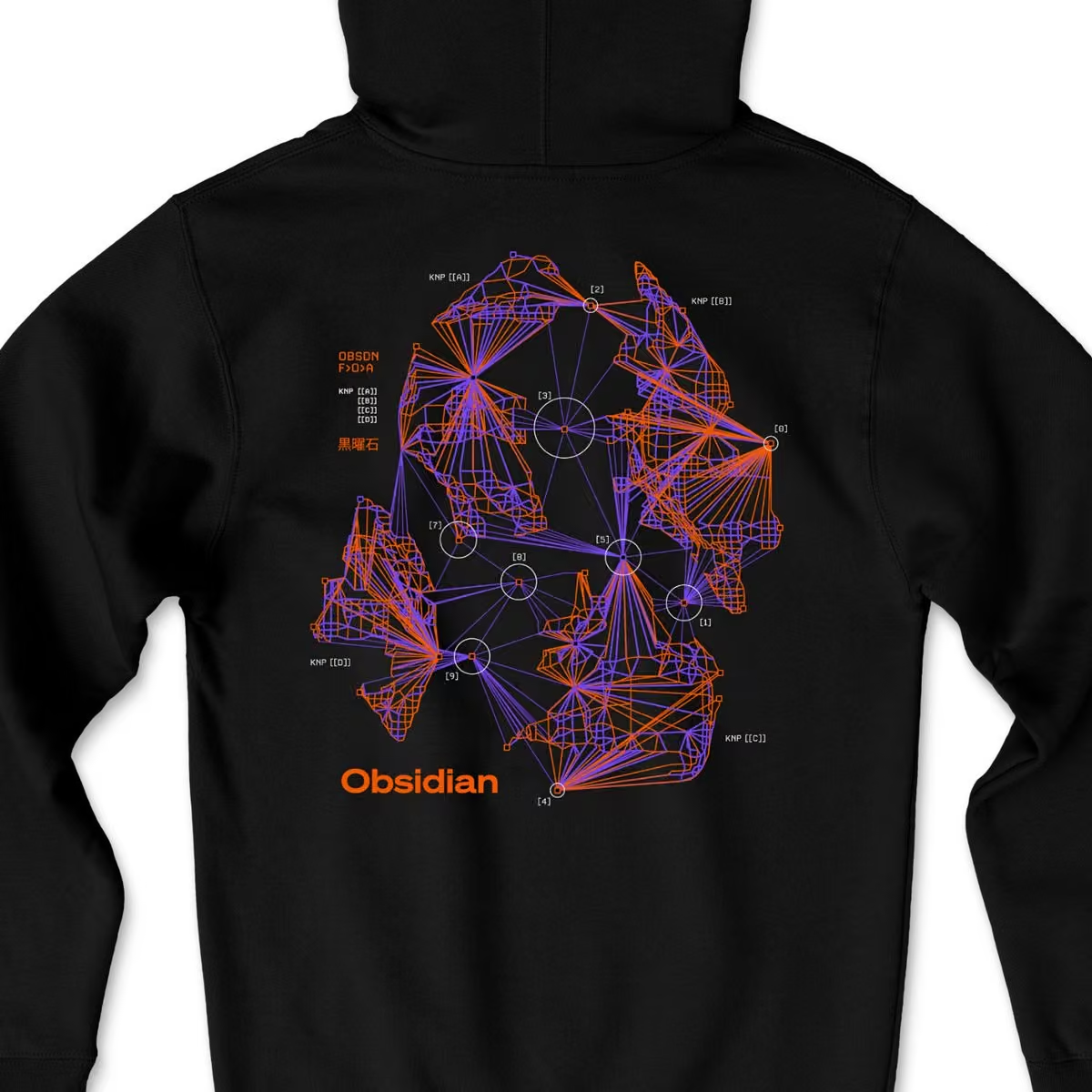 Obsidian
@obsdmd
The Fractal artwork was created by Obsidian user, @shaunyue. It is an anime-inspired fractal explosion of the Obsidian logo.
Shaun is the VFX artist behind sci-fi interfaces you've seen in Andor, Rogue One, Prometheus, Pacific Rim, Mission Impossible, The Dark Knight, and many more movies and shows.
Obsidian
@obsdmd
You can download high resolution wallpaper versions of the Fractal artwork on our blog.
obsidian.md/blog/fractal-softwear/


Obsidian reposted
kepano
@kepano
Here's what I'm working on next for Obsidian Web Clipper.
Shameless ask — if you've been enjoying the extension, give it a review wherever you downloaded it. It really keeps me going 💜

Obsidian reposted
kepano
@kepano
We're getting close on some limited edition @obsdmd merch by the amazing @shaunyue. Which one is your favorite?
Shaun is the designer behind sci-fi interfaces you've seen in Andor, Rogue One, Prometheus, Pacific Rim, Mission Impossible, etc, etc
1. "Drive" — inspired by hard drives representing the physical instantiation of your files
2. "Fractal" — explodes the Obsidian logo into a fractal graph view
(these images show the back of the t-shirt)

 Obsidian
@obsdmd
Obsidian 1.7.7 is now available for desktop and mobile with a few bug fixes.
Desktop
- Fixed position of fold indicators in reading mode (for real this time).
- Installer has been updated to Electron 32.2.5. This includes the fix for Developer Tools not remembering dark mode.
Mobile
- Fixed share extension not working on iOS 18.
- Fixed drag and drop in the file explorer and outline view not working on iOS.
Obsidian
@obsdmd
Obsidian 1.7.6 is now available for desktop and mobile with a few bug fixes.
Obsidian
@obsdmd
Obsidian 1.7.6 Mobile
obsidian.md/changelog/2024-11-12-mobile-v1.7.6
Obsidian
@obsdmd
Obsidian 1.7.6 Desktop
obsidian.md/changelog/2024-11-12-desktop-v1.7.6
Obsidian
@obsdmd
Save the web.
Obsidian Web Clipper is our new extension that helps you highlight and capture the web in your favorite browser.
Anything you save is stored as durable Markdown files that you can read offline, and preserve for the long term.
Web Clipper makes it easy to shape Obsidian into a recipe book, a personal movie database, a travel planner, or read-it-later inbox. It turns your favorite browser into a sharper tool.
Web Clipper is available for all major browsers on desktop and mobile, including Firefox, Safari, Chrome, Brave, Arc, Orion, and many more. It’s also open source under the MIT license.
 Obsidian
@obsdmd
You can download the new Obsidian Web Clipper here:
obsidian.md/clipper
Obsidian
@obsdmd
Obsidian 1.7.5 is now available with various bug fixes and small improvements, notably updating to Electron 32
obsidian.md/changelog/2024-11-04-desktop-v1.7.5
Obsidian
@obsdmd
Obsidian 1.7 is now available for desktop and mobile!
This update makes Obsidian much faster to load, and reduces memory usage. You should see significant performance improvements across all platforms.
More highlights:
- The new Sync History view shows a list of edits across the vault, useful when collaborating on a shared vault. Activate it using the "Sync: Show Sync history" command.
- You can now click inside a page preview to edit it without opening the note.
- Several improvements to Obsidian URI new and addition of daily.
- There is a new tool (General → Advanced) to show the app load time.
- Views now load only when visible. This might cause issues with some plugins, make sure to update your plugins.
- Renaming files is now faster in large vaults.
 Obsidian
@obsdmd
Obsidian 1.7.4 (early access) is now available to Catalyst members for desktop and mobile
obsidian.md/changelog/2024-10-08-desktop-v1.7.4/
Obsidian
@obsdmd
Obsidian October 2024 is all about speed.
obsidian.md/blog/2024-obsidian-october/
Obsidian
@obsdmd
Obsidian 1.7.3 (early access) is now available to Catalyst members for desktop and mobile!
- iOS: The option to skip iCloud loading will now appear earlier.
- If a plugin takes a while to load at startup, a message will appear and give you the option to disable the plugin and restart the app.
- The startup debug screen now shows how long individual plugins took to load.
- Fixed sidebar views not always updating to reflect the latest active file.
- Fixed extra history entries appearing in the view navigation list.
- Fixed append and prepend URI actions adding extra newlines when the file content is empty.
Obsidian
@obsdmd
Obsidian 1.7.2 (early access) is now available to Catalyst members for desktop and mobile!
Startup time and and memory usage are significantly improved with this update.
Views now load only when visible. Be aware this might cause issues with some plugins, but we've published a guide for plugin developers.
This update also includes Obsidian URI improvements:
- new clipboard parameter to insert the contents of the clipboard.
- new prepend to add to the top of the file.
- prepend and append will both attempt to merge properties.
- new daily URI action to open or create your daily note.
Obsidian reposted
kepano
@kepano
you can now set your iCloud files to "Keep Downloaded" which significantly reduces startup time for Obsidian
(available on iOS18 and macOS Sequoia)

Obsidian reposted
Obsidian
@obsdmd
Obsidian 1.7.1 (early access) is now available to Catalyst members for desktop and mobile.
Startup time is significantly faster on mobile. For vaults with 10,000+ notes you can expect to see at least 50% reduction in load time.
Editable page previews and footnotes are also improving quickly. Page previews stay open even if the window loses focus or the command palette appears. Pressing "Esc" instantly closes the page preview while editing.
+ many more small fixes and improvements!
Obsidian
@obsdmd
We're continuing to make improvements to load time across configurations. You can help!
Test startup time on your device by going to General → Advanced, to see a breakdown of the app's startup time.
Share your results with us on our Discord channel so we can keep improving 🥰
 Obsidian
@obsdmd
Uptime metrics for Obsidian Sync and Publish are now available on our new system status page, and any outages or planned downtime will be reported there.
 Obsidian
@obsdmd
PSA: Our main server was taken down by an unintentional reboot at 2024-08-24 3 AM EST / 12 AM PST. When the account server was down, our services like Sync, Publish, and login/sign up were disrupted. Everything is back to normal now.
Normally our services would have immediately auto-restarted, however we made a mistake in the auto-restart configuration, which meant that it did not automatically restart. We were able to start it up again manually at 8 AM EST.
We have since located the configuration issue and fixed it so if this happens again it would be down for at most a few seconds. Apologies for the inconvenience!
Obsidian
@obsdmd
Obsidian 1.7.0 (early access) is now available to Catalyst members for desktop and mobile!
Major highlights include a new tab switcher on mobile, and a new Sync history view.
Desktop
- Obsidian Sync includes a new view that shows a collection of synchronized files. Activate it with the "Show Sync history" command.
- You can now click inside a page preview to edit in-place.
- You can now create new footnotes by clicking on the hover preview of a footnote ID.
- Spellcheck is now disabled inside prompts like the quick switcher and command palette.
- Added support for X URL embeds in addition to the old Twitter URLs.
- Right-clicking in the gutter of a Markdown view now lets you quickly toggle line numbers or readable line width.
- The "Make copy of" menu item has been renamed to "Duplicate" on macOS to match OS conventions.
- Obsidian Publish collaborators can now edit content-related site options, including the order of sidebar items.
- The "Close all other tabs" command no longer closes pinned tabs.
- Search view no longer starts loading search results until the view is displayed. This may improve app loading performance.
- Frontmatter is now hidden inside embedded editors such as Canvas file nodes and page preview.
- Fixed scrolling within linked Markdown views being choppy.
- "Insert Markdown link" and "Insert internal link" commands now support multiple cursors.
- Context menus now display correctly in right-to-left mode.
- Fixed bug where Obsidian Sync could deactivate itself when syncing to a device with "Sync core plugins" disabled.
Mobile
- Added a new mobile tab switcher.
- Moving the cursor by pressing and holding no longer activates links.
- The sidebar animation is now slightly faster.
- Improved screen resizing when the keyboard appears on iOS.
- The Android back button now closes the active page in settings.
- For Android, we've updated haptics to match OS conventions for light, medium, and heavy interactions.
- Status bar and navigation bar now match the app background color on Android.
- Fixed issue where the pull-down action would activate too easily.
Obsidian
@obsdmd
Obsidian 1.7 includes a new mobile tab switcher, so you can see an overview of your open notes, quickly close notes, and reopen them easily.
Now available in early access for Catalyst members.
Obsidian reposted
kepano
@kepano
Obsidian appeared for the first time in @StackOverflow's 2024 dev survey and is already second to Markdown files for most admired async work tool 🥰
"Obsidian users have no desire to try any other asynchronous tools next year, and nine different groups of asynchronous tools users would like to switch to see why next year."
 Obsidian
@obsdmd
UPDATE: Server is now up and running again.
Original PSA: Obsidian Publish is currently experiencing downtime as our hosting provider has ran into some issues with the server's hardware. They are actively working on getting our server back online. Sorry for the inconvenience!
Obsidian reposted
kepano
@kepano
Nice to see Google Docs rolling out better Markdown support.
If you use Obsidian this will make it easier to collaborate with your coworkers who need to use Docs. I ran into this often at my previous company when working on blog posts and internal memos.
Next, I'd love to see Google add support for copy/pasting Markdown
 Obsidian
@obsdmd
Obsidian 1.6.7 is now available to all for desktop and mobile with a few bug fixes.
 Obsidian
@obsdmd
Obsidian 1.6.6 (early access) is now available to Catalyst members for desktop and mobile.
- Fixed memory leak when disabling plugins that register custom ribbon buttons.
- Fixed overlap of indicators and bullets with right-to-left text.
- Fixed an issue where old file history was missing from the sync history view after renaming a file.
 Obsidian
@obsdmd
Obsidian 1.6.5 is now available to all for desktop and mobile!
Highlights
- (Optional) The installer has been updated to use Electron v30.1.2. To upgrade, install visit the Obsidian download page and reinstall Obsidian.
- Added "Publish current file" command and menu item to Obsidian Publish.
- Fixed toggling checkbox on the last line of a file or callout. If you rely on checklists inside callouts heavily in your vault, you may want to rebuild your metadata cache.
- Fixed link autocompletion for headings (via [[#) sometimes generating invalid links.
- Improved the overall experience of editing files with inline properties hidden. If properties are hidden in the editor and the Properties core plugin is enabled, any action that attempts to focus the properties will now focus the property in the sidebar.
- Fixed issue with app ribbon items getting reordered incorrectly after drag and drop.
- Disabling and reenabling plugins no longer causes the position of their ribbon items to be lost.
- Added better support for mixed LTR and RTL tables.
- When the app is full screen, the maximize button now turns into a "restore" button in the window frame.
- Fixed several animation glitches with the sidebars when they are opened and closed.
Obsidian
@obsdmd
Obsidian 1.6.4 (early access) is now available to Catalyst members for desktop and mobile ✨
Includes many small fixes and improvements!
Mobile fixes
- Fixed scrolling via an external device not working on iOS.
- Added mobile tap effect to buttons in the "New tab" view.
- The "Toggle ribbon" setting now appears inside `Settings → Appearance` for tablets.
- Notices are now slightly wider on phones.
- Hover effects now activate when moving a trackpad cursor over elements on tablet.
- Fixed the "Go to first line" command sometimes giving focus to the "Add property" button.
- Removed the "Close others in tab group" command on phones.
- Fixed tooltips sometimes briefly flashing when tapping on a tab.
Other fixes
- Fixed duplicate menu items appearing in the context menu when right-clicking on a link inside an embed.
- Fixed "Quick start" from the vault screen not working if the location already exists.
- Fixed lag when dragging and dropping files in the file explorer with many open files.
- Fixed toggling checkbox on the last line of a file or callout.
- Fixed link autocompletion for headings (via `[[#`) sometimes generating invalid links.
- Fixed dragging and dropping folders in the file explorer generating incorrect folder names if there's a path conflict.
- Fixed links inside callouts not appearing in the Backlinks view.
Tables
- Automatic link renaming now correctly escapes custom display text links (`\|`) inside tables.
- Adding a link via the Outgoing Links view now escapes the pipe (`\`) character if the link is inside a table.
- Fixed drag and drop not working in table cells.
- Fixed bug where undo/redo inside a table causes columns to disappear.
Properties
- Improved the overall experience of editing files with inline properties hidden. If properties are hidden in the editor and the Properties core plugin is enabled, any action that attempts to focus the properties will now focus the property in the sidebar.
- Clicking on a property from the global search view now focuses the property.
RTL
- Added better support for mixed LTR and RTL tables.
- Improved rendering of mixed LTR and RTL content inside exported PDFs.
- Made small fixes for tabs.
- No longer force right-alignment on the inline title.
Editor
- Added "Copy" menu item when right-clicking on external links. This copies the displayed text, not the underlying URL.
- Bold links now have the correct text weight applied.
- Fixed links inside headings having the incorrect text weight applied.
- Fixed the color of bare external links.
- Fixed formatting commands when the selected text contains a task list.
- Fixed backslashes (`\`) inside inline code getting hidden.
- Updated the letter spacing on smaller headings.
- Fixed the `--bold-weight` CSS variable not being correctly computed in some places.
Workspace
- The "Split right" menu item and command are no longer available if the active tab is in the sidebar.
- The inline find/replace bar now uses icon buttons instead of text buttons.
- When the app is full screen, the maximize button now turns into a "restore" button in the window frame.
- Fixed translucency on macOS when the app ribbon is visible.
- Fixed several animation glitches with the sidebars when they are opened and closed.
- Fixed issue where items inside the `View` menu on the macOS application bar did not reflect the current state of the app.
- Updated the appearance of dropdowns across the app.
Ribbon
- Fixed issue with app ribbon items getting reordered incorrectly after drag and drop.
- Disabling and reenabling plugins no longer causes the position of their ribbon items to be lost.
Obsidian
@obsdmd
Obsidian 1.6 is here!
- Faster load time on desktop and mobile
- New vault switcher, and ability to hide ribbon
- RTL UI and mixed-direction support
- Revamped footnotes support
- Countless little bug fixes and improvements
Now available to everyone, on all platforms.
Obsidian
@obsdmd
Footnote improvements in Obsidian 1.6:
- Autocomplete when you type [^
- Hover previews
Obsidian
@obsdmd
Obsidian 1.6.2 (early access) is now available to Catalyst members for desktop and mobile.
Obsidian
@obsdmd
Obsidian 1.6.2 Mobile (early access) changelog
obsidian.md/changelog/2024-06-04-mobile-v1.6.2
Obsidian
@obsdmd
Obsidian 1.6.2 Desktop (early access) changelog
obsidian.md/changelog/2024-06-04-desktop-v1.6.2
Obsidian reposted
Obsidian reposted
kepano
@kepano
If you're a student or faculty, there's a 40% discount for Obsidian Sync — $29 per year instead of $48.
This isn't new but I am realizing that many students don't know about this. You can apply for it in your account settings.
 Obsidian
@obsdmd
Obsidian 1.6.1 (early access) is now available to Catalyst members for desktop and mobile ✨
- Sidebar tabs are more accessible on mobile
- Improved footnote editing. Autocomplete footnotes when you type [^
- Lots of little bug fixes and improvements
 Obsidian
@obsdmd
Obsidian 1.6.1 Mobile (early access)
obsidian.md/changelog/2024-05-22-mobile-v1.6.1
Obsidian
@obsdmd
Obsidian 1.6.1 Desktop (early access)
obsidian.md/changelog/2024-05-22-desktop-v1.6.1
Obsidian reposted
kepano
@kepano
A Pattern Language is one of my favorite books, and this abridged hypertext version by zenodotus280 is incredibly fun to explore with @obsdmd
The book explores humanism in design patterns at every scale from the layout of cities down to how you should choose chairs
zendotus280 did the hard work of linking patterns to each other which makes it possible to easily traverse the text across many more dimensions than you can flipping pages
 Obsidian
@obsdmd
Obsidian 1.6.0 (early access) is now available to Catalyst members on desktop.
- Improved overall app loading time.
- Dozens of fixes and improvements for footnotes. Added support for footnote previewing on hover.
- Obsidian Sync received some polish and speed improvements.
- Completely revamped support for RTL languages.
 Obsidian
@obsdmd
Obsidian 1.6.0 Desktop (early access)
obsidian.md/changelog/2024-05-09-desktop-v1.6.0
Obsidian
@obsdmd
If you are developing a plugin or theme for Obsidian, you can find our best practices for right-to-left (RTL) languages here:
docs.obsidian.md/Plugins/User+interface/Right-to-left
Obsidian reposted
Obsidian reposted
kepano
@kepano
Since a few RTL speakers have asked to help, the most useful thing you can do is to contribute interface translations, see the guide here:
help.obsidian.md/Contributing+to+Obsidian/Translations
We're missing Dhivehi, Hebrew, Syriac, Urdu, and other languages are not 100% complete
kepano
@kepano
Still very WIP but I am revamping the @obsdmd UI for right-to-left languages such as Arabic, Dhivehi, Hebrew, Farsi, Syriac, Urdu.
So many little questions I had never thought about until now:
- Which way does a "back" arrow go?
- Do progress bars fill right-to-left?
- Are slashes in paths reversed?
- Do window buttons get mirrored on major OSes?
This has been an eye-opening experience as someone who is not RTL native.
Using start/end values rather than left/right is something I will be thinking about with every project going forward.


Obsidian reposted
kepano
@kepano
Still very WIP but I am revamping the @obsdmd UI for right-to-left languages such as Arabic, Dhivehi, Hebrew, Farsi, Syriac, Urdu.
So many little questions I had never thought about until now:
- Which way does a "back" arrow go?
- Do progress bars fill right-to-left?
- Are slashes in paths reversed?
- Do window buttons get mirrored on major OSes?
This has been an eye-opening experience as someone who is not RTL native.
Using start/end values rather than left/right is something I will be thinking about with every project going forward.
Obsidian
@obsdmd
Obsidian 1.5.12 is now available and fixes a bug with the text entry cursor position on some Android keyboards.
Obsidian
@obsdmd
JSON Canvas, the open file format we created for infinite canvas data is now supported by several apps and tools, with libraries for C, Dart, Go, Python, React, Rust, and Typescript.
 Obsidian
@obsdmd
Obsidian Sync now starts at $4 per month with the new Standard plan.
Obsidian Sync is the easiest way to securely sync your notes across devices, with end-to-end encryption, version history, and collaborative shared vaults.
The new Standard plan includes:
1 synced vault
1 GB total storage
5 MB maximum file size
1 month version history
As we state in our Manifesto, we believe that everyone should have the tools to think clearly and organize ideas effectively. We are committed to keeping Obsidian apps free for personal use without any requirement to sign up for an account.
Our add-on services Obsidian Sync and Publish allow us to remain 100% user-supported, and help us fund continued development.
Because Obsidian is built on local files that you control, our add-on services have many free alternatives and self-hostable options. Obsidian Sync is our approach to making the most intuitive and secure sync option.
With this new plan, we’re excited to make Sync accessible to even more people!
See more detail and FAQs on the Obsidian blog.
 Obsidian
@obsdmd
Obsidian Sync now starts at $4 per month with the new Standard plan
obsidian.md/blog/standard-plan/
Obsidian
@obsdmd
FAQs about the new Standard plan
As a current Sync subscriber what happens to my plan?
Nothing changes. Your Sync plan is now called Sync Plus and has all the same features and pricing as before, including any discounts you may have.
How do these new plans affect early bird pricing, non-profit, or educational discounts?
Any discounts on your account can be applied to the new Standard plan.
Do shared vaults count towards the number of vaults?
Only remote vaults that you create count towards your vault limit. Remote vaults that are shared with you by another user do not count towards your vault limit.
Can I upgrade from Standard to Plus?
Yes. You can upgrade at any time and pricing is prorated.
Can I downgrade from Plus to Standard?
Yes. To downgrade you must first make sure that your account meets the constraints of the Standard plan — meaning that you have only 1 remote vault with less than 1 GB used.
Can I retain 50GB of storage if I downgrade to Standard?
No. If you are an early supporter and purchased the Plus plan with 50 GB before January 1st 2024, you must remain on the Plus plan to continue receiving 50 GB of storage.
Obsidian
@obsdmd
Obsidian 1.5.11 is now available to all for desktop and mobile ✨
- Lots of overdue fixes and performance improvements for mobile.
- More fixes for the table editor, including drag and drop support as well as aligning multiple rows and columns at once.
- Improved the Workspaces core plugin, added a new "Save layout" command.
Obsidian
@obsdmd
Obsidian 1.5.11 Mobile
obsidian.md/changelog/2024-03-19-mobile-v1.5.11
Obsidian
@obsdmd
Obsidian 1.5.11 Desktop
obsidian.md/changelog/2024-03-19-desktop-v1.5.11
Obsidian reposted
kepano
@kepano
Apps and tools that support JSON Canvas are now listed here:
jsoncanvas.org/docs/apps/
Obsidian
@obsdmd
Obsidian 1.5.11 (early access) is now available to Catalyst members for desktop and mobile ✨
Obsidian
@obsdmd
Obsidian 1.5.11 Desktop (early access)
obsidian.md/changelog/2024-03-13-desktop-v1.5.11
Obsidian
@obsdmd
Obsidian 1.5.11 Mobile (early access)
obsidian.md/changelog/2024-03-13-mobile-v1.5.11
Obsidian reposted
kepano
@kepano
click the toggle to see the JSON Canvas site in JSON Canvas format
Obsidian
@obsdmd
The Obsidian Canvas file format is now called JSON Canvas and has its own site, specification, and open source resources.
JSON Canvas can be implemented freely as an import, export, and storage format for any app or tool. All the resources associated with JSON Canvas are open source under the MIT license, and can be found on GitHub.
For the release of Obsidian Canvas we created the .canvas format with an open spec. We created this format because we felt it was essential to follow the principles that have guided us since the start. Your Obsidian data should always be stored locally, accessible offline, completely in your control, in open file formats that are easy to retrieve and read. For notes we achieve this by using plain text .md files with Markdown syntax, a widely supported format. However, infinite canvas data does not yet have a similarly established format.
While infinite canvas tools are not new, they have been quickly growing in popularity. The JSON Canvas format was created to in hopes of providing longevity, readability, interoperability, and extensibility to data created with infinite canvas apps. The format is designed to be easy to parse and give users ownership over their data.
The JSON Canvas spec is currently at version 1.0. The spec is relatively conservative, it does not support every feature that canvas apps may want to implement. However we think it is a useful starting point to build upon, and we plan to continue improving on it over time.
 Obsidian
@obsdmd
Announcing JSON Canvas
obsidian.md/blog/json-canvas/
 Obsidian
@obsdmd
JSON Canvas on @github
github.com/obsidianmd/jsoncanvas
Obsidian
@obsdmd
Obsidian Publish now supports full-text search
 Obsidian
@obsdmd
Try out full-text search on the Obsidian Help site
help.obsidian.md
Obsidian
@obsdmd
Full-text search in Obsidian Publish supports multiple word queries using quotation marks
 Obsidian
@obsdmd
Obsidian v1.5.9 (early access) is now available on desktop and mobile.
This update fixes a number of bugs and performance issues on mobile, including several issues introduced with iOS 17.
Improvements
- Fixed alignment of app header. The filename should now be horizontally centered.
- Ensure the last few seconds of changes are saved when leaving the app.
- The font size slider no longer attempts to resize the interface while it is still being dragged.
- Added missing icons in the "Mobile" settings list.
- Fixed modals sometimes appearing with way too much spacing in the header.
- Allow loading Google fonts inside custom CSS.
- Fixed collapse buttons on tablet devices were incorrectly shown when sidebar is pinned.
- Opening the photo lightbox no longer activates the keyboard.
- Removed commands to navigate to specific tab number on small mobile devices.
Android
- Fixed keyboard getting closed when deleting a table.
- Fixed keyboard being closed when switching back to Obsidian from another app.
- Fixed not being able to type with external keyboard.
iOS
- Fixed app being laggy when backlinks view is open.
- Fixed black bars sometimes appearing when virtual keyboard opens or closes.
- Fixed "Select all" not working on larger documents.
- Fixed pasting link sometimes generate a link with empty title.
- Fixed pasting text containing a colon getting inserted as a Markdown link.
- Long-pressing on links in Live Preview no longer activates the keyboard.
- Keyboard will now update immediately after the theme changes between light/dark modes.
- Fixes file corruption when large files fails to save due to out of memory errors when using Sync.
iPad
- Fixed tabs requiring two taps to activate.
- Improved compatibility with Apple Vision Pro's eye tracking making it clear what elements are interactive.
- Fixed the toolbar sometimes having too much space below it when using physical keyboard.
- Fixed sometimes the navigation bar shows behind the toolbar when using an external keyboard.
Obsidian
@obsdmd
Obsidian 1.5.9 Mobile (early access)
obsidian.md/changelog/2024-03-04-mobile-v1.5.9/
Obsidian
@obsdmd
Obsidian 1.5.9 Desktop (early access)
obsidian.md/changelog/2024-03-04-desktop-v1.5.9/
Obsidian
@obsdmd
You can now install Obsidian on Android without going through the Google Play store by downloading the APK file on our /download page:
obsidian.md/download
Obsidian
@obsdmd
There are now 1500 plugins in the Obsidian community directory!

Obsidian reposted
Andrej Karpathy
@karpathy
Love letter to @obsdmd to which I very happily switched to for my personal notes. My primary interest in Obsidian is not even for note taking specifically, it is that Obsidian is around the state of the art of a philosophy of software and what it could be.
- Your notes are simple plain-text markdown files stored locally on your computer. Obsidian is just UI/UX sugar of pretty rendering and editing files.
- Extensive plugins ecosystem and very high composability with any other tools you wish to use because again it's all just plain-text files on your disk.
- For a fee to cover server costs, you can also Sync (with end-to-end encryption) and/or Publish your files. Or you can use anything else e.g. GitHub, it's just files go nuts.
- There are no attempts to "lock you in", actually as far as I can tell Obsidian is completely free of any user-hostile dark patterns.
For some more depth, I recommend the following writing from CEO @kepano:
- "File over app" stephango.com/file-over-app . If you want to create digital artifacts that last, they must be files you can control, in formats that are easy to retrieve and read. Accept that all software is ephemeral, and give people ownership over their data.
- "100% user-supported" stephango.com/vcware . On incentives alignment.
- "Quality software deserves your hard‑earned cash" stephango.com/quality-software
TLDR: This is what software could be: private, secure, delightful, free of dark patterns, fully aligned with the user, where you retain full control and ownership of your data in simple, universal formats, and where tools can be extended and composed.
 Obsidian
@obsdmd
Obsidian v1.5.8 is now available to all on both desktop and mobile ✨
- The new table editor is now available on mobile
- Tables are now formatted as you type, columns will be aligned when you switch to source mode.
- Many more small bug fixes and improvements
For developers, we've added improvements to the API. See changelog for details.
Obsidian
@obsdmd
Obsidian 1.5.8 Mobile
obsidian.md/changelog/2024-02-22-mobile-v1.5.8/
Obsidian
@obsdmd
API changes for Obsidian 1.5.7+
github.com/obsidianmd/obsidian-api/blob/master/CHANGELOG.md
 Obsidian
@obsdmd
Obsidian 1.5.7 (early access) is now available for desktop and mobile, fixing a handful of small bugs.
Obsidian
@obsdmd
Obsidian 1.5.7 Mobile (early access)
obsidian.md/changelog/2024-02-20-mobile-v1.5.7/
Obsidian
@obsdmd
Obsidian 1.5.7 Desktop (early access)
obsidian.md/changelog/2024-02-20-desktop-v1.5.7/
Obsidian
@obsdmd
Obsidian 1.5.6 (early access) is now available for desktop and mobile with more small fixes and improvements for tables.
Obsidian
@obsdmd
Obsidian 1.5.6 Mobile (early access)
obsidian.md/changelog/2024-02-16-mobile-v1.5.6/
Obsidian
@obsdmd
Obsidian 1.5.6 Desktop (early access) obsidian.md/changelog/2024-02-16-desktop-v1.5.6/
Obsidian
@obsdmd
Obsidian 1.5.5 (early access) is now available for both desktop and mobile.
Tables
- Fixed brief flash when editing RTL tables.
- Fixed issue where undo/redo would put cursor in wrong position.
- You can now press backspace after a table to select the table. Pressing backspace again will delete the table.
- Fixed issue where editing a large table would cause spaces to unexpected get deleted.
-Fixed issue causing autosuggests inside table cells to sometimes not appear.
-You can now click links and tags inside table cells.
Misc
- Sync: When viewing your remote vaults inside Obsidian, you can now see the total storage space used by each vault.
- Improvements for indented text and lists in Live Preview.
- Fixed the appearance of the embedded backlinks for right-to-left interfaces.
- Fixed sidebar views missing a "close" button.
- Pressing Home when editing a table in source mode will now always go to the beginning of the line.
Obsidian reposted
kepano
@kepano
Why @obsdmd is 100% user-supported and not backed by VC investors:
1. We want to stay small, we don't need to hire lots of people
2. We follow strict principles that we do not want compromise
3. Our users are happy to support us, we don't need VC money
Obsidian will not exist forever, no app will. However, the files you create in Obsidian are yours, and can hopefully last for generations. VCware is built with a five year horizon, it is not built to live on for decades.
Many startup founders raise VC money because they need the upfront capital to build their product, or they see it as a shortcut to growth. For some products the capital truly is necessary, but too often it's fueled by impatience and the inertia of Silicon Valley.
In the short term, VCware tends to subsidize pricing to acquire users. It's easier to grow if your product is cheap or free. But this generally comes at the cost of hoarding user data, and locking in customers. Once you're in you can't get out.
To keep raising money, VCware must paint an increasingly enormous vision of their future, which becomes impossible to live up to. This leads to increasingly disparate priorities that gradually make the product worse. What starts off as a useful app become burdened with crap.
Eventually all VCware must exit. That means being acquired or going public to pay back investors. It's expected that 9 out 10 startups will fail. That's just part of the math in a VC portfolio. The startups that have big exits pay for the ones that fail.
It is now possible for tiny teams to make principled software that millions of people use, unburdened by investors. Principled apps that put people in control of their data, their privacy, their wellbeing. These principles can be irrevocably built into the architecture of the app.
Principled people have always been able to make principled software. The difference is that now you need far less money and far fewer employees to reach far more customers. That wave is only just beginning.
If you have principles and enough patience, being 100% user-supported is by far the most fun way to build.

 Obsidian
@obsdmd
Obsidian 1.5.4 (early access) is now available for both desktop and mobile!
This release brings the new table editor to the Obsidian mobile app, automatic formatting of Markdown table columns, and lots more bug fixes and improvements.
Obsidian
@obsdmd
Obsidian 1.5.4 Mobile (early access) release notes:
obsidian.md/changelog/2024-02-06-mobile-v1.5.4/
Obsidian
@obsdmd
Obsidian 1.5.4 Desktop (early access) release notes:
obsidian.md/changelog/2024-02-06-desktop-v1.5.4/
Obsidian
@obsdmd
We added new regional servers to Obsidian Sync. You can now sync faster by selecting a region close to you.
Options include North America, Europe, Asia, and Oceania. All are secured with AES‑256, the strongest encryption standard.
Obsidian
@obsdmd
Previously all vaults were on our North America region. If you want to migrate your existing vault to a different region you will need to create a new remote vault.
More information here:
help.obsidian.md/Obsidian+Sync/Set+up+Obsidian+Sync
Obsidian
@obsdmd
Today we're honoring 22 of the best Obsidian community projects of 2023 ✨
A total of 287 projects were nominated, including plugins, themes, tools, content, and templates.
With the voting complete, we're excited to share the winners:
obsidian.md/blog/2023-goty-winners/
Obsidian
@obsdmd
Looking sharp!
 David Hoang
@davidhoang
My softwear to work on software.
 Obsidian
@obsdmd
Obsidian has been independently audited by the security firm @cure53berlin — you can find the report on our new /security page.
obsidian.md/blog/cure53-security-audit
Obsidian is designed to be a private and secure space for your thoughts. Since the start, Obsidian has been built to give you full control over your data, without the requirement to sign up for an account, or share any private information.
Our new Security page compiles information about how Obsidian approaches protecting your data. It is also the home for security audits completed by third parties. Our first audit by Cure53 is now available, and detailed in the blog post.
We make Obsidian so that we can capture our own private thoughts and ideas. Independent audits help us ensure that our code and procedures meet the highest security standards. We will continue working with industry-leading security firms on more audits that provide comprehensive coverage and transparency towards this commitment.
Obsidian
@obsdmd
Thanks to everyone who nominated projects for Gems of the Year 2023. Now it's time to vote! Join us on Discord to cast your votes.
This year we are honoring plugins, themes, tools, and content that have never been recognized in any of our previous awards.
Our categories this year:
- Best new plugin
- Best new theme
- Best plugin update
- Best tool
- Best template
- Best content
Best new plugin
3D Graph by HananoshikaYomaru
Better Search Views by ivan-lednev
ChatCBT by clairefro
Chem by Acylation
Clipper by jgchristopher
Copilot for Obsidian by logancyang
Easy Bake by mgmeyers
File Color by ecustic
Folder Notes by LostPaul
Geocoding Properties by jose-elias-alvarez
HelpMate by TfTHacker
Home Tab by olrenso
Image Converter by xRyul
Modal Form by danielo515
ODIN by memgraph
Omnivore by Omnivore
Open Gate by nguyenvanduocit
Piece for Developers by pieces-app
Smart Connections by brianpetro
Time Ruler by joshuatazrein
Best new theme
Border by Akifyss
Flexoki by kepano
Halcyon by dbarenholz
Tokyo Night by tcmmichaelb139
Vicious by zaheralmajed
Best plugin update
Advanced URI by Vinzent03
Custom Frames by Ellpeck
Dataloom by trey-wallis
Day Planner by ivan-lednev
Digital Garden by oleeskild
Editing toolbar by PKM-er
Full Calendar by davish
Git by denolehov
Iconize by FlorianWoelki
Kanban by mgmeyers
Latex Suite by artisticat1
Linter by platers
Meta Bind by mProjectsCode
Metadata Menu by mdelobelle
OmniSearch by scambier
Periodic Notes by liamcain
Quick Switcher++ by darlal
QuickAdd by chhoumann
Various Complements by tadashi-aikawa
Zotero Integration by mgmeyers
Best tool
Actions for Obsidian by Carlo Zottmann
Canvas Candy by TfTHacker
Khoj by khoj-ai
Metadata by natelandau
Obsidian Web Chrome Extension by coddingtonbear
Quartz by jzhao
Remote by sytone
Rushi's Obsidian CSS Snippets Collection by r-u-s-h-i-k-e-s-h
TTRPG-Convert-CLI by ebullient
Web Clipper Bookmarklet by kepano
Best template
Grow Your Mind Garden Starter Kit by Angie Bowen
Dashboard++ by TfTHacker
Dataview Deep Dive by xDovos
Ideaverse by nickmilo
Kepano Vault Template by kepano
LifeOS by quanru
OB_Template by llZektorll
Obsidian Project Management Vault by DA Shop
Snifer Cornell Notes by Snifer
TfTHacker Cornell Notes by TfTHacker
Best content
Capture to do. How I manage literally all my tasks in Obsidian by Geet Duggal
Danny Hatcher's YouTube channel by DannyHatcher
Hack your brain with Obsidian by No Boilerplate
How to use Obsidian as CRM by Marco Serafini
LeanProductivity Obsidian Videos by leanproductivity
MacSparky Obsidian Field Guide by David Sparks
Nicole van der Hoeven by Nicole van der Hoeven
Obsidian TTRPG Community by Obsidian-TTRPG-Community
Obsidian TTRPG Tutorials by JP_Sklore
Obsidian Tutorial for Academic Writing by Leonardo Castorina
The Obsidian Observer by TfTHacker
Zotero Kanban Reading List guide - Workflow and Setup Guide by FeralFlora
Zsolt's Visual Personal Knowledge Management by Zsolt
Obsidian
@obsdmd
Last day to submit your nominations for 2023 Gems of the Year!
Obsidian
@obsdmd
Nominate your favorite Obsidian plugins, themes, tools, content, and templates for the 2023 Gems of the Year ✨
obsidian.md/blog/2023-goty-nominations/
Obsidian reposted
Obsidian
@obsdmd
Obsidian 1.5 is now available to all! ✨🎅
Tables. All new table editor! Table rows and columns are now easier to create, edit, sort, reorder, copy and paste.
Editor. New formatting menu. You can now right click in the editor to change text formatting, paragraph styles, and insert elements such as lists and tables.
Sync. Version history view has been revamped for better collaboration, and easy access to major revisions. You can now use Sync for up to 10 vaults, and maximum file size has increased from 100MB to 200MB.
Properties. You can now rename properties globally, and search now supports boolean and numbers within properties.
Plus tons more improvements and bug fixes! Happy holidays!
Obsidian
@obsdmd
Obsidian 1.5 release notes:
obsidian.md/changelog/2023-12-26-desktop-v1.5.3/
Obsidian
@obsdmd
Nominate your favorite Obsidian plugins, themes, tools, content, and templates for the 2023 Gems of the Year ✨
obsidian.md/blog/2023-goty-nominations/
Obsidian
@obsdmd
For those who missed the deadline — we manufactured extra hats, t-shirts and sweatshirts as part of this initial production run. They're in stock while quantities last! 💜
Obsidian
@obsdmd
Reminder: order by November 28 (Tuesday) to be part of the first run of Obsidian hats, t-shirts, sweatshirts and other merch items:
obsidian.md/softwear

Obsidian reposted
Obsidian
@obsdmd
Obsidian 1.5.2 is now available for early access!
Many improvements to tables, Sync version history, editor formatting, outline, and more.
Tables
- Triple-click in a table cell to select the whole table.
- Clicking on the drag-indicators is now a quick way to select the entire row or column.
- Improved performance of the table editor when rendering large tables.
- "Insert template" now works within table cells.
- Dragging rows and columns in the table will now move the row/column instead of swapping it.
Editor
- We have overhauled our formatting commands (e.g. "Toggle bold"). The commands now support multiple-cursors, work across multiple lines, works with table selections, and even detect existing formatting in the selection and "intelligently" places the formatting characters without breaking the document formatting.
- There is a new "Format" submenu when you right-click in a Markdown document to easily toggle the inline formatting for the current text selection.
- New "Clear formatting" command to remove inline formatting from the current selection
Outline
- The Outline view now has a "collapse all" button as well as a search field for filtering the list of headings in the file.
- The view is now registered with the "Page preview" core plugin. Preview individual headings in the note on hover.
Settings
- We've done some shuffling around in the settings.
- "About" has been renamed to "General" and is now first in the list.
- "About → Advanced" Section has been removed.
- "About → Disable GPU" has been moved to Appearance.
- "About → Override config folder" has been moved to Files and Links.
Sync
- When viewing the version history for a file, changes made by the same user on the same device will now be grouped together. And Markdown will be rendered to more closely match reading mode.
Misc.
- Reorganized the menu when right-clicking on a folder in the file explorer.
- New "Search in folder" menu item when right-clicking on a folder
- Improved appearance of inline code when it soft-wraps to the next line.
- New css class for order-list-number (`.formatting-list-ol`).
No longer broken
- Search operators such as `file:` and `path:` are now case-insensitive. So you can use "FILE:" or "PATH:" now.
- Outgoing links: Fixed issue where unresolved block links would render as an empty row in outgoing links view.
- Fixed issue where links with links with custom display text (i.e. `[[link|alias]]`) would render incorrectly after a table.
 Obsidian
@obsdmd
Obsidian 1.5.1 is now available for early access!
Lots of improvements to the new table editor, including buttons to easily add rows and columns.
Obsidian
@obsdmd
Obsidian 1.5.1 release notes:
obsidian.md/changelog/2023-11-29-desktop-v1.5.1/
Obsidian
@obsdmd
From the front page of @WIRED — writer @jhpot shares his process for writing articles as they move from brainstorming to pitching to publication.
"You can customize Obsidian to work basically any way you want it to. I've done this to create a perfect setup for my workflow—one that allows me to do my planning and my actual writing in the same application."
 Obsidian
@obsdmd
How to Use Obsidian for Writing and Productivity
Read more:
www.wired.com/story/how-to-use-obsidian-writing-productiv…
Obsidian
@obsdmd
You can gift Obsidian Credit to friends and family, by going to your account page — the amount you send can be used to pay for any license or service.
 Obsidian
@obsdmd
Gifting Obsidian
help.obsidian.md/Licenses+and+payment/Gifting
Obsidian
@obsdmd
Reminder: order by November 28 (Tuesday) to be part of the first run of Obsidian hats, t-shirts, sweatshirts and other merch items:
obsidian.md/softwear
Obsidian
@obsdmd
Here's how editing tables with Obsidian 1.5 updates the underlying Markdown content
Obsidian
@obsdmd
We're excited to share some big improvements to Obsidian Sync!
- Vault limit is up from 5 to 10
- Storage limit is flexible across all vaults
- Storage will be upgradable to 100GB
- Maximum file size 100MB to 200MB
- Select your server region for faster sync
Starting January 2024, these will be the new Sync plans:
- 10GB for $10/mo, or $8/mo billed yearly
- 100GB for $20/mo, or $16/mo billed yearly
If you sign up before January you will get 50GB of flexible storage for $10/mo.
If you are a current Sync subscriber your plan has automatically been upgraded to 50GB of flexible storage, 10 vaults, and increased file size limit. Your pricing will not change, including any discounts you have. Happy holidays, and thank you for being an early supporter!
Read more on our blog...
Obsidian
@obsdmd
New Obsidian Sync plans: bigger, better, faster, smoother
obsidian.md/blog/new-sync-plans/
Obsidian
@obsdmd
Obsidian 1.5 is now available for early access!
This release includes a brand new editor for tables. Table rows and columns are now easier to create, edit, sort, reorder, copy and paste.
These new table features can also be accessed via context menu, command palette, and hotkeys. Tables are still saved to plain text Markdown.
This release also includes dozens of improvements and bug fixes — some highlights:
- Properties can be renamed globally
- Property search now supports boolean and number values
- Number markers are now right-aligned in lists
- Right click a callout to change its type
- Defaults to system setting for light/dark mode
- Improved auto-pairing to better handle apostrophes
To download early access releases, become a Catalyst member. Catalyst is a one-time $25 donation that helps support Obsidian development.
Obsidian
@obsdmd
Obsidian 1.5 (early access) release notes:
obsidian.md/changelog/2023-11-20-desktop-v1.5.0/
Obsidian reposted
kepano
@kepano
getting there 🕵️
Obsidian
@obsdmd
Obsidian Softwear. For analog connections.
You can now preorder apparel and accessories with the new Obsidian logo. To be part of the first production run, place your order by November 28th. Ships worldwide.
obsidian.md/softwear
 Obsidian
@obsdmd
The preorder campaign allows us to produce Obsidian Softwear goods using high-quality manufacturing techniques that have a more durable and comfortable feel.
Here's an example of the crewneck embroidery:
 Obsidian
@obsdmd
With Obsidian 1.5 we will be deprecating the legacy editor, and continuing to invest in the new editor we launched two years ago. We're making way for exciting new features like table editing coming soon.
Read more:
obsidian.md/blog/goodbye-legacy-editor/
Obsidian
@obsdmd
For plugin developers, this means we will be completely removing CodeMirror 5 and you will be able to assume users on newer versions of Obsidian will be using CodeMirror 6.
Source mode remains an option in the new editor. There are no plans to remove it.
Obsidian
@obsdmd
Why local-first matters, from @verge
"If Obsidian ever goes away you'll still have the app, if a plugin ever disappears you'll still have the version you installed... And if for some reason way down the line the app stops working entirely, you'll still have your folder of text files, because that's all it is anyway, and you can take them somewhere else."
"If Obsidian goes away you'll still have Obsidian. That is local-first software."
 The Verge
@verge
From the cloud to your computer: a new theory of how software works www.theverge.com/23938533/self-hosting-local-first-softwa…
Obsidian reposted
kepano
@kepano
A math teacher at @GVSU used Obsidian to create a course textbook with exhaustive linking:
publish.obsidian.md/mth225
I like this structure because you can easily dig deeper on any concept you don't understand. Very well done!
 Obsidian
@obsdmd
Obsidian Importer 1.5.3 is now available.
Importing from Apple Notes now includes the text from handwriting detected in drawings.
Plus several small bug fixes and improvements.
 Obsidian
@obsdmd
How to import from Apple Notes into Obsidian
help.obsidian.md/import/apple-notes
Obsidian
@obsdmd
Obsidian Importer now helps you easily convert your Apple Notes data to portable files that you can use with any Markdown app. Supports tables, images, drawings, scans, PDFs, and links introduced in iOS 17.
Three months ago, we introduced Importer as an open-source project. Thanks to contributions from the Obsidian community, Importer supports converting your data from Notion, Evernote, Google Keep, Microsoft OneNote, Bear, Roam Research, HTML files, and more.
The latest version of Importer tackles the most challenging format to date: Apple Notes.
Unfortunately, Apple Notes is one of the few note-taking apps that does not have a built-in export feature. Because Apple Notes uses a proprietary format, it makes data complicated to migrate, and nearly impossible to use in conjunction with other tools.
Apple Notes supports content such as tables, images, drawings, scans, and PDFs. As of iOS 17 it also supports links between notes. This breadth of content makes the conversion process more challenging. Here’s the good news: all of these content types can now be extracted using Obsidian Importer.
So, how does it work? Apple Notes stores your data in a local SQLite database. This data is in an undocumented format, but it’s possible to decode how it is stored and convert it. Decoding the Protocol Buffers stored in the Apple Notes database was made possible by the work of Jon Baumann from Ciofeca Forensics and its adaptation for Obsidian by Mir Novov.
Whether you’re planning to migrate away from Apple Notes or just want to back up your data, the new Obsidian Importer gives you the freedom to easily convert your Apple Notes to portable, durable files.
 Obsidian
@obsdmd
Obsidian Importer now converts Apple Notes to portable, durable files
More on our blog:
obsidian.md/blog/apple-notes-export/
Obsidian
@obsdmd
Congratulations to @mirnovov who has been awarded our biggest bounty to date for adding Apple Notes to Obsidian Importer — an elegant and easy to use implementation
Obsidian
@obsdmd
A new bounty is open for Obsidian Importer:
$2,500 to add Apple Notes import
github.com/obsidianmd/obsidian-importer/issues/15

Obsidian reposted
Obsidian
@obsdmd
"The indie darling rejects everything you know about modern software." 💜
 Obsidian
@obsdmd
Kind words from @FastCompany, featuring members of the Obsidian community @NickMilo, @EleanorKonik, @kepano and more. Full article:
www.fastcompany.com/90960653/why-people-are-obsessed-with…
Obsidian
@obsdmd
Obsidian 1.4.16 is now available to everyone on mobile and desktop! ✨
- Properties are now supported on mobile
- List values can be edited
- New indeterminate state for checkboxes
- Property types sync with main settings when using Obsidian Sync
...and lots more improvements
 Obsidian
@obsdmd
Obsidian Mobile 1.4.14 and Desktop 1.4.15 are now available for early access:
obsidian.md/changelog/2023-10-10-desktop-v1.4.15/
obsidian.md/changelog/2023-10-10-mobile-v1.4.14/
Obsidian
@obsdmd
Obsidian October is coming up! For our third year, we’re here to help you complete the community projects that you’ve been meaning to work on.
Whether it’s a plugin, theme, tool, or template, this is the month to get it across the finish line!
obsidian.md/blog/2023-obsidian-october/
Obsidian
@obsdmd
Obsidian Desktop 1.4.14 (Public) is now available, with improvements for properties and sync.
obsidian.md/changelog/2023-09-26-desktop-v1.4.14/
Obsidian
@obsdmd
Obsidian Mobile 1.4.12 is now available for early access!
This update adds support for Properties on iOS and Android ✨
Obsidian
@obsdmd
Obsidian Mobile 1.4.12 release notes
obsidian.md/changelog/2023-09-22-mobile-v1.4.12/
Obsidian
@obsdmd
Obsidian Desktop v1.4.13 is now available. To update, manually get the latest installer from obsidian.md/download
The installer includes an important security update related to displaying images. See Google Chrome security advisory CVE-2023-4863.
Obsidian
@obsdmd
How to update Obsidian:
help.obsidian.md/Getting+started/Update+Obsidian
Obsidian
@obsdmd
A new bounty is open for Obsidian Importer:
$2,500 to add Apple Notes import
github.com/obsidianmd/obsidian-importer/issues/15
Obsidian
@obsdmd
Obsidian Desktop v1.4.10 is now available for everyone! This release brings tons of small improvements and bug fixes to properties.
 Obsidian
@obsdmd
Obsidian Desktop v1.4.10 release notes:
obsidian.md/changelog/2023-09-11-desktop-v1.4.10/
Obsidian
@obsdmd
You can now easily convert your notes to durable, private, local files, that you own and can access offline at any time.
Free your notes from proprietary formats and databases.
 Obsidian
@obsdmd
The latest version of Obsidian Importer makes converting your data super easy. You can use the resulting files with any app that supports Markdown files. It takes only a minute.
Obsidian
@obsdmd
Obsidian Importer 1.1 is now available ✨
It's now easier to convert your data to durable plain text files accessible to you offline, forever.
Now works with Notion, Bear, Google Keep, Evernote and folders of HTML files.
Obsidian
@obsdmd
Obsidian Importer is open source and received amazing contributions 💜
– @akosbalasko for Evernote
– @daledesilva for Google Keep
– @arthurtyukayev for Bear
– @polyipseity for HTML attachments
– @p3rid0t_ for Microsoft OneNote
– 8bitgentleman for Roam
– joshuatazrein for Notion
Obsidian
@obsdmd
Obsidian 1.4.9 (early access) is now available with more improvements and bug fixes for the Properties feature.
obsidian.md/changelog/2023-09-07-desktop-v1.4.9/
Obsidian reposted
kepano
@kepano
What does your Obsidian graph look like? I'd love to see it.
Obsidian
@obsdmd
Obsidian 1.4.8 (early access) is now available with more improvements and bug fixes for the Properties feature.
obsidian.md/changelog/2023-09-05-desktop-v1.4.8/
Obsidian
@obsdmd
Obsidian 1.4.6 (early access) is now available with a few bug fixes for Properties
obsidian.md/changelog/2023-08-31-desktop-v1.4.6/
Obsidian reposted
kepano
@kepano
it's my duty to inform you there is a way to set your preferred date format to ISO 8601 (YYYY-MM-DD) in System Settings

Obsidian reposted
kepano
@kepano
here's an example of how you might use the composability of templates in @obsdmd 1.4.3 to speed up your workflow:
1. Insert person template
2. Insert coworker template
properties are automatically merged (e.g. the tags #people, #coworkers)
one person can be many things, an author, a podcast host, etc, so you can use this flow to add all the relevant metadata for a person
... I have don't have meetings, but you get the idea 🙃
Obsidian
@obsdmd
Some of the new capabilities added for Properties in Obsidian 1.4:
– A new UI for editing properties, with autocomplete for names and values
– Properties have types (e.g. text, list, date, number, checkbox) making data entry faster and more accurate
– Properties can contain internal links to other notes
– Keyboard navigation, commands, and hotkeys
– Search syntax for searching notes by property and value
– Templates automatically merge properties with existing properties in the note
– New sidebar view lists all properties in your vault, and sort by name or frequency
– File properties can be hidden and/or displayed in the sidebar
– New theming capabilities for Properties
– Data is still stored as YAML frontmatter at the top of each Markdown file
Obsidian
@obsdmd
Obsidian Properties. A simple way to add structured data to your notes: dates, tags, checkboxes, lists, even links. You can also search notes by property and value.
✨ Now available to all with Obsidian 1.4. As always, your data is stored durably and privately on your device.
Obsidian
@obsdmd
Obsidian 1.4 release notes
obsidian.md/changelog/2023-08-31-desktop-v1.4.5/
Obsidian
@obsdmd
How to use Properties in Obsidian
help.obsidian.md/Editing+and+formatting/Properties
Obsidian
@obsdmd
Obsidian 1.4.5 (early access) is now available!
Adds support for 2-factor authentication and more improvements for Properties.
Release notes:
obsidian.md/changelog/2023-08-30-desktop-v1.4.5/
Obsidian reposted
kepano
@kepano
The plan for Obsidian is to never grow beyond 10-12 people, never take VC funding, never collect personal data or analytics.
Continue building with the assumption that software is ephemeral, files matter more than apps. Use formats that are open and durable.
See our manifesto:

 Obsidian
@obsdmd
Obsidian 1.4.4 (early access) is now available!
Adds search syntax for Properties and lots of small improvements
- Find notes with a property: [property]
- Find notes with a property + value: [property:value]
Both property and value allow complex sub-queries, such as parentheses for grouping, the OR operator, double-quotes for exact matching, and regex.
 Obsidian
@obsdmd
Obsidian 1.4.4 (early access)
Release notes:
obsidian.md/changelog/2023-08-23-desktop-v1.4.4/
Obsidian reposted
Obsidian
@obsdmd
Obsidian 1.4.3 (early access) is out!
Lots of small improvements for properties. Inserting templates into a note intelligently merges the properties from your note with the properties in the template, making them more composable.
Improvements
- Settings: Added a new toggle to show properties as source (YAML) in Live Preview.
- Templates: When using the "Insert template" command, properties inside template files will be merged with the current file.
- Added a new status bar item that shows the number of properties in the currently active note.
- The "Properties" heading can now receive keyboard focus. When focused, use the left and right arrow keys to toggle the section open or closed.
- The Tags core plugin has been renamed to "Tags view."
- The Properties core plugin has been renamed to "Properties view."
No longer broken
- Live Preview now supports single column tables.
- The Property value autosuggest will no longer return stale values.
- Fixed headings not scaling with base font size.
- Numbers everywhere should now be formatted in the app. For example, word count and character count will have thousands separators.
- Fixed bug where "Show file properties" view would not show the file properties on initial load.
- Canvas: Frontmatter in Canvas cards is no longer hidden.
- Added instructions to suggest boxes in Properties editor.
- Enabled copy/cut/paste in Properties sidebar view.
- Clicking quickly on close-tab button will no longer trigger maximize-window on macOS.
- Added max date to Date and Time properties; so no more referencing dates beyond the year 9,999.
- Fixed bug when selecting an alias from the link suggest causing the heading getting removed from the link.
- Date and Time properties now use Moment.js for parsing meaning it will now be more lax when reading formatted dates in properties.
- Search: The 'Show more context' button can be pressed multiple times in a row.
- Properties: fixed typing accented characters in text properties.
- Properties: fold state is now saved to the note.
- Fixed issue with inserting properties when auto-pairing markdown is disabled.
- Fixed the "Add file property" command not reusing the current file properties view.
- Properties: disabled autosuggest for `aliases`.
- Properties sidebar view won't show "add properties" button if the active file is not a markdown file.
- Editor Search: Fixed issue where \´ character was treated as space (` `).
 Obsidian
@obsdmd
Obsidian 1.4.3
obsidian.md/changelog/2023-07-31-desktop-v1.4.3/
Obsidian
@obsdmd
Obsidian Importer 1.1 is now available ✨
It's now easier to convert your data to durable plain text files accessible to you offline, forever.
Now works with Notion, Bear, Google Keep, Evernote and folders of HTML files.
Obsidian
@obsdmd
You can find Obsidian Importer 1.1 in the community plugins directory!
Thank you so much to our bounty hunters and contributors 🙏
@daledesilva for Google Keep import
@arthurtyukayev for Bear import
joshuatazrein for Notion import
polyipseity for HTML attachment support
 Obsidian
@obsdmd
First Obsidian Importer bounty was completed!
github.com/obsidianmd/obsidian-importer/pull/33
www.buymeacoffee.com/polyipseity/c/6477717

Obsidian reposted
Obsidian
@obsdmd
Obsidian 1.4.2 (early access) is now available with more improvements for Properties

 Obsidian
@obsdmd
Obsidian 1.4.2 release notes
obsidian.md/changelog/2023-07-31-desktop-v1.4.2/
Obsidian
@obsdmd
Obsidian 1.3.7 (public release) is now available and adds PDF deep linking and "adapt to theme" option for PDFs in dark mode
Release notes:
obsidian.md/changelog/2023-07-31-desktop-v1.3.7/
Obsidian
@obsdmd
Obsidian 1.4.1 (early access) is now available with a few bug fixes and improvements for Properties
obsidian.md/changelog/2023-07-27-desktop-v1.4.1/
Obsidian
@obsdmd
Introducing Properties. A simple way to add tags, aliases, dates, and even link between notes.
As always, the metadata is stored durably in plain text files local to your device.
Obsidian 1.4.0 is now available for early access 💜
Obsidian
@obsdmd
Release notes
obsidian.md/changelog/2023-07-26-desktop-v1.4.0/
Obsidian
@obsdmd
We have added contribution guidelines to the official Obsidian Importer plugin.
We're experimenting with something new: bounties. You can get paid to add features that will help people convert their data from Notion/OneNote/etc to plain text Markdown files.
 Obsidian
@obsdmd
See open bounties here:
github.com/obsidianmd/obsidian-importer/issues?q=is%3Aiss…
Obsidian reposted
kepano
@kepano
this video by @noboilerplate does an impressive job of explaining the breadth of @obsdmd in a short amount of time
Obsidian
@obsdmd
Apps come and go, but the files you create should last.
Our new open source plugin makes it easy to convert your Evernote data to plain text Markdown files that you own.
You can download Obsidian Importer from the plugin directory, it's completely free.
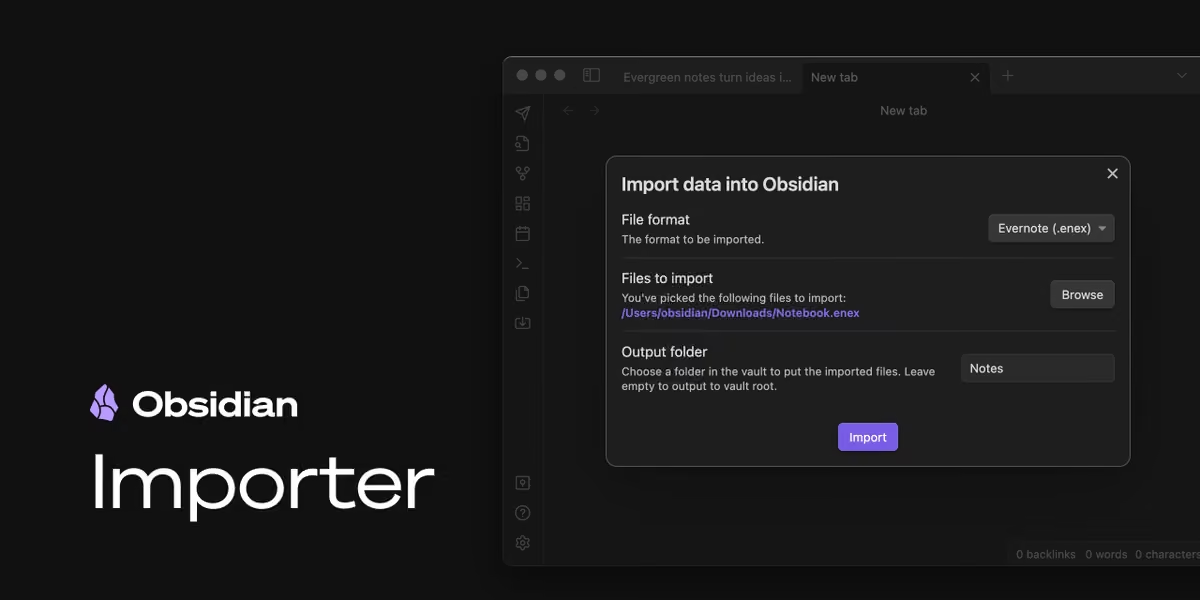 Obsidian
@obsdmd
Free your notes
obsidian.md/blog/free-your-notes/
Obsidian
@obsdmd
Obsidian Importer (MIT license)
github.com/obsidianmd/obsidian-importer
Obsidian reposted
kepano
@kepano
Data not collected. Which iOS apps do you use that collect no data?
 Obsidian
@obsdmd
The Obsidian roadmap has been updated and moved to our site. The layout now includes links to changelogs for our previous releases:
obsidian.md/roadmap/
 Obsidian
@obsdmd
There are now over 1,000 Obsidian plugins 🥳

Obsidian reposted
kepano
@kepano
You can now link between notes and PDFs in @obsdmd
The link can be to a specific page, heading, text selection, or annotation. We made it easy to extract quotes with a link to the source. The syntax is similar to linking to a specific heading or block within a regular note.
Obsidian
@obsdmd
Obsidian 1.3.6 (desktop) is now available for early access ✨
• Adds deep links to PDF selections and annotations
• Better spacing consistency across read/edit modes
• Customize the app icon in Appearance settings
+ bug fixes and small improvements
obsidian.md/changelog/2023-06-26-desktop-v1.3.6/
Obsidian
@obsdmd
Obsidian 1.3.6 (desktop) is now available for early access ✨
• Adds deep links to PDF selections and annotations
• Better spacing consistency across read/edit modes
• Customize the app icon in Appearance settings
+ bug fixes and small improvements
obsidian.md/changelog/2023-06-26-desktop-v1.3.6/
Obsidian
@obsdmd
How can you be sure that your data is end-to-end encrypted? In this guide, we provide step-by-step instructions to trustlessly verify the end-to-end encryption of your data using Obsidian Sync.
obsidian.md/blog/verify-obsidian-sync-encryption/
Obsidian
@obsdmd
The Obsidian website now hosts our Changelog and Blog, with RSS feeds for both 🌈
Obsidian reposted
kepano
@kepano
Obsidian is all about malleability so of course we made a customizer with a shuffle button 😊
Obsidian
@obsdmd
Say hello to the new Obsidian icon, on our new blog!
obsidian.md/blog/new-obsidian-icon/
Obsidian
@obsdmd
👀
Obsidian
@obsdmd
1.3.4 is now available with several small fixes.
Notably, we have reverted the behavior change for pinned tabs and "Open to the right", as it was causing issues for certain workflows.
Release notes:
forum.obsidian.md/t/obsidian-release-v1-3-4/60329
Obsidian
@obsdmd
Obsidian 1.3 is now available to everyone on desktop and mobile!
• New PDF viewer
• Simple YouTube/Twitter embeds
• Improved UI for nested items in outline and file nav
• HTML tables convert to Markdown on copy/paste
+ lots more small bug fixes and features
 Obsidian
@obsdmd
Release notes
Desktop
forum.obsidian.md/t/obsidian-release-v1-3/60251
Mobile
forum.obsidian.md/t/obsidian-mobile-v1-4-5-build-104/60253
Obsidian reposted
Obsidian
@obsdmd
🚀 Obsidian 1.3.0 (insider) is now available, with a brand new PDF viewer.
 Obsidian
@obsdmd
🚀 Obsidian 1.2 is now available to everyone, on desktop and mobile!
The new Bookmarks plugin allows you to bookmark anything in your vault: a note, a heading, a block, a search, a filtered graph view, a canvas view, etc.
+ lots of improvements for search, hotkeys and more
 Obsidian
@obsdmd
Full release notes: forum.obsidian.md/t/obsidian-release-v1-2-7/59004
Obsidian
@obsdmd
Are you building a plugin or theme for Obsidian?
Today we're launching our new developer documentation: docs.obsidian.md
The new site includes tutorials, reference docs and guidelines to help you get started.
Obsidian
@obsdmd
Obsidian Publish supports overriding SEO/social meta data with three new YAML keys:
`description` overrides the meta description
`permalink` overrides the URL/slug
`image` or `cover` accepts an image URL or vault asset, and overrides the auto generated share card
Obsidian
@obsdmd
As of today, Obsidian Publish offers more for less:
💸 50% lower price
💯 Faster and more accessible, at or near 100% on all Lighthouse scores
🔍 Improved search engine indexing
🌄 Pretty social share cards
🔀 Customize the sidebar navigation
Obsidian
@obsdmd
The Obsidian Help site is powered by Publish, try it out!
help.obsidian.md/Obsidian+Publish/Introduction+to+Obsidia…
Obsidian
@obsdmd
Learn more and create your Publish site:
obsidian.md/publish
Obsidian
@obsdmd
🚀 Obsidian 1.2.3 (insider) is now available, with many bug fixes and improvements for Bookmarks + better support for macOS "Look up" feature

Obsidian reposted
 Eleanor Konik
@EleanorKonik
13 hours of sleep later (I wasn't kidding when I said this pregnancy was wrecking me), the @obsdmd Roundup is now live!
www.eleanorkonik.com/2023-04-08/
featuring reviews & updates to BRAT from @TfTHacker and a couple of great videos from @n_vanderhoeven about #ttrpgs & person notes.
Obsidian
@obsdmd
Not sure if an AI assistant is going to be helpful in your workflow?
Don’t worry, we’ve eliminated the guesswork for you because Gemmy is 100% going to be unhelpful.
Introducing Obsidian’s first assistant — Gemmy, the Obsidian Unhelper.
Learn more: obsidian.md/plugins?id=gemmy
 Obsidian
@obsdmd
Special thanks to @chrislesage and our moderator team. Happy April Fools’ everyone!
Obsidian reposted
Obsidian reposted
Eleanor Konik
@EleanorKonik
The @obsdmd Roundup is now live, featuring so so so many LLM-backed plugins that I had to put them in their own subcategory.
But I'm *really* excited about all the neat stuff for writers this round 👀 and Git Collab looks really handy for teams!
www.eleanorkonik.com/2023-03-18/
Obsidian reposted
Eleanor Konik
@EleanorKonik
The @obsdmd Roundup is now live. Featuring @n_vanderhoeven interviewing @kepano re: the future of Obsidian, improved LLM integrations, task management tips & plugins, & my sincere hope that folks impacted by the SVB bank run situation get thru it okay.
www.eleanorkonik.com/2023-03-11/
Obsidian reposted
Eleanor Konik
@EleanorKonik
The @obsdmd Roundup is now live,
www.eleanorkonik.com/2023-03-04/
featuring vim-related tips from by @pseudo_meta, a new theme by @diegoeis, a new book club cycle hosted by @AllossoDan, & a bunch of new "thank you" perks for financial supporters, including access to my Discord notes!
Obsidian reposted
Eleanor Konik
@EleanorKonik
This week's @obsdmd Roundup features the 2022 gems of the year, major updates to Obsidian Publish, LaTeX improvements, improved regexp-based bulk renaming, and more 👀
www.eleanorkonik.com/2023-02-25/
Obsidian
@obsdmd
Obsidian Publish has a new default theme!
• Loads faster
• Easier to customize
• Better mobile support
• Looks great for documentation sites and digital gardens
You can see it on our Help site:
help.obsidian.md
Obsidian
@obsdmd
See the new Publish Theming Guide
forum.obsidian.md/t/publish-theming-guide/54445
Obsidian reposted
kepano
@kepano
Obsidian Canvas is now available on mobile! ✨
With Obsidian 1.1.15 we also made lots of improvements to Canvas
- Added settings for display and behavior
- Canvas content appears in global search results
- Resize multiple cards at once
- Block-based cards
- Background images
 Obsidian
@obsdmd
Gems of the Year 2022 results are out!
Can't believe it's the 3rd annual awards already! So many amazing plugins, themes, and people this year to appreciate this year 🥰
forum.obsidian.md/t/gems-of-the-year-2022-winners/54903
Obsidian
@obsdmd
🎉 Thank you to everyone who participated by nominating and voting, and congratulations to the winners!
We will be in touch with winners soon so you can receive your prizes.
Obsidian reposted
Eleanor Konik
@EleanorKonik
This week's @obsdmd Roundup is live!
www.obsidianroundup.org/2023-02-18/
Featuring nifty new themes, including one of the few I've seen with a lot of distinction between different visual elements. There were also several new options for syncing highlights to Obsidian from various tools.
Obsidian reposted
kepano
@kepano
Some big improvements to Obsidian Publish are coming next week — a new default theme and CSS variables that make custom themes easier to create


Obsidian reposted
Eleanor Konik
@EleanorKonik
This week's @obsdmd Roundup is live!
www.eleanorkonik.com/2023-02-04/
We've got a new vim plugin, Excalidraw by @zsviczian continues to get fantastic updates, and the alternate backlinks plugin looks a lot nicer now.
Also, for the self-hosters among us, @Netlify is expanding.
Obsidian
@obsdmd
Voting for Gems of the Year 2022 is happening on our Discord community this year!
If you haven’t joined our Discord community yet, you can join here: discord.gg/obsidianmd
Vote for plugins: discord.com/channels/686053708261228577/70271789253315799…
Vote for themes: discord.com/channels/686053708261228577/70271789253315799…
Obsidian reposted
Eleanor Konik
@EleanorKonik
This week's @obsdmd Roundup went live a couple of hours ago but I've been dealing with a vomiting preschooler since 4AM, so the announcement is a little late...
www.obsidianroundup.org/2023-01-28/
Featuring tips from @roddick_a & @erikaybar_ and a neat new music notation plugin :)
Obsidian
@obsdmd
Obsidian Canvas is nominated for @ProductHunt's Golden Kitty Award! We're a finalist in the Productivity category.
If you enjoy Canvas, vote here: www.producthunt.com/golden-kitty-awards/productivity
Obsidian reposted
Eleanor Konik
@EleanorKonik
Today's @obsdmd Roundup comes with the news that Canvas is available on Mobile now (for Insiders) 🥳
www.obsidianroundup.org/2023-01-14/
Workspaces+ is looking for help, @NickMilo & @n_vanderhoeven put out new self-paced Obsidian guides, & the implications of AI on notes got discussed.
Obsidian reposted
Eleanor Konik
@EleanorKonik
Guess who's back?
The Roundup's back!
www.obsidianroundup.org/2023-01-07/
Sooooooooooo many plugins. I organized them by categories as much as I could 💚
If you created an @obsdmd guide or piece of content I didn't see over the holidays, please let me know so I can share it next week!
Obsidian
@obsdmd
Did a plugin, theme, or community member help you greatly during 2022?
Our Gems of the Year 2022 Awards nominations are open!
Nominate before January 15: airtable.com/shrMd4Dj4oLgL55yt
 Obsidian
@obsdmd
Categories you can nominate this year:
• Best plugin
• Best theme
• Most helpful Discord member
• Most helpful forum member
• Most helpful community developer
• Best canvas
Obsidian
@obsdmd
Finally a few words on the process of nomination:
• Anyone can nominate, no login or account is required.
• You can nominate yourself or your own project.
• You can submit multiple nominations.
Obsidian reposted
 Ilya Shabanov
@Artifexx
PhD Planning 101
Before my PhD I worked as CEO of a software company for years. I did *a lot* of planning.
Here is what 90% of people get wrong:
❌Planning is not: WHAT and WHEN
✅Planning is the HOW to achieve goals
Learn how to plan the HOW:
🧵⬇️
#academicchatter
Obsidian
@obsdmd
Have you started your first Canvas yet?
We compiled 70+ pro tips to get you started. Each one is super short!
obsidian.md/canvas
For example, you can create a group around selected cards very fast like this:
Obsidian
@obsdmd
Obsidian Canvas is here!
Canvas gives you an infinite space to visualize and make sense of your ideas.
Learn more: obsidian.md/canvas
Obsidian
@obsdmd
We're launching on Product Hunt and Hacker News today too!
www.producthunt.com/posts/obsidian-canvas
Obsidian reposted
Eleanor Konik
@EleanorKonik
The @obsdmd Roundup is now live, with TWO weeks worth of plugin updates, a workflow video for @OmniFocus by @leahthedesigner and some neat @readwise updates.
www.obsidianroundup.org/2022-12-17/
Obsidian
@obsdmd
💡 Canvas Protip #1
One of the easiest ways to populate the canvas is to drag and drop items (files or folders) from the File Explorer!
Obsidian
@obsdmd
💡 Canvas Protip #3
Zoom to fit & Zoom to selection
One of the fastest ways to zip around your canvas is with these two zoom commands.
"Zoom to fit" will attempt to fit your entire canvas into the viewport by zooming out and centering the view on your cards.
Obsidian
@obsdmd
"Zoom to selection" is a fast way to zoom in and center your selected cards. Zoom in with 1 selected card or 10, it doesn't matter!
Zoom to selection: activate it from the floating selection menu or Shift + 2
Zoom to fit: there's a button in the canvas controls menu or Shift + 1
Obsidian reposted
kepano
@kepano
Obsidian 1.1 is now available to insiders ✨
The new Canvas view allows you to organize notes visually — an infinite space to brainstorm, diagram and lay out your ideas
Works great for mind maps, flow charts, org charts, moodboards, family trees. You can even embed web pages 😊

Obsidian reposted
Eleanor Konik
@EleanorKonik
This week's @obsdmd Roundup features an academic vault tour by @DannyHatcher and @pseudo_meta as well as some nice discussions of backups, daily journaling, and cable management.
www.obsidianroundup.org/2022-12-03/
Obsidian reposted
Eleanor Konik
@EleanorKonik
The Obsidian Roundup is now live. 20 minutes early this week, ha!
There's a new plugin to launch Obsidian on startup and plop it into the system tray, some fun new frontmatter stuff, & @tallguyjenks brought us a video about @zotero 6 + @obsdmd
www.obsidianroundup.org/2022-11-26/
Obsidian reposted
Eleanor Konik
@EleanorKonik
This week's @obsdmd Roundup features
- an academic presentation from @roddick_a
- a request for a few hours of help from a python dev w/ the community hub
- plugins from @TfTHacker & @dvargas92495 & @marcusolsson
- @leahthedesigner making coffee ☕
www.obsidianroundup.org/2022-11-19/
Obsidian reposted
Eleanor Konik
@EleanorKonik
The @obsdmd Roundup is live, thanks to @curtismchale filling in so I could take it easy and recover from Lasik.
There's a new Mastodon instance for people interested in knowledge management, & the submission window for Obsidian October ends soon.
www.obsidianroundup.org/2022-11-12/
Obsidian
@obsdmd
If you built anything cool for Obsidian during in Oct or Nov, now is the time to let us know!
Submit your Obsidian October (O_O) 2022 project now: airtable.com/shraMn6xDv4LwgRvA
Deadline to submit is in 3 days! Looking forward to your amazing project.
Obsidian reposted
Eleanor Konik
@EleanorKonik
This week's @obsdmd Roundup went live like, days ago, but I forgot to tweet about it, oops.
www.obsidianroundup.org/post/
There's neat code to make agenda views of dataview queries, @n_vanderhoeven resurfaced the LATCH method by @zsviczian and @bianca_oli_per launched a new course!
Obsidian reposted
 Nicole van der Hoeven
@n_vanderhoeven
If you were looking for a real solution in @obsdmd to get multiple @NotionHQ-like database views for the same data, join @marcusolsson and I tomorrow as we discuss the plugin that's brought it to Obsidian: Obsidian Projects! youtu.be/LdaMe2rzAW8

Obsidian reposted
 Ali Abdaal
@AliAbdaal
(3) @obsdmd - Switched fully from roam to this (sorry roam gang!) for personal note-taking. Works much better offline. Shoutout @DannyHatcher for the YouTube tutorials + IRL help in getting setup with Obsidian and connecting it to all my things
 Obsidian
@obsdmd
The videos of the 5th and final week of O_O live sessions are up!
Working with files and folders in your plugin with Marcus Olsson
youtu.be/_QFUOyIB1nY
Journey of collaborating on the Commander plugin with phibr0 and Johnny
youtu.be/urkUq26Mf5E
Obsidian reposted
Eleanor Konik
@EleanorKonik
The @obsdmd Roundup is now live, featuring many exciting plugins created during Obsidian October, including:
A new @zotero integration, improved OCR & PDF searching, & a fantastic cheat sheet on Obsidian search operators via @heymichellemac
www.obsidianroundup.org/2022-10-29/
Obsidian
@obsdmd
The videos from Obsidian October Talks Week 4 are up!
1. Display data in views and status bar with Marcus Olsson
Marcus works you through how to display your plugin data in views and status bar.
youtu.be/zR86pftlOsg
Obsidian
@obsdmd
2. Easy and fast UI development with Svelte with Maxime Cannoodt
Maxime Cannoodt teaches Marcus how to get started with UI development with Svelte.
youtu.be/mCF80HBfUWA
Obsidian reposted
Eleanor Konik
@EleanorKonik
It's been 1 week since @obsdmd came out of beta and 1.0 went live 🤯
Here's the Roundup of what's new:
www.obsidianroundup.org/mobile-pdf-indexing/
@TfTHacker has a new block ref counter type plugin in beta that looks awesome, @kepano gave a community talk on how to build themes for 1.0, & more!
Obsidian reposted
kepano
@kepano
Photoshop for text
Full essay:
stephanango.com/photoshop-for-text

Obsidian reposted
 Gina Trapani 🏳️🌈
@ginatrapani
Friends, v1 of @obsdmd is out and it’s SO GOOD
Obsidian reposted
kepano
@kepano
A new @obsdmd plugin lets you seamlessly generate text using @OpenAI GPT3.
Write a paragraph, hit a hotkey, it generates the next one. It's as easy as making text bold. Amazing.
github.com/nhaouari/obsidian-textgenerator-plugin

Obsidian reposted
Eleanor Konik
@EleanorKonik
The @obsdmd Roundup is now live, complete with the embarrassing little snippet of my to-do list that I normally delete as I mark things off to check. I fixed it on the web version, but for the 6,000+ people who got my notes-to-self as an email... oops
www.obsidianroundup.org/2022-10-15/
Obsidian
@obsdmd
The 3rd Obsidian October talk is starting live soon!
Marcus is going to walk us through how to make your plugin more customizable with settings.
After that, Stephan Ango (@kepano), author of Minimal who's also behind the 1.0 redesign, talks about how to create a theme for 1.0.
Obsidian
@obsdmd
Watch on YouTube: www.youtube.com/watch?v=8fbw2VRQAhk
Watch on Twitch: www.twitch.tv/obsdmd
Obsidian reposted
Nicole van der Hoeven
@n_vanderhoeven
It's finally here! @obsdmd v1.0 is live, and with it comes the ability to use tabs in Obsidian and significant theme and appearance redesigns. Here's what you need to know: youtu.be/mmmJCttfA_o
 Obsidian
@obsdmd
Obsidian 1.0 is live!
1.0 brings a complete redesign to desktop and mobile.
Plus, a new way to browse your second brain: tabs. Tabs make it easier to explore many ideas at once.
Learn more: obsidian.md/1.0
 Obsidian
@obsdmd
We're launching on Product Hunt and Hacker News today too!
www.producthunt.com/posts/obsidian-1-0
Obsidian
@obsdmd
The videos of the 2nd week of Obsidian October live sessions are up!
1. Accept user input using commands and ribbon actions
Marcus walks you through accepting user input using commands and ribbon actions to make your plugin more useful.
www.youtube.com/watch?v=4B8imQQYM94
Obsidian
@obsdmd
2. Templater 101
Sam talks about how they started maintaining Templater, as well as giving some basic examples on how powerful Templater can be.
youtube.com/watch?v=-PYyO7y0aBs
We'll be having hour long live session every Saturday throughout October. Stay tuned for the next session!
Obsidian
@obsdmd
Obsidian October talks part 2 is happening!
Marcus will walk you through accepting user input using commands and ribbon actions, and Sam Morrison will talk about how to contribute to popular plugins without writing a single line of code.
Obsidian
@obsdmd
Come join us!
On YouTube: www.youtube.com/watch?v=Hn-ozsctckQ
On Twitch: www.twitch.tv/obsdmd
No worries if you can't join us live, recordings will be uploaded too!
Obsidian reposted
Eleanor Konik
@EleanorKonik
Happy October! The @obsdmd Roundup just went live with some nifty tricks for Dataview, some good news for Pandoc users, & a neat example of using Obsidian for an Eisenhower matrix.
Also, I'll be joining the @readwise team soon doing QA work bughunting & otherwise helping out.
Obsidian
@obsdmd
In case you missed our live sessions on Saturday, here are the recordings of the talks:
Let's Build a Plugin For Obsidian October with Marcus Olsson: Learn to get up and running with building your first plugin, no previous experience required!
www.youtube.com/watch?v=CtR-d-gyxHg
Obsidian
@obsdmd
The past and potential of Dataview with Michael Brener: Marcus interviews Michael, the creator of the popular Dataview plugin, to learn how he got started and where Dataview is going.
www.youtube.com/watch?v=A4TQ_FRsQds
Obsidian
@obsdmd
We're live for the first Obsidian October talk!
Join us for "Let's build a plugin for Obsidian October" with Marcus Olsson, and "The past and potential of Dataview" with the author of Dataview!
Watch on YouTube: www.youtube.com/watch?v=PdlVozZbCRU
Watch on Twitch: www.twitch.tv/obsdmd
Obsidian
@obsdmd
We're going live in under ah hour for our first Obsidian October talk!
Join us for "Let's build a plugin for Obsidian October 2022" with Marcus Olsson, and "The past and potential of Dataview" with Michael Brenan, the author of Dataview!
Find us here:
www.youtube.com/watch?v=PdlVozZbCRU
Obsidian
@obsdmd
We'll be posting a Twitch link too once we're live!
Obsidian reposted
Eleanor Konik
@EleanorKonik
It's that time of the year again:
www.obsidianroundup.org/obsidian-october/
In addition to the usual excitement surrounding new plugins, guides, and such, @obsdmd announced this year's Obsidian October event!
This is a great time to finish up that project you've been meaning to work on ;)
Obsidian
@obsdmd
Obsidian October 2022 is on! This year's theme is "Back to School" 🎓
Build plugins and create content together with the community, and most importantly, learn and have fun! 🥳
Bonus: cool prizes! 🏆
Learn more about the event: publish.obsidian.md/hub/Obsidian+October+2022
Obsidian
@obsdmd
This year we're looking for:
• New plugin
• Plugin update: a significant update of an existing plugin
• Video: Obsidian related video on YouTube or TikTok
• Written content: Obsidian related, posted anywhere online
• Demo vault: downloadable vault to demo a specific workflow
Obsidian reposted
Eleanor Konik
@EleanorKonik
This week's @obsdmd Roundup features a new bullet-based backlinking plugin, a new alternative graph view, tips for the PodNotes plugin via @chrisbbh & tips from @n_vanderhoeven & @TfTHacker
about integrating @ReadwiseReader
www.obsidianroundup.org/2022-09-17/
PS: I'm looking for n8n tips.
Obsidian reposted
Eleanor Konik
@EleanorKonik
Regularly scheduled programming has returned to the Obsidian Roundup, with two weeks' worth of plugin updates 🙀
www.obsidianroundup.org/2022-09-10/
Also check out @leahthedesigner & @bianca_oli_per who have an upcoming discussion of the value of daily notes :)
Obsidian
@obsdmd
In 0.16.2 Insider release, we introduced Stacked Tabs!
You can now switch any tab group in your workspace into a tab stack. Tab stacks provide an alternative way to view your tabs, reminiscent of the Sliding Panes plugin.
Obsidian
@obsdmd
Here's how it works: help.obsidian.md/User+interface/Stacked+tabs
Note that this is not available in the public release yet, we're working hard to improve and polish the Insider version to bring it to everyone! ♥️
Obsidian
@obsdmd
0.16 is out for our Catalyst members! 🚀
In addition to a gorgeous UI update by @kepano, maker of the Minimal theme, you can now take and see your notes in browser-like tabs! We've introduced more UI customizations too.
Read the full release notes here: forum.obsidian.md/t/obsidian-release-v0-16-0-insider-buil…


Obsidian reposted
Eleanor Konik
@EleanorKonik
The @obsdmd Roundup is now live! I officially started work yesterday, so this is the first edition I've ever written while working a full time job.
Speaking of which, a community member is looking for jr. developer work, if you know of anyone looking...
www.obsidianroundup.org/2022-08-20/
Obsidian reposted
Eleanor Konik
@EleanorKonik
I haven't had a chance to tweet between being sick and being on vacation, but the @obsdmd community continued putting out updates without me 🥳
www.obsidianroundup.org/2022-08-06/
&
www.obsidianroundup.org/2022-08-13/
Now excuse me I'm off to play with the new PDF toys 👀
Obsidian reposted
Eleanor Konik
@EleanorKonik
The @obsdmd Roundup is now live, featuring some great discussions sparked by @kepano & @maggied
and a lot of great development work by @pjeby - hotkeys are now much easier to set!
Also, @SmortApp got some neat updates.
www.obsidianroundup.org/2022-07-30/
Obsidian
@obsdmd
Obsidian merch store is here!
merch.obsidian.md
We sampled the merch ourselves to ensure they're quality made. We want them to have longevity in your closet just like your notes in Obsidian.
Obsidian
@obsdmd
We opted for embroidery instead of printed patterns, so that pattern won't come off as the garment gets washed.
For a limited time until August 31, you can use code SHIPSFREE to get worldwide free shipping when you spend over US$100!
Obsidian reposted
Obsidian reposted
Eleanor Konik
@EleanorKonik
The @obsdmd Roundup is now live!
This week brings news from the subreddit, inline dataview queries that work in live preview mode, and yet more improvements to the Minimal theme by @kepano
Also, new #pkm book recs!
www.obsidianroundup.org/2022-07-23/
Obsidian reposted
Eleanor Konik
@EleanorKonik
The @obsdmd Roundup is now live!
www.obsidianroundup.org/2022-07-16/
Lots of great videos from @n_vanderhoeven and some exciting updates to the roadmap, including an upcoming default theme by @kepano
along with a stupendous number of guides and discussions this week.
Obsidian reposted
David Hoang
@davidhoang
One trick with @obsdmd I find super helpful is using multiple panes for large markdown files to reference multiple points in your writing.

Obsidian reposted
 Joel Chan | 🦋: joelchan86.bsky.social
@JoelChan86
Exported my #discoursegraph from @RoamResearch to markdown, viewing in @obsdmd graph. This is.... pretty cool! Steps towards interoperable, tool-agnostic interchanges for synthesizing knowledge!
Obsidian
@obsdmd
Obsidian 0.15 is here!
• Pop-out Windows: drag a pane out to open it in a new window
• macOS got a new and improved app menu, as well as native scrollbars
• Better keyboard navigation for File Explorer and Search
Release notes: forum.obsidian.md/t/obsidian-release-v0-15-6/40227
 Obsidian
@obsdmd
Mobile app v1.3 is also out:
• New functionality and bug fixes up to v0.15 of the desktop app
• Major update to editor engine to fix several input related bugs
• On iOS, you can now choose user installed fonts
The app should be auto-updated from App Store and Play Store.
Obsidian reposted
Eleanor Konik
@EleanorKonik
The @obsdmd Roundup is now live!
www.obsidianroundup.org/2022-07-09/
@pseudo_meta put out a new plugin for sidebar controls, there were updates to new pop-out windows currently being beta tested, and a great thread by @_rybaz about using Obsidian to ensure consistent customer experiences
Obsidian reposted
Eleanor Konik
@EleanorKonik
This week's @obsdmd Roundup features an iframes guide from @_Glasp
As well as a bionic reading plugin and an interesting study on bionic reading via @readwise
Also, @n_vanderhoeven put out a great new video on doing regular reviews.
www.obsidianroundup.org/2022-07-02/
Obsidian reposted
Eleanor Konik
@EleanorKonik
The @obsdmd roundup just went live!
The major focus of this week was adjusting to last week's batch of exciting but breaking changes, but I did manage to dig up a nifty feature request for nested tags, and a couple of neat ancillary tools.
www.obsidianroundup.org/2022-06-25/
Obsidian reposted
 Alex Weichart
@AlexWeichart
🤯 TIL: You can open a local graph view in the @obsdmd sidebar
Obsidian reposted
Eleanor Konik
@EleanorKonik
The Obsidian Roundup is now live, and the devs of @obsdmd are on 🔥 this week, expanding the team and bringing in exciting new window pop-out functionality.
www.obsidianroundup.org/2022-06-18/
Plus, there's a great new beginner's guide to Dataview and YET MORE database functionality.
Obsidian
@obsdmd
Welcome aboard, Liam!
Some of Liam's contributions can already be seen in the newest 0.15.0 Insider Release¹ and we're excited for all the new shiny things to come with the increased developer capacity!
1: forum.obsidian.md/t/obsidian-release-v0-15-0-insider-buil…
 Danny Hatcher
@DannyHatcher
With a new developer on the @obsdmd team now making a grand total of 3, I am excited and worried about the speed of updates.
I can hardly keep up already 😆
Obsidian
@obsdmd
In case you didn't know, Liam is the author of Calendar and Periodic Notes, which many of you are probably already using daily (or weekly!).
Obsidian reposted
Eleanor Konik
@EleanorKonik
Happy Obsidian Roundup Day!
www.obsidianroundup.org/2022-06-11/
New this week: how a doctor appends new research to their notes, a couple new public vaults, and some plugin devs looking for new maintainers or help.
Plus a new public release of @obsdmd & an upcoming community talk
Obsidian reposted
kepano
@kepano
People have been asking how I made the movie database shown in Minimal screenshots for @obsdmd so I wrote a guide:
minimal.guide/Guides/Create+a+movie+database
 Obsidian
@obsdmd
Obsidian Mobile 1.2.2 is out!
• Up-to-date with desktop 0.14.15
• iOS: share text, links, image, and other attachments directly to Obsidian
• Set up Obsidian Sync directly from splash screen
• Three dot icon now brings up the file menu; swipe from right to open right sidebar
Obsidian
@obsdmd
Obsidian 0.14.15 is here!
• Improved Obsidian Sync setup flow
• Obsidian Publish collaboration
• Obsidian Sync shared vaults
• Rename block IDs with right click menu
• Plugin errors in console now shows the plugin name
• Lots of bugs fixed
Obsidian
@obsdmd
For details on Obsidian Publish collaboration, see 0.14.8 release notes:
forum.obsidian.md/t/obsidian-release-v0-14-8-insider-buil…
Obsidian
@obsdmd
For details on Obsidian Sync shared vaults, see 0.14.10 release notes:
forum.obsidian.md/t/obsidian-release-v0-14-10-insider-bui…
Obsidian
@obsdmd
Our friend @peterahn and his co-host @alexallain created a podcast @decodingsalesp1 to help breakdown modern sales concepts for startup founders. It's amazing and worth a listen!
Here's one of our favorite episodes: www.decodingsalespodcast.com/1260710/7458781-episode-7-th…
Obsidian reposted
Eleanor Konik
@EleanorKonik
Happy @obsdmd Roundup day!
The knowledge management was hoppin' with discussion about zettelkasten this week, much to the delight of @thehighpony
also, I'm hosting a mini book club, really more of a round robin for discussion of neat articles.
www.obsidianroundup.org/2022-06-04/
Obsidian reposted
Eleanor Konik
@EleanorKonik
The @obsdmd Roundup is now live! www.obsidianroundup.org/2022-05-28/
If you haven't checked out the Conference videos from @the_LYT_way yet, they were great. ExcaliBrain looks really neat, and there's some info about the future of the Roundup / what I'm doing this summer at the bottom :)
Obsidian reposted
Eleanor Konik
@EleanorKonik
This week's edition of the @obsdmd Roundup is now live: www.obsidianroundup.org/2022-05-21/
Lots of use case explanations this week, the parrot management system is particularly fun.
The main highlight of the week was the @the_LYT_way conference, but it was still ongoing when I wrote this.
Obsidian reposted
 Mike Schmitz
@MikeSchmitz
About 2 years ago, I downloaded @obsdmd to see what the hype was about and give it a spin.
Today, I have over 33,000 plain text notes in the app and it is the center of my creative tech universe.
A short thread on my use cases for this incredible app.
🧵👇🏼
Obsidian reposted
Eleanor Konik
@EleanorKonik
Happy @obsdmd Roundup day, everyone.
www.obsidianroundup.org/2022-05-14/
I know LYT Conference is actually the big news (so many great speakers from the community, including me, are going to be taking part) but I'm honestly still stuck on the "a pure-css minigame" from @pseudo_meta
Obsidian reposted
Obsidian reposted
Eleanor Konik
@EleanorKonik
Thanks @pseudo_meta for getting the Roundup out this week, as I am still under the weather with COVID.
Loss of taste is more demoralizing than I expected, since the fatigue is objectively more disruptive.
www.obsidianroundup.org/2022-05-07/
Anyway, the new database stuff seems cool 👀
Obsidian reposted
Eleanor Konik
@EleanorKonik
This week's @obsdmd Roundup is now live!
www.obsidianroundup.org/2022-04-30/
There are a bunch of new plugins on the automatic-indexes front, and academic workflows got a big level up in terms of accessibility.
@snipd_app @_Glasp & @readwise got integration improvements, too :)
Obsidian reposted
Eleanor Konik
@EleanorKonik
Theoretically I'm at the aquarium & the Obsidian Roundup shipped without problems, so this should be the link: www.obsidianroundup.org/2022-04-23/
There are a bunch of new plugins in the @obsdmd community list, @n_vanderhoeven made a video about task mgmt & @todoist got some widget love.
Obsidian
@obsdmd
Quick PSA: you can now gift others Obsidian Credit! 🎁
You can also purchase Obsidian Credit for yourself as an alternative to renewing with credit cards.
Learn more:
help.obsidian.md/Gifting
help.obsidian.md/Obsidian+Credit
Obsidian reposted
Eleanor Konik
@EleanorKonik
Happy @obsdmd Roundup day!
There's an enormous Reddit discussion about common pain points (& ways around them), an academic workflow using Citavi, and a big calendar update in beta.
www.obsidianroundup.org/2022-04-16/
Obsidian reposted
Eleanor Konik
@EleanorKonik
This week's @obsdmd Roundup is live! There are 2 live events today, "how to do plugin testing" just wrapped up (there's a new thread in the Discord for further discussion) and @n_vanderhoeven has one later with the developer of "all the TTRPG plugins"
www.obsidianroundup.org/2022-04-09/
Obsidian reposted
Eleanor Konik
@EleanorKonik
Normally when I write the Roundup I mostly spotlight community things because the @obsdmd community is 🔥 but this week the devs did, like, a lot 🤯
The new live preview vim stuff always reminds me of how for a long time we didn't even think vim in live preview would be possible
Obsidian
@obsdmd
We just released an early access beta product called Obsidian Ultra Cloud Host. Come check it out! ☁️
obsidian.md/cloud
Obsidian
@obsdmd
Happy April Fools' Day everyone! Hope this gives you some giggles 😁
Obsidian reposted
 ell (only active on the 🦋 app)
@Ellpeck
Hi! @obsdmd Insiders 0.14.3 is out, so:
I published my first Obsidian plugin: Custom Frames! It allows you to create custom panes with web embeds in them, like Google Keep or a shopping list! 🥰
Get it from the community plugins list, or from the GitHub: github.com/Ellpeck/ObsidianCustomFrames
 Obsidian
@obsdmd
Obsidian 0.14.2 is here!
• Callout (aka Admonition) is now available as part of core
• Indentation Guides to make your lists look nice
• Basic table rendering in Live Preview
Read more about callouts: help.obsidian.md/Use+callouts
Download: obsidian.md
 Obsidian
@obsdmd
Kudos to javalent for developing the Admonition plugin and mgmeyers for the Indentation Guides plugin!
Obsidian
@obsdmd
🎉 We're excited to offer 40% off education and non-profit discounts for Obsidian Sync and Publish. Please help us spread the word! 🎓
Learn more about how to apply: help.obsidian.md/Student+and+non-profit+discount
Obsidian reposted
 TfTHacker
@TfTHacker
Check this out, now in Beta in @obsdmd mobile: Share Sheets.
First phone is the icon in share sheet, second is once vault has been opened. Few options:
+ Insert into current doc
+ Choose another doc
+ or into your DNP
Great balls of fire!
#tft


Obsidian reposted
Eleanor Konik
@EleanorKonik
happy one year anniversary to the @obsdmd Roundup, according to @gandibar 's domain name renewal billing service 🤣
I can't believe it's been a whole year!
Obsidian reposted
Eleanor Konik
@EleanorKonik
The @obsdmd Roundup just went out.
My kid woke up at 4am 3 days in a row, I don't have anything clever to say, but academics should read this edition & also Licat is on a sherlocking spree so double check your plugins if you haven't already.
www.obsidianroundup.org/2022-03-19/
Obsidian reposted
Eleanor Konik
@EleanorKonik
The Obsidian Roundup is live!
www.obsidianroundup.org/2022-03-12/
Licat had a busy week approving new plugins — over 500 plugins now! There were also some interesting discussions on Reddit worth checking out, and @fortelabs is hosting @NickMilo & @deadly_onion for the Second Brain Summit.
Obsidian
@obsdmd
Obsidian 0.13.30 is here!
• Following links now much easier in Live Preview
• Embedding a bullet list item now shows all its children as well
• Major engine update (Electron 13 to 16, reinstall recommended!)
• Bug fixes for Live Preview
Download: obsidian.md/download
Obsidian
@obsdmd
We now have an online page to see & share plugins! 🔌
obsidian.md/plugins
Links to plugins will directly open Obsidian if the viewer has Obsidian installed.
Obsidian
@obsdmd
It's a great way to share plugins on Discord, forum, and with your note-taking friends! We know that obsidian:// links don't work in a lot of places, but these links will work for everyone.
Search result pages are also shareable by copying the URL from the address bar.
Obsidian
@obsdmd
And speaking of plugins, big shoutout to Ganessh Kumar for building a site that shows recently updates & trending plugins! 🙌
Link: obsidian-plugin-stats.vercel.app
Obsidian reposted
Eleanor Konik
@EleanorKonik
The Obsidian Roundup just went live!
I'll be doing a twitter spaces event tomorrow about taking notes on things involving timelines & blurry classifications (identity, eras), the footnotes shortcut plugin seems cool, & dataview got some (more) love.
www.obsidianroundup.org/2022-03-05/
Obsidian
@obsdmd
Global graph view is now available for Obsidian Publish!
Graph options and color groups are coming soon as well. Happy digital gardening! 🌱
 Obsidian
@obsdmd
Obsidian Mobile 1.1.0 is now available!
It brings Live Preview to mobile and includes all the improvements and fixes up to Obsidian Desktop v0.13.24. Cheers!
Obsidian reposted
 Zsolt Viczián
@zsviczian
I still have many ideas for making @obsdmd-@excalidraw better.
If you'd like to contribute to the ongoing development of the plugin, I am introducing a simple membership scheme, with Bronze, Silver, and Gold tiers.
Come join me on the quest... ko-fi.com/zsolt

Obsidian reposted
Eleanor Konik
@EleanorKonik
The @obsdmd Roundup is now live!
www.obsidianroundup.org/2022-02-26/
The community push this week is to improve documentation. @ganesshkumar built an incredible way to navigate & keep up to date with plugins.
Hopefully devs take advantage with their commit & release msgs!
Obsidian reposted
Eleanor Konik
@EleanorKonik
The @obsdmd roundup is now live!
Developers should definitely read this edition, there are a bunch of updates and requests and meta discussions this week.
Also: @chrisbbh
put together an awesome guide on project management & @kepano updated minimal :D
www.obsidianroundup.org/2022-02-19/
Obsidian reposted
Eleanor Konik
@EleanorKonik
The @obsdmd Roundup is (hopefully) live! I scheduled this tweet 😅 Am away for Valentine's Day weekend.
Somebody let Discord know the post is up, eh?
www.obsidianroundup.org/2022-02-12/
Lots of big stuff this week, like columns, customizations from @kepano and dockable settings modals.
Obsidian reposted
 /usr/bin/env Bryan Jenks 🌱️
@tallguyjenks
Honred to be given an award for my @obsdmd content last year. I’m glad i could help so many people find value in the way they use their tools to manage their knowledge 🥰

Obsidian reposted
 colin
@colineckert
Delighted to have been gifted such a cool award from the @obsdmd team. Thank you and thanks to all those that enjoy using the Things theme and voted!
Now I have an ever-present motivator to keep building for this amazing community.

Obsidian reposted
Eleanor Konik
@EleanorKonik
@NickMilo is a thousand times better than me at photo staging and cinematography, but I wanted to share a photo of #trophytwins for @obsdmd gems of the year <3
such a wonderful community and a neat trophy!!
don't mind my ancient alarm clock, it gets the job done.

Obsidian reposted
 Nick Milo
@NickMilo
Best trophy ever. Thank you @obsdmd for this awesome gift in the mail today. Grateful to be part of the wonderful ecosystem of #obsidianmd content creators.

Obsidian reposted
Eleanor Konik
@EleanorKonik
The @obsdmd Roundup is now live!
www.obsidianroundup.org/2022-02-05/
Somebody figured out how to scrape Goodreads, @chrisbbh shared some dataview query + minimal theme magic, and there was a bunch of discussion about using obsidian for task management.
Have a great weekend everyone!
Obsidian reposted
kepano
@kepano
Minimal 5.0 is now available for @obsdmd — adds preset color schemes for (including Dracula, Solarized, Nord, Gruvbox + more), and a new way to create your own custom color scheme!
✨ Full release notes and screenshots:
github.com/kepano/obsidian-minimal/releases/tag/5.0.0


Obsidian reposted
 Product Hunt 😸
@ProductHunt
Congrats to @obsdmd for winning the Mobile App Golden Kitty!
www.producthunt.com/posts/obsidian-for-mobile
Obsidian reposted
 Federico Viticci
@viticci
Do you love Obsidian?
Do you also love Shortcuts?
What if I told you...I combined both?
I'm thrilled to introduce Obsidian Shortcut Launcher: a free community plugin to run shortcuts as @obsdmd commands. This has completely changed how I use Obsidian.
www.macstories.net/stories/obsidian-shortcut-launcher/

Obsidian reposted
Eleanor Konik
@EleanorKonik
The @obsdmd roundup is now live!
obsidianroundup.org/2022-01-22/
Please scroll down to the bottom, there's a fairly important update about the future of the Roundup, as I reshuffle my web presence a bit.
Also, guides & updates from @scholarcy @markmcelroy @eleven_ty & @the_LYT_way
Obsidian reposted
Eleanor Konik
@EleanorKonik
The #obsidianmd Roundup is now live!
Check out this week's #tft & #pkm podcast recommendations, including @appstoriesnet & @MuseAppHQ
Also, the obsidian hub vault has an incredible index of plugins-by-category that I strongly recommend checking out.
www.obsidianroundup.org/2022-01-14/
Obsidian
@obsdmd
We're one of the finalists for Product Hunt's Golden Kitty Awards 2021 under the mobile app category!
We would really appreciate it if you can give us an upvote to support us. www.producthunt.com/golden-kitty-awards-2021/mobile-app
Thank you!
Obsidian
@obsdmd
In other news related to the mobile app, Live Preview support is coming soon! It's currently being tested by our wonderful insiders and should be ready for public release soon.
Obsidian
@obsdmd
Thanks for taking the time do this!
We spent tons of effort to optimize Obsidian so it’s snappy even with a lifetime amount of notes. Super happy to see the effort appreciated!
 Alexander Rink
@rcvd_io
TfT Performance: Obsidian
Obsidian is the first non-outliner in this benchmark and is based on Markdown files stored in local folders. The benchmark results are astonishing.
www.goedel.io/p/tft-performance-obsidian?r=14n5r4
Obsidian reposted
Obsidian
@obsdmd
2022 and Obsidian 0.13.19 are both here!
• Support embeds in plugin blocks like Admonition and Dataview
• Support for headings in lists
• Persistent undo history when switching notes
• Search highlights and multiple cursor in Vim mode
Download:
obsidian.md
Obsidian
@obsdmd
Release notes:
forum.obsidian.md/t/obsidian-release-v0-13-15-insider-bui… forum.obsidian.md/t/obsidian-release-v0-13-16-insider-bui… forum.obsidian.md/t/obsidian-release-v0-13-17-insider-bui… forum.obsidian.md/t/obsidian-release-v0-13-18-insider-bui… forum.obsidian.md/t/obsidian-release-v0-13-19/29998
Obsidian reposted
Nick Milo
@NickMilo
This is my first @ProductHunt launch ever! I never imagined I would be doing this. Would appreciate any and all the love you can give it today 🥰
"Obsidian Flight School" (@obsdmd, #obsidianmd)
www.producthunt.com/posts/obsidian-flight-school
Obsidian
@obsdmd
🏆 You can now vote for Gems of the Year 2021! 🏆
You can vote for up to 3 submissions in each category and voting ends on Jan 3, 2022. I know, 2022!
🗳️ Vote now!🗳️
forum.obsidian.md/t/obsidian-gems-of-the-year-2021-voting…
Obsidian
@obsdmd
FYI: a forum account is required for voting, which is not the same as obsidian.md account.
A forum account is used for discussions and participating events, while an obsidian.md account is only used for purchasing licenses and add-on services.
Obsidian
@obsdmd
Oops, made a typo, deadline to vote is Jan 5, not Jan 3. Sorry about that!
Obsidian
@obsdmd
Tomorrow is the last day to vote. Come vote and show your appreciation!
Obsidian
@obsdmd
🏆 You can now vote for Gems of the Year 2021! 🏆
You can vote for up to 3 submissions in each category and voting ends on Jan 3, 2022. I know, 2022!
🗳️ Vote now!🗳️
forum.obsidian.md/t/obsidian-gems-of-the-year-2021-voting…
Obsidian reposted
 Michael Scott Author
@flamelauthor
I have actually moved away from Scrivener completely now to @obsdmd My last collection of short stories were created completely in Obsidian and then exported to docx for final editing in @libreoffice www.saashub.com/compare-obsidian-md-vs-scrivener
Obsidian reposted
Eleanor Konik
@EleanorKonik
The #obsidianmd roundup is now live!
See out how @obsdmd improved interoperability w/ @logseq & how @scholarcy got better markdown extraction
& how my notes helped me efficiently put together a fascinating deep dive on food & history for @refindcom
www.obsidianroundup.org/2021-01-01/
Obsidian reposted
David Hoang
@davidhoang
I absolutely love the new live preview feature on @obsdmd—makes the writing experience even more fluid for thinking.
Here's a screenshot of how I take notes—very non-linear and panes for days.

Obsidian reposted
Eleanor Konik
@EleanorKonik
Merry Christmas everyone, it's Saturday so the #obsidianmd community newsletter is live: www.obsidianroundup.org/2021-12-25/
The big takeaway for this week is that a bunch of plugins and themes got updated to accommodate the new @obsdmd Live Preview mode, which is available to all users.
Obsidian reposted
kepano
@kepano
Minimal 4.2 is now available for @obsdmd — tons of new options for image and table layouts. Happy holidays everybody 🎅
Full release notes + screenshots
github.com/kepano/obsidian-minimal/releases/tag/4.2.0
 Obsidian
@obsdmd
Obsidian 0.13.14 is here! 🎄
• Live Preview
• Preview images, checkbox, embeds and even plugin custom blocks
• Spellchecker supports multiple languages
• Learn more help.obsidian.md/Live+preview+update
• Drag and drop to rearrange headings from Outline
• Basic RTL support
Obsidian
@obsdmd
There are too many changelogs during this big public release, but in case you want to know all that has been improved and fixed:
forum.obsidian.md/t/obsidian-release-v0-13-0-insider-buil…
forum.obsidian.md/t/obsidian-release-v0-13-1-insider-buil…
forum.obsidian.md/t/obsidian-release-v0-13-2-insider-buil…
forum.obsidian.md/t/obsidian-release-v0-13-3-insider-buil…
forum.obsidian.md/t/obsidian-release-v0-13-4-insider-buil…
forum.obsidian.md/t/obsidian-release-v0-13-5-insider-buil…
Obsidian
@obsdmd
Even more:
forum.obsidian.md/t/obsidian-release-v0-13-6-insider-buil…
forum.obsidian.md/t/obsidian-release-v0-13-7-insider-buil…
forum.obsidian.md/t/obsidian-release-v0-13-8-insider-buil…
forum.obsidian.md/t/obsidian-release-v0-13-9-insider-buil…
forum.obsidian.md/t/obsidian-release-v0-13-10-insider-bui…
forum.obsidian.md/t/obsidian-release-v0-13-11-insider-bui…
forum.obsidian.md/t/obsidian-release-v0-13-12-insider-bui…
forum.obsidian.md/t/obsidian-release-v0-13-13-insider-bui…
forum.obsidian.md/t/obsidian-release-v0-13-14/29006
Obsidian reposted
colin
@colineckert
I'll be honest, I didn't think I'd care much for the translucent window, but kinda digging how this @obsdmd Things macOS style is turning out.
Another Style Settings update I'll release soon!

Obsidian reposted
Eleanor Konik
@EleanorKonik
I somehow managed to write the @obsdmd community newsletter despite almost constantly meeting amazing people at #worldcon2021
Please make sure to vote for your favorite themes, plugins, workflows, achievements, etc!
Also: exciting #vim updates 👀
www.obsidianroundup.org/2021-12/
Obsidian reposted
Obsidian reposted
colin
@colineckert
Last day to nominate your favorite @obsdmd gems and support the awesome creators in this community!
publish.obsidian.md/hub/01+-+Community/Events/Gems+of+the…
Obsidian reposted
 Danny Quah
@DannyQuah
Obsidian @ObsdMD second brain's graphical view of all my research and writing files tagged #inequality spread across scores of subfolders (that once I'd thought would provide a good organization). Thanks to @ObsdMD future-proofed as I write only in puretext LaTeX, Markdown, R.


Obsidian reposted
Obsidian reposted
Eleanor Konik
@EleanorKonik
The @obsdmd Roundup shipped on Saturday while I was on vacation, but in case you missed it, check out last week in #obsidianmd community news!
Nominate your favorite workflows, plugins, & themes, or share impressive accomplishments from the community!
www.obsidianroundup.org/2021-12-11/
Obsidian reposted
Federico Viticci
@viticci
Our App of the Year for 2021 is...
@obsdmd.
There is nothing else like it. Its unique blend of Markdown and customization have made it the most powerful notes app/text editor we've tried in years.
Here's what I wrote about Obsidian and why we chose it: www.macstories.net/stories/macstories-selects-2021-recogn…


Obsidian reposted
 Matter
@matter
Today, we're delighted to release one our our most requested integrations: @obsdmd!
With our new Obsidian plugin, you can sync your Matter highlights and notes to your Obsidian vault.
Here's @HunterClarke (who built the plugin) on how to set it up:
www.loom.com/share/a86707aff6854e5da5a5b60d6f3fdd04
Obsidian
@obsdmd
Hey, it's that time of the year again 🎉
This year, we're calling our end-of-year award "Gems of the Year (GotY)"! 💎
If you find any plugins/themes/workflows/content creators to be indispensable this year, nominate your favorites!
Event details: publish.obsidian.md/hub/01+-+Community/Events/Gems+of+the…
Obsidian reposted
 Hal
@Hal_clockwork
A second brain 🧠 with the Obsidian @obsdmd. Great knowledge management tool with #anticloud feature. #obsdmd #devterm A04 #clockworkpi

Obsidian reposted
Eleanor Konik
@EleanorKonik
Today's Roundup is live! It's a bit shorter than usual but covers the exciting stuff we talked about in the #obsidianmd Discord this week, thanks to Leah & no thanks to my sniffles.
COVID test came back negative but I'll get retested Monday to be sure.
www.obsidianroundup.org/2021-12-03/
Obsidian
@obsdmd
If you're following Obsidian October 2021, the results are in and the prizes are on their way!
obsidian.md/october2021
Congrats to Primary, Sanctum, Prism, Bubble Space (themes), and CodeMirror Options, Fantasy Calendar, Graph Analysis, Vale (plugins)! 🎉
See you next year!
Obsidian reposted
Federico Viticci
@viticci
In this week's episode of @appstoriesnet, we've started a new mini-series on @obsdmd called 'Obsidian In Depth'.
In Part 1, we cover the basics of Obsidian. Much more to come over the next month!
Out one day early for appstories.plus subscribers: appstories.net/episodes/251
Obsidian reposted
Eleanor Konik
@EleanorKonik
Today's #obsidianmd roundup showcases exciting updates from @refindcom & @readwiseio
Plus, Live Preview updates!
The breadcrumbs plugin offers new ways to navigate your notes and might be getting some nifty integration with Juggl by @EmilevanKrieken
www.obsidianroundup.org/2021-11-27/
Obsidian reposted
Eleanor Konik
@EleanorKonik
The part of games like Path of Exile, 7 Days to Die, & Rimworld that I really enjoy are the inventory management & tweaking automations.
#obsidianmd scratches that same itch.
lttr.ai/o9vX
Obsidian reposted
Eleanor Konik
@EleanorKonik
Roundup is now live: www.obsidianroundup.org/2021-11-20/
There's a bunch of stuff for #obsidianmd developers this week so if you ever do theme or plugin stuff and don't already read the roundup, this is the week you probably should be
Obsidian reposted
Eleanor Konik
@EleanorKonik
The #obsidianmd roundup is now live!
www.obsidianroundup.org/2021-11-13-wysiwyg-called-live-pr…
The big discussion this week has been "why doesn't Live Preview work with Vim and what are we going to do about it" so I tried to put together a small FAQ about the new Live Preview (formerly WYSIWYG mode).
Obsidian
@obsdmd
“I don’t give app of the year awards, but I would 100% give it to Obsidian for slowly taking over almost everything I do that has anything to do with text files.” — CGP Grey @cgpgrey
 Cortex
@cortexpodcast
State of the Apps 2022.
@cgpgrey and @imyke talk about the apps and services they use to get their work done.
www.relay.fm/cortex/122
 Obsidian
@obsdmd
🎉 Live Preview mode is ready for Insider testing in 0.13.0!
Live Preview mode, aka WYSIWYG mode, shows images and embedded notes while hiding clutter from Markdown syntax. Our final goal is that you won't need preview any more.
Learn more about 0.13.0:
forum.obsidian.md/t/obsidian-release-v0-13-0-insider-build
Obsidian
@obsdmd
Don't worry, the current editor will not be deprecated when Live Preview is released! ♥️
Obsidian reposted
Eleanor Konik
@EleanorKonik
The #obsidianmd Roundup is now live!
www.obsidianroundup.org/2021-11-05-graph-analysis-podcast…
This week's buzz is mostly with the @snipd_app integration for podcast notes & highlights...
and the new Graph Analysis plugin from @EmilevanKrieken and SkepticMystic.
Plus Sanctum Theme got a bunch of updates.
Obsidian reposted
Eleanor Konik
@EleanorKonik
The #obsidianmd roundup is now live!
There's a new section explaining how to manually install plugins, but the tldr is that BRAT by @TfTHacker is the easy way if you want to beta-test something that's not in the store.
Note: THIS IS MORE DANGEROUS.
www.obsidianroundup.org/2021-10-23/
Obsidian reposted
Eleanor Konik
@EleanorKonik
The roundup is now live! Feast your eyes on the MANY glorious new plugins & themes wrought by the #obsidianmd community & check out how you can help with the community documentation.
Also, it's the Roundup's 6mo anniversary, where has the time gone?
www.obsidianroundup.org/2021-10-30/
Obsidian
@obsdmd
Obsidian 0.12.19 is here!
• New core plugin: slash commands!
• Revamped theme store, now with download counts and sorting options
• Reopen closed panes like a browser with Ctrl/Cmd-Shift-T
• Copy code block button
• Enhanced plugin API
Download: obsidian.md
Obsidian
@obsdmd
Windows users: you may encounter a warning like this when installing.
This happens because we've renewed our Code Signing Certificate, and it needs some time to re-establish reputation with Microsoft's Defender database.
 Obsidian
@obsdmd
Just hit the "Run anyway" button and it should go away. This does not affect the security of Obsidian in any way.
Sorry for the inconvenience!
Obsidian reposted
Eleanor Konik
@EleanorKonik
Happy Saturday! The #obsidianmd Roundup is live!
Check out beautiful (& useful!) plugins from @chetachiiii & an interesting thread on Reddit about the "what not to do" with @obsdmd which is a framing that I prefer to "notetaking best practices."
obsidianroundup.org/2021-10-15/
Obsidian reposted
 evelyn!!!
@chigbarg
this is hilarious but also really awesome ux
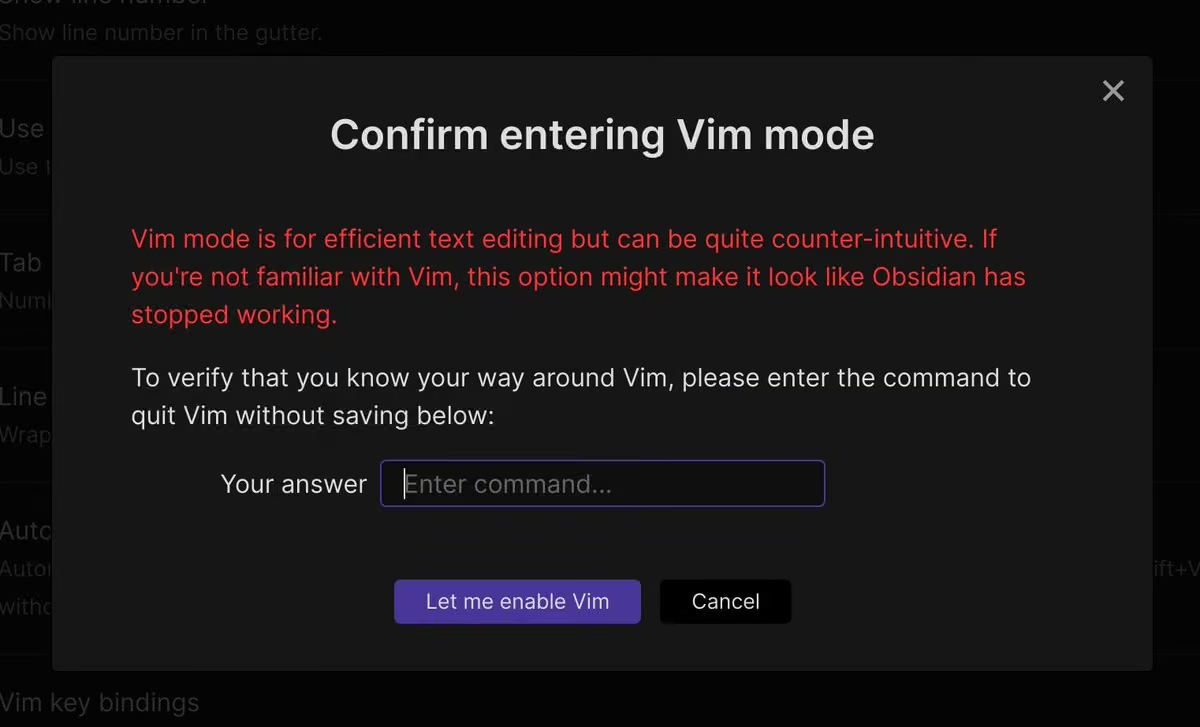
Obsidian reposted
Eleanor Konik
@EleanorKonik
Oh, right. The #obsidiammd Roundup is live if you missed it!
This shipped last night b/c I accidentally hit send instead of schedule, but you should for sure watch the @NickMilo interview with @deadly_onion of @readwiseio if you haven't already seen it.
obsidianroundup.org/2021-10-09/
Obsidian
@obsdmd
Wow, looks like Obsidian comes with time machine built right into it! 😉
Theme author credit: github.com/SMUsamaShah
 Red Gregory
@RedGregory1
Wait ... this @obsdmd theme is genius. I love it.

Obsidian reposted
Eleanor Konik
@EleanorKonik
Happy Saturday everyone!
The @obsdmd roundup is now live!
obsidianroundup.org/2021-10-02/
My kid woke us up in the middle of the night screaming and literally slept on an activity mat for half the night, but I'm heading into @Topiaio for a bit if anyone wants to screenshate or chat.
Obsidian
@obsdmd
Last reminder that early bird will end on September 30, which is less than 2 days away! Sync and Publish will go back to the regular price (double the current price) after that.
Have a question? Check out our FAQ!
forum.obsidian.md/t/last-chance-to-get-early-bird-discoun…
Obsidian reposted
Eleanor Konik
@EleanorKonik
The #obsidianmd roundup is now live!
If you've ever wanted to create or polish off a theme or plugin, now's a great time!
@NickMilo has a bunch of great stuff going on in the LYT space, and we're trying out a community resource vault!
obsidianroundup.org/2021-09-25/
Obsidian reposted
 Ben Hong @ #AllThingsOpen
@bencodezen
。 ☆ 。 ☆。 ☆ 。
☆。 \ | /。 ☆
📝 Obsidian is awesome 📝
☆。 / | \。 ☆
。 ☆。 ☆ 。 ☆。 。
Obsidian
@obsdmd
📢 Quick PSA:
We've increased the size limit of each vault of Obsidian Sync from 4 GB to 10 GB! Price stays the same.
Obsidian
@obsdmd
Early bird ends in less than 2 weeks though!
Obsidian
@obsdmd
📢 Friendly reminder: last chance to lock in early bird discount for Sync & Publish before Sept 30! 🐦
Read more: forum.obsidian.md/t/last-chance-to-get-early-bird-discoun…
Obsidian
@obsdmd
Thinking about making a plugin or theme but never had the opportunity to do it? October is the time!
Obsidian October is an official event to help you get started with your very own plugins and themes, starting now and ending on Oct 31!
Event details: publish.obsidian.md/hub/Events/Obsidian+October+2021
Obsidian
@obsdmd
Make a plugin or theme (or both!) to win some awesome awards! Winners will get hundreds of dollars in credit to spend on Obsidian services; the top winner will even get a CUSTOM TROPHY from us! Submissions will be judged by our awesome judge panel from the community.
Obsidian
@obsdmd
Even if you don't win, you'll get to make your first plugin or theme and have a chance to be one of 3 randomly chosen lucky winners for each category!
Get started by getting your event role on our Discord: discord.com/channels/686053708261228577/70271789253315799…
Obsidian reposted
Eleanor Konik
@EleanorKonik
Happy Saturday! The #obsidianmd roundup is now live. I had to add an entire section for "ancillary code" that wasn't just snippets and plugins, this community is incredible.
Also shout-out for the @draftsapp
folks making interoperability easier :)
obsidianroundup.org/2021-09-18/
Obsidian reposted
 Chetachi
@chetachiiii
I've haven't been that active on Twitter lately (started classes again 😮💨) but seeing the new support for my @obsdmd theme "Yin and Yang" has been the highlight of my day! Thank you all! I wanted to give a quick update: for those with reflective screens, this setting is for you!
Obsidian reposted
 Ehsan Nour
@thisisehsan
In love with how my @obsdmd is looking with the Yin & Yang theme
github.com/chetachiezikeuzor/Yin-and-Yang-Theme

Obsidian reposted
Eleanor Konik
@EleanorKonik
One day I'll schedule these to tweet automatically, but I don't trust computers (👀 keep an eye out for an announcement this weekend about my corrupted database yay) but, until then, here's the 2-hours-late announcement:
The #obsidianmd Roundup is Live!
obsidianroundup.org/2021-09-11/
Obsidian reposted
 TrustedSec
@TrustedSec
Our Targeted Operations team recently looked to improve their knowledge management strategy. @L1NKD34D provides a behind-the-scenes look at how Obsidian has been customized and evaluated as a solution. Bonus! It's available to as an open-source resource.
www.trustedsec.com/blog/obsidian-taming-a-collective-cons…
Obsidian reposted
Eleanor Konik
@EleanorKonik
Subscribers already know this because I'm like 2 hours late on posting to Twitter, but the Obsidian Roundup is live!
obsidianroundup.org/2021-09-04/
It's a must-read for devs!
Also, the #obsidianmd community got one step closer to hacking together an effective wysiwyg mode.
Obsidian
@obsdmd
Obsidian 0.12.15 is here!
• Improved graph time-lapse animation to be ordered by creation time
• Right click a heading to rename it and update all links
• Right click selected text to search for it
Download (or check for update in-app):
obsidian.md
Obsidian
@obsdmd
📢 Friendly reminder: last chance to lock in early bird discount for Sync & Publish before Sept 30! 🐦
Read more: forum.obsidian.md/t/last-chance-to-get-early-bird-discoun…
Obsidian reposted
Eleanor Konik
@EleanorKonik
This week's #obsidianmd roundup is now live.
obsidianroundup.org/2021-08-28/
You can annotate PDFs from inside Obsidian, archive tasks org-mode style, and get folder icons without messing with CSS and emojis.
Run shell commands from inside Obsidian, hot reload plugins on mobile...
Obsidian reposted
Eleanor Konik
@EleanorKonik
This week's #obsidianmd roundup is now live!
obsidianroundup.org/2021-08-21/
@NickMilo and the LYT folks have been on fire sharing workflows, and @chrisbbh is singlehandedly responsible for over half of the advanced workflow tips I've got for you.
Obsidian reposted
 Readwise
@readwise
🆕 in Readwise: Our native @obsdmd integration has landed! You can:
• Automatically export all of your highlights directly to Obsidian
• Add enriched metadata + images
• Customize your export templates - including YAML frontmatter
Check it out ➡️ readwise.io/changelog/obsidian-export
Obsidian
@obsdmd
Obsidian 0.12.12 is here!
• Extract a heading with Note Composer
• Current note is now highlighted in Graph View
• Use Up/Down arrow keys to navigate context menu
Download (or check for update in-app):
obsidian.md
Obsidian reposted
 Andrew Kirby
@IAmAndrewKirby
Here's the secret behind all of this.
I transcribed every word Naval's publicly said,
and curated every word he's written,
and put it into a searchable database.
This let me learn quickly.
If you'd like the database for free, watch this explainer video
youtu.be/47aC_Kx-iEU
Obsidian reposted
 The Sweet Setup
@thesweetsetup
🚀🚀 Just Launched! 🚀🚀
To Obsidian and Beyond is the all-new mastercourse for Obsidian users.
thesweetsetup.com/obsidian/
Obsidian reposted
Eleanor Konik
@EleanorKonik
This week's #obsidianmd roundup is now live: obsidianroundup.org/2021-07-31/
Lots of stuff from @NickMilo this week, & if you haven't seen Christian's QuickAdd video go watch it, it'll change your life.
Also the @zettlr beta looks nifty, for folks who like to run both on the same files
Obsidian reposted
Eleanor Konik
@EleanorKonik
This week's #obsidianmd roundup is now live!
obsidianroundup.org/2021-07-24/
It only took me 3 hours this week. 😅
I can't decide how I feel about the calibre ebook side-by-side thing. Why not just split screen? People must have a reason!
The #art resources are incredible, though.
Obsidian reposted
 Ruben Berenguel, PhD
@berenguel
I could have this as a sticker for my devices (cc/@obsdmd )
 Dominic Nicandri
@Italian_tuneup
No vacation is complete without a @CrimeADay

Obsidian reposted
Zsolt Viczián
@zsviczian
Outlining in @obsdmd has just become super fun! I just installed the enhancing-mindmap plugin. It is amazing!
 Kazdonkai
@KazdonMichi
編集できるMinMapプラグインが登場。
まだ,ダークモードに対応していなかったり,使い勝手が良くないが,それでも、ノードの移動,下位ノードの開閉ができ,それぞれのノードがマークダウン形式になる。
#Obsidian部
github.com/MarkMindCkm/obsidian-enhancing-mindmap
Obsidian reposted
Chetachi
@chetachiiii
I've been working on a text edit toolbar plugin in @obsdmd for those that just want a minimal workspace for writing. I'm just about done with it. I've been thinking about adding a few commands, but I fear that I may end up cluttering it. Any thoughts/suggestions?
#obsidianmd
Obsidian reposted
Eleanor Konik
@EleanorKonik
This week's #obsidianmd roundup is now live! I spent 7hrs working on this yesterday because SO MUCH HAPPENED in the wake of mobile launching.
obsidianroundup.org/2021-07-17/
There's a new meta post for syncing your files & the new "breadcrumbs" plugin does neat things with hierarchy.
Obsidian reposted
Eleanor Konik
@EleanorKonik
Hi friends, the #obsidianmd roundup is live, but it's been a crazy morning (as you can tell from the fact that I'm an hour and a half late posting the link) and the survey link in the original email was broken. It's corrected in the weblink:
obsidianroundup.org/2021-07-10/
Sorry, thx!
Obsidian reposted
Obsidian reposted
TfTHacker
@TfTHacker
Today there is a disturbance in the PKM force.
@obsdmd released their FREE mobile app. I have been using beta for 2 months with their paid Sync service & all I can say is:
Obsidian Desktop, mobile & sync - dream team in PKM space
I highly recommend it!
obsidian.md
Obsidian
@obsdmd
Thanks for the shoutout and for all you do! @viticci
Federico Viticci
@viticci
The @obsdmd app for iOS/iPadOS launched today. It’s my favorite app launch in a long time, and I can’t wait to share the system I’ve created for Markdown, @todoist integration, and more. Finally the dream of an extensible Markdown editor has come true.
apps.apple.com/us/app/obsidian-connected-notes/id1557175442
 Obsidian
@obsdmd
Obsidian for Mobile is finally here!
Get it at obsidian.md/mobile
We're also on Product Hunt and Hacker News today. If you're an active member of these communities, we'd appreciate if you can swing by to support our launch!
Product Hunt link: www.producthunt.com/posts/obsidian-for-mobile
Obsidian
@obsdmd
Obsidian 0.12.10 is here!
• New plugin "Note Composer" to merge and split notes quickly!
• Obsidian Sync: options to sync settings, themes, plugins, and all file types
• Toggle attachments in Quick Switcher
Download (or check for update in-app):
obsidian.md
Obsidian
@obsdmd
Note composer docs:
help.obsidian.md/Plugins/Note+composer
Release notes:
forum.obsidian.md/t/obsidian-release-v0-12-6/19914
forum.obsidian.md/t/obsidian-release-v0-12-7/20004
forum.obsidian.md/t/obsidian-release-v0-12-8/20214
forum.obsidian.md/t/obsidian-release-v0-12-9/20296
forum.obsidian.md/t/obsidian-release-v0-12-10/20523
Obsidian reposted
 Malcolm Bastien
@malcolmbastien
Still studying every day. @obsdmd has been a life changer.

Obsidian reposted
Eleanor Konik
@EleanorKonik
It's that time of the week! The #obsidianmd weekly roundup newsletter is out.
obsidianroundup.org/2021-07-03/
Click through for a new way to connect people interested in developing plugins with people interested in paying people to develop plugins ;)
Obsidian reposted
 LizNeeley
@LizNeeley
I have fallen hard for @obsdmd - it’s so flexible and there are such great community plugins. It’s totally changed my overall knowledge management (ymmv, depends if you’re comfortable with markdown)
Obsidian reposted
 Jingyi Wang
@JingyiWangAstro
It’s been almost a year since I fell in love with @obsdmd and it’s a game changer for me with my awful memory and needs some note taking tools. Plus, the free version is good enough (though I purchased an insider license to support the developers)!

Obsidian reposted
Eleanor Konik
@EleanorKonik
So much great stuff from the #obsidianmd community this week! Pandoc plugin and Admonition plugins got some very exciting much-requested updates, and there were sr great #pkm conversations
obsidianroundup.org/2021-06-26/
Obsidian
@obsdmd
Obsidian 0.12.5 is here!
• Template plugin gets commands to insert current date and time
• Images are now properly imported when using Chrome’s “Copy image” menu option
New core plugin is coming with next update!
Download (or check for update in-app): obsidian.md
Obsidian reposted
Federico Viticci
@viticci
In this week's episode of @appstoriesnet, I describe in detail how I set up @obsdmd to handle all my research for the iOS and iPadOS 15 review. Don't miss the screenshots in the show notes.
appstories.net/episodes/228/
Obsidian reposted
Eleanor Konik
@EleanorKonik
This week's roundup is now live!
obsidianroundup.org/2021-06-19/
The new QuickAdd plugin is a really nice way to do quick capturing without messing up your layout and I'm very excited about it.
Also, @obsdmd shared a video game their friends made!
Obsidian reposted
Eleanor Konik
@EleanorKonik
obsidianroundup.org/2021-06-12/
This week's #obsidianmd roundup is now live! Tons of plugin stuff this week -- I personally installed like three new ones lol and usually I try not to get distracted by the shiny.
Also some useful screen sharing tools if you're into that kind of thing 😉
Obsidian
@obsdmd
Obsidian 0.12.4 is here!
• New core plugin: Outgoing Links, see links from current note and link unlinked mentions
• Quick Switcher gets an option to show links to files that aren't created yet
• Tons of UI polishes and bug fixes
Download:
obsidian.md
Obsidian
@obsdmd
Release notes:
forum.obsidian.md/t/obsidian-release-v0-12-4/18764
Obsidian
@obsdmd
Don't miss out on this week's Obsidian Roundup!
Eleanor Konik
@EleanorKonik
This week's roundup of #obsidianmd related updates is now live!
The main thing is probably all the kanban (5?!) updates this week. There were also a bunch of ancillary tools mentioned, Calibre updates & encryption tools are prolly the most impt.
obsidianroundup.org/2021-06-05/
Obsidian reposted
Eleanor Konik
@EleanorKonik
This week's roundup is now live: obsidianroundup.org/2021-05-29/
The QuickAdd Templater scripts were the big thing for me personally. That and the #obsidianmd Insider update, which brings us the new "outgoing links" panel. It's surprisingly handy!
Obsidian reposted
Eleanor Konik
@EleanorKonik
Another great week for #obsidianmd — the Roundup is now live!
obsidianroundup.org/2021-05-22/
Templater scripts are proving to be a great incubating ground for full plugins, Excalidraw drawings can now be shown in edit mode, & the Obsidian community is still teaching ppl JavaScript :P
Obsidian reposted
Eleanor Konik
@EleanorKonik
This week's #obsidianmd roundup is live!
obsidianroundup.org/2021-05-15/
Lots of great tips for doing things with obsidian mobile this week, along with some excellent #pkm discussions about the #lyt system by @NickMilo & the dangers of #productivity culture.
Obsidian
@obsdmd
Obsidian 0.12.3 is here!
• Pinned commands in command palette for quick access
• See search result context as needed
• Option to see backlink at bottom of preview
• Community plugin improvements
• Electron 12 (please reinstall)
Download:
obsidian.md
Obsidian
@obsdmd
📰 Tune in for community news from last week, courtesy of Obsidian Roundup by @EleanorKonik:
obsidianroundup.org/2021-05-08/
Obsidian
@obsdmd
Quick update:
Mobile apps (iOS & Android) closed beta is now open to all Catalyst members!
In a few weeks, the app will be available to everyone once we finish the final polishing. The app will be free to use. Stay tuned!
More info on the beta:
help.obsidian.md/Mobile+app+beta


Obsidian reposted
Zsolt Viczián
@zsviczian
I just published the @excalidraw plugin in the @obsdmd community plugin store! 🎉
🎞 ... and here's the link to a 6 part video series explaining how it works: www.youtube.com/watch?v=i-hIfY-Ecjg&list=PL6mqgtMZ4NP3MQG…

Obsidian reposted
Eleanor Konik
@EleanorKonik
After request from a couple of people in the @obsdmd community discord, I put together Obsidian Roundup - a free weekly roundup of obsidian.md tips, news & resources, via email or rss thanks to @ghost
Updates Saturday!
Nick Milo
@NickMilo
Excellent excellent roundup @EleanorKonik, subscribed!
2021-04-14: Better Graphs, Dataview Tricks, & iOS+git Backups obsidianroundup.org/2021-04-17/
Obsidian reposted
 Emile van Krieken
@EmilevanKrieken
My new @obsdmd plugin 'Juggl' is out now! It's a completely interactive, stylable and expandable graph view.
Check it out on the Obsidian community plugins store!
Obsidian
@obsdmd
Obsidian 0.11.13 is here!
• Filter backlinks with search query
• Configure whether Cmd/Ctrl is needed for page preview separately in editor, preview, search, graph, and file explorer
• Tons of other QoL fixes
Download (or check for update in-app):
obsidian.md
Obsidian
@obsdmd
Thanks for your honest review!
TfTHacker
@TfTHacker
1/ Over a year ago I tried out Obsidian. At the time I found it to just be another Markdown editor. I was actually frustrated with the @obsdmd devs because it seemed like a shift from @DynalistHQ which is a fabulous product, but needing love. Well I was wrong, they were right
Obsidian
@obsdmd
Oh snap...
It can’t happen with Obsidian though, since everything is offline and end-to-end encrypted (Obsidian Sync).
 Jani Eväkallio
@jevakallio
Yet another note-taking app raises a $5.6M seed.
Let's read the TechCrunch article and try to figure out why
Oh, that's why

Obsidian reposted
 Sam Julien
@samjulien
It didn't take long for @obsdmd to become an essential part of my working and writing processes. Any other devs/dev advocates working in Obsidian? Would people find it helpful if I shared how I'm using it?
Obsidian
@obsdmd
💯 Obsidian’s latest and greatest feature: Obsidian Quiz!
Because how else would you be able to learn all the plugins and themes? 👀
obsidian.md/quiz
Obsidian
@obsdmd
Let us know your scores and favourite questions in the replies!
Obsidian reposted
 Damon Thomas
@DamonPThomas
1. Nine months ago I started using a note-taking application called Obsidian by @obsdmd to help manage the many writing processes that make up my job as a university lecturer.
Obsidian
@obsdmd
Quick update:
Mobile apps (iOS & Android) closed beta is now open to Supporters (second tier in Catalyst)!
We're soon rolling out to Insiders, and then everyone, as the app gets more stable. Stay tuned!
More info on the beta:
help.obsidian.md/Mobile+app+beta


 Obsidian
@obsdmd
Quick update:
Mobile apps (iOS & Android) closed beta has started!
Now accessible to Catalyst VIPs, soon rolling out to Supporters, Insiders, and then everyone, as the app gets more stable.
More info on the beta:
help.obsidian.md/Advanced+topics/Mobile+app+beta


 Obsidian
@obsdmd
Announcing this in our Discord was fun!
 Tiger (Passawit) Kaovilai
@TigerKaovilai
@obsdmd chaos reactions
Obsidian
@obsdmd
Corrected link: help.obsidian.md/Mobile+app+beta
Obsidian
@obsdmd
Obsidian 0.11.9 is here!
• New plugin "File Recovery": helps you recover files in case of accidents
• Auto conflict resolution to avoid undesirable overrides
• "section:" searches can now be nested
• QoL fixes
Download (or check for update in-app):
obsidian.md
Obsidian
@obsdmd
Release notes:
forum.obsidian.md/t/obsidian-release-v0-11-6/14336
forum.obsidian.md/t/obsidian-release-v0-11-7/14652
forum.obsidian.md/t/obsidian-release-v0-11-8/15038
forum.obsidian.md/t/obsidian-release-v0-11-9/15042
Btw, Vim mode is now 10x harder to accidentally turn on to protect you.🔒 No more cursed green cursors!
 Obsidian
@obsdmd
Try our Workspaces core plugin to quickly switch between all your setups!
 Michelle Mac
@heymichellemac
Today is the day I started using workspaces in @obsdmd.
How have I not done this sooner?! 🤯
With a little bit of setup, I've managed to speed up my workflow so much 🚅
Obsidian
@obsdmd
California Coast from Matthew Meyers is indeed magnificent!
 Dorian Becker
@blaked_84
I finally figured out how to make @obsdmd more beautiful
 Obsidian
@obsdmd
Congrats Chetachi! Your theme looks amazing too!
Chetachi
@chetachiiii
I’ve been trying to daily journal for months now and nothing worked for me until I started using #obsidian. I’ve been at it for two consecutive weeks now, longest I’ve ever gone w/o feeling friction. This beautiful piece of software just clicks for me. Thank you @obsdmd ❤️🥰
 Obsidian
@obsdmd
We got three lucky winners! 🎉
Thanks everyone for participating 🙏
Obsidian
@obsdmd
With the new Timelapse feature in 0.11.5, we're calling for time-lapse video of your vault! Yes, yours!
We'll pick lucky winners a week from now.
What you get? Choose between free Obsidian Sync, Publish, or VIP to join our mobile beta!
#obsidianinmotion #watchmythoughtbubble
Obsidian
@obsdmd
Congrats! 🎉
x.com/riddyrayes/status/1370774976580657157
Obsidian
@obsdmd
Congrats! 🎉
 Bianca Pereira
@BiaResearcher
After a few hours dedicated to it, here is our current Collaborative Graph Timelapse (Notes in my vault are red, notes in Jason's vault are yellow)
/6
Obsidian
@obsdmd
With the new Timelapse feature in 0.11.5, we're calling for time-lapse video of your vault! Yes, yours!
We'll pick lucky winners a week from now.
What you get? Choose between free Obsidian Sync, Publish, or VIP to join our mobile beta!
#obsidianinmotion #watchmythoughtbubble
Obsidian
@obsdmd
Example (this counts as an entry):
x.com/tomasmikulacz/status/1367168836609392646
Obsidian
@obsdmd
Obsidian 0.11.5 is here!
• Graph time-lapse command
• Reorder graph color groups
• Tons of QoL improvements and bug fixes!
Download (or check for update in-app):
obsidian.md
Obsidian reposted
Nick Milo
@NickMilo
14,000 words with descriptions.
44,000 words in total.
420,000 links!!! 🔗
I seriously had goosebumps for ten minutes straight.
And now, I want to share Denis' gift with you too...✨
publish.obsidian.md/rogets
Obsidian reposted
Obsidian reposted
 eslewhere
@eslewhere
Goddamnit @obsdmd is good. A+++, thoroughly recommend
Obsidian
@obsdmd
Obsidian 0.11.3 is here!
• Symlink support
• Ctrl/Cmd-drop to link to original file outside vault instead of copying
• <iframe> support for more sites
• Tons of QoL improvements and bug fixes!
Download (or check for update in-app):
obsidian.md
Obsidian
@obsdmd
Release notes:
forum.obsidian.md/t/obsidian-release-v0-11-1/13114
forum.obsidian.md/t/obsidian-release-v0-11-2/13265
forum.obsidian.md/t/obsidian-release-v0-11-3/13370
Sorry for the late update! It was actually released 2 days ago. We're just too focused on shipping beta mobile apps 😂
Obsidian
@obsdmd
We're working on fixing the "only thing missing": mobile apps! 💪
Obsidian reposted
 Adam Ringler
@AdamRingler
As an avid note-taker:
@obsdmd is a game-changer.
- Open Source
- Markdown
- PDF Creation
- Mind-maps
- Community Plug-ins
- Themes

Obsidian reposted
 Georgia Stuart
@mathgeorgia
I've been using @obsdmd for a few days and I LOVE IT. Thanks @AcademicChatter for the recommendation. I love that notes are stored as plain markdown files that can be easily backed up and version controlled. There's even a plugin to automatically commit your notes to a git repo!
Obsidian reposted
 Academic Chatter™
@AcademicChatter
One tool that has revolutionized my PhD so far = Obsidian @obsdmd. It's completely changed the way I think about note-taking / knowledge building. I was always confused and frustrated about organizing my thoughts and ideas until I found this tool.
obsidian.md
Obsidian
@obsdmd
Here's a 7-year-old vault with 17,000 notes. Now with colors and looking good! 🌈
(Graph credit: shatteredorbit on our Discord)

Obsidian reposted
 neel@:~$
@TheNeelOfficial
Finally found the best note taking app. @obsdmd is the best replacement for my current note taking applications. It is packed with a whole load of customisation features without the need for worrying about security.
Obsidian
@obsdmd
Honored to be in the finals with Notion!
For a small team like us (2) developing a local app, it's high praise 😊
 Katie Paxton-Fear
@InsiderPhD
THE FINAL: Who will take home the Note taking thunder dome?
Will it be
@NotionHQ or @obsdmd
Obsidian reposted
Bianca Pereira
@BiaResearcher
After a very nice session of @obsdmd for #academictwitter as part of @NickMilo's course, I have done a few more experiments.
"How to create a note with a list of all my sources?"
@PhDVoice @AcademicChatter #phdchat 1/
 Obsidian
@obsdmd
You can actually use Obsidian and Vim on the same set of Markdown files at the same time 🎉
Plus Obsidian also comes with a Vim mode!
Katie Paxton-Fear
@InsiderPhD
Vim or Obsidian?
Obsidian
@obsdmd
Obsidian Dataview plugin and Tonkkatsu are both awesome!
Obsidian
@obsdmd
Obsidian 0.11.0 just dropped!
• Colored groups in graph
• Persistent folding everywhere
• Right click link to rename
• URI to create note
• Hover preview for search results and backlinks
& lots of QoL goodness!
Download (or check for update in-app):
obsidian.md
Obsidian
@obsdmd
Full release notes:
forum.obsidian.md/t/obsidian-release-v0-11-0/12701
Obsidian
@obsdmd
More from our community (jplattel):
 Obsidian
@obsdmd
More from our community (j.split):
 Obsidian
@obsdmd
More from our community (Emile):
 Obsidian
@obsdmd
Finally, if you'd like a video crash course on this release:
/usr/bin/env Bryan Jenks 🌱️
@tallguyjenks
If you've seen my new colored cluster graph in @obsdmd you can see that the next insider's release 0.11.0 is a very exciting one.
I cover many of the new and exciting changes in this release in today's video!
 Obsidian
@obsdmd
 Ванадий Chernov
@vanadium23
В @obsdmd завезли возможность раскрашивать по папкам/тегам/поисковому вхождению и теперь можно более явно покрасить где к чему относиттся. На самом деле знания заполняют всё пространство между работой. :)

Obsidian reposted
Obsidian reposted
 Fraser Gorrie 🇨🇦
@frasergorrie
First in my productivity stack is OBSIDIAN @obsdmd
1. it's my secure vault for client: notes, data, reports, agreements
2. it's my wiki to every aspect of my personal and professional life
3. it's my history for every project
4. it's very attractive (and thus I want to use it)

Obsidian reposted
 Transmitthis
@Transmitthis
Think I have the hang of this for now @obsdmd
Time to stop playing and put some real notes in.
Having a wide screen is a boon.
Instead of a folder of random txt files, I have what is essentially a desktop website and can find All the things.
Very Useful

Obsidian reposted
David Hoang
@davidhoang
When it comes to notes and writing, offline is a must for me. I try to keep it as simple as possible.
For me, it’s markdown files I can use with different software. I primarily use @obsdmd @iAWriter and TextMate.
Obsidian reposted
 Peter Kokot
@peter_kokot
Holy s... Obsidian app @obsdmd looks amazing. Recommended checkout for organizing your thoughts and notes into a knowledge base of local Markdown files 🤯
obsidian.md
Obsidian reposted
 Marshall Brennan
@Organometallica
So @gabepgomes turned me onto @obsdmd and it's incredible. Having a markdown-based notes app that lets me control the files -- and therefore how they sync -- is so useful, especially with the connections between thoughts and topics that it enables.
Obsidian
@obsdmd
Obsidian 0.10.13 release is here!
• New %% comment syntax %% (won't show in preview, links and tags work in comments)
• Right click nodes in graph view for options
Download (or restart to auto-update):
obsidian.md
Obsidian
@obsdmd
Release notes:
forum.obsidian.md/t/obsidian-release-v0-10-12/12295
cc @cgpgrey: hope this makes you happy!
forum.obsidian.md/t/feature-request-comment-formatting/5411
Obsidian reposted
 bri watson 🐝
@brimwats
I did an interview on how I'm using @zotero & @obsdmd to create my own personal wiki/knowledge base—I hilight PDFs, they get automatically extracted and I can take notes on scholars, topics, publications & methods and connect them all together: youtu.be/6vFRnKsNX3c
Obsidian reposted
 Marco Giancotti
@marco_giancotti
I consider myself a super-slow writer, but I've just realized that I've written 100k+ words of notes since I started using @obsdmd 7 months ago. That's the length of two short books. It's just... effortless.
Obsidian reposted
 oddgoo
@viriditax
Have been testing @obsdmd for paper notes lately and, even tho I haven't brought many notes in yet, it's already showing interesting clusters and linkage. Here's the small cloud as of today:
Each big grey node = a paper or lecture, the small nodes = linked terms, yellow = tags.

Obsidian reposted
 Amanda Chao
@amandaachao
I’m so glad I discovered @obsdmd before starting my dissertation. Being productive has been difficult lately but Obsidian is making me excited to read and write 🥲 words I never thought I would utter!
Obsidian reposted
Bianca Pereira
@BiaResearcher
You only know you need some things when you learn they exist.
Activating swap lines up/down and Refactoring note plug-in in @obsdmd It really saves time on things I would do constantly.
Obsidian reposted
 Prateek K. Keshari
@prkeshari
Can't believe how powerful @obsdmd is.
Obsidian
@obsdmd
Community plugin of the day: Sliding Panes by @death_au
Opens your notes like sliding windows, Andy's Notes¹ style!
Get the plugin: Settings -> Third party plugins -> Browse -> search for it.
Repo: github.com/deathau/sliding-panes-obsidian
[1]: notes.andymatuschak.org/About_these_notes
Obsidian reposted
 Bad_Jubies
@Bad_Jubies
I recently started using @obsdmd for all of my note taking. 10/10 can recommend. It has helped me stay a lot more organized.

Obsidian reposted
 Flowstacker
@Flowstacker
First week of @obsdmd publish wrapping up.
Small but mighty start!
Week 1:

Obsidian reposted
 Christopher Hamilton 🇪🇺
@39digits
In an effort to truly own more of my data again I'll be moving my notion.so notes into the inspiring @obsdmd knowledge base.
Everything is Markdown and can be customised with your own CSS.
obsidian.md
Obsidian reposted
 mikel
@mikel__me
Current status of my @obsdmd notes and ideas. I will try to post at the end of each month to track progress.

Obsidian reposted
 Jessi Florendo
@jessi_florendo
Taking that new year resolution energy and getting organized today! Trying @obsdmd for the first time, REALLY liking it so far ✨
Obsidian
@obsdmd
Obsidian 0.10.11 is here!
• Link to and jump to any type of file (e.g. docx or xlsx files) in your vault
• Embed any website with <iframe>, including those previously refuse to be embedded
Download (or restart to auto-update):
obsidian.md
Obsidian
@obsdmd
Release notes:
forum.obsidian.md/t/obsidian-release-v0-10-10/11966
Obsidian
@obsdmd
We just supported @kepano on @buymeacoffee! 🎉
If you're enjoying Minimal theme too, you can buy them a coffee here — www.buymeacoffee.com/kepano/c/739465
Obsidian reposted
 Alexander 🏴☠️
@alextraykov
One month of @obsdmd and I'm so in love with the idea of this tool.
 Obsidian
@obsdmd
Obsidian 0.10.9 is here!
• Custom domain for Obsidian Publish: publish.obsidian.md/help/Licenses+%26+add-on+services/Obs…
• Copy heading URL on Obsidian Publish
• Search option hints
• Option to clear search history
Download:
obsidian.md
Release notes:
forum.obsidian.md/t/obsidian-release-v0-10-9/11679
Obsidian reposted
Obsidian reposted
/usr/bin/env Bryan Jenks 🌱️
@tallguyjenks
This is your 🧠 on <Note Taking App>: 💀
This is your 🧠 on @obsdmd:
Day 1 --> Week 12 --> Month 5


Obsidian reposted
 Kevin Rothermel
@KevinRothermel
Last year I started using @obsdmd to take notes on books, articles, podcasts etc. It’s driven me to read more, think things through, and make new connections.
Putting together classes has become much easier.
5/5 stars. iOS apps wld take it to 11.
Good vibes. What’s up.


 Ely: Visuals AI Writer Design Community Founder 🚢

 YM

 @phd20@chirp.enworld.org


 Stefan Imhoff
 Arthur Boyer
 Monji Dolon
 XM-Tech