We're so sorry - unfortunately, Oliver has been badly delayed after Author Nation and won't be available for our sessions tomorrow and Wednesday. We know you were looking forward to them so they'll now take place in January; we'll announce the new date soon. Apologies!
Scrivener (software)
Scrivener () is a word-processing program and outliner designed for writers. Scrivener provides a management system for documents, notes and metadata. This allows the user to organize notes, concepts, research, and whole documents for easy access and reference (documents including rich text, images, PDF, audio, video, and web pages). Scrivener offers templates for screenplays, fiction, and non-fiction manuscripts. After writing a text, the user may export it for final formatting to a standard word processor, screenwriting software, desktop publishing software, or TeX. More on Wikipedia
-
Scrivener
@ScrivenerApp

-
Scrivener
@ScrivenerApp
#scrivener 3 on Windows & Mac Tip of the Day: Any Inspector pane containing content has a little dot next to its icon in the Inspector header bar.
-
Scrivener
@ScrivenerApp
#scrivener 3 on Windows & macOS Tip of the Day: Any Inspector pane containing content has a little dot next to its icon in the Inspector header bar.
-
Scrivener
@ScrivenerApp
#scrivener 3 on macOS Tip of the Day: Option/Alt-drag a document from the binder onto an editor header bar to open it in a Copyholder (a secondary editor).
-
Scrivener
@ScrivenerApp
You don’t always have time to sit at a computer and write. Learn how to write from anywhere from your iPhone.
Reserve your free spot for November 18 at 1 pm ET / 6 PM UK: us06web.zoom.us/webinar/register/9317903722243/WN_l3WF-El… -
Scrivener
@ScrivenerApp
What's the title of your #novelnovember project? Share with the community in the comments.
Need a little help? Here are a few tools to help you meet your project goal. -
Scrivener
@ScrivenerApp
#scrivener 3 on macOS & Windows Tip of the Day: Toggle the ruler using ‘View > Text Editing > Show/Hide Ruler’ on macOS, or ‘View > Text Editing > Ruler’ toggle option on Windows.
-
Scrivener
@ScrivenerApp
Feeling overwhelmed? Transform big projects into clear, structured paths.
Reserve your free spot for this upcoming webinar on November 17 at 1 pm ET / 6 pm UK: us06web.zoom.us/webinar/register/7817903721253/WN_BaHKpGY… -
Scrivener
@ScrivenerApp
#scrivener 3 on Windows & Mac Tip of the Day: Turn on line numbering in the editor using ‘View > Text Editing > Show Line Numbers’.
-
Scrivener
@ScrivenerApp
Whether you’re doing Novel November or have year-end writing goals, Webinar Week is here to help you get to the finish line.
Claim your spot here for the first 2: www.literatureandlatte.com/outreach
You must be registered for #novnov to join the third session: community.prowritingaid.com/c/novel-november-events/the-s… -
Scrivener
@ScrivenerApp
#scrivener 3 on Windows & macOS Tip of the Day: Turn on line numbering in the editor using ‘View > Text Editing > Show Line Numbers’.
-
Scrivener
@ScrivenerApp
Isn’t it time you escaped the Google Docs chaos?
Discover a safe space for your writing during #novelnovember and beyond: www.literatureandlatte.com/novelnovember -
Scrivener
@ScrivenerApp
Keeping a digital paper trail of your writing can protect you against accusations of using AI to write your books. This allows you to prove the history of your writing as well as ensuring that your work is always backed up, doubling your benefits: www.literatureandlatte.com/blog/how-to-keep-a-digital-pap…
-
Scrivener
@ScrivenerApp
#scrivener 3 on Windows & Mac Tip of the Day: Switch to page view in the editor using ‘View > Text Editing > Show Page View’ on Mac, or ‘View > Text Editing > Page View’ option toggle on Windows.
-
Scrivener
@ScrivenerApp
#scrivener 3 on Windows & macOS Tip of the Day: Switch to page view in the editor using ‘View > Text Editing > Show Page View’ on Mac, or ‘View > Text Editing > Page View’ option toggle on Windows.
-
Scrivener
@ScrivenerApp
How’s your November going so far? We’ve got a great lineup to help you reach your goals.
Claim your spot here for the first 2: www.literatureandlatte.com/outreach
Claim your spot for the 3rd session. You must be registered for #novnov to join: community.prowritingaid.com/c/novel-november-events/the-s… -
Scrivener
@ScrivenerApp
How’s your word count going so far? #novelnovember
-
Scrivener
@ScrivenerApp
#scrivener 3 on Windows & Mac Tip of the Day: Transcribe audio and video by splitting the window and playing media in one editor. See ‘Navigate > Media’ for keyboard shortcuts.
-
Scrivener
@ScrivenerApp
Clutter getting in the way of your writing?
Keep your manuscript, research, notes and ideas together in one project, so you can spend less time looking for things and more time writing.
Try Scrivener for 6 weeks during #novelnovember: www.literatureandlatte.com/novelnovember -
Scrivener
@ScrivenerApp
#scrivener 3 on Windows & macOS Tip of the Day: Transcribe audio and video by splitting the window and playing media in one editor. See ‘Navigate > Media’ for keyboard shortcuts.
-
Scrivener
@ScrivenerApp
#scrivener 3 on Windows & Mac Tip of the Day: Print only the current section by going to ‘File > Print Current Document…’.
-
Scrivener
@ScrivenerApp
#scrivener 3 on Windows & macOS Tip of the Day: Print only the current section by going to ‘File > Print Current Document…’.
-
Scrivener
@ScrivenerApp
#scrivener 3 on Windows & Mac Tip of the Day: Can’t think of character names? Use the name generator, available from ‘Edit > Reference Tools > Name Generator…’.
-
Scrivener reposted
Fellow
@fellow_dev_io
Spotted 👀 Scrivener in “App of the Day” on the Australian App Store 🇦🇺
Congrats, @ScrivenerApp!
apps.apple.com/au/story/id6805905829 -
Scrivener
@ScrivenerApp
#scrivener 3 on Windows & macOS Tip of the Day: Can’t think of character names? Use the name generator, available from ‘Edit > Reference Tools > Name Generator…’.
-
Scrivener
@ScrivenerApp
#scrivener 3 on Windows & Mac Tip of the Day: Drag a snapshot from the Inspector to an editor header bar to view it in the main window.
-
Scrivener
@ScrivenerApp
Every writer has their own process, and we love hearing about it.
At #ninc2026, we met Ines, a fantasy romance and paranormal romance author, to chat about her writing process.
Writers, how many projects are you juggling right now? 👀This media couldn't be displayed. See it on the original post. -
Scrivener
@ScrivenerApp
With a one-time only fee, it’s time to ditch the subscription.
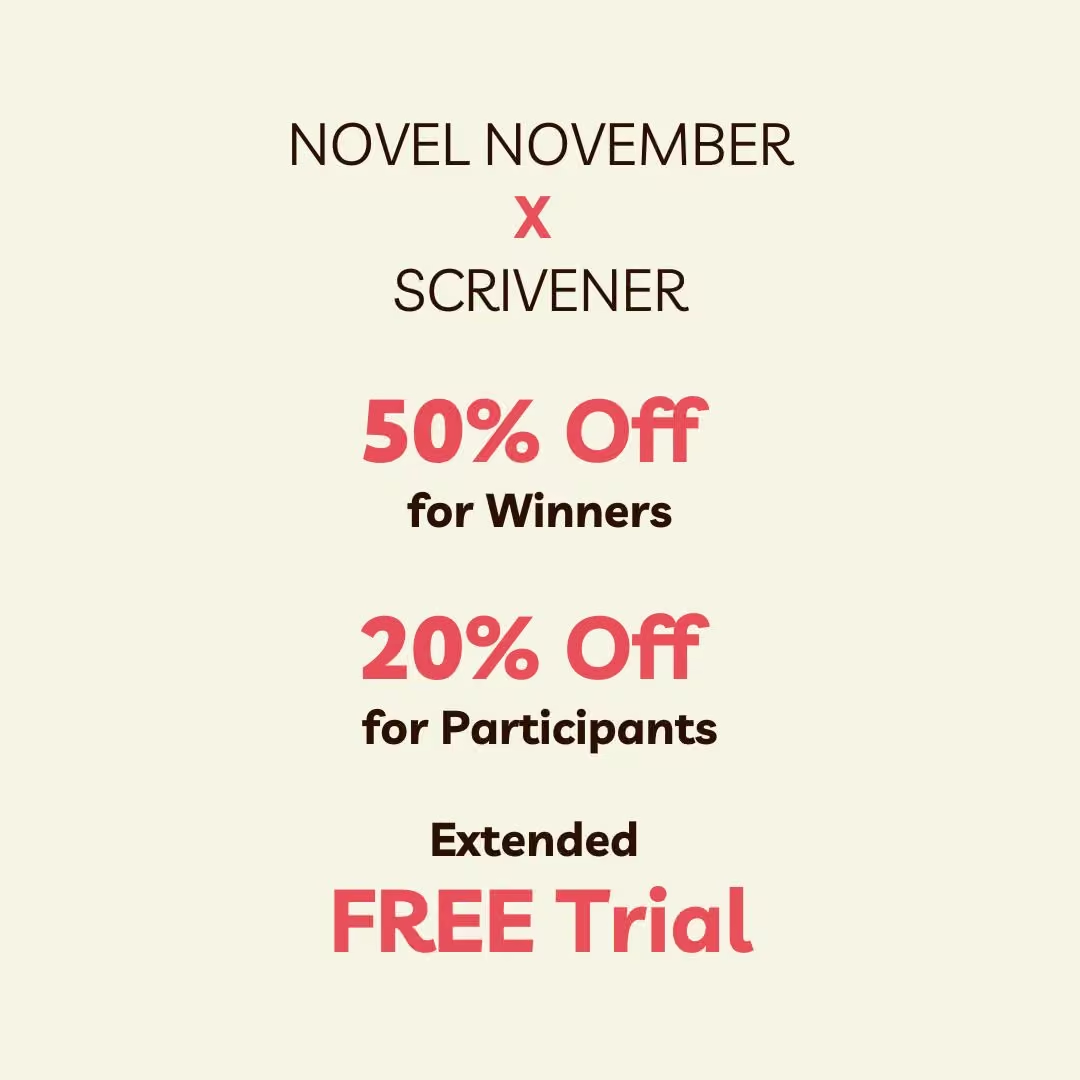
Try us during Novel November to get an extended free trial, 50% discounts for winners and 20% off when you use code NOVEMBER26 at checkout.
More info here: www.literatureandlatte.com/novelnovember #novnov -
Scrivener
@ScrivenerApp
#scrivener 3 on Windows & macOS Tip of the Day: Drag a snapshot from the Inspector to an editor header bar to view it in the main window.
-
Scrivener
@ScrivenerApp
Dave Bartell has written ten archeological thrillers and is about to embark on a series of techno thrillers. He self-publishes his works: "...I don’t want to lose control of my intellectual property,” he explains. Read the whole story: www.literatureandlatte.com/blog/write-now-with-scrivener-…
-
Scrivener
@ScrivenerApp
#scrivener 3 on Windows & Mac Tip of the Day: See changes you’ve made to a document since an earlier snapshot by selecting the snapshot in the Inspector and clicking ‘Compare’.
-
Scrivener reposted
Fellow
@fellow_dev_io
Spotlight on Scrivener: featured in “APP OF THE DAY” on the UK App Store 🇬🇧
Congrats, @ScrivenerApp! 🌟
apps.apple.com/gb/story/id6805905829 -
Scrivener
@ScrivenerApp
#scrivener 3 on Windows & macOS Tip of the Day: See changes you’ve made to a document since an earlier snapshot by selecting the snapshot in the Inspector and clicking ‘Compare’.
-
Scrivener
@ScrivenerApp
#scrivener iOS Tip of the Day: Customise the extended keyboard row by long-pressing on a button and picking a different command for it.
-
Scrivener
@ScrivenerApp
#scrivener on iOS Tip of the Day: Customise the extended keyboard row by long-pressing on a button and picking a different command for it.
-
Scrivener
@ScrivenerApp
When do you feel most productive writing? #novnov
-
Scrivener
@ScrivenerApp
#scrivener 3 on macOS Tip of the Day: Use ‘View > Text Editing > Focus’ if you want to focus your writing on only a line, sentence or paragraph.
-
Scrivener
@ScrivenerApp
It's November 1st - welcome #novelnovember! We have everything you need to plan, write, and reach your goal.
With an extended Scrivener free trial, there’s plenty of time to bring your story to life!
Learn more: prowritingaid.com/novel-november -
Scrivener
@ScrivenerApp
#scrivener 3 on Windows & Mac Tip of the Day: Hold down Shift if you want to launch Scrivener at the Project Templates window as opposed to the last project you were using.
-
Scrivener
@ScrivenerApp
#scrivener 3 on Windows & macOS Tip of the Day: Hold down Shift if you want to launch Scrivener at the Project Templates window as opposed to the last project you were using.
-
Scrivener
@ScrivenerApp
You don’t need to master every tool to get writing.
This on-demand webinar helps you uncover the core Scrivener workflow.
Start with the basics and build from there: www.youtube.com/watch?v=4zu5AFzSQGc #finishthatdraft -
Scrivener
@ScrivenerApp
What do you need to meet your #novelnovember goal?
The free novel-writing template comes with a 50,000-word target ready to gO TO help you keep track of your progress.
Learn how to install the free Novel November Project Template here: prowritingaid.com/novel-november -
Scrivener
@ScrivenerApp
#scrivener 3 on Windows & Mac Tip of the Day: Scrivener is not cloud based. Your work is stored separately from the application, using the filename and location that you specify when you create each project.
-
Scrivener
@ScrivenerApp
Meet Ines, a fantasy and paranormal romance author we met at NINC 2026, who's been using Scrivener for over a decade!
If you're heading to #authornation, we'd love to meet you! Stop by booth A4 and share your writing story with us.This media couldn't be displayed. See it on the original post. -
Scrivener
@ScrivenerApp
#scrivener 3 on Windows & macOS Tip of the Day: Scrivener is not cloud based. Your work is stored separately from the application, using the filename and location that you specify when you create each project.
-
Scrivener
@ScrivenerApp
The Novel November discount link is live!
To help you reach your goal, we're offering a 50% Scrivener discount to winners, and 20% off to those who use code NOVEMBER26.
Sign up here: prowritingaid.com/novel-november
Get your free trial and discounts here: www.literatureandlatte.com/novelnovember -
Scrivener
@ScrivenerApp
Scrivener offers more than 20 templates for projects, all of which have different features. Take a look at these with us, and see which suits your task best: www.literatureandlatte.com/blog/understanding-scriveners-…
-
Scrivener
@ScrivenerApp
Join our #novelnovember webinar for a simple 15-minute setup that will help you get a head start to meet your 50,000-word goal.
Claim your free ticket for tomorrow, October 29 at 12 pm ET / 4 pm UK: community.prowritingaid.com/c/novel-november-events/the-n…
You must be registered for Novel November to join. -
Scrivener
@ScrivenerApp
🗓️ Mark your calendar, #novelnovember is right around the corner!
Ready to reach your writing goals? We’re giving you an extended 6-week free trial, and up to 50% off Scrivener.
Learn how we can help you meet your Novel November goal here: www.literatureandlatte.com/novelnovember -
Scrivener
@ScrivenerApp
Learn how easy it is to map your story before you draft.
Claim your free spot for tomorrow, October 28 at 1 pm ET / 5 PM UK: us06web.zoom.us/webinar/register/5617903720473/WN_SJpvxfC… #novnov #finishthatdraft -
Scrivener
@ScrivenerApp
#novelnovember is right around the corner! Learn how Scapple helps you turn the creative chaos into a cohesive story plan.
Claim your free spot for tomorrow, October 27 at 12 pm ET / 4 pm UK: us06web.zoom.us/webinar/register/4517903719580/WN_wDejl5Q… #novnov -
Scrivener
@ScrivenerApp
Join us this week for three free webinars to help you map your plot, get organized and build your next bestseller.
Claim your spot for the first 2: www.literatureandlatte.com/outreach
Claim your spot for the 3rd session. You must be registered for #novnov to join: community.prowritingaid.com/c/novel-november-events/the-n… -
Scrivener
@ScrivenerApp
Last call to apply to help us out at AuthorNation Live! in Las Vegas next month. In return for a *free* ticket worth $650 you'll have light duties helping answer basic questions and handing out swag when our staff are otherwise engaged. 1/2
Scrivener
@ScrivenerApp
Interested? Email press@literatureandlatte.com by end 10.25 and tell us why you're a great pick. 2/2
-
Scrivener
@ScrivenerApp
#scrivener 3 on Windows & Mac Tip of the Day: You can apply Dark Mode. On Windows go to ‘Window > Themes > Dark Mode’. On macOS go to ‘Scrivener > Appearance > Dark’.
-
Scrivener
@ScrivenerApp
#scrivener 3 on Windows & macOS Tip of the Day: You can apply Dark Mode. On Windows go to ‘Window > Themes > Dark Mode’. On macOS go to ‘Scrivener > Appearance > Dark’.
-
Scrivener
@ScrivenerApp
#novelnovember is just around the corner, and we’ve got a lineup to help you meet your goals.
Claim your spot here for the first 2: www.literatureandlatte.com/outreach
Claim your spot for the 3rd session. You must be registered for #novnov to join: community.prowritingaid.com/c/novel-november-events/the-n… -
Scrivener
@ScrivenerApp
#scrivener 3 on Windows & Mac Tip of the Day: You can use right to left languages. Use ‘Format > Paragraph > Writing Direction’.
-
Scrivener
@ScrivenerApp
We’re proud to sponsor this year’s #novelnovember!
Get an extended Scrivener trial, 20% off with code NOVEMBER26, and 50% off for winners.
Sign up for Novel November here: www.literatureandlatte.com/novelnovember
Claim your discounts here: prowritingaid.com/novel-november @Prowritingaid -
Scrivener
@ScrivenerApp
#scrivener 3 on Windows & macOS Tip of the Day: You can use right to left languages. Use ‘Format > Paragraph > Writing Direction’.
-
Scrivener
@ScrivenerApp
Completing a first draft of a novel is a big accomplishment, and it’s not easy if it’s your first time. Scrivener has a number of features that can help you complete your draft. In this blog article, we look at how these features can get you to The End: www.literatureandlatte.com/blog/finishing-your-first-draf…
-
Scrivener
@ScrivenerApp
#scrivener 3 on Windows & Mac Tip of the Day: When compiling for export (‘File > Compile…’), you can edit your chosen export format by double clicking on it and choosing ‘Duplicate & Edit’, which will take you to the compile format style menu.
-
Scrivener
@ScrivenerApp
#scrivener 3 on Windows & macOS Tip of the Day: When compiling for export (‘File > Compile…’), you can edit your chosen export format by double clicking on it and choosing ‘Duplicate & Edit’, which will take you to the compile format style menu.
-
Scrivener
@ScrivenerApp
#scrivener 3 on Windows & Mac Tip of the Day: Use your ruler (‘View > Text Editing > Show Ruler’) to set up paragraph indents rather than tabs.
-
Scrivener
@ScrivenerApp
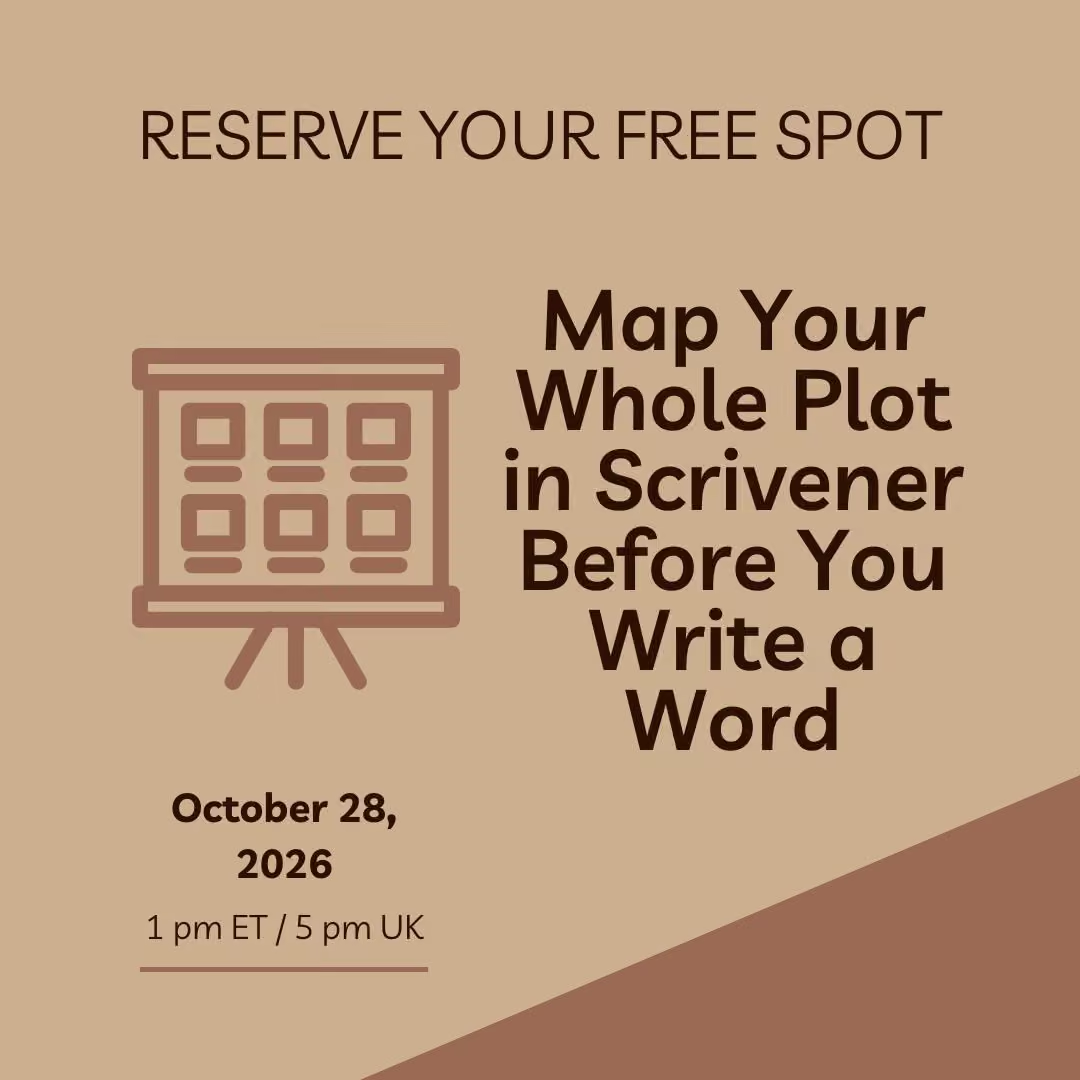
Did you know that you can map your whole plot in Scrivener before you write a word?
Join us and discover how to map your story arc before you type "Chapter One."
Reserve your free spot for October 28 at 1 pm ET / 5 PM UK: us06web.zoom.us/webinar/register/5617903720473/WN_SJpvxfC… -
Scrivener
@ScrivenerApp
#scrivener 3 on Windows & macOS Tip of the Day: Use your ruler (‘View > Text Editing > Show Ruler’) to set up paragraph indents rather than tabs.
-
Scrivener
@ScrivenerApp
Where are you with your draft right now? #finishthatdraft
-
Scrivener
@ScrivenerApp
#scrivener 3 on Windows & Mac Tip of the Day: Use ‘Edit > Paste and Match Style’ to strip out images, and any formatting code from Microsoft Word (and other editors) as they may use their own proprietary optimization and formatting which can cause problems in Scrivener.
-
Scrivener
@ScrivenerApp
#scrivener 3 on Windows & macOS Tip of the Day: Use ‘Edit > Paste and Match Style’ to strip out images, and any formatting code from Microsoft Word (and other editors) as they may use their own proprietary optimization and formatting which can cause problems in Scrivener.
-
Scrivener
@ScrivenerApp
#scrivener 3 Tip: Save your default settings before installing a fresh version of Scrivener. On Windows go to ‘File > Options’, on macOS go to ‘Scrivener > Settings’ and open the ‘Manage’ menu and choose ‘Save Settings to File’. Load them into your new version via the same menu.
-
Scrivener
@ScrivenerApp
Thinking of attending AuthorNation Live between November 10-13th? Don’t have a ticket? We'd love two extra pairs of hands to cover a few periods at our booth, in return for a *FREE* entry ticket worth $650. Email press@literatureandlatte.com by 10.25 and tell us 'why you?'.
-
Scrivener
@ScrivenerApp
#scrivener 3 Tip of the Day: Remove a word from your dictionary. On Windows go to ‘File > Options > Corrections > Spelling > View Personal Word List’. On macOS, open a new document, write the word you want to remove, control-click on the word and choose ‘Unlearn Spelling’.
-
Scrivener
@ScrivenerApp
Celebrate human storytelling with #novelnovember: a free 30-day challenge brought to you by @ProWritingAid
It’s a great reason to make the time and set a goal with a supportive community.
Sign up here: prowritingaid.com/novel-november -
Scrivener
@ScrivenerApp
#scrivener 3 Tip of the Day: Remove a word from your dictionary. On Windows go to ‘File > Options… > Corrections > Spelling > View Personal Word List’. On macOS, open a new document, write the word you want to remove, control-click on the word and choose ‘Unlearn Spelling’.
-
Scrivener
@ScrivenerApp
#scrivener 3 on Windows & Mac Tip of the Day: Convert a PDF document into text by selecting the PDF in your binder and going to ‘Documents > Convert > PDF File to Text’.
-
Scrivener
@ScrivenerApp
Novel November is just around the corner. Are you ready?
Join us for this special #novnov session that will help set you up to reach your writing goals.
Reserve your free spot: community.prowritingaid.com/c/novel-november-events/the-n…
You must be registered for Novel November to join this session. -
Scrivener
@ScrivenerApp
#scrivener 3 on Windows & macOS Tip of the Day: Convert a PDF document into text by selecting the PDF in your binder and going to ‘Documents > Convert > PDF File to Text’.
-
Scrivener
@ScrivenerApp
It can be difficult to get to the end of your first draft. Writers often try to do too much, but a first draft should be incomplete.
This stage isn’t about perfection; it’s about getting the scaffolding of a story down on paper (or on screen): www.literatureandlatte.com/blog/what-makes-a-good-first-d… -
Scrivener
@ScrivenerApp
#scrivener 3 on Windows & Mac Tip of the Day: Review your backup settings to ensure they suit the way that you work. You’ll find them in ‘File > Options… > Backup’ on Windows, and ‘Scrivener > Settings… > Backup’ on macOS.
-
Scrivener
@ScrivenerApp
#scrivener 3 on Windows & macOS Tip of the Day: Review your backup settings to ensure they suit the way that you work. You’ll find them in ‘File > Options… > Backup’ on Windows, and ‘Scrivener > Settings… > Backup’ on macOS.
-
Scrivener
@ScrivenerApp
Is this the month you finish that draft?
Throughout the month, we’re helping you turn your unfinished manuscript into a writing goal you can achieve.
Follow #finishthatdraft Month for tips and resources to help you plan, organize, write, revise, and keep making progress. -
Scrivener
@ScrivenerApp
Sticky notes everywhere? Ideas scattered across notebooks? Let Scapple help you turn the chaos into a story plan.
Join us to learn how to use Scapple to brain-dump and connect your ideas.
Claim your free spot for October 27 at 1 pm ET / 5 pm UK: us06web.zoom.us/webinar/register/4517903719580/WN_wDejl5Q… -
Scrivener
@ScrivenerApp
#scrivener 3 on Windows & Mac Tip of the Day: Left with rogue extra spaces after editing a document? Use ‘Edit > Text Tidying > Replace Multiple Spaces with Single Spaces’.
-
Scrivener
@ScrivenerApp
#scrivener 3 on Windows & macOS Tip of the Day: Left with rogue extra spaces after editing a document? Use ‘Edit > Text Tidying > Replace Multiple Spaces with Single Spaces’.
-
Scrivener
@ScrivenerApp
#scrivener 3 on Windows & Mac Tip of the Day: Lost a document? Type a word it contains into the toolbar’s Quick Search tool to display all items containing that word.
-
Scrivener
@ScrivenerApp
#scrivener 3 on Windows & macOS Tip of the Day: Lost a document? Type a word it contains into the toolbar’s Quick Search tool to display all items containing that word.
-
Scrivener
@ScrivenerApp
Writing a script?
In this #scrivenermadesimple tutorial, learn how Scriptwriting Mode helps you create a structure to get you from first draft to done.
Watch the full tutorial here: www.youtube.com/watch?v=FMxR6tMOydE -
Scrivener
@ScrivenerApp
#scrivener 3 on Windows & Mac Tip of the Day: If the text in the editor is too small but you don’t want to change the font size, change the zoom setting in ‘View > Zoom’.
-
Scrivener
@ScrivenerApp
#scrivener 3 on Windows & macOS Tip of the Day: If the text in the editor is too small but you don’t want to change the font size, change the zoom setting in ‘View > Zoom’.
-
Scrivener
@ScrivenerApp
Feeling stuck on a scene? Can’t figure out what comes next? 🤔
Try brain-dumping your ideas into Scapple to connect your thoughts.
Watch how it works: www.youtube.com/watch?v=zvP6c7AFx_c #finishthatdraft -
Scrivener
@ScrivenerApp
#scrivener 3 on Windows & Mac Tip of the Day: When working with two editors in a split, the editor that will be affected by binder clicks has a blue header bar.
-
Scrivener
@ScrivenerApp
#scrivener 3 on Windows & macOS Tip of the Day: When working with two editors in a split, the editor that will be affected by binder clicks has a blue header bar.
-
Scrivener
@ScrivenerApp
Jaima Fixsen's latest novel, Don't Look Close, is a historical novel set in Canada in the 1950s. It's influenced by the Nancy Drew series, the Canadian wilderness, and Rear Window.
Listen to the episode here: www.literatureandlatte.com/blog/write-now-with-scrivener-… -
Scrivener
@ScrivenerApp
#scrivener 3 on Windows & macOS Tip of the Day: If you accidentally delete a file, the file is not permanently deleted, just moved to Scrivener’s Trash folder.
-
Scrivener
@ScrivenerApp
Need quick answers to your biggest questions?
The #scrivenermadesimple YouTube Playlist is here to give you short, powerful tutorials like this one to keep you moving toward your writing goals.
Explore all of the videos here: www.youtube.com/playlist?list=PLo2CDPcmw9xRIn8saJ2Rfi4lJ9… -
Scrivener
@ScrivenerApp
What would it feel like to finally finish that draft? 🏁✨
Throughout October, we’re sharing tips and resources to help you get closer to “The End.”
What are you working on right now? Share with us in the comments. -
Scrivener
@ScrivenerApp
#scrivener 3 on Windows & macOS Tip of the Day: The Project Keywords panel allows you to organise keywords and drag them onto documents to assign them.
-
Scrivener
@ScrivenerApp
#scrivener 3 on Windows & Mac Tip of the Day: Click the magnifying glass in the toolbar to search the project. Click the magnifying glass in the search field to change search options.
-
Scrivener
@ScrivenerApp
Some days, one tip is just what you need to get writing again.
We recently launched a new YouTube playlist with past webinars and short takeaways, starting with The Must-Have Scrivener Guide to Organization.
Watch, and save the Playlist. More to come! www.youtube.com/playlist?list=PLTE7UB2HJlio&cbrd=1&ucbcb=1 -
Scrivener
@ScrivenerApp
#scrivener 3 on Windows & macOS Tip of the Day: Click the magnifying glass in the toolbar to search the project. Click the magnifying glass in the search field to change search options.
-
Scrivener
@ScrivenerApp
#scrivener 3 on Windows & macOS Tip of the Day: The Quick Search field in the toolbar is a great way of finding and opening documents quickly.
-
Scrivener
@ScrivenerApp
#scrivener 3 on Windows & Mac Tip of the Day: Hover the mouse over the Quick Search field in the toolbar to see the current draft and session word counts.
-
Scrivener
@ScrivenerApp
Have a daily word count goal? Discover how to track, set deadlines, and see your progress in real time.
Throughout the month, we’re sharing resources to help you #finishthatdraft
Watch the full tutorial here: www.youtube.com/watch?v=3417naw4nbM -
Scrivener
@ScrivenerApp
#scrivener 3 on Windows & macOS Tip of the Day: Hover the mouse over the Quick Search field in the toolbar to see the current draft and session word counts.
-
Scrivener
@ScrivenerApp
#scrivener 3 on Windows & Mac Tip of the Day: The Quick Search field in the toolbar shows progress bars if you have any Project Targets (‘Project > (Show) Project Targets’).
-
Scrivener
@ScrivenerApp
What would it feel like to reach your writing goals by the end of the year?
Join us on a journey from first draft to...whatever your ‘done’ looks like.
#finishthatdraft Month starts now!
Follow along, and go here for all resources: taplink.cc/scrivenerapp/p/100d22f/ -
Scrivener
@ScrivenerApp
#scrivener 3 on Windows & macOS Tip of the Day: The Quick Search field in the toolbar shows progress bars if you have any Project Targets (‘Project > (Show) Project Targets’).
-
Scrivener
@ScrivenerApp
While much of what you do in Scrivener is in one window, the app has a number of other windows that can help make working on your projects easier.
.
Our blog post takes you through using Bookmarks, Quick Reference windows and much more: www.literatureandlatte.com/blog/the-many-windows-of-scriv… -
Scrivener
@ScrivenerApp
📣 Past Scrivener webinars are getting a new home on YouTube! 📣
First up: The Must-Have Scrivener Guide to Organization, with the full webinar and short clips from key moments.
Save the Playlist, as more webinars and takeaways are coming soon: youtube.com/playlist?list=PLTE7UB2HJlio -
Scrivener
@ScrivenerApp
#scrivener 3 on Windows & macOS Tip of the Day: Set up custom meta-data (‘Project > Project Settings…’) to add custom checkboxes, list boxes and text fields to the Inspector and outliner.
-
Scrivener
@ScrivenerApp
#scrivener 3 on Mac Tip of the Day: Holding down the Option/Alt key while dragging in the binder or outliner will disallow drop-ons, making dropping between items easier.
-
Scrivener
@ScrivenerApp
Every scene, subplot, and story beat should earn its place.
Learn how to build a visual plot grid that helps you see what’s working, and where your story might be drifting.
Join us tomorrow, September 30 at 1 pm ET / 6 pm UK: us06web.zoom.us/webinar/register/2417857872326/WN_hIgeTTN… -
Scrivener
@ScrivenerApp
If you’re a Windows user, discover how to keep working on the same project across your iPhone and iPad without losing track of the latest version.
Watch the full video here: www.youtube.com/watch?v=_g2-GgHU9Go
Mac user? Watch the tutorial here: www.youtube.com/watch?v=EoTei44DlPY&list=PLo2CDPcmw9xRIn8… #scrivenermadesimple -
Scrivener
@ScrivenerApp
#scrivener 3 on macOS Tip of the Day: Holding down the Option/Alt key while dragging in the binder or outliner will disallow drop-ons, making dropping between items easier.
-
Scrivener
@ScrivenerApp
Join us this week for three free webinars to help you organize and build your character arcs, overcome writer’s block and much more.
Claim your spot here: www.literatureandlatte.com/outreach
Missed earlier webinars? Watch them on-demand here: www.literatureandlatte.com/library -
Scrivener
@ScrivenerApp
Writing a script for screen, stage, or audio?
In this #scrivenermadesimple video, learn how Scriptwriting Mode helps you write screenplays and other scripts using industry-standard formatting.
Watch the full video here: www.youtube.com/watch?v=FMxR6tMOydE -
Scrivener
@ScrivenerApp
#scrivener 3 on Windows & Mac Tip of the Day: Open multiple documents in Quick Reference panels by dragging them onto the Quick Reference icon in the toolbar (the box with the pencil).
-
Scrivener
@ScrivenerApp
The second session of Webinar Week is coming up!
Unlock ways to track moments, spot gaps, and keep character development clear across your story.
Join us on September 29 at 1 pm ET / 6 pm UK: us06web.zoom.us/webinar/register/6017857869805/WN_pcZrR0P… -
Scrivener
@ScrivenerApp
#scrivener 3 on Windows & macOS Tip of the Day: Open multiple documents in Quick Reference panels by dragging them onto the Quick Reference icon in the toolbar (the box with the pencil).
-
Scrivener
@ScrivenerApp
No more staring at the blank page waiting for ideas to appear.
Join us to learn a step-by-step system for generating, capturing, and filtering book ideas.
Claim your free ticket for tomorrow, Sep 28 at 1 pm ET / 6 pm UK, here: us06web.zoom.us/webinar/register/2417857867048/WN_6-jJiyi… -
Scrivener
@ScrivenerApp
#scrivener 3 on Windows & macOS Tip of the Day: Sort items in the outliner by clicking on a column header. Click again to reverse the sort, and once more to return to normal.
-
Scrivener
@ScrivenerApp
#scrivener 3 on Mac & Windows Tip of the Day: To enter line breaks into synopses when editing in the corkboard or outliner, use Opt-return on macOS and Ctrl-return on Windows.
-
Scrivener reposted
Amy Alkon
@amyalkon
Check out how awesome @Scrivenerapp is.
Some weird "Uh-oh, something's cuckoo message flew up, and I hit "report," and got this back.
And once, somebody there helped me get the software properly registered ASAP at 6:30 am when I was on deadline for my syndicated column.
Like, I messaged them, and minutes later, somebody was on it and helped me fix it.
LOVE. LOVE. LOVE.
The greatest software. Couldn't have written any of my books without its organization and also how it is not buggy. It's just the greatest.
Oh, I said that. I think, like, 26 times. (DESERVED!) -
Scrivener
@ScrivenerApp
#scrivener 3 on macOS & Windows Tip of the Day: To enter line breaks into synopses when editing in the corkboard or outliner, use Opt-return on macOS and Ctrl-return on Windows.
-
Scrivener
@ScrivenerApp
Are your scenes, subplots, and story beats starting to pull in different directions?
Learn how to build a visual plot grid that grows with your story and keeps the whole draft on track.
Join us September 30 at 1 pm ET / 6 pm UK: us06web.zoom.us/webinar/register/2417857872326/WN_hIgeTTN… -
Scrivener
@ScrivenerApp
#scrivener 3 on Windows & macOS Tip of the Day: Assign custom icons to your folders and sections to make them easy to pick out using ‘Documents > Change Icon’.
-
Scrivener
@ScrivenerApp
Authors benefit from book prizes, but so do readers: it helps them discover authors and topics they would not otherwise choose. We look at how book prizes expand readership and increase sales, and the importance of book prize judges in this process: www.literatureandlatte.com/blog/why-book-prizes-are-impor…
-
Scrivener
@ScrivenerApp
#scrivener 3 on Windows & Mac Tip of the Day: Add footnotes and comments to your text using the Inspector.
-
Scrivener
@ScrivenerApp
We're partnering with @WritersSalon for the Scrivener Finisher Scholarship.
50 writers will receive access to the 100 Days of Writing program to help them make progress on their project.
Applications are open until 9/24 at 5pm UK / 12pm ET / 9am PT: community.londonwriterssalon.com/100-days-2026-scrivener -
Scrivener
@ScrivenerApp
#scrivener 3 on Windows & macOS Tip of the Day: Add footnotes and comments to your text using the Inspector.
-
Scrivener
@ScrivenerApp
We're partnering with the @WritersSalon to support their 100 Days of Writing Workshop & Challenge! We’ll also be sharing something special at the end.
Today at 2 pm ET / 7 pm UK: community.londonwriterssalon.com/c/interviews-events/100-…
Can't make it live? RSVP and they'll send you the recording and workbook. -
Scrivener
@ScrivenerApp
#scrivener 3 on Windows & Mac Tip of the Day: ‘Navigate > Clear All Navigation Options’ returns UI navigation to the default state, removing all locks and project navigation settings.
-
Scrivener
@ScrivenerApp
What makes a character arc feel real from beginning to end? Discover a clear, visual way to spot gaps and keep each arc consistent throughout your story.
Join us September 29 at 1 pm ET / 6 pm UK: us06web.zoom.us/webinar/register/6017857869805/WN_pcZrR0P… -
Scrivener
@ScrivenerApp
#scrivener 3 on Windows & macOS Tip of the Day: ‘Navigate > Clear All Navigation Options’ returns UI navigation to the default state, removing all locks and project navigation settings.
-
Scrivener
@ScrivenerApp
Writer’s block isn’t always a sign that you’re out of ideas. You may just need a better system to capture and filter them.
Reserve your spot for Sep 28 at 1 pm ET / 6 pm UK here to slay writer’s block: us06web.zoom.us/webinar/register/2417857867048/WN_6-jJiyi… -
Scrivener
@ScrivenerApp
#scrivener 3 on Windows & Mac Tip of the Day: Create a custom project template by setting up a bare bones project as you wish and using ‘File > Save As Template…’.
-
Scrivener
@ScrivenerApp
Final opportunity, the event closes on Wednesday, to secure discounts during 'The Festival Of Artisanal Software' - SummerFest2026:
www.artisanalsoftwarefestival.com :-) -
Scrivener
@ScrivenerApp
#scrivener 3 on Windows & macOS Tip of the Day: Create a custom project template by setting up a bare bones project as you wish and using ‘File > Save As Template…’.
-
Scrivener
@ScrivenerApp
#scrivener 3 on Windows & macOS Tip of the Day: Experiment with section order using the corkboard’s freeform mode (‘View > Corkboard Options > Freeform’).
-
Scrivener
@ScrivenerApp
Unlike most apps these days, Scrivener does not use AI in any way. You can get rid of these in macOS26 and macOS27 - here’s how:: www.literatureandlatte.com/blog/scrivener-and-ai-why-do-i…
-
Scrivener
@ScrivenerApp
#scrivener 3 on Mac Tip of the Day: Command-click on a footnote or comment to open it in a popover without opening the Inspector.
-
Scrivener
@ScrivenerApp
#scrivener 3 on macOS Tip of the Day: Command-click on a footnote or comment to open it in a popover without opening the Inspector.
-
Scrivener
@ScrivenerApp
Do you write in Windows, as well as iPad and iPhone?
In this latest #scrivenermadesimple tutorial, unlock ways to easily sync your projects across these devices.
Watch the full video here: www.youtube.com/watch?v=_g2-GgHU9Go
Mac user? Watch the tutorial here: www.youtube.com/watch?v=EoTei44DlPY&list=PLo2CDPcmw9xRIn8… -
Scrivener
@ScrivenerApp
#scrivener 3 on Mac & Windows Tip of the Day: To see where a project is saved, use ‘File > Show Project in Finder’ (Mac) or ‘File > Show Project in File Explorer’ (Windows).
-
Scrivener
@ScrivenerApp
What if one week could help you feel more inspired to write?
Join us for these webinars that will help you organize and build your character arcs, overcome writer’s block and much more.
Claim your spot for one, or all three, here: www.literatureandlatte.com/outreach -
Scrivener
@ScrivenerApp
#scrivener 3 on macOS & Windows Tip of the Day: To see where a project is saved, use ‘File > Show Project in Finder’ (Mac) or ‘File > Show Project in File Explorer’ (Windows).
-
Scrivener
@ScrivenerApp
Scrivener has tools that help you easily access research materials. If you have lots of research files, you may need to access some of those files regularly. Find out how to use project bookmarks to quickly access the research files you use most often: www.literatureandlatte.com/blog/use-scriveners-project-bo…
-
Scrivener
@ScrivenerApp
#scrivener 3 on Windows & Mac Tip of the Day: Use an emoji as a document icon using ‘Documents > Change Icon > Icon from Text…’.
-
Scrivener
@ScrivenerApp
#scrivener 3 on Windows & macOS Tip of the Day: Use an emoji as a document icon using ‘Documents > Change Icon > Icon from Text…’.
-
Scrivener
@ScrivenerApp
Where are you in your writing project right now?
-
Scrivener
@ScrivenerApp
#scrivener 3 on Windows & Mac Tip of the Day: Use ‘Format > Scriptwriting > Script Mode’ to switch the editor to scriptwriting mode.
-
Scrivener
@ScrivenerApp
#scrivener 3 on Windows & macOS Tip of the Day: Use ‘Format > Scriptwriting > Script Mode’ to switch the editor to scriptwriting mode.
-
Scrivener
@ScrivenerApp
#scrivener 3 on Windows & Mac Tip of the Day: Use Styles to format special sections of text such as block quotes. Updating the Style’s formatting automatically reformats the text.
-
Scrivener
@ScrivenerApp
#scrivener 3 on Windows & macOS Tip of the Day: Use Styles to format special sections of text such as block quotes. Updating the Style’s formatting automatically reformats the text.
-
Scrivener
@ScrivenerApp
#scrivener 3 on macOS & Windows Tip of the Day: Separate sections in the binder by Ctrl- (Mac), or right-clicking on a folder and choosing ‘Show as Binder Separator’.
-
Scrivener
@ScrivenerApp
#scrivener 3 on Windows & Mac Tip of the Day: Folders are just special types of text files. To see the text of a folder, click on whichever view mode icon is selected in the toolbar.
-
Scrivener
@ScrivenerApp
#scrivener 3 on Windows & macOS Tip of the Day: Folders are just special types of text files. To see the text of a folder, click on whichever view mode icon is selected in the toolbar.
-
Scrivener
@ScrivenerApp
Who’s the villain in your story?
In this sponsored video from @AlyssaMatesic, learn 5 simple techniques for creating a villain who feels intelligent, complex, and impossible to forget.
Watch here: www.youtube.com/watch?v=01NP5ue-JoA -
Scrivener
@ScrivenerApp
#scrivener 3 on Windows & Mac Tip of the Day: Picking a Layout from the leftmost toolbar icon or from ‘Window > Layouts’ lets you quickly switch to a different UI arrangement.
-
Scrivener
@ScrivenerApp
#scrivener 3 on Windows & macOS Tip of the Day: Picking a Layout from the leftmost toolbar icon or from ‘Window > Layouts’ lets you quickly switch to a different UI arrangement.
-
Scrivener
@ScrivenerApp
You can compile your Scrivener projects on iPad and iPhone, and advanced options let you customize how they are exported. Find out more in our guide: www.literatureandlatte.com/blog/how-to-customize-compile-…
-
Scrivener
@ScrivenerApp
#scrivener 3 on Windows & Mac Tip of the Day: Check how much you’ve written every day using ‘Project > Writing History…’.
-
Scrivener
@ScrivenerApp
#scrivener 3 on Windows & macOS Tip of the Day: Check how much you’ve written every day using ‘Project > Writing History…’.
-
Scrivener
@ScrivenerApp
Life happens, and you can’t always make it to a live webinar. That’s why we’re bringing past sessions to YouTube!
We’re kicking it off with The Must-Have Scrivener Guide to Organization.
Watch, and save the growing Playlist, here: www.youtube.com/playlist?list=PLTE7UB2HJlio&cbrd=1&ucbcb=1 -
Scrivener
@ScrivenerApp
#scrivener 3 on Windows & Mac Tip of the Day: You can quickly switch to different UI arrangements by saving and selecting layouts via ‘Window > Layouts > Manage Layouts…’.
-
Scrivener
@ScrivenerApp
#scrivener 3 on Windows & macOS Tip of the Day: You can quickly switch to different UI arrangements by saving and selecting layouts via ‘Window > Layouts > Manage Layouts…’.
-
Scrivener
@ScrivenerApp
#scrivener 3 on Windows & Mac Tip of the Day: Colour index cards using ‘View > Use Label Color In > Index Cards’.
-
Scrivener
@ScrivenerApp
You may not always write on one device.
Discover how to keep working on the same project without losing track of the latest version.
Watch the full video here: www.youtube.com/watch?v=EoTei44DlPY #scrivenermadesimple -
Scrivener
@ScrivenerApp
#scrivener 3 on Windows & macOS Tip of the Day: Colour index cards using ‘View > Use Label Color In > Index Cards’.
-
Scrivener
@ScrivenerApp
#scrivener 3 on Windows & macOS Tip of the Day: You can convert a text file to a folder and vice versa by using ‘Documents > Convert > to File/Folder’.
-
Scrivener
@ScrivenerApp
#scrivener 3 on Windows & Mac Tip of the Day: Scrivenings mode allows you to work with multiple documents as though they were a single text.
-
Scrivener
@ScrivenerApp
#scrivener 3 on Windows & macOS Tip of the Day: Scrivenings mode allows you to work with multiple documents as though they were a single text.
-
Scrivener
@ScrivenerApp
#scrivener 3 on Windows & Mac Tip of the Day: To export a project with the folder structure intact, ‘Edit > Select All’ in the binder and go to ‘File > Export > Files…’.
-
Scrivener
@ScrivenerApp
Who’s your favorite villain of all time? Share with the community in the comments.
Then watch this sponsored video from @AlyssaMatesic, where you’ll learn 5 simple tricks for creating a captivating villain.
Check out the full video here: www.youtube.com/watch?v=01NP5ue-JoAThis media couldn't be displayed. See it on the original post. -
Scrivener
@ScrivenerApp
#scrivener 3 on Windows & macOS Tip of the Day: To export a project with the folder structure intact, ‘Edit > Select All’ in the binder and go to ‘File > Export > Files…’.
-
Scrivener
@ScrivenerApp
John Degen is the author of four books and is the head of The Writers' Union of Canada and Chair of the International Authors Forum.
He wrote his latest novel, Seldom Seen Road, entirely on his iPhone with Scrivener. Find out more here: www.literatureandlatte.com/blog/write-now-with-scrivener-… -
Scrivener
@ScrivenerApp
#scrivener 3 on Windows & Mac Tip of the Day: When working with two editors in a split, the editor that will be affected by binder clicks has a blue header bar.
-
Scrivener
@ScrivenerApp
#scrivener 3 on Windows & macOS Tip of the Day: When working with two editors in a split, the editor that will be affected by binder clicks has a blue header bar.
-
Scrivener
@ScrivenerApp
Do you write on Mac, iPad and iPhone?
In this latest #scrivenermadesimple tutorial, unlock ways to easily sync your projects across these devices.
Watch the full video here: www.youtube.com/watch?v=EoTei44DlPY -
Scrivener
@ScrivenerApp
#scrivener 3 on Windows & Mac Tip of the Day: The Quick Search field in the toolbar shows progress bars if you have any Project Targets (‘Project > (Show) Project Targets’).
-
Scrivener
@ScrivenerApp
#scrivener 3 on Windows & macOS Tip of the Day: The Quick Search field in the toolbar shows progress bars if you have any Project Targets (‘Project > (Show) Project Targets’).
-
Scrivener
@ScrivenerApp
#scrivener 3 on Windows & macOS Tip of the Day: Set up custom meta-data (‘Project > Project Settings…’) to add custom checkboxes, list boxes and text fields to the Inspector and outliner.
-
Scrivener
@ScrivenerApp
#scrivener 3 on Windows & macOS Tip of the Day: Holding down the Option/Alt key while clicking a triangle in the binder or outliner will expand everything inside the folder.
-
Scrivener
@ScrivenerApp
Every writing project has a point where things start to feel scattered. What usually gets messy first for you?
Exciting news! We’re bringing past webinars to YouTube with full replays and shorter clips.
Save the Playlist here: youtube.com/playlist?list=PLTE7UB2HJlio -
Scrivener reposted
ቤኪwise🎞️
@bereketemichael
I am obsessed with @ScrivenerApp. I couldn’t function otherwise 🙏
-
Scrivener
@ScrivenerApp
#scrivener 3 on Windows & macOS Tip of the Day: Open multiple documents in Quick Reference panels by dragging them onto the Quick Reference icon in the toolbar (the box with the pencil).
-
Scrivener
@ScrivenerApp
#scrivener 3 on Windows & macOS Tip of the Day: ‘Navigate > Reveal in Binder’ shows where the current document is located in the binder.
-
Scrivener
@ScrivenerApp
Got a favorite theme or template and want to share it, or install it on a second computer? Our latest blog takes a look at how to export and import some key customization options to use them with a different copy of Scrivener. www.literatureandlatte.com/blog/how-to-import-and-export-…
-
Scrivener
@ScrivenerApp
Spending way too long trying to name your character? 😅 🧙
Join us tomorrow, August 27 at 1 pm ET / 6 pm UK, and discover how to find memorable names without derailing your writing.
Save your free spot here: us06web.zoom.us/webinar/register/5017857861630/WN_dKi9Xr4… -
Scrivener
@ScrivenerApp
#scrivener 3 on Windows & macOS Tip of the Day: Sort items in the outliner by clicking on a column header. Click again to reverse the sort, and once more to return to normal.
-
Scrivener
@ScrivenerApp
#scrivener 3 on macOS & Windows Tip of the Day: To enter line breaks into synopses when editing in the corkboard or outliner, use Opt-return on macOS and Ctrl-return on Windows.
-
Scrivener
@ScrivenerApp
Join us for tips to beat writer’s block, build momentum, and find a writing routine that fits YOUR life.
Claim your free spot for tomorrow, August 26 at 1 pm ET / 6 pm UK, here: us06web.zoom.us/webinar/register/9617857856264/WN_a3s1CCC… -
Scrivener
@ScrivenerApp
Join us this week for three free webinars to help you set up your project, build a writing routine, and create unforgettable characters.
Claim your spot here: www.literatureandlatte.com/outreach
Missed earlier webinars? Watch them on-demand here: www.literatureandlatte.com/library -
Scrivener
@ScrivenerApp
Curious about Scrivener? Grab a cup of coffee and join us for an easy-to-follow introduction.
Whether you’re new to Scrivener, or just need a refresher, this session is for you.
Claim your free spot for August 25 at 12 pm ET / 6 pm UK here: us06web.zoom.us/webinar/register/5317757516608/WN_m8EA7oT… -
Scrivener
@ScrivenerApp
#scrivener 3 on Windows & macOS Tip of the Day: To create your own scriptwriting formats, use ‘Format > Scriptwriting > Script Settings…’.
-
Scrivener
@ScrivenerApp
#scrivener 3 on Windows & Mac Tip of the Day: View our past webinars for some handy tips on using Scrivener literatureandlatte.com/library.
-
Scrivener
@ScrivenerApp
#scrivener 3 on Windows & macOS Tip of the Day: View our past webinars for some handy tips on using Scrivener www.literatureandlatte.com/library.
-
Scrivener
@ScrivenerApp
Discover how to craft characters that your readers will love from the first page.
Don’t settle for a generic character name, save your spot for August 27 at 1 pm ET / 6 pm UK: us06web.zoom.us/webinar/register/5017857861630/WN_dKi9Xr4… -
Scrivener
@ScrivenerApp
Some days the words come easily. Other days…not so much.
Join us on August 26 at 1 pm ET / 6 pm UK for practical tips to beat writer’s block, build momentum, and find a writing routine that fits YOUR life.
Save your spot: us06web.zoom.us/webinar/register/9617857856264/WN_a3s1CCC… -
Scrivener
@ScrivenerApp
#scrivener 3 on Windows & Mac Tip of the Day: Assign custom icons to your folders and sections to make them easy to pick out using ‘Documents > Change Icon’.
-
Scrivener
@ScrivenerApp
Know a writer who needs some inspiration?
Share this with them, and join us for Webinar Week! www.literatureandlatte.com/outreach -
Scrivener
@ScrivenerApp
#scrivener 3 on Windows & macOS Tip of the Day: Assign custom icons to your folders and sections to make them easy to pick out using ‘Documents > Change Icon’.
-
Scrivener
@ScrivenerApp
We read a lot about how productivity can make us more creative through optimizing our time. But perhaps the key to creativity is less about productivity and more about allowing ideas to incubate? We investigate: www.literatureandlatte.com/blog/how-incubation-can-improv…
-
Scrivener
@ScrivenerApp
#scrivener 3 on Windows & Mac Tip of the Day: Add footnotes and comments to your text using the Inspector.
-
Scrivener
@ScrivenerApp
#scrivener 3 on Windows & macOS Tip of the Day: Add footnotes and comments to your text using the Inspector.
-
Scrivener
@ScrivenerApp
New to Scrivener, or want a refresher? This first Webinar Week session is for you.
Unlock simple, actionable steps to set up your project with confidence, so you can get writing.
Save your free spot for August 25 at 1 pm ET / 6 pm UK here: us06web.zoom.us/webinar/register/5317757516608/WN_m8EA7oT… -
Scrivener
@ScrivenerApp
Last time, we brought together more than 5,000 writers for Webinar Week. Ready for the next one?
Whether you’re a Scrivener user or not, we’ve got something for you.
Reserve your spot here: www.literatureandlatte.com/outreach -
Scrivener
@ScrivenerApp
#scrivener 3 on Windows & Mac Tip of the Day: Create a custom project template by setting up a bare bones project as you wish and using ‘File > Save As Template…’.
-
Scrivener
@ScrivenerApp
#scrivener 3 on Windows & macOS Tip of the Day: Create a custom project template by setting up a bare bones project as you wish and using ‘File > Save As Template…’.
-
Scrivener
@ScrivenerApp
#scrivener 3 on Windows & Mac Tip of the Day: Experiment with section order using the corkboard’s freeform mode (‘View > Corkboard Options > Freeform’).
-
Scrivener
@ScrivenerApp
#scrivener 3 on Windows & macOS Tip of the Day: Experiment with section order using the corkboard’s freeform mode (‘View > Corkboard Options > Freeform’).
-
Scrivener
@ScrivenerApp
#scrivener 3 on Windows Tip of the Day: You can customise keyboard shortcuts in Scrivener via ‘File > Options… > Keyboard’.
-
Scrivener
@ScrivenerApp
#scrivener 3 on Windows & Mac Tip of the Day: Use ‘Format > Scriptwriting > Script Mode’ to switch the editor to scriptwriting mode.
-
Scrivener
@ScrivenerApp
#scrivener 3 on Windows & macOS Tip of the Day: Use ‘Format > Scriptwriting > Script Mode’ to switch the editor to scriptwriting mode.
-
Scrivener
@ScrivenerApp
Congratulations to author and Scrivener user @SJ_Watson, whose 2011 debut Before I Go To Sleep featured in last week's New York Times list of The 50 Best Thrillers of the 21st Century.
You can listen to him on the Write Now with Scrivener podcast here: www.youtube.com/watch?v=n6leRCEks4o -
Scrivener
@ScrivenerApp
#scrivener 3 on Mac Tip of the Day: Command-click on a footnote or comment to open it in a popover without opening the Inspector.
-
Scrivener
@ScrivenerApp
What if one week could help you feel more organized, inspired and ready to write?
Join us for these webinars that will help you build a writing routine, create memorable characters, and much more.
Claim your spot for one, or all three, here: www.literatureandlatte.com/outreach #scrivener -
Scrivener
@ScrivenerApp
#scrivener 3 on macOS Tip of the Day: Command-click on a footnote or comment to open it in a popover without opening the Inspector.
-
Scrivener
@ScrivenerApp
If you work with Scrivener projects in a language different from that which is set for your operating system, or in more than one language, you will need to change dictionaries to check spelling. Here's how: www.literatureandlatte.com/blog/how-to-use-different-lang…
-
Scrivener
@ScrivenerApp
#scrivener 3 on Mac & Windows Tip of the Day: To see where a project is saved, use ‘File > Show Project in Finder’ (Mac) or ‘File > Show Project in File Explorer’ (Windows).
-
Scrivener
@ScrivenerApp
#scrivener 3 on macOS & Windows Tip of the Day: To see where a project is saved, use ‘File > Show Project in Finder’ (Mac) or ‘File > Show Project in File Explorer’ (Windows).
-
Scrivener
@ScrivenerApp
Want to stitch together the pieces of your manuscript?
In this #scrivenermadesimple tutorial, learn how this works on your iPhone.
Want more short tutorials like this? Explore and save the full Playlist here: www.youtube.com/playlist?list=PLo2CDPcmw9xRIn8saJ2Rfi4lJ9… -
Scrivener
@ScrivenerApp
#scrivener 3 on Windows & Mac Tip of the Day: Use an emoji as a document icon using ‘Documents > Change Icon > Icon from Text…’.
-
Scrivener
@ScrivenerApp
#scrivener 3 on Windows & macOS Tip of the Day: Use an emoji as a document icon using ‘Documents > Change Icon > Icon from Text…’.
-
Scrivener
@ScrivenerApp
#scrivener 3 on Mac & Windows Tip of the Day: Separate sections in the binder by Ctrl- (Mac), or right-clicking on a folder and choosing ‘Show as Binder Separator’.
-
Scrivener
@ScrivenerApp
#scrivener 3 on macOS & Windows Tip of the Day: Separate sections in the binder by Ctrl- (Mac), or right-clicking on a folder and choosing ‘Show as Binder Separator’.
-
Scrivener
@ScrivenerApp
#scrivener 3 on Windows & macOS Tip of the Day: ‘Documents > Convert’ lets you convert PDF and web files into text files for editing.
-
Scrivener
@ScrivenerApp
#scrivener 3 on Windows & Mac Tip of the Day: Check how much you’ve written every day using ‘Project > Writing History…’.
-
Scrivener reposted
Comic Book School by Buddy Scalera
@ComicBookSchool
How to Customize @ScrivenerApp Software for Your Comic Book Writing Workflow!
youtube.com/shorts/hg-bdnwTTFs
#comicbookschool #writingcomics #scrivener
@FAS0L0 @DeannaDestito13 -
Scrivener
@ScrivenerApp
#scrivener 3 on Windows & macOS Tip of the Day: Check how much you’ve written every day using ‘Project > Writing History…’.
-
Scrivener
@ScrivenerApp
#scrivener 3 on Windows & Mac Tip of the Day: You can quickly switch to different UI arrangements by saving and selecting layouts via ‘Window > Layouts > Manage Layouts…’.
-
Scrivener
@ScrivenerApp
#scrivener 3 on Windows & macOS Tip of the Day: You can quickly switch to different UI arrangements by saving and selecting layouts via ‘Window > Layouts > Manage Layouts…’.
-
Scrivener
@ScrivenerApp
Lou-Andrea Callewaert, aka Lancali, was born in France but moved to Florida when she was young. She was a sophomore in college when she got a book deal, and her debut novel, I Fell in Love with Hope, quickly became a TikTok phenomenon.
.
Find out more: www.literatureandlatte.com/blog/write-now-with-scrivener-… -
Scrivener
@ScrivenerApp
#scrivener 3 on Mac & Windows Tip of the Day: To enter line breaks into synopses when editing in the corkboard or outliner, use Opt-return on macOS and Ctrl-return on Windows.
-
Scrivener
@ScrivenerApp
#scrivener 3 on macOS & Windows Tip of the Day: To enter line breaks into synopses when editing in the corkboard or outliner, use Opt-return on macOS and Ctrl-return on Windows.
-
Scrivener
@ScrivenerApp
The latest Scrivener for iPhone tutorial is here, and it’s all about how to manage your files and folders.
Discover shortcuts to move, expand or collapse files and folders in your Binder.
Watch the full video here: www.youtube.com/shorts/rAWEqK76IPg?cbrd=1&ucbcb=1 #scrivenermadesimple -
Scrivener
@ScrivenerApp
#scrivener 3 on Windows & Mac Tip of the Day: Assign custom icons to your folders and sections to make them easy to pick out using ‘Documents > Change Icon’.
-
Scrivener
@ScrivenerApp
#scrivener 3 on Windows & macOS Tip of the Day: Assign custom icons to your folders and sections to make them easy to pick out using ‘Documents > Change Icon’.
-
Scrivener
@ScrivenerApp
#scrivener 3 on Windows & Mac Tip of the Day: Add footnotes and comments to your text using the Inspector.
-
Scrivener
@ScrivenerApp
#scrivener 3 on Windows & macOS Tip of the Day: Add footnotes and comments to your text using the Inspector.
-
Scrivener
@ScrivenerApp
What is the Inspector? Think of it as the place for everything around your draft: notes, labels, status, and the details that help you keep your project organized.
In this #scrivenermadesimple tutorial, learn how it works in Scrivener for iPhone: www.youtube.com/shorts/06a4wrX-ObE?cbrd=1&ucbcb=1 -
Scrivener
@ScrivenerApp
#scrivener 3 on Windows & macOS Tip of the Day: You can convert a text file to a folder and vice versa by using ‘Documents > Convert > to File/Folder’.
-
Scrivener
@ScrivenerApp
Want a simple way to keep writing on your phone? Using the Editor in Scrivener for the iPhone is a great place to start.
Watch the short tutorial here: www.youtube.com/shorts/o_lloaBw6IU?cbrd=1&ucbcb=1
Missed the earlier videos? Explore them here: www.youtube.com/playlist?list=PLo2CDPcmw9xRIn8saJ2Rfi4lJ9… #scrivenermadesimple -
Scrivener
@ScrivenerApp
Old notes or outdated scenes? Watch how easy it is to clean up your project right from your iPhone.
Want more short videos like this one? Check out the full Playlist: www.youtube.com/playlist?list=PLo2CDPcmw9xRIn8saJ2Rfi4lJ9… -
Scrivener
@ScrivenerApp
Scrivener lets you change the language of its interface on Mac or Windows, if you prefer to work with a language that is different from what your computer displays. Discover more about the languages available and how to do this: www.literatureandlatte.com/blog/how-to-change-scriveners-…
-
Scrivener
@ScrivenerApp
When you only have a few minutes to write on your phone, every tap matters.
Watch how the Editor icons help you jump to recent documents, bookmark important files, add notes, and much more.
For the full tutorial, go here: www.youtube.com/shorts/spIF2i-qGGA?cbrd=1&ucbcb=1 #scrivenermadesimple -
Scrivener
@ScrivenerApp
#scrivener 3 on Windows & macOS Tip of the Day: Scrivenings mode allows you to work with multiple documents as though they were a single text.
-
Scrivener
@ScrivenerApp
#scrivener 3 on Windows & macOS Tip of the Day: ‘Edit > Find > Find by Formatting…’ allows you to find text based on its formatting.
-
Scrivener
@ScrivenerApp
#scrivener 3 on Windows & macOS Tip of the Day: See changes you’ve made to a document since an earlier snapshot by selecting the snapshot in the Inspector and clicking ‘Compare’.
-
Scrivener
@ScrivenerApp
#scrivener 3 on Windows & macOS Tip of the Day: Use an image instead of a synopsis on the corkboard by clicking on the picture icon in the “Synopsis” header bar of the Inspector.
-
Scrivener
@ScrivenerApp
#scrivener 3 on Windows & macOS Tip of the Day: ‘Documents > Convert’ lets you convert PDF and web files into text files for editing.
-
Scrivener
@ScrivenerApp
Did you know you can use Scrivener on your iPhone? In Part 2 of our intro tutorial, learn how to navigate the app and feel more confident writing on mobile.
Watch here: www.youtube.com/shorts/-BWvEUnRJhk?cbrd=1&ucbcb=1
Missed Part 1? Start here: www.youtube.com/watch?v=upkdAp_Lyog
#scrivenermadesimple -
Scrivener
@ScrivenerApp
#scrivener 3 on Windows & Mac Tip of the Day: To create a table of contents: select the documents to go into it from your binder, select ‘Edit > Copy Special > Copy Documents as ToC’, then paste into a document.
-
Scrivener
@ScrivenerApp
#scrivener 3 on Windows & macOS Tip of the Day: To create a table of contents: select the documents to go into it from your binder, select ‘Edit > Copy Special > Copy Documents as ToC’, then paste into a document.
-
Scrivener
@ScrivenerApp
Sometimes it’s just more convenient to write on your phone. The latest tutorial in the Scrivener for iPhone series is here!
Watch now: www.youtube.com/shorts/j-Ncd42FbBQ?cbrd=1&ucbcb=1 -
Scrivener
@ScrivenerApp
#scrivener 3 on Windows & Mac Tip of the Day: To merge multiple sections into a single section, use ‘Documents > Merge’.
-
Scrivener
@ScrivenerApp
Want to turn your comic idea into a finished short script?
We’re proud to sponsor @ComicBookSchool’s episode on writing an 8-page comic story in Scrivener.
Watch here: www.youtube.com/watch?v=2zyXcbAUQsI @FAS0L0 @DeannaDestito13 -
Scrivener
@ScrivenerApp
#scrivener 3 on Windows & macOS Tip of the Day: To merge multiple sections into a single section, use ‘Documents > Merge’.
-
Scrivener
@ScrivenerApp
Writing a thesis or academic paper? If you need to present information in tabular form in your projects, Scrivener's tables are very flexible.
.
Take a look at our guide to inserting, editig and compiling them here: www.literatureandlatte.com/blog/how-to-use-tables-in-scri… -
Scrivener
@ScrivenerApp
#scrivener 3 on Windows & Mac Tip of the Day: Use the corkboard to navigate the other editor when there’s a split by clicking the box-with-arrow icon in the footer. (Works with the outliner too.)
-
Scrivener
@ScrivenerApp
#scrivener 3 on Windows & macOS Tip of the Day: Use the corkboard to navigate the other editor when there’s a split by clicking the box-with-arrow icon in the footer. (Works with the outliner too.)
-
Scrivener
@ScrivenerApp
#scrivener 3 on Windows & Mac Tip of the Day: Any document icon visible in the project can be dragged and dropped into various contexts, just as though it were dragged from the binder.
-
Scrivener
@ScrivenerApp
Need to save a quick note, mark what still needs work, or keep track of a scene?
In this #scrivenermadesimple tutorial, learn how the Inspector in Scrivener for iPhone helps keep the details around your writing close at hand.
Watch here: www.youtube.com/shorts/06a4wrX-ObE?cbrd=1&ucbcb=1 -
Scrivener
@ScrivenerApp
#scrivener 3 on Windows & macOS Tip of the Day: Any document icon visible in the project can be dragged and dropped into various contexts, just as though it were dragged from the binder.
-
Scrivener
@ScrivenerApp
#scrivener 3 on Windows & Mac Tip of the Day: When a document’s icon is dog-eared, that means that it has snapshots associated with it.
-
Scrivener
@ScrivenerApp
#scrivener 3 on Windows & macOS Tip of the Day: When a document’s icon is dog-eared, that means that it has snapshots associated with it.
-
Scrivener
@ScrivenerApp
#scrivener 3 on Windows & Mac Tip of the Day: Any Inspector pane containing content has a little dot next to its icon in the Inspector header bar.
-
Scrivener
@ScrivenerApp
Sometimes it’s just more convenient to write on your phone. Part 2 of our Scrivener for iPhone intro is here! Navigate the app and write when inspiration strikes.
Watch here: www.youtube.com/shorts/-BWvEUnRJhk?cbrd=1&ucbcb=1
Missed Part 1? Start here: www.youtube.com/watch?v=upkdAp_Lyog #scrivenermadesimple -
Scrivener
@ScrivenerApp
#scrivener 3 on Windows & macOS Tip of the Day: Any Inspector pane containing content has a little dot next to its icon in the Inspector header bar.
-
Scrivener
@ScrivenerApp
The last thing you want is to lose momentum searching for the right file or tool.
In this #scrivenermadesimple tutorial, see how the icons in Scrivener’s iPhone Editor help you find your place, move through your project, and keep writing.
Watch here: www.youtube.com/shorts/spIF2i-qGGA?cbrd=1&ucbcb=1 -
Scrivener
@ScrivenerApp
#scrivener 3 on Mac & Windows Tip of the Day: Toggle the ruler using ‘View > Text Editing > Show/Hide Ruler’ on macOS, or ‘View > Text Editing > Ruler’ toggle option on Windows.
-
Scrivener
@ScrivenerApp
#scrivener 3 on macOS & Windows Tip of the Day: Toggle the ruler using ‘View > Text Editing > Show/Hide Ruler’ on macOS, or ‘View > Text Editing > Ruler’ toggle option on Windows.
-
Scrivener
@ScrivenerApp
Custom compile formats let you export your Scrivener projects exactly as you want. Learn how to create, customize and compile them using our handy guide: www.literatureandlatte.com/blog/create-custom-scrivener-c…
-
Scrivener
@ScrivenerApp
#scrivener 3 on Windows & Mac Tip of the Day: Turn on line numbering in the editor using ‘View > Text Editing > Show Line Numbers’.
-
Scrivener reposted
A.M. Standish
@am_standish
When I #write my #stories , I use @ScrivenerApp on my laptop and mobile phone. They sync to my dropbox so I can always continue from my last visit. One function I use most is the dictation for when I am travelling by car, I can set it up and talk my story and Scrivener will type it up.
Perfect !
- A.M. Standish
#writer #author #amstandish -
Scrivener
@ScrivenerApp
#scrivener 3 on Windows & macOS Tip of the Day: Turn on line numbering in the editor using ‘View > Text Editing > Show Line Numbers’.
-
Scrivener
@ScrivenerApp
Have an idea, but away from your desk?
In this #scrivenermadesimple tutorial, learn how to write in the Editor on your iPhone, use handy shortcuts, and keep an eye on your word count.
Watch the video here: www.youtube.com/shorts/o_lloaBw6IU?cbrd=1&ucbcb=1 -
Scrivener
@ScrivenerApp
#scrivener 3 on Mac & Windows Tip of the Day: Switch to page view in the editor using ‘View > Text Editing > Show Page View’ on Mac, or ‘View > Text Editing > Page View’ option toggle on Windows.
-
Scrivener
@ScrivenerApp
#scrivener 3 on macOS & Windows Tip of the Day: Switch to page view in the editor using ‘View > Text Editing > Show Page View’ on Mac, or ‘View > Text Editing > Page View’ option toggle on Windows.
-
Scrivener
@ScrivenerApp
#scrivener 3 on Windows & Mac Tip of the Day: Transcribe audio and video by splitting the window and playing media in one editor. See ‘Navigate > Media’ for keyboard shortcuts.
-
Scrivener
@ScrivenerApp
#scrivener 3 on Windows & macOS Tip of the Day: Transcribe audio and video by splitting the window and playing media in one editor. See ‘Navigate > Media’ for keyboard shortcuts.
-
Scrivener
@ScrivenerApp
#scrivener 3 on Windows & macOS Tip of the Day: Print only the current section by going to ‘File > Print Current Document…’.
-
Scrivener
@ScrivenerApp
#scrivener 3 on Windows & Mac Tip of the Day: Can’t think of character names? Use the name generator, available from ‘Edit > Reference Tools > Name Generator…’.
-
Scrivener
@ScrivenerApp
#scrivener 3 on Windows & macOS Tip of the Day: Can’t think of character names? Use the name generator, available from ‘Edit > Reference Tools > Name Generator…’.
-
Scrivener
@ScrivenerApp
#scrivener 3 on Windows & Mac Tip of the Day: Drag a snapshot from the Inspector to an editor header bar to view it in the main window.
-
Scrivener
@ScrivenerApp
#scrivener 3 on Windows & macOS Tip of the Day: Drag a snapshot from the Inspector to an editor header bar to view it in the main window.
-
Scrivener
@ScrivenerApp
Scrivener lets you find text with certain types of formatting in your documents; this feature is great for editing and revising your projects. 1/2
Scrivener
@ScrivenerApp
2/2 See the whole story and find out how here: www.literatureandlatte.com/blog/use-scriveners-find-by-fo…
-
Scrivener
@ScrivenerApp
#scrivener 3 on Windows & Mac Tip of the Day: See changes you’ve made to a document since an earlier snapshot by selecting the snapshot in the Inspector and clicking ‘Compare’.
-
Scrivener
@ScrivenerApp
#scrivener 3 on Windows & macOS Tip of the Day: See changes you’ve made to a document since an earlier snapshot by selecting the snapshot in the Inspector and clicking ‘Compare’.
-
Scrivener
@ScrivenerApp
#scrivener 3 on Windows & Mac Tip of the Day: Centre outliner columns in the visible area by selecting ‘Center Content’ from ‘View > Outliner Options’.
-
Scrivener
@ScrivenerApp
Writing on your iPhone? The latest #scrivenermadesimple tutorial is here, and it’s all about helping you write on the go.
Watch the full tutorial, in under 3 minutes, here: www.youtube.com/shorts/j-Ncd42FbBQ?cbrd=1&ucbcb=1 -
Scrivener
@ScrivenerApp
#scrivener 3 on Windows & macOS Tip of the Day: Centre outliner columns in the visible area by selecting ‘Center Content’ from ‘View > Outliner Options’.
-
Scrivener
@ScrivenerApp
#scrivener 3 on Windows & Mac Tip of the Day: Use ‘View > Outliner Options > Use Fixed Row Height’ to show the first lines of text for documents without a synopsis.
-
Scrivener
@ScrivenerApp
#scrivener 3 on Windows & macOS Tip of the Day: Use ‘View > Outliner Options > Use Fixed Row Height’ to show the first lines of text for documents without a synopsis.
-
Scrivener
@ScrivenerApp
#scrivener 3 on Windows & Mac Tip of the Day: Avoid constantly looking at the bottom of the screen while you write by using typewriter scrolling (‘View > Text Editing > Typewriter Scrolling’).
-
Scrivener
@ScrivenerApp
#scrivener 3 on Windows & macOS Tip of the Day: Avoid constantly looking at the bottom of the screen while you write by using typewriter scrolling (‘View > Text Editing > Typewriter Scrolling’).
-
Scrivener
@ScrivenerApp
#scrivener 3 on Mac Tip of the Day: Use ‘View > Text Editing > Focus’ if you want to focus your writing on only a line, sentence or paragraph.
-
Scrivener
@ScrivenerApp
#scrivener 3 on macOS Tip of the Day: Use ‘View > Text Editing > Focus’ if you want to focus your writing on only a line, sentence or paragraph.
-
Scrivener
@ScrivenerApp
Tahmima Anam's fifth novel, Uprising, is a finalist for the 2026 Orwell Prize. Born in Bangladesh, she grew up in Paris, New York, and Bangkok, and the idea of being an outsider is what drives her writing. Read and listen to the interview here: www.literatureandlatte.com/blog/write-now-with-scrivener-…
-
Scrivener
@ScrivenerApp
#scrivener 3 on Windows & Mac Tip of the Day: Hold down Shift if you want to launch Scrivener at the Project Templates window as opposed to the last project you were using.
-
Scrivener
@ScrivenerApp
#scrivener 3 on Windows & macOS Tip of the Day: Hold down Shift if you want to launch Scrivener at the Project Templates window as opposed to the last project you were using.
-
Scrivener reposted
Comic Book School by Buddy Scalera
@ComicBookSchool
TONIGHT - 8 PM EST 6/30/2026
How to Write an 8-Page Comic Story Using Scrivener @ScrivenerApp Software
www.youtube.com/live/2zyXcbAUQsI
#comicbookschool
@FAS0L0 @DeannaDestito13 -
Scrivener
@ScrivenerApp
#scrivener 3 on Windows & Mac Tip of the Day: Scrivener is not cloud based. Your work is stored separately from the application, using the filename and location that you specify when you create each project.
-
Scrivener
@ScrivenerApp
Writing on the go? 📲👣 Part 2 of our introduction to how to use Scrivener on your iPhone is here: www.youtube.com/shorts/-BWvEUnRJhk?cbrd=1&ucbcb=1
Missed part 1? Start here: www.youtube.com/watch?v=upkdAp_Lyog #scrivenermadesimple -
Scrivener
@ScrivenerApp
#scrivener 3 on Windows & macOS Tip of the Day: Scrivener is not cloud based. Your work is stored separately from the application, using the filename and location that you specify when you create each project.
-
Scrivener
@ScrivenerApp
#scrivener 3 on Windows & Mac Tip of the Day: You can apply Dark Mode. On Windows go to ‘Window > Themes > Dark Mode’. On macOS go to ‘Scrivener > Appearance > Dark’.
-
Scrivener
@ScrivenerApp
#scrivener 3 on Windows & macOS Tip of the Day: You can apply Dark Mode. On Windows go to ‘Window > Themes > Dark Mode’. On macOS go to ‘Scrivener > Appearance > Dark’.
-
Scrivener
@ScrivenerApp
#scrivener 3 on Windows & Mac Tip of the Day: You can use right to left languages. Use ‘Format > Paragraph > Writing Direction’.
-
Scrivener
@ScrivenerApp
#scrivener 3 on Windows & macOS Tip of the Day: You can use right to left languages. Use ‘Format > Paragraph > Writing Direction’.
-
Scrivener
@ScrivenerApp
#scrivener 3 on Windows & Mac Tip of the Day: If you have a yellow text icon in your binder and your formatting in the Editor behaves strangely, you have accidentally toggled on Scriptwriting Mode by using the keyboard shortcut Control+8 on Windows or Command+8 on macOS.
-
Scrivener
@ScrivenerApp
#scrivener 3 on Windows & macOS Tip of the Day: If you have a yellow text icon in your binder and your formatting in the Editor behaves strangely, you have accidentally toggled on Scriptwriting Mode by using the keyboard shortcut Control+8 on Windows or Command+8 on macOS.
-
Scrivener
@ScrivenerApp
There are a number of online video courses with famous writers available online. In our latest blog article, we look at some of these video courses and how they might help you write better. 1/2
Scrivener
@ScrivenerApp
2/2: : Read the full story here: www.literatureandlatte.com/blog/learn-creative-writing-fr…
-
Scrivener
@ScrivenerApp
#scrivener 3 on Windows & Mac Tip of the Day: Never save your live projects and your zipped backups to the same folder as this may corrupt your project.
-
Scrivener
@ScrivenerApp
#scrivener 3 on Windows & macOS Tip of the Day: Never save your live projects and your zipped backups to the same folder as this may corrupt your project.
-
Scrivener
@ScrivenerApp
#scrivener 3 on Windows & Mac Tip of the Day: When compiling for export (‘File > Compile…’), you can edit your chosen export format by double clicking on it and choosing ‘Duplicate & Edit’, which will take you to the compile format style menu.
-
Scrivener
@ScrivenerApp
Want to send a chapter or share your full draft? Explore how Compile for iPad helps you create the file you need, when you need it.
Watch the full video here: www.youtube.com/watch?v=hqmUc8b8pkE -
Scrivener
@ScrivenerApp
How do you write a marketable book?
Whether you're mid-manuscript or about to start, join us to get a sharper sense of whether your book is being built to reach readers.
Reserve your spot for tomorrow, June 24 at 3 pm ET / 8 pm UK, here: us06web.zoom.us/webinar/register/5517757490750/WN_GIcr88A… -
Scrivener
@ScrivenerApp
#scrivener 3 on Windows & macOS Tip of the Day: When compiling for export (‘File > Compile…’), you can edit your chosen export format by double clicking on it and choosing ‘Duplicate & Edit’, which will take you to the compile format style menu.
-
Scrivener
@ScrivenerApp
Most writers try to write a great novel before they can write a great scene. Is that you? 🫣
Join us to discover three core skills that will help you create fiction that readers will love.
Save your spot for June 25 at 3 pm ET / 8 pm UK here: us06web.zoom.us/webinar/register/2117757488473/WN_rJjVygq… -
Scrivener
@ScrivenerApp
#scrivener 3 on Windows & Mac Tip of the Day: Use your ruler (‘View > Text Editing > Show Ruler’) to set up paragraph indents rather than tabs.
-
Scrivener
@ScrivenerApp
97% of writers who start a novel never finish it.
Join us with special guest @JessicaBrody to learn her method that has helped thousands of writers not only finish their first drafts, but finish them fast.
See you on June 23 at 3 pm ET / 8 pm UK: us06web.zoom.us/webinar/register/8817791225628/WN_jRFHK37… -
Scrivener
@ScrivenerApp
#scrivener 3 on Windows & macOS Tip of the Day: Use your ruler (‘View > Text Editing > Show Ruler’) to set up paragraph indents rather than tabs.
-
Scrivener
@ScrivenerApp
Big-picture story problems? Discover how to refine your editing process without replacing your creative voice.
Join us along with special guest Hayley Milliman, Director of Community at ProWritingAid.
Claim your spot for June 22 at 3 pm ET / 8 pm UK: us06web.zoom.us/webinar/register/8117785173370/WN_z_fNgjj… -
Scrivener
@ScrivenerApp
#scrivener 3 on Windows & Mac Tip of the Day: Use ‘Edit > Paste and Match Style’ to strip out images, and any formatting code from Microsoft Word (and other editors) as they may use their own proprietary optimization and formatting which can cause problems in Scrivener.
-
Scrivener
@ScrivenerApp
#scrivener 3 on Windows & macOS Tip of the Day: Use ‘Edit > Paste and Match Style’ to strip out images, and any formatting code from Microsoft Word (and other editors) as they may use their own proprietary optimization and formatting which can cause problems in Scrivener.
-
Scrivener
@ScrivenerApp
Think marketing is something you’ll figure out after your manuscript is done?
Join us with publishing strategist/former Simon & Schuster editor Ally Machate to discover what marketability means.
Save your spot for June 24 at 3 pm ET / 8 pm UK here: us06web.zoom.us/webinar/register/5517757490750/WN_GIcr88A… -
Scrivener
@ScrivenerApp
#scrivener 3 Tip of the Day: Save your default settings before installing a fresh version of Scrivener. On Windows go to ‘File > Options’, on Mac go to ‘Scrivener > Settings’ and open ‘Manage’ and choose ‘Save Settings to File’. Load them into your new version via the same menu.
-
Scrivener
@ScrivenerApp
Join us for four webinars that will take your writing to the next level.
From stronger edits to faster drafts, marketable ideas, and page-turning fiction, we’ve got a session for everyone.
Claim your free spot here: www.literatureandlatte.com/outreach -
Scrivener
@ScrivenerApp
#scrivener 3 Tip of the Day: Save your default settings before installing a fresh version of Scrivener. On Windows go to ‘File > Options’, on macOS go to ‘Scrivener > Settings’ and open ‘Manage’ & choose ‘Save Settings to File’. Load them into your new version via the same menu.
-
Scrivener
@ScrivenerApp
#scrivener 3 Tip of the Day: Remove a word from your dictionary. On Windows go to ‘File > Options… > Corrections > Spelling > View Personal Word List’. On Mac, open a new document, write the word you want to remove, control-click on the word and choose ‘Unlearn Spelling’.
-
Scrivener
@ScrivenerApp
If you’ve self-published a book, you might be tempted to record an audiobook version and sell that too. We look at what this involves and help you decide if this is a step you want to take: www.literatureandlatte.com/blog/should-you-record-your-ow…
-
Scrivener
@ScrivenerApp
#scrivener 3 Tip of the Day: Remove a word from your dictionary. On Windows go to ‘File > Options… > Corrections > Spelling > View Personal Word List’. On macOS, open a new document, write the word you want to remove, control-click on the word and choose ‘Unlearn Spelling’.
-
Scrivener
@ScrivenerApp
Jessica Brody is back for Webinar Week to help you save months (or years) on your first draft.
And that’s just one of four free sessions.
Reserve your spot for this workshop, or any of the four free sessions, here: www.literatureandlatte.com/outreach -
Scrivener
@ScrivenerApp
We’re excited to welcome back Jessica Brody, #1 bestselling author of Save the Cat! Writes a Novel and the newly released Page One to Done, for this transformative workshop
Save your spot for June 23 at 3 pm ET / 8 pm UK here: us06web.zoom.us/webinar/register/8817791225628/WN_jRFHK37… @JessicaBrody -
Scrivener
@ScrivenerApp
#scrivener 3 on Windows & Mac Tip of the Day: Convert a PDF document into text by selecting the PDF in your binder and going to ‘Documents > Convert > Web and PDF Files to Text’.
-
Scrivener
@ScrivenerApp
#scrivener 3 on Windows & macOS Tip of the Day: Convert a PDF document into text by selecting the PDF in your binder and going to ‘Documents > Convert > Web and PDF Files to Text’.
-
Scrivener
@ScrivenerApp
#scrivener 3 on Windows & Mac Tip of the Day: Review your backup settings to ensure they suit the way that you work. You’ll find them in ‘File > Options… > Backup’ on Windows, and ‘Scrivener > Settings… > Backup’ on macOS.
-
Scrivener
@ScrivenerApp
#scrivener 3 on Windows & macOS Tip of the Day: Review your backup settings to ensure they suit the way that you work. You’ll find them in ‘File > Options… > Backup’ on Windows, and ‘Scrivener > Settings… > Backup’ on macOS.
-
Scrivener
@ScrivenerApp
#scrivener 3 on Windows & macOS Tip of the Day: Left with rogue extra spaces after editing a document? Use ‘Edit > Text Tidying > Replace Multiple Spaces with Single Spaces’.
-
Scrivener
@ScrivenerApp
#scrivener 3 on Windows & Mac Tip of the Day: Lost a document? Type a word it contains into the toolbar’s Quick Search tool to display all items containing that word.
-
Scrivener
@ScrivenerApp
#scrivener 3 on Windows & macOS Tip of the Day: Lost a document? Type a word it contains into the toolbar’s Quick Search tool to display all items containing that word.
-
Scrivener
@ScrivenerApp
Is your editing process overwhelming?
Whether you’re deep in a draft or polishing for submission, this free webinar will help you move from story structure to sentence-level clarity.
Save your spot for June 22 at 3 pm ET / 8 pm UK here: us06web.zoom.us/webinar/register/8117785173370/WN_z_fNgjj… -
Scrivener
@ScrivenerApp
Last month, almost 2,000 writers joined us for Webinar Week!. 🎉
Ready for the next one?
Reserve your spot for one - or all four sessions - here: www.literatureandlatte.com/outreach -
Scrivener
@ScrivenerApp
In this #scrivenermadesimple tutorial, watch how easy it is to review, send, or share your manuscript from your iPad.
Watch the full tutorial here: www.youtube.com/watch?v=hqmUc8b8pkE -
Scrivener
@ScrivenerApp
#scrivener 3 on Windows & Mac Tip of the Day: If the text in the editor is too small but you don’t want to change the font size, change the zoom setting in ‘View > Zoom’.
-
Scrivener
@ScrivenerApp
#scrivener 3 on Windows & macOS Tip of the Day: If the text in the editor is too small but you don’t want to change the font size, change the zoom setting in ‘View > Zoom’.
-
Scrivener
@ScrivenerApp
Looking for some great summer reads? The Write Now with Scrivener podcast has been active for over five years, and many of the authors we featured have released books recently. We've highlighted a half-dozen: www.literatureandlatte.com/blog/recent-books-by-guests-on…
-
Scrivener
@ScrivenerApp
#scrivener 3 on Windows & Mac Tip of the Day: If Scrivener has suddenly stopped working after a system update, make sure you have the latest version installed from literatureandlatte.com/download?product=Scrivener.
-
Scrivener
@ScrivenerApp
#scrivener 3 on Windows & macOS Tip of the Day: If Scrivener has suddenly stopped working after a system update, make sure you have the latest version installed from www.literatureandlatte.com/download?product=Scrivener.
-
Scrivener
@ScrivenerApp
Need to review your draft or export it for feedback?
In this #scrivenermadesimple tutorial, explore how to do it all on your iPad.
Watch the full short (under 2 minute) tutorial here: www.youtube.com/watch?v=hqmUc8b8pkE -
Scrivener
@ScrivenerApp
#scrivener 3 on Windows & Mac Tip of the Day: We do not have copies of your writing. Make sure you have a backup (you can use ‘File > Back Up > Back Up To…’) before changing computers, updating your operating system, etc.
-
Scrivener
@ScrivenerApp
Great use of customised Scrivener themes by @joecherris
miles 🌸
@joecherris
making my scrivener theme matchablossom >:3
-
Scrivener
@ScrivenerApp
#scrivener 3 on Windows & macOS Tip of the Day: We do not have copies of your writing. Make sure you have a backup (you can use ‘File > Back Up > Back Up To…’) before changing computers, updating your operating system, etc.
-
Scrivener
@ScrivenerApp
#scrivener 3 on Windows & Mac Tip of the Day: To print an outline, go to ‘File > Compile…’ and choose “Full Indented Outline” or “Outline Document”.
-
Scrivener
@ScrivenerApp
#scrivener 3 on Windows & macOS Tip of the Day: To print an outline, go to ‘File > Compile…’ and choose “Full Indented Outline” or “Outline Document”.
-
Scrivener
@ScrivenerApp
#scrivener 3 on macOS Tip of the Day: To adjust page margins and other print settings, go to ‘File > Page Setup…’ and choose “Scrivener” from the top pop-up button.
-
Scrivener
@ScrivenerApp
#scrivener 3 on Windows & Mac Tip of the Day: To get statistics for your whole draft, go to ‘Project > Statistics…’.
-
Scrivener
@ScrivenerApp
#scrivener 3 on Windows & macOS Tip of the Day: To get statistics for your whole draft, go to ‘Project > Statistics…’.
-
Scrivener
@ScrivenerApp
What if one week could make your writing life feel easier?
Join us for four free webinars on editing, writing a marketable book, and crafting fiction your readers will not be able to put down.
Claim your spot for one - or all four - here: www.literatureandlatte.com/outreach -
Scrivener
@ScrivenerApp
#scrivener 3 on Windows & Mac Tip of the Day: Open and edit media files such as images and PDFs in your preferred app using the “Open in External Editor” button in the footer bar.
-
Scrivener
@ScrivenerApp
#scrivener 3 on Windows & macOS Tip of the Day: Open and edit media files such as images and PDFs in your preferred app using the “Open in External Editor” button in the footer bar.
-
Scrivener
@ScrivenerApp
Actor Lili Taylor has over 90 TV and film credits, from 1988's Mystic Pizza to a coming Hunger Games prequel. She is an avid birder, and she has written a book about her passion, Turning to Birds: The Power and Beauty of Noticing, which was a New Yorker Best Book of 2025. 1/2
Scrivener
@ScrivenerApp
2/2 Listen to how she came to write this, as well as her thoughts on the power of listening and the joy of developing a passion for a hobby - and what this can teach you about concentration: www.literatureandlatte.com/blog/write-now-with-scrivener-… @lilitaylor
-
Scrivener
@ScrivenerApp
#scrivener 3 on Windows & Mac Tip of the Day: To paste text without source formatting being included, use ‘Edit > Paste and Match Style’.
-
Scrivener
@ScrivenerApp
#scrivener 3 on Windows & macOS Tip of the Day: To paste text without source formatting being included, use ‘Edit > Paste and Match Style’.
-
Scrivener
@ScrivenerApp
#scrivener 3 on Mac Tip of the Day: To save your ‘Scrivener > Settings…’ for sharing or backup, use the “Manage…” pop-up button at the bottom of the Settings window.
-
Scrivener
@ScrivenerApp
#scrivener 3 on macOS Tip of the Day: To save your ‘Scrivener > Settings…’ for sharing or backup, use the “Manage…” pop-up button at the bottom of the Settings window.
-
Scrivener
@ScrivenerApp
#scrivener 3 on Windows & Mac Tip of the Day: To change the colour of an annotation, click into the annotation and select ‘Format > Color…’.
-
Scrivener
@ScrivenerApp
#scrivener 3 on Windows & macOS Tip of the Day: To change the colour of an annotation, click into the annotation and select ‘Format > Color…’.
-
Scrivener
@ScrivenerApp
#scrivener 3 on Windows & macOS Tip of the Day: To split up text after importing, use ‘Documents > Split’.
-
Scrivener
@ScrivenerApp
#scrivener 3 on Windows & macOS Tip of the Day: Grey text in an index card means that the document has no synopsis, so the first lines of text are shown instead.
-
Scrivener
@ScrivenerApp
Writing a book is tough, but structuring it for publication doesn’t have to be. Meet The Corkboard:
Map chapters and beats
Rearrange scenes easily
Prep your story for agents or self-publishing
Watch the full video here: www.youtube.com/watch?v=jea0rYWAkRk #writingbizwithscrivener -
Scrivener
@ScrivenerApp
#scrivener 3 on Windows & Mac Tip of the Day: Right-click on selected documents to assign a label, status, section type or icon change to multiple documents at once.
-
Scrivener
@ScrivenerApp
#scrivener 3 on Windows & macOS Tip of the Day: Right-click on selected documents to assign a label, status, section type or icon change to multiple documents at once.
-
Scrivener
@ScrivenerApp
Audiobooks are increasingly popular, and authors may be tempted to narrate their own books. We spoke with Simon Vance, one of the foremost audiobook narrators, and found out what authors need to know before getting in front of a microphone: www.literatureandlatte.com/blog/tips-for-authors-narratin…
-
Scrivener
@ScrivenerApp
#scrivener 3 on Windows & Mac Tip of the Day: Drag and drop keywords from the Project Keywords panel onto selected documents to assign them to several documents at once.
-
Scrivener
@ScrivenerApp
#scrivener 3 on Windows & macOS Tip of the Day: Drag and drop keywords from the Project Keywords panel onto selected documents to assign them to several documents at once.
-
Scrivener
@ScrivenerApp
#scrivener 3 on Windows & Mac Tip of the Day: Quickly create a project bookmark by dragging a document onto the bookmark icon in the toolbar.
-
Scrivener
@ScrivenerApp
#scrivener 3 on Windows & macOS Tip of the Day: Quickly create a project bookmark by dragging a document onto the bookmark icon in the toolbar.
-
Scrivener
@ScrivenerApp
If you’re trying to make sense of the business side of writing, here are a few blog posts worth saving.
Explore the questions that tend to show up after the draft.
Go to the link in bio under #writingbizwithscrivener to read any of the blogs. -
Scrivener
@ScrivenerApp
What part of the business side of writing is hardest for you? #writingbizwithscrivener
-
Scrivener
@ScrivenerApp
#scrivener 3 on Windows & macOS Tip of the Day: ‘File > Back Up > Back Up To…’ allows you to create zipped-up backups of your project.
-
Scrivener
@ScrivenerApp
#scrivener 3 on Windows & macOS Tip of the Day: Bookmarks can be viewed in the Inspector, making them a great way of checking your most-used reference materials.
-
Scrivener
@ScrivenerApp
#scrivener 3 on Windows & Mac Tip of the Day: To copy whole documents, use ‘Documents > Duplicate’.
-
Scrivener
@ScrivenerApp
#scrivener 3 on Windows & macOS Tip of the Day: To copy whole documents, use ‘Documents > Duplicate’.
-
Scrivener
@ScrivenerApp
#scrivener 3 on Windows & Mac Tip of the Day: To adjust page margins and paper size for quick printing, go to ‘File > Page Setup…’.
-
Scrivener
@ScrivenerApp
Getting ready to publish your book? As a part of The Business of Writing Month, meet the 3 tools every author should know. 🧵#writingbizwithscrivener
Post not available here, view on X
Scrivener
@ScrivenerApp
The Outliner: Zoom out to view chapter summaries, word counts and more.
Helps you polish structure and track progress as you prepare to publish.
Scrivener
@ScrivenerApp
Tap the link in our bio under The Business of Writing for more tips and resources.
-
Scrivener
@ScrivenerApp
#scrivener 3 on Windows & macOS Tip of the Day: To adjust page margins and paper size for quick printing, go to ‘File > Page Setup…’.
-
Scrivener
@ScrivenerApp
Crowdfunding can be a great way to sell your book if you already have a following. There are lots of things to consider if you embark on crowdfunding, from logistics to reward tiers. Our latest blog post guides you through your options: www.literatureandlatte.com/blog/how-self-published-author…
-
Scrivener
@ScrivenerApp
#scrivener 3 on Windows & Mac Tip of the Day: The word count for selected text is shown in the footer bar beneath the editor.
-
Scrivener
@ScrivenerApp
#scrivener 3 on Windows & macOS Tip of the Day: The word count for selected text is shown in the footer bar beneath the editor.
-
Scrivener
@ScrivenerApp
#scrivener 3 on Windows & Mac Tip of the Day: Use ‘Project > Show Project Targets’ to set word and character count goals for your entire manuscript and for the current session.
-
Scrivener
@ScrivenerApp
In this clip from our webinar with our guest Damonza, learn why a professional-looking cover is so important.
Watch the full webinar here us06web.zoom.us/rec/play/XtX30L3cvXCqmvKBjqzeINmPZsrvZ3_N… or explore all The Writing of Business resources in the link in bio. -
Scrivener
@ScrivenerApp
#scrivener 3 on Windows & macOS Tip of the Day: Use ‘Project > Show Project Targets’ to set word and character count goals for your entire manuscript and for the current session.
-
Scrivener
@ScrivenerApp
#scrivener 3 on Windows & Mac Tip of the Day: When a document’s icon is dog-eared, that means that it has snapshots associated with it.
-
Scrivener
@ScrivenerApp
#scrivener 3 on Windows & macOS Tip of the Day: When a document’s icon is dog-eared, that means that it has snapshots associated with it.
-
Scrivener
@ScrivenerApp
#scrivener 3 on Windows & Mac Tip of the Day: Use ‘Documents > New Folder from Selection’ to create a new folder and move selected documents into it in a single action.
-
Scrivener
@ScrivenerApp
#scrivener 3 on Windows & macOS Tip of the Day: Use ‘Documents > New Folder from Selection’ to create a new folder and move selected documents into it in a single action.
-
Scrivener
@ScrivenerApp
We’ve curated some of our favourite webinars about the business side of writing - from finding readers to book covers to what every writer should know about publishing.
Go to the link in bio under #writingbizwithscrivener to listen to one - or all! -
Scrivener
@ScrivenerApp
#scrivener 3 on Windows & Mac Tip of the Day: ‘Edit > Writing Tools > Linguistic Focus…’ (‘Dialogue Focus…’ on Windows) provides a great way of reading dialogue in isolation.
-
Scrivener
@ScrivenerApp
#scrivener 3 on Windows & macOS Tip of the Day: ‘Edit > Writing Tools > Linguistic Focus…’ (‘Dialogue Focus…’ on Windows) provides a great way of reading dialogue in isolation.
-
Scrivener
@ScrivenerApp
If you're writing a book with multiple timelines or point-of-view characters, Scrivener allows you to compile each timeline or point-of-view character's sections so you can read each on its own and ensure consistency. 1/2
Scrivener
@ScrivenerApp
2/2 Our latest blog post shows you how. Read all about it here: www.literatureandlatte.com/blog/compile-multiple-timeline…
-
Scrivener
@ScrivenerApp
#scrivener 3 on Windows & Mac Tip of the Day: Preferences affect formatting for new documents. For existing documents, use ‘Documents > Convert > Text to Default Formatting…’.
-
Scrivener
@ScrivenerApp
#scrivener 3 on Windows & macOS Tip of the Day: Preferences affect formatting for new documents. For existing documents, use ‘Documents > Convert > Text to Default Formatting…’.
-
Scrivener
@ScrivenerApp
#scrivener 3 on Windows & Mac Tip of the Day: ‘View > Corkboard Options > Arrange by Label’ arranges index cards on coloured label threads – great for working with multiple storylines.
-
Scrivener
@ScrivenerApp
Is your manuscript becoming unmanageable?
Join us for this free webinar on how to organize statuses, deadlines, and details without losing sight of the bigger picture.
Claim your spot for May 14 at 3 pm ET / 8 pm UK here: us06web.zoom.us/webinar/register/8817757528346/WN_JmGWe-l… -
Scrivener
@ScrivenerApp
#scrivener 3 on Windows & macOS Tip of the Day: ‘View > Corkboard Options > Arrange by Label’ arranges index cards on coloured label threads – great for working with multiple storylines.
-
Scrivener
@ScrivenerApp
#scrivener 3 on Windows & Mac Tip of the Day: Make links between documents by dragging a document from the binder onto a selected word in the editor.
-
Scrivener
@ScrivenerApp
What if writing the book first isn’t actually the best way to learn how to write it? 🤔
Join us with special guest Tim Grahl from Storygrid to explore why draft-first thinking keeps writers stuck.
Save your spot for May 13 at 3 pm ET / 8 pm UK here: us06web.zoom.us/webinar/register/8417757484490/WN_nHkfrBM… -
Scrivener
@ScrivenerApp
Writers, what’s hardest for you right now?
-
Scrivener
@ScrivenerApp
#scrivener 3 on Windows & macOS Tip of the Day: Make links between documents by dragging a document from the binder onto a selected word in the editor.
-
Scrivener
@ScrivenerApp
Finished the draft and ready to edit?
We’re excited to be joined by Tash Barsby, Editorial Director at The Novelry, for this free webinar to get an inside look at the many stages of the editing process.
Save your spot for May 11 at 1 pm ET / 6 pm UK: us06web.zoom.us/webinar/register/8617779867175/WN_mBnZ_Gf… -
Scrivener
@ScrivenerApp
Too many notes and moving parts?
Join us for this free webinar that will transform your writing process.
Reserve your spot for May 11 at 3 pm ET / 8 pm UK here: us06web.zoom.us/webinar/register/7817757533531/WN_DYMV9k8… -
Scrivener
@ScrivenerApp
#scrivener 3 on Windows & macOS Tip of the Day: Use the Bookmarks pane in the Inspector to create links to external files that you don’t want to import into the project.
-
Scrivener
@ScrivenerApp
#scrivener 3 on Windows & Mac Tip of the Day: ‘Help > List of All Placeholders…’ provides a list of all the placeholders you can use—great for adding chapter numbers and more.
-
Scrivener
@ScrivenerApp
#scrivener 3 on Windows & macOS Tip of the Day: ‘Help > List of All Placeholders…’ provides a list of all the placeholders you can use—great for adding chapter numbers and more.
-
Scrivener
@ScrivenerApp
#scrivener 3 on Windows & Mac Tip of the Day: To print or export your entire draft, go to ‘File > Compile…’.
-
Scrivener
@ScrivenerApp
What if one week made your writing life feel easier?
Join us for four free webinars to get unstuck, and build a better system for your writing practice.
Claim your spot for one - or all four- here: www.literatureandlatte.com/outreach -
Scrivener
@ScrivenerApp
#scrivener 3 on Windows & macOS Tip of the Day: To print or export your entire draft, go to ‘File > Compile…’.
-
Scrivener
@ScrivenerApp
Erica Wagner’s latest book is Wash, a historical novel about Washington Roebling, the man who built the Brooklyn Bridge.
A former literary editor of The Times, Wagner has also answered fan mail for The Muppets and twice been a Booker Prize judge.
More: www.literatureandlatte.com/blog/write-now-with-scrivener-… -
Scrivener
@ScrivenerApp
#scrivener 3 on Windows & Mac Tip of the Day: To export a project with the folder structure intact, ‘Edit > Select All’ in the binder and go to ‘File > Export > Files…’.
-
Scrivener
@ScrivenerApp
#scrivener 3 on Windows & macOS Tip of the Day: To export a project with the folder structure intact, ‘Edit > Select All’ in the binder and go to ‘File > Export > Files…’.
-
Scrivener
@ScrivenerApp
#scrivener 3 on Windows & Mac Tip of the Day: When working with two editors in a split, the editor that will be affected by binder clicks has a blue header bar.
-
Scrivener
@ScrivenerApp
You’ve written the book. Congrats! Now what? Welcome to The Business of Writing month - with resources to help you navigate the publishing side of the journey.
📚 Publishing resources
📣 Marketing tips
💡 Ways that Scrivener can help
Be sure to follow #writingbizwithscrivener -
Scrivener
@ScrivenerApp
#scrivener 3 on Windows & macOS Tip of the Day: When working with two editors in a split, the editor that will be affected by binder clicks has a blue header bar.
-
Scrivener
@ScrivenerApp
When it comes to the business of writing, what do you wish you understood better? #writingbizwithscrivener
-
Scrivener
@ScrivenerApp
#scrivener 3 on Windows & macOS Tip of the Day: If you accidentally delete a file, the file is not permanently deleted, just moved to Scrivener’s Trash folder.
-
Scrivener
@ScrivenerApp
#scrivener 3 on Windows & macOS Tip of the Day: The Project Keywords panel allows you to organise keywords and drag them onto documents to assign them.
-
Scrivener
@ScrivenerApp
#scrivener 3 on Windows & Mac Tip of the Day: Click the magnifying glass in the toolbar to search the project. Click the magnifying glass in the search field to change search options.
-
Scrivener
@ScrivenerApp
Need to find a word, phrase or a character name? This short video will help you easily find what you’re looking for…then get back to writing.
Watch now on the #scrivenermadesimple Playlist: www.youtube.com/playlist?list=PLo2CDPcmw9xRIn8saJ2Rfi4lJ9… -
Scrivener
@ScrivenerApp
#scrivener 3 on Windows & macOS Tip of the Day: Click the magnifying glass in the toolbar to search the project. Click the magnifying glass in the search field to change search options.
-
Scrivener
@ScrivenerApp
Using Scrivener on an iPad or iPhone allows you to work easily on your writing projects on mobile devices. Using an external keyboard, especially with an iPad, gives you at least five power-ups that make writing much smoother. Take a look here: www.literatureandlatte.com/blog/how-using-an-external-key…
-
Scrivener
@ScrivenerApp
#scrivener 3 on Windows & Mac Tip of the Day: The Quick Search field in the toolbar is a great way of finding and opening documents quickly.
-
Scrivener
@ScrivenerApp
#scrivener 3 on Windows & macOS Tip of the Day: The Quick Search field in the toolbar is a great way of finding and opening documents quickly.
-
Scrivener
@ScrivenerApp
#scrivener 3 on Windows & Mac Tip of the Day: Hover the mouse over the Quick Search field in the toolbar to see the current draft and session word counts.
-
Scrivener
@ScrivenerApp
Calling all non-fiction writers!
Join this free webinar and discover how to organize research, shape your outline, and create polished manuscripts.
Save your spot for April 30 at 3 pm ET / 8 pm UK here: us06web.zoom.us/webinar/register/8817757513670/WN_s3kFVHX… -
Scrivener
@ScrivenerApp
#scrivener 3 on Windows & macOS Tip of the Day: Hover the mouse over the Quick Search field in the toolbar to see the current draft and session word counts.
-
Scrivener
@ScrivenerApp
#scrivener 3 on Windows & Mac Tip of the Day: Use ‘Project > Show Project Targets’ to set word and character count goals for your entire manuscript and for the current session.
-
Scrivener
@ScrivenerApp
Join us along with special guest AuthorScale to discover what modern book discovery looks like - and tips for marketing your work.
Claim your spot for today, April 27 at 3 pm ET / 8 pm UK, here: us06web.zoom.us/webinar/register/6617754916898/WN_8wS3edu… -
Scrivener
@ScrivenerApp
Webinar Week is here! Join us for 3 FREE sessions designed with your full writing journey in mind.
Reserve your free spot for one - or all three - here: www.literatureandlatte.com/outreach -
Scrivener
@ScrivenerApp
#scrivener 3 on Windows & macOS Tip of the Day: Use ‘Project > Show Project Targets’ to set word and character count goals for your entire manuscript and for the current session.
-
Scrivener
@ScrivenerApp
#scrivener 3 on Windows & macOS Tip of the Day: The Quick Search field in the toolbar shows progress bars if you have any Project Targets (‘Project > (Show) Project Targets’).
-
Scrivener
@ScrivenerApp
🗓️ Save the date! 🗓️ Ready to start using Scrivener for macOS with confidence? This free webinar is your ultimate quickstart guide.
Save your spot for April 28 at 3 pm ET / 8 pm UK here: us06web.zoom.us/webinar/register/2117757505493/WN_nq6YHjg… -
Scrivener
@ScrivenerApp
#scrivener 3 on Windows & macOS Tip of the Day: Set up custom meta-data (‘Project > Project Settings…’) to add custom checkboxes, list boxes and text fields to the Inspector and outliner.
-
Scrivener
@ScrivenerApp
#scrivener 3 on Windows & Mac Tip of the Day: Open multiple documents in Quick Reference panels by dragging them onto the Quick Reference icon in the toolbar (the box with the pencil).
-
Scrivener
@ScrivenerApp
Finished your book and wondering what comes next?
Join this free webinar to learn what modern book discovery looks like, how readers find books today, and the smartest ways to market your work.
Save your spot for April 27 at 3 pm ET / 8 pm UK here: us06web.zoom.us/webinar/register/6617754916898/WN_8wS3edu… -
Scrivener
@ScrivenerApp
#scrivener 3 on Windows & macOS Tip of the Day: Open multiple documents in Quick Reference panels by dragging them onto the Quick Reference icon in the toolbar (the box with the pencil).
-
Scrivener
@ScrivenerApp
Scrivener for iPad and iPhone can be used to write, edit, revise, and compile your work. To make the most of limited space, Scrivener's extended keyboard row allows you to access formatting, navigation commands and more, saving you time.
Find out more: www.literatureandlatte.com/blog/save-time-with-the-extend… -
Scrivener
@ScrivenerApp
#scrivener 3 on Windows & Mac Tip of the Day: ‘Navigate > Reveal in Binder’ shows where the current document is located in the binder.
-
Scrivener
@ScrivenerApp
#scrivener 3 on Windows & macOS Tip of the Day: ‘Navigate > Reveal in Binder’ shows where the current document is located in the binder.
-
Scrivener
@ScrivenerApp
We’re excited to support the upcoming London Writers’ Salon 24-Hour Writing Sprint, including guest writer sessions with Anne-Laure Le Cunff, Mason Currey, Holly Ringland, Alysoun Owen, and Natalie Lue.
Check out the schedule for April 24-25 here: community.londonwriterssalon.com/c/interviews-events/24-h… -
Scrivener
@ScrivenerApp
#scrivener 3 on Windows & Mac Tip of the Day: Experiment with section order using the corkboard’s freeform mode (‘View > Corkboard Options > Freeform’).
-
Scrivener
@ScrivenerApp
Webinar Week is back! ✨ Join us for three FREE sessions designed to help you build a stronger writing practice.
Reserve your free spot for April 27, 28 and 30th here: www.literatureandlatte.com/outreach -
Scrivener
@ScrivenerApp
#scrivener 3 on Windows & macOS Tip of the Day: Experiment with section order using the corkboard’s freeform mode (‘View > Corkboard Options > Freeform’).
-
Scrivener
@ScrivenerApp
#scrivener 3 on Windows & Mac Tip of the Day: Add footnotes and comments to your text using the Inspector.
-
Scrivener
@ScrivenerApp
Want to get started with Scrivener for iPad? We’ve created a video series to help you discover the essentials.
Watch now on the #scrivenermadesimple Playlist: www.youtube.com/playlist?list=PLo2CDPcmw9xRIn8saJ2Rfi4lJ9… -
Scrivener
@ScrivenerApp
#scrivener 3 on Windows & macOS Tip of the Day: Add footnotes and comments to your text using the Inspector.
-
Scrivener
@ScrivenerApp
#scrivener 3 on macOS Tip of the Day: Command-click on a footnote or comment to open it in a popover without opening the Inspector.
-
Scrivener
@ScrivenerApp
#scrivener 3 on Windows & macOS Tip of the Day: Click the magnifying glass in the toolbar to search the project. Click the magnifying glass in the search field to change search options.
-
Scrivener
@ScrivenerApp
📣 Calling all writers! 📣 We’re proud to once again support the London Writers’ Salon 24-Hour Writing Sprint - a day of writing around the world!
Check out the full program on April 24-25 and sign up here: community.londonwriterssalon.com/c/interviews-events/24-h… -
Scrivener
@ScrivenerApp
#scrivener 3 on Windows & macOS Tip of the Day: The Quick Search field in the toolbar is a great way of finding and opening documents quickly.
-
Scrivener
@ScrivenerApp
#scrivener 3 on Mac & Windows Tip of the Day: To enter line breaks into synopses when editing in the corkboard or outliner, use Opt-return on macOS and Ctrl-return on Windows.
-
Scrivener
@ScrivenerApp
#scrivener 3 on macOS & Windows Tip of the Day: To enter line breaks into synopses when editing in the corkboard or outliner, use Opt-return on macOS and Ctrl-return on Windows.
-
Scrivener
@ScrivenerApp
Scrivener is ideal for writing non-fiction, and is used by biographers, historians, science writers, academics and more. Find out more about our non-fiction template and some useful features here: www.literatureandlatte.com/blog/how-to-use-scrivener-for-…
-
Scrivener
@ScrivenerApp
#scrivener 3 on Windows & Mac Tip of the Day: Assign custom icons to your folders and sections to make them easy to pick out using ‘Documents > Change Icon’.
-
Scrivener
@ScrivenerApp
#scrivener 3 on Windows & macOS Tip of the Day: Assign custom icons to your folders and sections to make them easy to pick out using ‘Documents > Change Icon’.
-
Scrivener
@ScrivenerApp
#scrivener 3 on Windows & Mac Tip of the Day: Scrivenings mode allows you to work with multiple documents as though they were a single text.
-
Scrivener
@ScrivenerApp
#scrivener 3 on Windows & macOS Tip of the Day: Scrivenings mode allows you to work with multiple documents as though they were a single text.
-
Scrivener
@ScrivenerApp
#scrivener 3 on Windows & Mac Tip of the Day: To create your own scriptwriting formats, use ‘Format > Scriptwriting > Script Settings…’.
-
Scrivener
@ScrivenerApp
#scrivener 3 on Windows & macOS Tip of the Day: To create your own scriptwriting formats, use ‘Format > Scriptwriting > Script Settings…’.
-
Scrivener
@ScrivenerApp
#scrivener 3 on Windows & macOS Tip of the Day: ‘Documents > Convert’ lets you convert PDF and web files into text files for editing.
-
Scrivener
@ScrivenerApp
#scrivener 3 on Windows & macOS Tip of the Day: Open a document in another window by clicking on the Quick Reference icon in the toolbar (the box with the pencil).
-
Scrivener
@ScrivenerApp
#scrivener 3 on Windows & macOS Tip of the Day: Use ‘Project > Show Project Targets’ to set word and character count goals for your entire manuscript and for the current session.
-
Scrivener
@ScrivenerApp
Introducing our new Scrivener for iPhone YouTube playlist. 📱✨
If you want to learn the basics, get organized, and feel more confident writing on your phone, this series is for you.
Start here: www.youtube.com/playlist?list=PLo2CDPcmw9xRIn8saJ2Rfi4lJ9… #scrivenermadesimple -
Scrivener
@ScrivenerApp
#scrivener 3 on Windows & Mac Tip of the Day: The Quick Search field in the toolbar shows progress bars if you have any Project Targets (‘Project > (Show) Project Targets’).
-
Scrivener
@ScrivenerApp
#scrivener 3 on Windows & macOS Tip of the Day: The Quick Search field in the toolbar shows progress bars if you have any Project Targets (‘Project > (Show) Project Targets’).
-
Scrivener
@ScrivenerApp
Got yourself a book deal? There's still a lot to be done to take your work from manuscript to publication. We've created an overview of the many steps in this journey so you're well prepared for what comes next: www.literatureandlatte.com/blog/the-stages-of-publishing-…
-
Scrivener
@ScrivenerApp
#scrivener 3 on Windows & Mac Tip of the Day: Set up custom meta-data (‘Project > Project Settings…’) to add custom checkboxes, list boxes and text fields to the Inspector and outliner.
-
Scrivener
@ScrivenerApp
#scrivener 3 on Windows & macOS Tip of the Day: Set up custom meta-data (‘Project > Project Settings…’) to add custom checkboxes, list boxes and text fields to the Inspector and outliner.
-
Scrivener
@ScrivenerApp
#scrivener 3 on Mac & Windows Tip of the Day: Holding down the Option/Alt key while clicking a triangle in the binder or outliner will expand everything inside the folder.
-
Scrivener
@ScrivenerApp
#scrivener 3 on macOS & Windows Tip of the Day: Holding down the Option/Alt key while clicking a triangle in the binder or outliner will expand everything inside the folder.
-
Scrivener
@ScrivenerApp
#scrivener 3 on macOS Tip of the Day: Holding down the Option/Alt key while dragging in the binder or outliner will disallow drop-ons, making dropping between items easier.
-
Scrivener
@ScrivenerApp
#scrivener 3 on Windows & macOS Tip of the Day: Open multiple documents in Quick Reference panels by dragging them onto the Quick Reference icon in the toolbar (the box with the pencil).
-
Scrivener
@ScrivenerApp
#scrivener 3 on Windows & macOS Tip of the Day: ‘Navigate > Reveal in Binder’ shows where the current document is located in the binder.
-
Scrivener
@ScrivenerApp
#scrivener 3 on Windows & macOS Tip of the Day: You can set up full screen Composition Mode to look like an old-fashioned computer by playing with ‘Colors’ choices within ‘Appearance’ for ‘Composition Mode’ in Options… (on Windows) or Settings… (on Mac).
-
Scrivener
@ScrivenerApp
Lorraine Wilson writes speculative fiction, which she says is "writing in between folklore and the wilderness."
Her recent novels blend sci-fi with dark academia and fantasy. "I don't like staying in one box when I'm writing ,' she explains.
Listen: www.literatureandlatte.com/blog/write-now-with-scrivener-… -
Scrivener
@ScrivenerApp
#scrivener 3 on Windows & macOS Tip of the Day: Sort items in the outliner by clicking on a column header. Click again to reverse the sort, and once more to return to normal.
-
Scrivener
@ScrivenerApp
#scrivener 3 on Mac & Windows Tip of the Day: To enter line breaks into synopses when editing in the corkboard or outliner, use Opt-return on macOS and Ctrl-return on Windows.
-
Scrivener
@ScrivenerApp
We recently joined JD Barker on Writers, Ink podcast to talk about the writing process and share practical writing tips - including how labels and the Corkboard make multiple POVs easier to follow.
Watch the full episode here: www.youtube.com/watch?v=7EQs5UKx66k -
Scrivener
@ScrivenerApp
#scrivener 3 on macOS & Windows Tip of the Day: To enter line breaks into synopses when editing in the corkboard or outliner, use Opt-return on macOS and Ctrl-return on Windows.
-
Scrivener
@ScrivenerApp
Stuck naming a character? Try the Name Generator! ✨
What are some of your all-time favourite character names? Drop them in the comments. #scrivenersff -
Scrivener
@ScrivenerApp
#scrivener 3 on Windows & Mac Tip of the Day: Assign custom icons to your folders and sections to make them easy to pick out using ‘Documents > Change Icon’.
-
Scrivener
@ScrivenerApp
#scrivener 3 on Windows & macOS Tip of the Day: Assign custom icons to your folders and sections to make them easy to pick out using ‘Documents > Change Icon’.
-
Scrivener
@ScrivenerApp
#scrivener 3 on Windows & macOS Tip of the Day: Add footnotes and comments to your text using the Inspector.
-
Scrivener
@ScrivenerApp
#scrivener 3 on Windows & macOS Tip of the Day: ‘Navigate > Clear All Navigation Options’ returns UI navigation to the default state, removing all locks and project navigation settings.
-
Scrivener
@ScrivenerApp
#scrivener 3 on Windows & Mac Tip of the Day: Create a custom project template by setting up a bare bones project as you wish and using ‘File > Save As Template…’.
-
Scrivener
@ScrivenerApp
#scrivener 3 on Windows & macOS Tip of the Day: Create a custom project template by setting up a bare bones project as you wish and using ‘File > Save As Template…’.
-
Scrivener
@ScrivenerApp
The final Webinar Week session is coming up! Ready to build a magic system that captivates?
A great magic system does more than look cool on the page - it drives your story forward.
Save your spot for March 27 at 3 pm ET / 7 pm UK: us06web.zoom.us/webinar/register/3117683387818/WN_-MCPL9r… #scrivenersff -
Scrivener
@ScrivenerApp
#scrivener 3 on Windows & Mac Tip of the Day: Experiment with section order using the corkboard’s freeform mode (‘View > Corkboard Options > Freeform’).
-
Scrivener
@ScrivenerApp
We love seeing writers share the unique ways they use Scrivener.
Thanks to William Gallagher for this thoughtful first video in a four-part series, exploring ways writers use Scrivener for long-form writing.
Watch it here: www.youtube.com/watch?v=uh639Jm_Ysw -
Scrivener
@ScrivenerApp
#scrivener 3 on Windows & macOS Tip of the Day: Experiment with section order using the corkboard’s freeform mode (‘View > Corkboard Options > Freeform’).
-
Scrivener
@ScrivenerApp
Learn how Scrivener lets you write scripts and screenplays on mobile devices, combining the flexibility of Scrivener with tools designed for scriptwriting. And when you're done, it can apply industry-standard formatting, too.
.
Find out more: www.literatureandlatte.com/blog/how-to-use-scriptwriting-… -
Scrivener
@ScrivenerApp
#scrivener 3 on Mac Tip of the Day: You can customise all keyboard shortcuts in Scrivener and other Cocoa programs via ‘System Settings > Keyboard > Keyboard Shortcuts…’.
-
Scrivener
@ScrivenerApp
#scrivener 3 on macOS Tip of the Day: You can customise all keyboard shortcuts in Scrivener and other Cocoa programs via ‘System Settings > Keyboard > Keyboard Shortcuts…’.
-
Scrivener
@ScrivenerApp
#scrivener 3 on Windows Tip of the Day: You can customise keyboard shortcuts in Scrivener via ‘File > Options > Keyboard’.
-
Scrivener
@ScrivenerApp
#scrivener 3 on Windows Tip of the Day: You can customise keyboard shortcuts in Scrivener via ‘File > Options… > Keyboard’.
-
Scrivener
@ScrivenerApp
Join us for this free webinar and unlock ways to organize your lore, manage your research, and keep every world detail right where you need it.
Save your spot for March 25th at 3 pm ET / 7 pm UK here: us06web.zoom.us/webinar/register/8317683385495/WN_eqnzOWg… #scrivenersff -
Scrivener
@ScrivenerApp
#scrivener 3 on Mac Tip of the Day: Command-click on a footnote or comment to open it in a popover without opening the Inspector.
-
Scrivener
@ScrivenerApp
Webinar Week is here! Celebrate Sci-Fi, Fantasy & Worldbuilding Month with 3 FREE sessions designed to help you build richer worlds, stronger stories, and unforgettable lore.
Reserve your free spot for one - or all three - here: www.literatureandlatte.com/outreach #scrivenersff -
Scrivener
@ScrivenerApp
#scrivener 3 on macOS Tip of the Day: Command-click on a footnote or comment to open it in a popover without opening the Inspector.
-
Scrivener
@ScrivenerApp
#scrivener 3 on macOS & Windows Tip of the Day: To see where a project is saved, use ‘File > Show Project in Finder’ (Mac) or ‘File > Show Project in File Explorer’ (Windows).
-
Scrivener
@ScrivenerApp
#scrivener 3 on Windows & macOS Tip of the Day: Use an emoji as a document icon using ‘Documents > Change Icon > Icon from Text…’.
-
Scrivener
@ScrivenerApp
#scrivener 3 on Windows & Mac Tip of the Day: Use ‘Format > Scriptwriting > Script Mode’ to switch the editor to scriptwriting mode.
-
Scrivener
@ScrivenerApp
Do you know the four types of world settings?
In this free webinar, our special guest Janet Forbes breaks them down to help you figure out where to start.
Save your spot for March 23rd at 3 pm ET / 7 pm UK here: us06web.zoom.us/webinar/register/9417691026398/WN_1TjfnvU… #scrivenersff -
Scrivener
@ScrivenerApp
#scrivener 3 on Windows & macOS Tip of the Day: Use ‘Format > Scriptwriting > Script Mode’ to switch the editor to scriptwriting mode.
-
Scrivener
@ScrivenerApp
#scrivener 3 on Windows & Mac Tip of the Day: Use Styles to format special sections of text such as block quotes. Updating the Style’s formatting automatically reformats the text.
-
Scrivener
@ScrivenerApp
#scrivener 3 on Windows & macOS Tip of the Day: Use Styles to format special sections of text such as block quotes. Updating the Style’s formatting automatically reformats the text.
-
Scrivener
@ScrivenerApp
🚀 🌌 Ready to craft your epic Space Opera? Learn how to create unforgettable characters and plots with this on-demand webinar. Welcome back to #scrivenersff - celebrating worldbuilders everywhere!
Watch the full webinar, on-demand, here: us06web.zoom.us/rec/play/i5PgqIJK_eMN0BKebx88FYMvBXA_GkjH… -
Scrivener
@ScrivenerApp
Scrivener is an excellent tool for worldbuilding because it lets you organize dozens of interconnected notes and files in one project, view documents side by side, and easily reorganize your material as your world develops.
.
Read more here: www.literatureandlatte.com/blog/how-to-use-scrivener-for-… -
Scrivener
@ScrivenerApp
#scrivener 3 on Mac & Windows Tip of the Day: Separate sections in the binder by Ctrl- (Mac), or right-clicking on a folder and choosing ‘Show as Binder Separator’.
-
Scrivener
@ScrivenerApp
#scrivener 3 on macOS & Windows Tip of the Day: Separate sections in the binder by Ctrl- (Mac), or right-clicking on a folder and choosing ‘Show as Binder Separator’.
-
Scrivener
@ScrivenerApp
#scrivener 3 on Mac Advanced Tip: Take complete control over how ebooks look by duplicating the “Ebook” format in Compile and editing the CSS.
-
Scrivener
@ScrivenerApp
🎧 Ready for some worldbuilding inspiration? Discover some of our favourite Sci-Fi/Fantasy/Worldbuilding podcast episodes with authors sharing their advice on magic systems, research, timelines, writing process, and more!
Start here: www.youtube.com/watch?v=C9p1R-kxbG0&list=PLo2CDPcmw9xTU8E… -
Scrivener
@ScrivenerApp
#scrivener 3 on macOS Advanced Tip: Take complete control over how ebooks look by duplicating the “Ebook” format in Compile and editing the CSS.
-
Scrivener
@ScrivenerApp
✨ Building a fantasy world? Designing a magic system from scratch? This Webinar Week is for you!
Join us for 3 FREE sessions (March 23, 25 and 27) at 3 pm ET / 7 pm UK during Sci-Fi, Fantasy & Worldbuilding Month: www.literatureandlatte.com/outreach #scrivenersff -
Scrivener
@ScrivenerApp
#scrivener 3 on Windows & macOS Tip of the Day: Folders are just special types of text files. To see the text of a folder, click on whichever view mode icon is selected in the toolbar.
-
Scrivener
@ScrivenerApp
#scrivener 3 on Windows & macOS Tip of the Day: Check how much you’ve written every day using ‘Project > Writing History…’.
-
Scrivener
@ScrivenerApp
#scrivener 3 on Windows & macOS Tip of the Day: You can quickly switch to different UI arrangements by saving and selecting layouts via ‘Window > Layouts > Manage Layouts…’.
-
Scrivener
@ScrivenerApp
#scrivener 3 on Windows & Mac Tip of the Day: Colour index cards using ‘View > Use Label Color In > Index Cards’.
-
Scrivener
@ScrivenerApp
#scrivener 3 on Windows & macOS Tip of the Day: Colour index cards using ‘View > Use Label Color In > Index Cards’.
-
Scrivener
@ScrivenerApp
#scrivener 3 on Windows & Mac Tip of the Day: You can convert a text file to a folder and vice versa by using ‘Documents > Convert > to File/Folder’.
-
Scrivener
@ScrivenerApp
Whether you’re writing Sci-fi, Fantasy, or something else, keeping track of multiple viewpoints can get complicated.
In this clip from the recent Writers, Ink conversation, we share simple ways to use labels and the Corkboard to keep each character arc visible. #scrivenersff -
Scrivener
@ScrivenerApp
#scrivener 3 on Windows & macOS Tip of the Day: You can convert a text file to a folder and vice versa by using ‘Documents > Convert > to File/Folder’.
-
Scrivener
@ScrivenerApp
While Scrivener is mainly designed for writing long-form prose projects, it also has a powerful scriptwriting feature for writing scripts and screenplays.
.
Find outmode about Scriptwriting mode over on our blog: www.literatureandlatte.com/blog/how-to-use-scriptwriting-… -
Scrivener
@ScrivenerApp
#scrivener 3 on Windows & Mac Tip of the Day: Scrivenings mode (select a folder in the binder and 'View > Scrivenings') allows you to work with multiple documents as though they were a single text.
-
Scrivener
@ScrivenerApp
#scrivener 3 on Windows & macOS Tip of the Day: Scrivenings mode (select a folder in the binder and 'View > Scrivenings') allows you to work with multiple documents as though they were a single text.
-
Scrivener
@ScrivenerApp
Worldbuilding gets messy fast.
Scapple is perfect for getting it all out of your head and onto the page.
Be sure to follow #scrivenersff for all things Sci-Fi, Fantasy and Worldbuilding! -
Scrivener
@ScrivenerApp
#scrivener 3 on Windows & Mac Tip of the Day: To create your own scriptwriting formats, use ‘Format > Scriptwriting > Script Settings…’.
-
Scrivener
@ScrivenerApp
#scrivener 3 on Windows & macOS Tip of the Day: To create your own scriptwriting formats, use ‘Format > Scriptwriting > Script Settings…’.
-
Scrivener
@ScrivenerApp
#scrivener 3 on Windows & Mac Tip of the Day: ‘Edit > Find > Find by Formatting…’ allows you to find text based on its formatting.
-
Scrivener
@ScrivenerApp
What's your biggest writing challenge right now?
-
Scrivener
@ScrivenerApp
#scrivener 3 on Windows & macOS Tip of the Day: ‘Edit > Find > Find by Formatting…’ allows you to find text based on its formatting.
-
Scrivener
@ScrivenerApp
#scrivener 3 on Windows & macOS Tip of the Day: Use Search Collections to keep track of different threads. Use Project Search, then save as a Collection using the search field menu.
-
Scrivener
@ScrivenerApp
#scrivener 3 on Windows & Mac Tip of the Day: Before making major changes to a document, take a Snapshot in the Inspector so that you can always return to the earlier version.
-
Scrivener
@ScrivenerApp
#scrivener 3 on Windows & macOS Tip of the Day: Before making major changes to a document, take a Snapshot in the Inspector so that you can always return to the earlier version.
-
Scrivener
@ScrivenerApp
#scrivener 3 on Windows & Mac Tip of the Day: Use an image instead of a synopsis on the corkboard by clicking on the picture icon in the “Synopsis” header bar of the Inspector.
-
Scrivener
@ScrivenerApp
#scrivener 3 on Windows & macOS Tip of the Day: Use an image instead of a synopsis on the corkboard by clicking on the picture icon in the “Synopsis” header bar of the Inspector.
-
Scrivener
@ScrivenerApp
#scrivener 3 on Windows & Mac Tip of the Day: ‘Documents > Convert’ lets you convert PDF and web files into text files for editing.
-
Scrivener
@ScrivenerApp
John Garrison Marks is a historian whose latest book is Thy Will Be Done: George Washington's Legacy of Slavery and the Fight for American Memory.
.
Discover more about how the book came to be created and why here: www.literatureandlatte.com/blog/write-now-with-scrivener-… -
Scrivener
@ScrivenerApp
#scrivener 3 on Windows & macOS Tip of the Day: ‘Documents > Convert’ lets you convert PDF and web files into text files for editing.
-
Scrivener
@ScrivenerApp
👽 🧙 Sci-Fi and Fantasy writers - we see you! That’s why we’re dedicating a month to your craft! Each week, we’ll focus on your writing journey. Comment and use #scrivenersff to share what you’re working on!
-
Scrivener
@ScrivenerApp
#scrivener 3 on Windows & Mac Tip of the Day: To create a table of contents: select the documents to go into it from your binder, select ‘Edit > Copy Special > Copy Documents as ToC’, then paste into a document.
-
Scrivener
@ScrivenerApp
#scrivener 3 on Windows & macOS Tip of the Day: To create a table of contents: select the documents to go into it from your binder, select ‘Edit > Copy Special > Copy Documents as ToC’, then paste into a document.
-
Scrivener
@ScrivenerApp
#scrivener 3 on Windows & Mac Tip of the Day: To merge multiple sections into a single section, use ‘Documents > Merge’.
-
Scrivener
@ScrivenerApp
#scrivener 3 on Windows & macOS Tip of the Day: To merge multiple sections into a single section, use ‘Documents > Merge’.
-
Scrivener
@ScrivenerApp
#scrivener 3 on Windows & macOS Tip of the Day: Use the corkboard to navigate the other editor when there’s a split by clicking the box-with-arrow icon in the footer. (Works with the outliner too.)
-
Scrivener
@ScrivenerApp
#scrivener 3 on Windows & Mac Tip of the Day: Any document icon visible in the project can be dragged and dropped into various contexts, just as though it were dragged from the binder.
-
Scrivener
@ScrivenerApp
#scrivener 3 on Windows & macOS Tip of the Day: Any document icon visible in the project can be dragged and dropped into various contexts, just as though it were dragged from the binder.
-
Scrivener
@ScrivenerApp
Need a clean PDF for proofreading, printing, or sharing? Discover how to compile your full manuscript, or just selected chapters/scenes, into a PDF.
Go to the link in bio under #scrivenermadesimple to watch the full tutorial. -
Scrivener
@ScrivenerApp
#scrivener 3 on Windows & macOS Tip of the Day: When a document’s icon is dog-eared, that means that it has snapshots associated with it.
-
Scrivener
@ScrivenerApp
Still fixing headings and quotes chapter by chapter? Discover how to easily set up saved formatting (Styles) and update it across your project.
Watch the full video here: www.youtube.com/watch?v=kwHotnBxWOc #scrivenermadesimple -
Scrivener
@ScrivenerApp
#scrivener 3 on Mac & Windows Tip of the Day: Switch to page view in the editor using ‘View > Text Editing > Show Page View’ on Mac, or ‘View > Text Editing > Page View’ option toggle on Windows.
-
Scrivener
@ScrivenerApp
The Copyholders is your “keep writing while you reference” superpower.
✔️ View research (PDFs, photos, maps, web pages)
✔️ Check what a character said earlier
✔️ Confirm continuity details
Watch the full #scrivenermadesimple tutorial here: www.youtube.com/watch?v=crok67qDXhY -
Scrivener
@ScrivenerApp
#scrivener 3 on macOS & Windows Tip of the Day: Switch to page view in the editor using ‘View > Text Editing > Show Page View’ on Mac, or ‘View > Text Editing > Page View’ option toggle on Windows.
-
Scrivener
@ScrivenerApp
Whether it's a scene that doesn't fit in this project (but might in your next) or a chapter that sparks a spin-off, you may want to copy items from one Scrivener project to another. There are two ways to do this, and both are very simple.
.
Read more: www.literatureandlatte.com/blog/how-to-copy-items-between… -
Scrivener
@ScrivenerApp
#scrivener 3 on Windows & Mac Tip of the Day: Transcribe audio and video by splitting the window and playing media in one editor. See ‘Navigate > Media’ for keyboard shortcuts.
-
Scrivener
@ScrivenerApp
#scrivener 3 on Windows & macOS Tip of the Day: Transcribe audio and video by splitting the window and playing media in one editor. See ‘Navigate > Media’ for keyboard shortcuts.
-
Scrivener
@ScrivenerApp
#scrivener 3 on Windows & Mac Tip of the Day: Centre outliner columns in the visible area by selecting ‘Center Content’ from ‘View > Outliner Options’.
-
Scrivener
@ScrivenerApp
Need a PDF of your manuscript fast?
Watch the full #scrivenermadesimple tutorial here: www.youtube.com/watch?v=rGayOGkmOL4 -
Scrivener
@ScrivenerApp
Tired of fixing fonts and spacing? Learn how to apply saved formatting in a few clicks, so your draft stays consistent while you keep writing.
Watch the full video here: www.youtube.com/watch?v=Y2qq_bs9kuo #scrivenermadesimple -
Scrivener
@ScrivenerApp
#scrivener 3 on Windows & macOS Tip of the Day: Centre outliner columns in the visible area by selecting ‘Center Content’ from ‘View > Outliner Options’.
-
Scrivener
@ScrivenerApp
Meet the Copyholder: helps you view other documents inside the editor while you keep writing.
Go to the link in bio under #scrivenermadesimple to watch the full tutorial. -
Scrivener
@ScrivenerApp
#scrivener 3 on Windows & Mac Tip of the Day: Use ‘View > Outliner Options > Use Fixed Row Height’ to show the first lines of text for documents without a synopsis.
-
Scrivener
@ScrivenerApp
What’s harder: naming characters, defining their voice, or keeping everyone consistent?
Meet the 3 tools that will make your character-building more seamless.
Reserve your spot for Feb 27 at 3 pm ET / 8 pm UK: us06web.zoom.us/webinar/register/8217684238957/WN_8IaFSdt… -
Scrivener
@ScrivenerApp
#scrivener 3 on Windows & macOS Tip of the Day: Use ‘View > Outliner Options > Use Fixed Row Height’ to show the first lines of text for documents without a synopsis.
-
Scrivener
@ScrivenerApp
#scrivener 3 on Windows & macOS Tip of the Day: Any Inspector pane containing content has a little dot next to its icon in the Inspector header bar.
-
Scrivener
@ScrivenerApp
#scrivener 3 on Windows & macOS Tip of the Day: Can’t think of character names? Use the name generator, available from ‘Edit > Writing Tools > Name Generator…’.
-
Scrivener
@ScrivenerApp
#scrivener 3 on Windows & Mac Tip of the Day: Drag a snapshot from the Inspector to an editor header bar to view it in the main window.
-
Scrivener
@ScrivenerApp
Discover how to turn your character work into moments that grab readers instantly. We’re excited to be joined by AuthorScale for this free webinar.
Reserve your spot for Feb 25 at 3 pm ET / 8 pm UK: us06web.zoom.us/webinar/register/2617684242986/WN__n4SZmw… -
Scrivener
@ScrivenerApp
#scrivener 3 on Windows & macOS Tip of the Day: Drag a snapshot from the Inspector to an editor header bar to view it in the main window.
-
Scrivener
@ScrivenerApp
#scrivener 3 on Windows & Mac Tip of the Day: See changes you’ve made to a document since an earlier snapshot by selecting the snapshot in the Inspector and clicking ‘Compare’.
-
Scrivener
@ScrivenerApp
#scrivener 3 on Windows & macOS Tip of the Day: See changes you’ve made to a document since an earlier snapshot by selecting the snapshot in the Inspector and clicking ‘Compare’.
-
Scrivener
@ScrivenerApp
Styles let you format your writing with presets that combine settings for the font face, size, and colour. You can also set line spacing and paragraph settings such as alignment and tabs, and more.
.
Learn how to create, modify and import them: www.literatureandlatte.com/blog/how-to-create-edit-and-im… -
Scrivener
@ScrivenerApp
#scrivener 3 on Windows & macOS Tip of the Day: You can apply Dark Mode. On Windows go to ‘Window > Themes > Dark Mode’. On macOS go to ‘Scrivener > Appearance > Dark’.
-
Scrivener
@ScrivenerApp
🗓️ Save the Date! 🗓️ Join this free webinar to discover how to bring your characters’ voices to life with Vellum’s text features.
Save your spot for Feb 24 at 3 pm ET / 8 pm UK: us06web.zoom.us/webinar/register/3917691017731/WN_zoz2S4B… -
Scrivener
@ScrivenerApp
Did you know you can turn your writing window into a distraction-free editor in seconds?
Watch the full #scrivenermadesimple tutorial here: www.youtube.com/watch?v=J-y6XYiGGjU -
Scrivener
@ScrivenerApp
#scrivener 3 on Windows & macOS Tip of the Day: If you have a yellow text icon in your binder and your formatting in the Editor behaves strangely, you have accidentally toggled on Scriptwriting Mode by using the keyboard shortcut Control+8 on Windows or Command+8 on macOS.
-
Scrivener
@ScrivenerApp
#scrivener 3 on Windows & macOS Tip of the Day: Use your ruler (‘View > Text Editing > Show Ruler’) to set up paragraph indents rather than tabs.
-
Scrivener
@ScrivenerApp
#scrivener 3 on Windows & macOS Tip of the Day: Use ‘Edit > Paste and Match Style’ to strip out images, and any formatting code from Microsoft Word (and other editors) as they may use their own proprietary optimization and formatting which can cause problems in Scrivener.
-
Scrivener
@ScrivenerApp
#scrivener 3 on Windows & macOS Tip of the Day: Open and edit media files such as images and PDFs in your preferred app using the “Open in External Editor” button in the footer bar.
-
Scrivener
@ScrivenerApp
Webinar Week is about your CHARACTERS. 🧝🧚🧛
Feb 24: Bring Your Characters to Life
Feb 25: How Characters Become Hooks in the Age of Short-Form Discovery
Feb 27: 3 Scrivener Tools for Crafting Unforgettable Characters
Join one - or all three - here: www.literatureandlatte.com/outreach -
Scrivener
@ScrivenerApp
#scrivener 3 on Windows & macOS Tip of the Day: Lost a document? Type a word it contains into the toolbar’s Quick Search tool to display all items containing that word.
-
Scrivener
@ScrivenerApp
Don’t let formatting interrupt your creative flow. Discover how to create clean, consistent formatting in just a few clicks.
Watch the quick video here: www.youtube.com/watch?v=Y2qq_bs9kuo #scrivenermadesimple -
Scrivener
@ScrivenerApp
#scrivener 3 on Windows & Mac Tip of the Day: Left with rogue extra spaces after editing a document? Use ‘Edit > Text Tidying > Replace Multiple Spaces with Single Spaces’.
-
Scrivener
@ScrivenerApp
If your writing space feels busy, your brain will too. This short tutorial shows how to build a distraction-free setup.
Watch the full #scrivenermadesimple tutorial here: www.youtube.com/watch?v=J-y6XYiGGjU -
Scrivener
@ScrivenerApp
#scrivener 3 on Windows & macOS Tip of the Day: Left with rogue extra spaces after editing a document? Use ‘Edit > Text Tidying > Replace Multiple Spaces with Single Spaces’.
-
Scrivener
@ScrivenerApp
If you have a lot of notes in a separate app and want to add them to your Scrivener project, here’s how: www.literatureandlatte.com/blog/how-to-import-notes-to-sc…
-
Scrivener
@ScrivenerApp
#scrivener 3 on Windows & Mac Tip of the Day: Insert images in text using ‘Insert > Image from File…’.
-
Scrivener
@ScrivenerApp
#scrivener 3 on Windows & macOS Tip of the Day: Insert images in text using ‘Insert > Image from File…’.
-
Scrivener
@ScrivenerApp
#scrivener 3 on Windows & Mac Tip of the Day: Make links between documents by dragging a document from the binder onto a selected word in the editor.
-
Scrivener
@ScrivenerApp
#scrivener 3 on Windows & macOS Tip of the Day: Make links between documents by dragging a document from the binder onto a selected word in the editor.
-
Scrivener
@ScrivenerApp
#scrivener 3 on Windows & Mac Tip of the Day: Lost a document? Type a word it contains into the toolbar’s Quick Search tool to display all items containing that word.
-
Scrivener
@ScrivenerApp
#scrivener 3 on Windows & macOS Tip of the Day: Lost a document? Type a word it contains into the toolbar’s Quick Search tool to display all items containing that word.
-
Scrivener
@ScrivenerApp
#scrivener 3 on Windows & macOS Tip of the Day: Left with rogue extra spaces after editing a document? Use ‘Edit > Text Tidying > Replace Multiple Spaces with Single Spaces’.
-
Scrivener
@ScrivenerApp
#scrivener 3 on Windows & macOS Tip of the Day: If Scrivener has suddenly stopped working after a system update, make sure you have the latest version installed from www.literatureandlatte.com/download?product=Scrivener.
-
Scrivener
@ScrivenerApp
#scrivener 3 on Windows & Mac Tip of the Day: Hover the mouse over the Quick Search field in the toolbar to see the current draft and session word counts.
-
Scrivener
@ScrivenerApp
#scrivener 3 on Windows & macOS Tip of the Day: Hover the mouse over the Quick Search field in the toolbar to see the current draft and session word counts.
-
Scrivener
@ScrivenerApp
#scrivener 3 on Windows & Mac Tip of the Day: If you accidentally delete a file, the file is not permanently deleted, just moved to Scrivener’s Trash folder.
-
Scrivener
@ScrivenerApp
Make one change, update it anywhere! Discover how to easily keep your saved formatting consistent across your project.
Watch the full video here: www.youtube.com/watch?v=kwHotnBxWOc #scrivenermadesimple -
Scrivener
@ScrivenerApp
#scrivener 3 on Windows & macOS Tip of the Day: If you accidentally delete a file, the file is not permanently deleted, just moved to Scrivener’s Trash folder.
-
Scrivener
@ScrivenerApp
Brad Bigelow had a career working with the US Air Force at NATO, before turning his hand to writing. His biography of neglected author Virginia Faulkner has just been published: 'People fascinate me.' he says.
.
Read more and listen to the full episode: www.literatureandlatte.com/blog/write-now-with-scrivener-… -
Scrivener
@ScrivenerApp
#scrivener 3 on Windows & Mac Tip of the Day: If the text in the editor is too small but you don’t want to change the font size, change the zoom setting in ‘View > Zoom’.
-
Scrivener
@ScrivenerApp
#scrivener 3 on Windows & macOS Tip of the Day: If the text in the editor is too small but you don’t want to change the font size, change the zoom setting in ‘View > Zoom’.
-
Scrivener
@ScrivenerApp
#scrivener 3 on Windows & Mac Tip of the Day: Hold down Shift if you want to launch Scrivener at the Project Templates window as opposed to the last project you were using.
-
Scrivener
@ScrivenerApp
#scrivener 3 on Windows & macOS Tip of the Day: Hold down Shift if you want to launch Scrivener at the Project Templates window as opposed to the last project you were using.
-
Scrivener
@ScrivenerApp
#scrivener 3 on Mac Tip of the Day: Hold down Alt (Option) when opening or closing the binder or inspector to prevent it from changing the window size.
-
Scrivener
@ScrivenerApp
#scrivener 3 on macOS Tip of the Day: Hold down Alt (Option) when opening or closing the binder or inspector to prevent it from changing the window size.
-
Scrivener
@ScrivenerApp
#scrivener 3 on macOS & Windows Tip of the Day: Holding down the Option/Alt key while clicking a triangle in the binder or outliner will expand everything inside the folder.
-
Scrivener
@ScrivenerApp
#scrivener 3 on Windows & macOS Tip of the Day: For best results use ‘Insert > Image from File’ or ‘Insert > Image Linked to File’ to insert images, rather than copying and pasting the image into your editor.
-
Scrivener
@ScrivenerApp
#scrivener 3 on Windows & Mac Tip of the Day: Last worldwide day opportunity to redeem your 50% off Novel November winner #novnov coupon code in our web-store literatureandlatte.com/store/scrivener :-)
All the best, L&L. -
Scrivener
@ScrivenerApp
#scrivener 3 on Windows & macOS Tip of the Day: Last worldwide day opportunity to redeem your 50% off Novel November winner #novnov coupon code in our web-store www.literatureandlatte.com/store/scrivener :-)
-
Scrivener
@ScrivenerApp
New to Scrivener, or just want to get more organized? The #scrivenermadesimple YouTube Playlist gives you short, powerful tutorials to keep you moving toward your writing goals.
Explore the videos here: www.youtube.com/playlist?list=PLo2CDPcmw9xRIn8saJ2Rfi4lJ9… -
Scrivener
@ScrivenerApp
You don’t need a perfect routine…you need one you can repeat! Join us to uncover practical tools and tips to take control of your writing process.
Claim your spot for tomorrow, Jan 30 at 12 pm ET / 5 pm UK, here: us06web.zoom.us/webinar/register/1817679823355/WN_vYxSyDn… -
Scrivener
@ScrivenerApp
#scrivener 3 on Windows & macOS Tip of the Day: Experiment with section order using the corkboard’s freeform mode (‘View > Corkboard Options > Freeform’).
-
Scrivener
@ScrivenerApp
Did you know you can export your Scrivener project as an ePub file and send it to a Kindle or Kobo ebook reader to start your revision process?
Find out how: www.literatureandlatte.com/blog/how-to-revise-the-draft-o… -
Scrivener
@ScrivenerApp
#scrivener 3 on Windows & Mac Tip of the Day: Folders are just special types of text files. To see the text of a folder, click on whichever view mode icon is selected in the toolbar.
-
Scrivener
@ScrivenerApp
#scrivener 3 on Windows & macOS Tip of the Day: Folders are just special types of text files. To see the text of a folder, click on whichever view mode icon is selected in the toolbar.
-
Scrivener
@ScrivenerApp
Draft scattered across too many files? We sat down with fellow writers at BookFunnel to talk about Scrivener and the writing process.
Dive into the full episode for more writing and workflow tips: www.youtube.com/watch?v=JzCGSHtVcY4 #organizewithscrivener -
Scrivener
@ScrivenerApp
#scrivener 3 on Windows & Mac Tip of the Day: Experiment with section order using the corkboard’s freeform mode (‘View > Corkboard Options > Freeform’).
-
Scrivener
@ScrivenerApp
Dreaming of writing a series, but drowning in drafts and notes? We’ve got you covered!
Save your spot for tomorrow's live webinar, Jan 28 at 1 pm ET / 6 pm UK: us06web.zoom.us/webinar/register/4417679822775/WN_KIpE9ih… -
Scrivener
@ScrivenerApp
#scrivener 3 on Windows & macOS Tip of the Day: Experiment with section order using the corkboard’s freeform mode (‘View > Corkboard Options > Freeform’).
-
Scrivener
@ScrivenerApp
Friendly reminder - don't miss out! If you're a Novel November winner and haven't yet used your 50% discount code for Scrivener for macOS or Windows, then don't delay - it expires on Saturday this week.
Scrivener
@ScrivenerApp
#novelnovember winners, use your coupon here: www.getscrivener.com
-
Scrivener
@ScrivenerApp
#scrivener 3 on Windows & Mac Tip of the Day: Create a custom project template by setting up a bare bones project as you wish and using ‘File > Save As Template…’.
-
Scrivener
@ScrivenerApp
Want readers to treasure your books and come back for more? During this free webinar, discover how to create special editions with our special guest Bookvault Bespoke.
Register for today, Jan 26 at 1 PM ET / 6 PM UK, here: us06web.zoom.us/webinar/register/5517679778447/WN_ka2t1E5… -
Scrivener
@ScrivenerApp
#scrivener 3 on Windows & macOS Tip of the Day: Create a custom project template by setting up a bare bones project as you wish and using ‘File > Save As Template…’.
-
Scrivener
@ScrivenerApp
#scrivener 3 on Windows & macOS Tip of the Day: Drag a snapshot from the Inspector to an editor header bar to view it in the main window.
-
Scrivener
@ScrivenerApp
#scrivener 3 on macOS Tip of the Day: Command-click on a footnote or comment to open it in a popover without opening the Inspector.
-
Scrivener
@ScrivenerApp
#scrivener 3 on Windows & Mac Tip of the Day: Convert a PDF document into text by selecting the PDF in your binder and going to ‘Documents > Convert > PDF File to Text’.
-
Scrivener
@ScrivenerApp
#scrivener 3 on Windows & macOS Tip of the Day: Convert a PDF document into text by selecting the PDF in your binder and going to ‘Documents > Convert > PDF File to Text’.
-
Scrivener
@ScrivenerApp
#scrivener 3 on Windows & Mac Tip of the Day: Colour index cards using ‘View > Use Label Color In > Index Cards’.
-
Scrivener
@ScrivenerApp
Ready to kick off 2026 with a writing routine that sticks? ✨Join us for this live webinar to take control of your writing process!
Claim your free spot for Jan 30 at 12 pm ET / 5 pm UK here: us06web.zoom.us/webinar/register/1817679823355/WN_vYxSyDn… -
Scrivener
@ScrivenerApp
#scrivener 3 on Windows & macOS Tip of the Day: Colour index cards using ‘View > Use Label Color In > Index Cards’.
-
Scrivener
@ScrivenerApp
✨ 📚 Special edition books are a powerful way to connect with readers, and create an unforgettable experience that keeps them coming back.
Claim your free spot for this exciting webinar with guest Bookvault Bespoke on Jan 26 at 1 PM ET / 6 PM UK here: us06web.zoom.us/webinar/register/5517679778447/WN_ka2t1E5… -
Scrivener
@ScrivenerApp
Styles allow you to apply formatting presets to different parts of your Scrivener project. But there's another way you can use styles when you're editing or revising your draft.
You can use styles to mark sections of text that you want to revise. More: www.literatureandlatte.com/blog/how-to-use-blank-styles-i… -
Scrivener
@ScrivenerApp
#scrivener 3 on Windows & Mac Tip of the Day: Click the magnifying glass in the toolbar to search the project. Click the magnifying glass in the search field to change search options.
-
Scrivener
@ScrivenerApp
Three sessions. One goal: help you write with more consistency, and confidence, with less chaos. Reserve your free spot for one - or all 3 - here: www.literatureandlatte.com/outreach
-
Scrivener
@ScrivenerApp
#scrivener 3 on Windows & macOS Tip of the Day: Click the magnifying glass in the toolbar to search the project. Click the magnifying glass in the search field to change search options.
-
Scrivener
@ScrivenerApp
🗓️ Save the Date! 🗓️ Whether you're crafting a fantasy saga or a series of historical novels, join this free webinar to discover how to transform your series writing process.
Save your spot for Jan 28 at 1 pm ET / 6 pm UK: us06web.zoom.us/webinar/register/4417679822775/WN_KIpE9ih… -
Scrivener
@ScrivenerApp
#scrivener 3 on Windows & Mac Tip of the Day: Check how much you’ve written every day using ‘Project > Writing History…’.
-
Scrivener
@ScrivenerApp
#scrivener 3 on Windows & macOS Tip of the Day: Check how much you’ve written every day using ‘Project > Writing History…’.
-
Scrivener
@ScrivenerApp
#scrivener 3 on Windows & Mac Tip of the Day: Centre outliner columns in the visible area by selecting ‘Center Content’ from ‘View > Outliner Options’.
-
Scrivener
@ScrivenerApp
🎉 The first Webinar Week of 2026 is here! Kick off your year with 3 FREE sessions:
Special Edition Books w/ Bookvault Bespok
Authoring Multiple Books
Writing Routine That Actually Works
Claim your spot for one - or all 3 - here: www.literatureandlatte.com/outreach -
Scrivener
@ScrivenerApp
#scrivener 3 on Windows & macOS Tip of the Day: Centre outliner columns in the visible area by selecting ‘Center Content’ from ‘View > Outliner Options’.
-
Scrivener
@ScrivenerApp
#scrivener 3 on Windows & macOS Tip of the Day: Can’t think of character names? Use the name generator, available from ‘Edit > Writing Tools > Name Generator…’.
-
Scrivener
@ScrivenerApp
#scrivener 3 on Windows & macOS Tip of the Day: Bookmarks can be viewed in the Inspector, making them a great way of checking your most-used reference materials.
-
Scrivener
@ScrivenerApp
#scrivener 3 on Windows & Mac Tip of the Day: Before making major changes to a document, take a Snapshot in the Inspector so that you can always return to the earlier version.
-
Scrivener
@ScrivenerApp
#scrivener 3 on Windows & macOS Tip of the Day: Before making major changes to a document, take a Snapshot in the Inspector so that you can always return to the earlier version.
-
Scrivener
@ScrivenerApp
#scrivener 3 on Windows & Mac Tip of the Day: Avoid constantly looking at the bottom of the screen while you write by using typewriter scrolling (‘View > Text Editing > Typewriter Scrolling’).
-
Scrivener
@ScrivenerApp
#scrivener 3 on Windows & macOS Tip of the Day: Avoid constantly looking at the bottom of the screen while you write by using typewriter scrolling (‘View > Text Editing > Typewriter Scrolling’).
-
Scrivener
@ScrivenerApp
When writing or revising a project in Scrivener, you may want to make notes. Whether it's to remind yourself of things to check, scenes to change, or characters to add, or perhaps notes on content, tone or style, Scrivener has several ways to do this: www.literatureandlatte.com/blog/5-ways-to-record-notes-in…
-
Scrivener
@ScrivenerApp
#scrivener 3 on Windows & Mac Tip of the Day: Assign custom icons to your folders and sections to make them easy to pick out using ‘Documents > Change Icon’.
-
Scrivener
@ScrivenerApp
#scrivener 3 on Windows & macOS Tip of the Day: Assign custom icons to your folders and sections to make them easy to pick out using ‘Documents > Change Icon’.
-
Scrivener
@ScrivenerApp
Some writers use labels like:
🔴 chapter needed
🟠 hot mess (our personal favourite)
🟣 done
Figuring out your own system? The full episode has lots of ideas for building a writing practice that actually works for you: www.youtube.com/watch?v=JzCGSHtVcY4 #organizewithscrivener -
Scrivener
@ScrivenerApp
Writers, what’s the hardest part of getting organized?
Share with us using #organizewithscrivener or comment below! -
Scrivener
@ScrivenerApp
#scrivener 3 on Windows & Mac Tip of the Day: Any Inspector pane containing content has a little dot next to its icon in the Inspector header bar.
-
Scrivener
@ScrivenerApp
#scrivener 3 on Windows & macOS Tip of the Day: Any Inspector pane containing content has a little dot next to its icon in the Inspector header bar.
-
Scrivener
@ScrivenerApp
Writers, what makes it hardest for you to get inspired, sit down and write?
-
Scrivener
@ScrivenerApp
#scrivener 3 on Windows & Mac Tip of the Day: Any document icon visible in the project can be dragged and dropped into various contexts, just as though it were dragged from the binder.
-
Scrivener
@ScrivenerApp
#scrivener 3 on Windows & macOS Tip of the Day: Any document icon visible in the project can be dragged and dropped into various contexts, just as though it were dragged from the binder.
-
Scrivener
@ScrivenerApp
#scrivener 3 on Windows & macOS Tip of the Day: Any document icon visible in the project can be dragged and dropped into various contexts, just as though it were dragged from the binder.
-
Scrivener
@ScrivenerApp
#scrivener 3 on Windows & macOS Tip of the Day: ‘View > Corkboard Options > Arrange by Label’ arranges index cards on coloured label threads – great for working with multiple storylines.
-
Scrivener
@ScrivenerApp
If your project makes you feel stressed instead of focused, these tools are for you.
Ready to organize your writing life? #organizewithscrivener -
Scrivener
@ScrivenerApp
#scrivener 3 on Windows & macOS Tip of the Day: ‘Project > Project Settings…’ allows you to set up custom labels, custom meta-data, section types and much more.
-
Scrivener
@ScrivenerApp
Tessa Hulls is an artist and writer who won the 2025 Pulitzer Prize for her graphic memoir Feeding Ghosts, the first time that a graphic book has won a regular Pulitzer.
.
Find out more about her writing process here: www.literatureandlatte.com/blog/write-now-with-scrivener-… -
Scrivener
@ScrivenerApp
#scrivener 3 on Windows & macOS Tip of the Day: ‘Navigate > Reveal in Binder’ shows where the current document is located in the binder.
-
Scrivener
@ScrivenerApp
Happy New Year! Throughout January, we’re focusing on helping you set goals, stay organized, and boost your productivity.
Follow #organizewithscrivener for ways to help you go from scattered drafts to a clear plan in 2026...and beyond! -
Scrivener
@ScrivenerApp
#scrivener 3 on Windows & Mac Tip of the Day: ‘Navigate > Clear All Navigation Options’ returns UI navigation to the default state, removing all locks and project navigation settings.
-
Scrivener
@ScrivenerApp
Last day of #winterfest2025 with 25% savings available on artisanal apps like Scrivener, Scapple, Tinderbox and more still available! artisanalsoftwarefestival.com :-)
All the best, L&L. -
Scrivener
@ScrivenerApp
#scrivener 3 on Windows & macOS Tip of the Day: ‘Navigate > Clear All Navigation Options’ returns UI navigation to the default state, removing all locks and project navigation settings.
-
Scrivener
@ScrivenerApp
Last couple of days of #winterfest2025 with 25% savings available on artisanal apps like Scrivener, Scapple, Tinderbox and more still available! artisanalsoftwarefestival.com :-)
All the best, L&L. -
Scrivener
@ScrivenerApp
#scrivener 3 on Windows & macOS Tip of the Day: ‘Help > List of All Placeholders…’ provides a list of all the placeholders you can use—great for adding chapter numbers and more.
-
Scrivener
@ScrivenerApp
#scrivener 3 on Windows & macOS Tip of the Day: ‘File > Back Up > Back Up To…’ allows you to create zipped-up backups of your project.
-
Scrivener
@ScrivenerApp
#scrivener 3 on Windows & macOS Tip of the Day: ‘Edit > Find > Find by Formatting…’ allows you to find text based on its formatting.
-
Scrivener
@ScrivenerApp
#scrivener 3 on Windows & macOS Tip of the Day: ‘Documents > Convert’ lets you convert PDF and web files into text files for editing.
-
Scrivener
@ScrivenerApp
You can easily self-publish your books on the five main ebook platforms to sell them around the world.
.
While you can choose to work with ebook aggregators or self-publishing platforms, it's also possible to submit your manuscript direct. Here's how: www.literatureandlatte.com/blog/how-to-self-publish-your-… -
Scrivener
@ScrivenerApp
#scrivener 3 on Windows & macOS Tip of the Day: Never save your live projects and your zipped backups to the same folder as this may corrupt your project.
-
Scrivener
@ScrivenerApp
#winterfest2025 with 25% savings available on artisanal apps like Scrivener, Scapple, Tinderbox and more still available! artisanalsoftwarefestival.com :-)
All the best, L&L. -
Scrivener
@ScrivenerApp
#scrivener 3 on Windows & macOS Tip of the Day: Lost a document? Type a word it contains into the toolbar’s Quick Search tool to display all items containing that word.
-
Scrivener
@ScrivenerApp
#scrivener 3 on Windows & macOS Tip of the Day: Avoid constantly looking at the bottom of the screen while you write by using typewriter scrolling (‘View > Text Editing > Typewriter Scrolling’).
-
Scrivener
@ScrivenerApp
Sometimes it's hard to get into the writing groove. Eliminating distractions with Scrivener, and using features and tools on your Mac or PC, can help you focus. Take a look at our suggestions for maximising your concentration here: www.literatureandlatte.com/blog/mac-windows-apps-to-help-…
-
Scrivener
@ScrivenerApp
#scrivener 3 on Windows & macOS Tip of the Day: If you have a yellow text icon in your binder and your formatting in the Editor behaves strangely, you have accidentally toggled on Scriptwriting Mode by using the keyboard shortcut Control+8 on Windows or Command+8 on macOS.
-
Scrivener
@ScrivenerApp
#scrivener 3 on Windows & macOS Tip of the Day: Any document icon visible in the project can be dragged and dropped into various contexts, just as though it were dragged from the binder.
-
Scrivener
@ScrivenerApp
#scrivener 3 on Windows & macOS Tip of the Day: If the text in the editor is too small but you don’t want to change the font size, change the zoom setting in ‘View > Zoom’.
-
Scrivener
@ScrivenerApp
#winterfest2025 with 25% savings available on artisanal apps like Scrivener, Scapple, Tinderbox and more! artisanalsoftwarefestival.com :-)
All the best, L&L. -
Scrivener
@ScrivenerApp
#scrivener 3 on Windows & macOS Tip of the Day: Hover the mouse over the Quick Search field in the toolbar to see the current draft and session word counts.
-
Scrivener
@ScrivenerApp
Happy holidays to all our followers, users and supporters! As always, we'll be taking a short break from the close of business today, December 19th, to Monday, January 5th, 2026.
.
We wish you a great festive season and a Happy New Year. All the best, the L&L team.
Scrivener
@ScrivenerApp
More information on urgent support availability during this period can be found here: www.literatureandlatte.com/learn-and-support
-
Scrivener
@ScrivenerApp
#scrivener 3 on Mac & Windows Tip of the Day: Holding down the Option/Alt key while clicking a triangle in the binder or outliner will expand everything inside the folder.
-
Scrivener
@ScrivenerApp
#scrivener 3 on macOS & Windows Tip of the Day: Holding down the Option/Alt key while clicking a triangle in the binder or outliner will expand everything inside the folder.
-
Scrivener
@ScrivenerApp
#scrivener 3 on Windows & Mac Tip of the Day: ‘Navigate > Reveal in Binder’ shows where the current document is located in the binder.
-
Scrivener
@ScrivenerApp
#scrivener 3 on Windows & macOS Tip of the Day: ‘Navigate > Reveal in Binder’ shows where the current document is located in the binder.
-
Scrivener
@ScrivenerApp
Copying and imitating the works of great writers can help you learn more about writing and enhance your style.
.
Writers like Benjamin Franklin, Jack London, and Robert Louis Stevenson used copywork to learn how to write. Why not give it a try: www.literatureandlatte.com/blog/how-copywork-and-imitatio… -
Scrivener
@ScrivenerApp
#scrivener 3 on Windows & Mac Tip of the Day: Grey text in an index card means that the document has no synopsis, so the first lines of text are shown instead.
-
Scrivener
@ScrivenerApp
#scrivener 3 on Windows & macOS Tip of the Day: Grey text in an index card means that the document has no synopsis, so the first lines of text are shown instead.
-
Scrivener
@ScrivenerApp
#scrivener 3 on Windows & Mac Tip of the Day: For best results use ‘Insert > Image from File’ or ‘Insert > Image Linked to File’ to insert images, rather than copying and pasting the image into your editor.
-
Scrivener
@ScrivenerApp
#scrivener 3 on Windows & macOS Tip of the Day: For best results use ‘Insert > Image from File’ or ‘Insert > Image Linked to File’ to insert images, rather than copying and pasting the image into your editor.
-
Scrivener
@ScrivenerApp
#scrivener 3 on Windows & Mac Tip of the Day: Folders are just special types of text files. To see the text of a folder, click on whichever view mode icon is selected in the toolbar.
-
Scrivener
@ScrivenerApp
#scrivener 3 on Windows & macOS Tip of the Day: Folders are just special types of text files. To see the text of a folder, click on whichever view mode icon is selected in the toolbar.
-
Scrivener
@ScrivenerApp
#scrivener 3 on Windows & macOS Tip of the Day: Experiment with section order using the corkboard’s freeform mode (‘View > Corkboard Options > Freeform’).
-
Scrivener
@ScrivenerApp
#scrivener 3 on Windows & macOS Tip of the Day: Drag and drop keywords from the Project Keywords panel onto selected documents to assign them to several documents at once.
-
Scrivener
@ScrivenerApp
#scrivener 3 on Windows & macOS Tip of the Day: Drag a snapshot from the Inspector to an editor header bar to view it in the main window.
-
Scrivener
@ScrivenerApp
#scrivener 3 on Windows & Mac Tip of the Day: Create a custom project template by setting up a bare bones project as you wish and using ‘File > Save As Template…’.
-
Scrivener reposted
Matthew Harffy
@MatthewHarffy
-
Scrivener
@ScrivenerApp
#scrivener 3 on Windows & macOS Tip of the Day: Create a custom project template by setting up a bare bones project as you wish and using ‘File > Save As Template…’.
-
Scrivener
@ScrivenerApp
When you compile a Scrivener project, you stitch together all its texts to export a single file. It's easy to compile for print, PDF, or Microsoft Word format to share your manuscript with others.
Take a look how here: www.literatureandlatte.com/blog/how-to-compile-your-scriv… -
Scrivener
@ScrivenerApp
#scrivener 3 on Windows & macOS Tip of the Day: Convert a PDF document into text by selecting the PDF in your binder and going to ‘Documents > Convert > PDF File to Text’.
-
Scrivener
@ScrivenerApp
#scrivener 3 on Windows & Mac Tip of the Day: Colour index cards using ‘View > Use Label Color In > Index Cards’.
-
Scrivener
@ScrivenerApp
#scrivener 3 on Windows & macOS Tip of the Day: Colour index cards using ‘View > Use Label Color In > Index Cards’.
-
Scrivener
@ScrivenerApp
#scrivener 3 on Windows & Mac Tip of the Day: Click the magnifying glass in the toolbar to search the project. Click the magnifying glass in the search field to change search options.
-
Scrivener
@ScrivenerApp
#scrivener 3 on Windows & macOS Tip of the Day: Click the magnifying glass in the toolbar to search the project. Click the magnifying glass in the search field to change search options.
-
Scrivener
@ScrivenerApp
#scrivener 3 on Windows & macOS Tip of the Day: You can convert a text file to a folder and vice versa by using ‘Documents > Convert > to File/Folder’.
-
Scrivener
@ScrivenerApp
#scrivener 3 on Windows & Mac Tip of the Day: Can’t think of character names? Use the name generator, available from ‘Edit > Writing Tools > Name Generator…’.
-
Scrivener
@ScrivenerApp
#scrivener 3 on Windows & macOS Tip of the Day: Can’t think of character names? Use the name generator, available from ‘Edit > Writing Tools > Name Generator…’.
-
Scrivener
@ScrivenerApp
#scrivener 3 on Windows & Mac Tip of the Day: Bookmarks can be viewed in the Inspector, making them a great way of checking your most-used reference materials.
-
Scrivener
@ScrivenerApp
#scrivener 3 on Windows & macOS Tip of the Day: Bookmarks can be viewed in the Inspector, making them a great way of checking your most-used reference materials.
-
Scrivener
@ScrivenerApp
Jonas Enander is an astrophysicist whose book is entitled Facing Infinity: Black Holes and Our Place on Earth.
.
Discover more about his work, his thoughts on science, and how he manages research while writing using Scrivener on his Mac and iPad here: www.literatureandlatte.com/blog/write-now-with-scrivener-… -
Scrivener
@ScrivenerApp
#scrivener 3 on Windows & Mac Tip of the Day: Before making major changes to a document, take a Snapshot in the Inspector so that you can always return to the earlier version.
-
Scrivener
@ScrivenerApp
#scrivener 3 on Windows & macOS Tip of the Day: Before making major changes to a document, take a Snapshot in the Inspector so that you can always return to the earlier version.
-
Scrivener
@ScrivenerApp
#scrivener 3 on Windows & Mac Tip of the Day: When a document’s icon is dog-eared, that means that it has snapshots associated with it.
-
Scrivener
@ScrivenerApp
Finish strong with these two final webinars of 2025!
Dec 3: Build a loyal reader base with special guest BookFunnel
Dec 5: Block out distractions and find your writing flow
Reserve your free spot for one, or both, sessions here: www.literatureandlatte.com/outreach -
Scrivener
@ScrivenerApp
#scrivener 3 on Windows & macOS Tip of the Day: When a document’s icon is dog-eared, that means that it has snapshots associated with it.
-
Scrivener
@ScrivenerApp
🎯 Last chance to meet your writing goals this year. Join us for the final Webinar Week of the year with three FREE sessions to help you unlock ways to edit, focus, and cross the finish line.
Reserve your spot for Dec 1-5 at 3 pm ET / 8 pm UK: www.literatureandlatte.com/outreach -
Scrivener
@ScrivenerApp
Writers, what’s the first thing you’re diving into in 2026?
(We’re planning some content to help you kick off the new year 👀) -
Scrivener
@ScrivenerApp
#cybermonday Tip of the Day: 25% discount coupon code BLACKFRIDAY2025 is available for Scrivener literatureandlatte.com/store/scrivener and Scapple literatureandlatte.com/store/scapple. Select 'BUY NOW' for the Standard Licence and press the red 'Add discount' option. :)
-
Scrivener
@ScrivenerApp
Last chance! Today’s the last day of the Black Friday/Cyber Monday sale! Whether you're a seasoned writer or just starting out, Scrivener is the writing tool for you.
Claim your 25% discount here before it’s gone! Use code BLACKFRIDAY2025 at checkout: www.literatureandlatte.com/black-friday-offers -
Scrivener
@ScrivenerApp
#cybermonday Tip of the Day: 25% discount coupon code BLACKFRIDAY2025 is available for Scrivener literatureandlatte.com/store/scrivener and Scapple literatureandlatte.com/store/scapple. Select 'BUY NOW' for the Standard Licence and press the red 'Add discount' option. :-)
-
Scrivener
@ScrivenerApp
Last chance to save! Get 25% off purchases of Scrivener for macOS and Windows by using the code BLACKFRIDAY2025.
Our sale ends tomorrow, December 1st, so hurry; don't miss out! Plus, we have some great deals on many more apps for writers. Visit www.literatureandlatte.com/black-friday-offers to see. -
Scrivener
@ScrivenerApp
#scrivener 3 on Windows & macOS Tip of the Day (penultimate): 25% discount coupon code BLACKFRIDAY2025 is available for Scrivener literatureandlatte.com/store/scrivener and Scapple literatureandlatte.com/store/scapple. Select 'BUY NOW' for the Standard Licence and press the red 'Add discount' option. :-)
-
Scrivener
@ScrivenerApp
📖 Still waiting to start that book? 🎬 Dreaming about that screenplay? This is your moment!
Scrivener is 25% OFF with code BLACKFRIDAY2025 Nov 28 to Dec 1: www.literatureandlatte.com/black-friday-offers -
Scrivener
@ScrivenerApp
🎁 Share this and tell your writer friends!
Take advantage of 25% off for Black Friday/Cyber Monday. Use the discount code BLACKFRIDAY2025 here: www.literatureandlatte.com/black-friday-offers -
Scrivener
@ScrivenerApp
#scrivener 3 on Windows & macOS Tip of the Day (again): 25% discount coupon code BLACKFRIDAY2025 is available for Scrivener literatureandlatte.com/store/scrivener and Scapple literatureandlatte.com/store/scapple. Select 'BUY NOW' for the Standard Licence and press the red 'Add discount' option. :-)
-
Scrivener
@ScrivenerApp
This is the time to achieve your writing goals! And with Scrivener 25% OFF using code BLACKFRIDAY2025 from Nov 28 to Dec 1, what are you waiting for? www.literatureandlatte.com/black-friday-offers
-
Scrivener
@ScrivenerApp
🗓️ Save the date! 🗓️ Take control of your editing process and polish your manuscript with confidence.
Join us Dec 1st at 3 PM ET / 8 PM UK for a free webinar built to help you revise smarter. Register here: us06web.zoom.us/webinar/register/5017631384333/WN_LAxSv5g… -
Scrivener
@ScrivenerApp
#scrivener 3 on Windows & Mac Tip of the Day: 25% discount coupon code BLACKFRIDAY2025 is available for Scrivener literatureandlatte.com/store/scrivener and Scapple literatureandlatte.com/store/scapple. Select 'BUY NOW' for the Standard Licence and press the red 'Add discount' option. :-)
-
Scrivener
@ScrivenerApp
📖 🛍️The Black Friday and Cyber Monday sale is LIVE!
With 25% off and no recurring fees, this is the perfect time to get writing.
Use code BLACKFRIDAY2025 between Nov 28 - Dec 1: www.literatureandlatte.com/black-friday-offers #cybermonday #blackfriday -
Scrivener
@ScrivenerApp
#scrivener 3 on Windows & macOS Tip of the Day: 25% discount coupon code BLACKFRIDAY2025 is available for Scrivener www.literatureandlatte.com/store/scrivener and Scapple www.literatureandlatte.com/store/scapple. Select 'BUY NOW' for the Standard Licence and press the red 'Add discount' option. :-)
-
Scrivener
@ScrivenerApp
🗓️ Save the date! 🗓️ Let’s finish 2025 with one last push.The final Webinar Week starts Dec 1st at 3 pm ET / 8 pm UK.
Master the Edit
Connect with Readers (with special guest BookFunnel)
Find Your Focus
Register for one, or all three, here: www.literatureandlatte.com/outreach -
Scrivener
@ScrivenerApp
#scrivener 3 on Windows & Mac Tip of the Day: Add footnotes and comments to your text using the Inspector.
-
Scrivener
@ScrivenerApp
#scrivener 3 on Windows & macOS Tip of the Day: Add footnotes and comments to your text using the Inspector.
-
Scrivener
@ScrivenerApp
Poetry and fiction are very different, but the elements that go into making a good poem can help authors of all types improve their writing.
.
Looking for a guide? Take a look at our top five picks: www.literatureandlatte.com/blog/5-books-on-writing-poetry… -
Scrivener
@ScrivenerApp
#scrivener 3 on Windows & Mac Tip of the Day: ‘View > Corkboard Options > Arrange by Label’ arranges index cards on coloured label threads – great for working with multiple storylines.
-
Scrivener
@ScrivenerApp
#scrivener 3 on Windows & macOS Tip of the Day: ‘View > Corkboard Options > Arrange by Label’ arranges index cards on coloured label threads – great for working with multiple storylines.
-
Scrivener
@ScrivenerApp
🎉 The FINAL Webinar Week of the year is here! 3 free sessions to help you polish your draft, connect with readers, and boost your focus.
Reserve your free spot for December 1-5 at 3 pm ET / 8 pm UK for any of the sessions here: www.literatureandlatte.com/outreach -
Scrivener
@ScrivenerApp
#scrivener 3 on Windows & Mac Tip of the Day: ‘Project > Project Settings…’ allows you to set up custom labels, custom meta-data, section types and much more.
-
Scrivener
@ScrivenerApp
#scrivener 3 on Windows & macOS Tip of the Day: ‘Project > Project Settings…’ allows you to set up custom labels, custom meta-data, section types and much more.
-
Scrivener
@ScrivenerApp
#scrivener 3 on Windows & Mac Tip of the Day: ‘Navigate > Reveal in Binder’ shows where the current document is located in the binder.
-
Scrivener
@ScrivenerApp
#scrivener 3 on Windows & macOS Tip of the Day: ‘Navigate > Reveal in Binder’ shows where the current document is located in the binder.
-
Scrivener
@ScrivenerApp
#scrivener 3 on Windows & macOS Tip of the Day: ‘Navigate > Clear All Navigation Options’ returns UI navigation to the default state, removing all locks and project navigation settings.
-
Scrivener
@ScrivenerApp
#scrivener 3 on Windows & macOS Tip of the Day: Use ‘View > Outliner Options > Use Fixed Row Height’ to show the first lines of text for documents without a synopsis.
-
Scrivener
@ScrivenerApp
#scrivener 3 on Windows & Mac Tip of the Day: ‘File > Back Up > Back Up To…’ allows you to create zipped-up backups of your project.
-
Scrivener
@ScrivenerApp
✍️ 🛍️ One week left until the Black Friday/Cyber Monday sale! Whether you're a bestselling author, a student, or an aspiring writer, Scrivener is for you. Save or bookmark this and come back on November 28th! #blackfriday #scrivenersale
-
Scrivener
@ScrivenerApp
#scrivener 3 on Windows & macOS Tip of the Day: ‘File > Back Up > Back Up To…’ allows you to create zipped-up backups of your project.
-
Scrivener
@ScrivenerApp
#scrivener 3 on Mac & Windows Tip of the Day: ‘Edit > Writing Tools > Linguistic Focus…’ (‘Dialogue Focus…’ on Windows) provides a great way of reading dialogue in isolation.
-
Scrivener
@ScrivenerApp
#scrivener 3 on macOS & Windows Tip of the Day: ‘Edit > Writing Tools > Linguistic Focus…’ (‘Dialogue Focus…’ on Windows) provides a great way of reading dialogue in isolation.
-
Scrivener
@ScrivenerApp
Unlike most apps these days, Scrivener does not use AI in any way. However, if you’re on a Mac, you may see an AI prompt.
.
Here’s why, and what you can do if you want to remove this: www.literatureandlatte.com/blog/scrivener-and-ai-why-do-i… -
Scrivener
@ScrivenerApp
#scrivener 3 on Windows & Mac Tip of the Day: ‘Edit > Find > Find by Formatting…’ allows you to find text based on its formatting.
-
Scrivener
@ScrivenerApp
#scrivener 3 on Windows & macOS Tip of the Day: ‘Edit > Find > Find by Formatting…’ allows you to find text based on its formatting.
-
Scrivener
@ScrivenerApp
#scrivener 3 on Windows & Mac Tip of the Day: ‘Documents > Convert’ lets you convert PDF and web files into text files for editing.
-
Scrivener
@ScrivenerApp
#scrivener 3 on Windows & macOS Tip of the Day: ‘Documents > Convert’ lets you convert PDF and web files into text files for editing.
-
Scrivener
@ScrivenerApp
#scrivener 3 on Windows & macOS Tip of the Day: You can use right to left languages. Use ‘Format > Paragraph > Writing Direction’.
-
Scrivener
@ScrivenerApp
#scrivener 3 on Windows & macOS Tip of the Day: You can quickly switch to different UI arrangements by saving and selecting layouts via ‘Window > Layouts > Manage Layouts…’.
-
Scrivener
@ScrivenerApp
#scrivener 3 on Windows & Mac Tip of the Day: You can download sample projects from our website literatureandlatte.com/press-kit.
-
Scrivener
@ScrivenerApp
#scrivener 3 on Windows & macOS Tip of the Day: You can download sample projects from our website www.literatureandlatte.com/press-kit.
-
Scrivener
@ScrivenerApp
Stuck moving scenes around? Still not sure if your work is backed up? The Scrivener Made Simple playlist is filled with short videos that keep you organized and focused.
Watch them anytime here: www.youtube.com/playlist?list=PLo2CDPcmw9xRIn8saJ2Rfi4lJ9… -
Scrivener
@ScrivenerApp
#scrivener 3 on macOS & Windows Tip of the Day: To see where a project is saved, use ‘File > Show Project in Finder’ (Mac) or ‘File > Show Project in File Explorer’ (Windows).
-
Scrivener
@ScrivenerApp
Scrivener is great for long-form projects and collections of shorter works, and its features are ideal for creating short story and essay collections, too.
.
Let us take you through everything from setting up the app to revising and editing your work:: www.literatureandlatte.com/blog/how-to-write-short-story-… -
Scrivener
@ScrivenerApp
#scrivener 3 on Windows & Mac Tip of the Day: You can convert a text file to a folder and vice versa by using ‘Documents > Convert > to File/Folder’.
-
Scrivener
@ScrivenerApp
#scrivener 3 on Windows & macOS Tip of the Day: You can convert a text file to a folder and vice versa by using ‘Documents > Convert > to File/Folder’.
-
Scrivener
@ScrivenerApp
#scrivener 3 on Windows & Mac Tip of the Day: You can apply Dark Mode. On Windows go to ‘Window > Themes > Dark Mode’. On macOS go to ‘Scrivener > Appearance > Dark’.
-
Scrivener
@ScrivenerApp
#scrivener 3 on Windows & macOS Tip of the Day: You can apply Dark Mode. On Windows go to ‘Window > Themes > Dark Mode’. On macOS go to ‘Scrivener > Appearance > Dark’.
-
Scrivener
@ScrivenerApp
#scrivener 3 on Windows & Mac Tip of the Day: When working with two editors in a split, the editor that will be affected by binder clicks has a blue header bar.
-
Scrivener
@ScrivenerApp
#scrivener 3 on Windows & macOS Tip of the Day: When working with two editors in a split, the editor that will be affected by binder clicks has a blue header bar.
-
Scrivener
@ScrivenerApp
#scrivener 3 on Windows & macOS Tip of the Day: When a document’s icon is dog-eared, that means that it has snapshots associated with it.
-
Scrivener
@ScrivenerApp
#scrivener 3 on Windows & Mac Tip of the Day: We do not have copies of your writing. Make sure you have a backup (you can use ‘File > Back Up > Back Up To…’) before changing computers, updating your operating system, etc.
-
Scrivener
@ScrivenerApp
#scrivener 3 on Windows & macOS Tip of the Day: We do not have copies of your writing. Make sure you have a backup (you can use ‘File > Back Up > Back Up To…’) before changing computers, updating your operating system, etc.
-
Scrivener
@ScrivenerApp
What slows your writing down the most?
-
Scrivener
@ScrivenerApp
Need some inspiration? The Write Now With Scrivener podcast is packed with insights from authors across genres.
Check out a preview of the latest episode, and then go here for the playlist: www.youtube.com/playlist?list=PLo2CDPcmw9xTU8EoqqOkgQYpOi… -
Scrivener
@ScrivenerApp
#scrivener 3 on Windows & Mac Tip of the Day: Use your ruler (‘View > Text Editing > Show Ruler’) to set up paragraph indents rather than tabs.
-
Scrivener
@ScrivenerApp
#scrivener 3 on Windows & macOS Tip of the Day: Use your ruler (‘View > Text Editing > Show Ruler’) to set up paragraph indents rather than tabs.
-
Scrivener
@ScrivenerApp
Alexander Rose is a historian whose latest book, Phantom Fleet, is about how the US Navy captured a German U-Boat on the day before D-Day. Discover how he uses techniques from screenwriting and fiction writing to structure his non-fiction works:: www.literatureandlatte.com/blog/write-now-with-scrivener-…
-
Scrivener
@ScrivenerApp
#scrivener 3 on Windows & Mac Tip of the Day: Use the corkboard to navigate the other editor when there’s a split by clicking the box-with-arrow icon in the footer. (Works with the outliner too.)
-
Scrivener
@ScrivenerApp
#scrivener 3 on Windows & macOS Tip of the Day: Use the corkboard to navigate the other editor when there’s a split by clicking the box-with-arrow icon in the footer. (Works with the outliner too.)
-
Scrivener
@ScrivenerApp
#scrivener 3 on Windows & Mac Tip of the Day: Use the Bookmarks pane in the Inspector to create links to external files that you don’t want to import into the project.
-
Scrivener
@ScrivenerApp
#scrivener 3 on Windows & macOS Tip of the Day: Use the Bookmarks pane in the Inspector to create links to external files that you don’t want to import into the project.
-
Scrivener
@ScrivenerApp
✨✍️ November has always been a month for writing! Whether you're setting word goals, revising a draft, or starting fresh, we’re here to help you stay organized and inspired.
Follow along throughout the month, and go to the link in bio under November Writing Month! -
Scrivener
@ScrivenerApp
#scrivener 3 on Windows & macOS Tip of the Day: Use Styles to format special sections of text such as block quotes. Updating the Style’s formatting automatically reformats the text.
-
Scrivener
@ScrivenerApp
#scrivener 3 on Windows & macOS Tip of the Day: Use an image instead of a synopsis on the corkboard by clicking on the picture icon in the “Synopsis” header bar of the Inspector.
-
Scrivener
@ScrivenerApp
#scrivener 3 on Windows & Mac Tip of the Day: Use an emoji as a document icon using ‘Documents > Change Icon > Icon from Text…’.
-
Scrivener
@ScrivenerApp
Final #preptober check-in: where do you do your best writing?
-
Scrivener
@ScrivenerApp
#scrivener 3 on Windows & macOS Tip of the Day: Use an emoji as a document icon using ‘Documents > Change Icon > Icon from Text…’.
-
Scrivener
@ScrivenerApp
#scrivener 3 on Windows & Mac Tip of the Day: Use ‘View > Outliner Options > Use Fixed Row Height’ to show the first lines of text for documents without a synopsis.
-
Scrivener
@ScrivenerApp
#scrivener 3 on Windows & macOS Tip of the Day: Use ‘View > Outliner Options > Use Fixed Row Height’ to show the first lines of text for documents without a synopsis.
-
Scrivener
@ScrivenerApp
You can use Scrivener's Corkboard to visualize some complex elements of novels with multiple point-of-view characters and timelines, giving you a bird's eye view of your plot to ensure the coherence of complex stories.
Find out more: www.literatureandlatte.com/blog/keep-track-of-point-of-vi… #preptober -
Scrivener reposted
Student App Centre
@StuAppCentre
✨ Featured App - @ScrivenerApp ✨
Typewriter. Ring-binder. Scrapbook. All the tools you need to craft your first draft, no matter what type of writer you are.
Get 15% Off Scrivener using the link below. www.studentappcentre.com/App/Scrivener?twitterID=1761750002 -
Scrivener
@ScrivenerApp
#scrivener 3 on Windows & Mac Tip of the Day: Use ‘Project > Show Project Targets’ to set word and character count goals for your entire manuscript and for the current session.
-
Scrivener
@ScrivenerApp
#scrivener 3 on Windows & macOS Tip of the Day: Use ‘Project > Show Project Targets’ to set word and character count goals for your entire manuscript and for the current session.
-
Scrivener
@ScrivenerApp
Writers, what makes a character unforgettable?
Share with us using #characterwithscrivener or comment below! -
Scrivener reposted
Brandon K
@Dragonslay3r94
THIS IS A THING? HOW DID I NOT KNOW THIS 😭
Scrivener
@ScrivenerApp
Stuck on your character’s name?
The Name Generator turns the people in your head into characters on the page! #preptober #characterwithscrivener -
Scrivener
@ScrivenerApp
#scrivener 3 on Windows & Mac Tip of the Day: Use ‘Format > Scriptwriting > Script Mode’ to switch the editor to scriptwriting mode.
-
Scrivener
@ScrivenerApp
Stuck on your character’s name?
The Name Generator turns the people in your head into characters on the page! #preptober #characterwithscrivener -
Scrivener
@ScrivenerApp
#scrivener 3 on Windows & macOS Tip of the Day: Use ‘Format > Scriptwriting > Script Mode’ to switch the editor to scriptwriting mode.
-
Scrivener
@ScrivenerApp
#scrivener 3 on Windows & Mac Tip of the Day: Use ‘Edit > Paste and Match Style’ to strip out images, and any formatting code from Microsoft Word (and other editors) as they may use their own proprietary optimization and formatting which can cause problems in Scrivener.
-
Scrivener
@ScrivenerApp
#scrivener 3 on Windows & macOS Tip of the Day: Use ‘Edit > Paste and Match Style’ to strip out images, and any formatting code from Microsoft Word (and other editors) as they may use their own proprietary optimization and formatting which can cause problems in Scrivener.
-
Scrivener
@ScrivenerApp
#scrivener 3 on Windows & macOS Tip of the Day: Use ‘Documents > New Folder from Selection’ to create a new folder and move selected documents into it in a single action.
-
Scrivener
@ScrivenerApp
#scrivener 3 on Windows & macOS Tip of the Day: Turn on line numbering in the editor using ‘View > Text Editing > Show Line Numbers’.
-
Scrivener
@ScrivenerApp
#scrivener 3 on Windows & Mac Tip of the Day: Transcribe audio and video by splitting the window and playing media in one editor. See ‘Navigate > Media’ for keyboard shortcuts.
-
Scrivener
@ScrivenerApp
#scrivener 3 on Windows & macOS Tip of the Day: Transcribe audio and video by splitting the window and playing media in one editor. See ‘Navigate > Media’ for keyboard shortcuts.
-
Scrivener
@ScrivenerApp
#scrivener 3 on Mac & Windows Tip of the Day: Toggle the ruler using ‘View > Text Editing > Show/Hide Ruler’ on macOS, or ‘View > Text Editing > Ruler’ toggle option on Windows.
-
Scrivener
@ScrivenerApp
Some writers aim for 500 words a day. Others 2,000 or more. But sometimes it’s not the number of words, it’s the rhythm.
Find your writing pace (and learn when to call it a day) here: www.literatureandlatte.com/blog/how-much-should-you-write… #preptober -
Scrivener
@ScrivenerApp
#scrivener 3 on macOS & Windows Tip of the Day: Toggle the ruler using ‘View > Text Editing > Show/Hide Ruler’ on macOS, or ‘View > Text Editing > Ruler’ toggle option on Windows.
-
Scrivener
@ScrivenerApp
Scrivener's custom metadata lets you add key information to each of your files, allowing you to search or sort files according to characters' names, dates, locations, and so on.
Keep track of timelines, character arcs, milestones, and more: www.literatureandlatte.com/blog/use-custom-metadata-in-sc… #preptober -
Scrivener
@ScrivenerApp
#scrivener 3 on Windows & Mac Tip of the Day: To split up text after importing, use ‘Documents > Split’.
-
Scrivener
@ScrivenerApp
#scrivener 3 on Windows & macOS Tip of the Day: To split up text after importing, use ‘Documents > Split’.
-
Scrivener
@ScrivenerApp
The second half of October Webinar Week is all about the tools to bring your story to life!
From using metadata to build complex characters to outlining your novel, we’ve got you covered.
Go to the link in bio to register for one - or both! -
Scrivener
@ScrivenerApp
#scrivener 3 on Mac & Windows Tip of the Day: To see where a project is saved, use ‘File > Show Project in Finder’ (Mac) or ‘File > Show Project in File Explorer’ (Windows).
-
Scrivener
@ScrivenerApp
#scrivener 3 on macOS & Windows Tip of the Day: To see where a project is saved, use ‘File > Show Project in Finder’ (Mac) or ‘File > Show Project in File Explorer’ (Windows).
-
Scrivener
@ScrivenerApp
🎉 October Webinar Week: Preptober Edition is here! Join us on Oct 20 - 24 for four free sessions. Learn more and register here: www.literatureandlatte.com/outreach
-
Scrivener
@ScrivenerApp
#scrivener 3 on Windows & Mac Tip of the Day: To print or export your entire draft, go to ‘File > Compile…’.
-
Scrivener
@ScrivenerApp
✍️ Feeling stretched thin as an indie author? You don’t have to do it all alone. Join us today, Oct 20 at 2 pm ET / 7 pm UK, for this free webinar.
Discover tools to grow your audience and sell with ease. Claim your spot here: us06web.zoom.us/webinar/register/7917599450447/WN_XIZh-rk… -
Scrivener
@ScrivenerApp
#scrivener 3 on Windows & macOS Tip of the Day: To print or export your entire draft, go to ‘File > Compile…’.
-
Scrivener
@ScrivenerApp
#scrivener 3 on Windows & macOS Tip of the Day: To print an outline, go to ‘File > Compile…’ and choose “Full Indented Outline” or “Outline Document”.
-
Scrivener
@ScrivenerApp
Discover how indie authors like you can publish and promote your books in over 190 countries. Join us Oct 21 at 2 pm ET / 7 pm UK for this exciting webinar, with our special guest Kobo Writing Life.
Reserve your free spot here: us06web.zoom.us/webinar/register/5717595177961/WN_ytv_k8A… -
Scrivener
@ScrivenerApp
#scrivener 3 on Windows & macOS Tip of the Day: To paste text without source formatting being included, use ‘Edit > Paste and Match Style’.
-
Scrivener
@ScrivenerApp
🎉 Webinar Week is back! Four FREE sessions to help you get writing. Join us on October 20 - 24! Reserve your spot for one - or all four- here: www.literatureandlatte.com/outreach
Scrivener
@ScrivenerApp
You can reserve your spot for October 24th as a part of Novel November, alongside a load of other great writer resources!
-
Scrivener
@ScrivenerApp
#scrivener 3 on Windows & Mac Tip of the Day: To merge multiple sections into a single section, use ‘Documents > Merge’.
-
Scrivener
@ScrivenerApp
Join us for this exciting webinar with special guest, BookFunnel, and discover how to deliver ebooks, grow your audience, and sell directly.
Reserve your free spot for Oct 20 at 2 pm ET / 7 pm UK here: us06web.zoom.us/webinar/register/7917599450447/WN_XIZh-rk… #indieauthors -
Scrivener
@ScrivenerApp
#scrivener 3 on Windows & macOS Tip of the Day: To merge multiple sections into a single section, use ‘Documents > Merge’.
-
Scrivener
@ScrivenerApp
#scrivener 3 on Windows & Mac Tip of the Day: To get statistics for your whole draft, go to ‘Project > Statistics…’.
-
Scrivener
@ScrivenerApp
#scrivener 3 on Windows & macOS Tip of the Day: To get statistics for your whole draft, go to ‘Project > Statistics…’.
-
Scrivener
@ScrivenerApp
November is a great time to focus on your writing. Whether you're taking part in an organised novel writing event or just going it alone, here are some tips for developing a writing routine and hitting a target of 50,000 words in November: www.literatureandlatte.com/blog/writing-a-novel-in-novemb… #preptober
-
Scrivener
@ScrivenerApp
#scrivener 3 on Windows & Mac Tip of the Day: To export a project with the folder structure intact, ‘Edit > Select All’ in the binder and go to ‘File > Export > Files…’.
-
Scrivener
@ScrivenerApp
#scrivener 3 on Windows & macOS Tip of the Day: To export a project with the folder structure intact, ‘Edit > Select All’ in the binder and go to ‘File > Export > Files…’.
-
Scrivener
@ScrivenerApp
#scrivener 3 on Mac & Windows Tip of the Day: To enter line breaks into synopses when editing in the corkboard or outliner, use Opt-return on macOS and Ctrl-return on Windows.
-
Scrivener
@ScrivenerApp
✍️🍁 #preptober is here, and we’re diving into everything you need to prep your story, characters, and mindset for the writing season ahead.
Stay tuned for tips, resources and tools to help you reach your writing goals! -
Scrivener
@ScrivenerApp
#scrivener 3 on macOS & Windows Tip of the Day: To enter line breaks into synopses when editing in the corkboard or outliner, use Opt-return on macOS and Ctrl-return on Windows.
-
Scrivener
@ScrivenerApp
#scrivener 3 on Windows & Mac Tip of the Day: To create your own scriptwriting formats, use ‘Format > Scriptwriting > Script Settings…’.
-
Scrivener
@ScrivenerApp
#scrivener 3 on Windows & macOS Tip of the Day: To create your own scriptwriting formats, use ‘Format > Scriptwriting > Script Settings…’.
-
Scrivener
@ScrivenerApp
#scrivener 3 on Windows & macOS Tip of the Day: To copy whole documents, use ‘Documents > Duplicate’.
-
Scrivener
@ScrivenerApp
#scrivener 3 on Windows & Mac Tip of the Day: To change the colour of an annotation, click into the annotation and select ‘Format > Color…’.
-
Scrivener
@ScrivenerApp
🧛🧙 Let’s talk about your characters.
Who’s the one you can’t stop writing, or one from another book who inspires you? Share your favorites below!
#characterwithscrivener -
Scrivener
@ScrivenerApp
#scrivener 3 on Windows & macOS Tip of the Day: To change the colour of an annotation, click into the annotation and select ‘Format > Color…’.
-
Scrivener
@ScrivenerApp
What’s harder for you as a writer - keeping consistency or showing growth? Something else?
Share your answer in the comments! #characterwithscrivener -
Scrivener
@ScrivenerApp
#scrivener 3 on Windows & Mac Tip of the Day: To adjust page margins and paper size for quick printing, go to ‘File > Page Setup…’.
-
Scrivener
@ScrivenerApp
#scrivener 3 on Windows & macOS Tip of the Day: To adjust page margins and paper size for quick printing, go to ‘File > Page Setup…’.
-
Scrivener
@ScrivenerApp
Planning out your novel? Scrivener's character sketches let you note information about your characters. You can go further and create your own character sketch templates, even containing multiple files. #characterwithscrivener
.
Discover more: www.literatureandlatte.com/blog/using-advanced-character-… #preptober -
Scrivener
@ScrivenerApp
#scrivener 3 on Windows & Mac Tip of the Day: Tidy your text after importing from Microsoft Word with ‘Edit > Text Tidying’. You can delete struck through text, replace multiple spaces with single spaces, remove empty lines between paragraphs, strip leading tabs and more.
-
Scrivener
@ScrivenerApp
#scrivener 3 on Windows & macOS Tip of the Day: Tidy your text after importing from Microsoft Word with ‘Edit > Text Tidying’. You can delete struck through text, replace multiple spaces with single spaces, remove empty lines between paragraphs, strip leading tabs and more.
-
Scrivener
@ScrivenerApp
🪄🧙 Your characters are at the heart of every story. Throughout October, we’re focusing on them - the ones that carry your writing forward.
But first, Introduce your protagonist to us in one sentence in the comments below!
#characterwithscrivener -
Scrivener
@ScrivenerApp
Looking for inspiration as you shape your characters?
Read this blog to discover practical ways to create characters with quirks, names, voices, and backstories that feel real. www.literatureandlatte.com/blog/6-character-ideas-for-you… #characterwithscrivener -
Scrivener
@ScrivenerApp
What’s hardest about writing dialogue?
-
Scrivener
@ScrivenerApp
#scrivener 3 on Windows & Mac Tip of the Day: The word count for selected text is shown in the footer bar beneath the editor.
-
Scrivener
@ScrivenerApp
#scrivener 3 on Windows & macOS Tip of the Day: The word count for selected text is shown in the footer bar beneath the editor.
-
Scrivener
@ScrivenerApp
#scrivener 3 on Windows & Mac Tip of the Day: The Quick Search field in the toolbar shows progress bars if you have any Project Targets (‘Project > (Show) Project Targets’).
-
Scrivener
@ScrivenerApp
Flat arcs? Inconsistent voices? As part of our Character Month, watch this free, on-demand webinar on crafting irresistible fantasy characters in 5 steps.
Watch anytime here: us06web.zoom.us/rec/play/K50n3vXYyYJe5MHlqgfiO0NjM_Re9BtY… #characterwithscrivener -
Scrivener
@ScrivenerApp
#scrivener 3 on Windows & macOS Tip of the Day: The Quick Search field in the toolbar shows progress bars if you have any Project Targets (‘Project > (Show) Project Targets’).
-
Scrivener
@ScrivenerApp
#scrivener 3 on Windows & macOS Tip of the Day: The Quick Search field in the toolbar is a great way of finding and opening documents quickly.
-
Scrivener
@ScrivenerApp
#scrivener 3 on Windows & macOS Tip of the Day: The Project Keywords panel allows you to organise keywords and drag them onto documents to assign them.
-
Scrivener
@ScrivenerApp
#scrivener 3 on Windows & Mac Tip of the Day: The file size of an image imported into Scrivener does not change when you scale it down in the editor. An 8GB image will still be 8GB.
-
Scrivener
@ScrivenerApp
#scrivener 3 on Windows & macOS Tip of the Day: The file size of an image imported into Scrivener does not change when you scale it down in the editor. An 8GB image will still be 8GB.
-
Scrivener
@ScrivenerApp
🧙🧜 October is all about your characters!
Follow along using #characterwithscrivener across all of our channels for tips, tools and inspiration to make them unforgettable. -
Scrivener
@ScrivenerApp
#scrivener 3 on Mac & Windows Tip of the Day: Switch to page view in the editor using ‘View > Text Editing > Show Page View’ on Mac, or ‘View > Text Editing > Page View’ option toggle on Windows.
-
Scrivener
@ScrivenerApp
#scrivener 3 on macOS & Windows Tip of the Day: Switch to page view in the editor using ‘View > Text Editing > Show Page View’ on Mac, or ‘View > Text Editing > Page View’ option toggle on Windows.
-
Scrivener
@ScrivenerApp
We’re launching a new writing app mixing some of Scrivener’s core features with a more minimal design. We now need WINDOWS beta testers.
You’ll need to agree to an NDA, report bugs, and back up your work - but you do get to use our new app first. More: www.literatureandlatte.com/beta-registration -
Scrivener
@ScrivenerApp
Maria Reva's Booker Prize longlisted Endling is an absurdist road trip, a heist novel, and a postmodern metafiction about snails, romance tours, and the war in Ukraine.
.
The book has an uncommon structure and is truly unique. More: www.literatureandlatte.com/blog/write-now-with-scrivener-… -
Scrivener
@ScrivenerApp
#scrivener 3 on Windows & Mac Tip of the Day: Sort items in the outliner by clicking on a column header. Click again to reverse the sort, and once more to return to normal.
-
Scrivener
@ScrivenerApp
#scrivener 3 on Windows & macOS Tip of the Day: Sort items in the outliner by clicking on a column header. Click again to reverse the sort, and once more to return to normal.
-
Scrivener
@ScrivenerApp
🧛 🧙 This October, join us for Character Month - a celebration of arcs, dialogue, and the messy, surprising characters who live in our stories.
Follow #characterwithscrivener across all of our channels for insights and tools to bring them to life! -
Scrivener
@ScrivenerApp
#scrivener 3 on Windows & Mac Tip of the Day: Set up custom meta-data (‘Project > Project Settings…’) to add custom checkboxes, list boxes and text fields to the Inspector and outliner.
-
Scrivener
@ScrivenerApp
#scrivener 3 on Windows & macOS Tip of the Day: Set up custom meta-data (‘Project > Project Settings…’) to add custom checkboxes, list boxes and text fields to the Inspector and outliner.
-
Scrivener
@ScrivenerApp
#scrivener 3 on Mac & Windows Tip of the Day: Separate sections in the binder by Ctrl- (Mac), or right-clicking on a folder and choosing ‘Show as Binder Separator’.
-
Scrivener
@ScrivenerApp
🤹🏼 Tired of juggling notes and drafts across apps? Learn how to easily import everything from Word files, PDFs, images, outlines, and even screenplays.
Watch the full #scrivenermadesimple tutorial here: www.youtube.com/watch?v=Ik3qQmXCN28 -
Scrivener
@ScrivenerApp
#scrivener 3 on macOS & Windows Tip of the Day: Separate sections in the binder by Ctrl- (Mac), or right-clicking on a folder and choosing ‘Show as Binder Separator’.
-
Scrivener
@ScrivenerApp
#scrivener 3 on Windows & macOS Tip of the Day: Scrivenings mode allows you to work with multiple documents as though they were a single text.
-
Scrivener
@ScrivenerApp
#scrivener 3 on Windows & Mac Tip of the Day: Scrivener is not cloud based. Your work is stored separately from the application, using the filename and location that you specify when you create each project.
-
Scrivener
@ScrivenerApp
#scrivener 3 on Windows & macOS Tip of the Day: Scrivener is not cloud based. Your work is stored separately from the application, using the filename and location that you specify when you create each project.
-
Scrivener
@ScrivenerApp
Transform how you use Scrivener by mastering the Inspector! Organise research, notes, and references; learn to use metadata, comments, and footnotes to add depth and keep your projects structured. Join our free webinar tomorrow. Register for free here: us06web.zoom.us/webinar/register/9817576920094/WN_7qtaIXX…
-
Scrivener
@ScrivenerApp
#scrivener Tip of the Day: Save your default settings before installing a fresh version. On Windows go to ‘File > Options’, on macOS go to ‘Scrivener > Settings’ & open the ‘Manage’ dropdown menu & choose ‘Save Settings to File’. Load them into your new version via the same menu.
-
Scrivener
@ScrivenerApp
Document templates are pre-formatted documents that you can quickly add to your Scrivener projects. Learn how to create and use custom document templates with our latest blog post: www.literatureandlatte.com/blog/how-to-create-and-use-cus…
-
Scrivener
@ScrivenerApp
Writers, how do you keep track of your research?
Also, be sure to follow #scrivenermadesimple for tutorials and tips to help you get organized! -
Scrivener
@ScrivenerApp
#scrivener 3 on Windows & macOS Tip of the Day: Right-click on selected documents to assign a label, status, section type or icon change to multiple documents at once.
-
Scrivener
@ScrivenerApp
Need to bring a Word document into Scrivener? Or share your draft with an agent or editor? We’ve got you covered.
📂 Import .docx files
✂️ Split by chapter or section
📤 Export your work to Word
Watch the full #scrivenermadesimple tutorial here: www.youtube.com/watch?v=zlnKVYQlYB8 -
Scrivener
@ScrivenerApp
📚 👀 Do you judge a book by its cover? Many readers do. Let’s make sure your cover works as hard as your words!
Join us tomorrow, Sept 24th at 2 pm ET / 7 pm UK, as we team up once again with our friends at @BookBaby! Save your spot here: us06web.zoom.us/webinar/register/5917555589931/WN_9CCjMED… -
Scrivener
@ScrivenerApp
Ready to level up your Scrivener skills? Sign up to our Monday webinar and get some advanced Scrivener tips. This webinar will show you how to customize, optimize, and supercharge your workflow. Take your writing to the next level!
.
Register: us06web.zoom.us/webinar/register/3217576920731/WN_BT5fqHn… -
Scrivener
@ScrivenerApp
Encouraging news about bookstores suggests that reading is on the rise, in part thanks to young readers and BookTok. This has implications for writers - including the importance of designing a great cover, attending book signings and more.
.
Details: www.literatureandlatte.com/blog/booktok-and-beyond-how-yo… -
Scrivener
@ScrivenerApp
Is your research buried in a million folders? The Research folder keeps everything you need, like text, images, and even saved web pages.
For the full tutorial, go to the link in bio under Scrivener Made Simple. -
Scrivener
@ScrivenerApp
📕✨Your story is ready, but how about your cover? On Sept 24th at 2 pm ET / 7 pm UK, join our free webinar with special guest @BookBaby: The Anatomy of a Great Book Cover. us06web.zoom.us/webinar/register/5917555589931/WN_9CCjMED…
-
Scrivener
@ScrivenerApp
We've got two great webinars for you next week - level up your skills and supercharge your workflow with some advanced tips to master Scrivener, then master the Inspector to organize, add depth and keep your projects structured. Book your spot now at www.literatureandlatte.com/outreach
-
Scrivener
@ScrivenerApp
Dialogue is one of the most important elements in fiction. It establishes character voice, shows the interaction between characters, and makes fiction come alive. Learning how to write great dialogue by following our 10 basic tips.
.
More: www.literatureandlatte.com/blog/how-to-write-dialogue-in-… -
Scrivener
@ScrivenerApp
That perfect sentence you deleted? Don’t worry, it’s still there!.
Say hello to Snapshots! 📸
✂️ Restore what you cut
💾 Easily save a version of your file before edits.
↔️ Compare drafts side-by-side
For the full tutorial, go to the bio under #scrivenermadesimple -
Scrivener
@ScrivenerApp
Scrivener’s great for managing short works such as poems. There’s a special poetry template available in Scrivener, and there are many tools available to help with everything from organization to compiling. Find out more here: www.literatureandlatte.com/blog/how-to-create-and-work-wi…
-
Scrivener
@ScrivenerApp
#scrivener 3 on Windows & Mac Tip of the Day: Check how much you’ve written every day using ‘Project > Writing History…’.
-
Scrivener
@ScrivenerApp
#scrivener 3 on Windows & macOS Tip of the Day: Check how much you’ve written every day using ‘Project > Writing History…’.
-
Scrivener
@ScrivenerApp
#scrivener 3 on Windows & macOS Tip of the Day: If you accidentally delete a file, the file is not permanently deleted, just moved to Scrivener’s Trash folder.
-
Scrivener
@ScrivenerApp
#scrivener 3 on Windows & Mac Tip of the Day: If the text in the editor is too small but you don’t want to change the font size, change the zoom setting in ‘View > Zoom’.
-
Scrivener
@ScrivenerApp
#scrivener 3 on Windows & macOS Tip of the Day: If the text in the editor is too small but you don’t want to change the font size, change the zoom setting in ‘View > Zoom’.
-
Scrivener
@ScrivenerApp
Scrivener 3 on Windows & Mac Tip of the Day: If Scrivener has suddenly stopped working after a system update, make sure you have the latest version installed from literatureandlatte.com/download?product=Scrivener.
-
Scrivener
@ScrivenerApp
#scrivener 3 on Windows & macOS Tip of the Day: If Scrivener has suddenly stopped working after a system update, make sure you have the latest version installed from www.literatureandlatte.com/download?product=Scrivener.
-
Scrivener
@ScrivenerApp
#scrivener 3 on Windows & Mac Tip of the Day: Before making major changes to a document, take a Snapshot in the Inspector so that you can always return to the earlier version.
-
Scrivener reposted
Cindy Heinrichs
@Cynthia95001250
Of all the software I have purchased over the past 20+ years, the hands-down best bang for my buck is @ScrivenerApp.
An excellent product, very reasonably priced, easy updates that work, and customer support that is, actually, supportive.
No other product comes even close. -
Scrivener
@ScrivenerApp
#scrivener 3 on Windows & macOS Tip of the Day: Before making major changes to a document, take a Snapshot in the Inspector so that you can always return to the earlier version.
-
Scrivener
@ScrivenerApp
Tim Queeney has written several adventure novels. His latest release is a non-fiction book entitled Rope: How a Bundle of Twisted Fibers Became the Backbone of Civilization. Discover how it contributed to history: www.literatureandlatte.com/blog/write-now-with-scrivener-…
-
Scrivener
@ScrivenerApp
#scrivener 3 on Windows & Mac Tip of the Day: Holding down the Option/Alt key while clicking a triangle in the binder or outliner will expand everything inside the folder.
-
Scrivener reposted
Rev'd Dana D. Craft -Canon Missioner in C.A.

@guateanglicanos
If you're writing your ThD/PhD Dissertation and you're not using Scrivener, please try using it!
Scrivener
@ScrivenerApp
You don’t need a master plan - you just need the Outliner! Whether you brainstorm on the fly or plot every twist, this tool helps you organize and revise your story.
Watch the full tutorial by going to the link in bio.
For a deeper-dive, read the blog: www.literatureandlatte.com/blog/plan-your-project-with-sc… -
Scrivener
@ScrivenerApp
#scrivener 3 on Windows & macOS Tip of the Day: Holding down the Option/Alt key while clicking a triangle in the binder or outliner will expand everything inside the folder.
-
Scrivener
@ScrivenerApp
Writing a scene, but need to check a character’s arc or glance at your outline?
Open Quick Reference Windows and float those files beside your draft. No more switching and searching!
Learn how in about 2-minutes here: www.youtube.com/watch?v=Y7ANJ2ob_eE #scrivenermadesimple -
Scrivener
@ScrivenerApp
#scrivener 3 on Windows & Mac Tip of the Day: Hold down Shift if you want to launch Scrivener at the Project Templates window as opposed to the last project you were using.
-
Scrivener
@ScrivenerApp
#scrivener 3 on Windows & macOS Tip of the Day: Hold down Shift if you want to launch Scrivener at the Project Templates window as opposed to the last project you were using.
-
Scrivener
@ScrivenerApp
Lost hours of writing to a tech glitch? 😫 Learn how to backup your work the smart way.
Watch the full tutorial here: www.youtube.com/watch?v=iOsLq3FTi4w #scrivenermadesimple -
Scrivener
@ScrivenerApp
#scrivener 3 on Windows & Mac Tip of the Day: To print an outline, go to ‘File > Compile…’ and choose “Full Indented Outline” or “Outline Document”.
-
Scrivener reposted
BlacksTTer
@BlacksTTer
120,000 words into my latest novel. I use @ScrivenerApp every day. And I love it.
-
Scrivener
@ScrivenerApp
#scrivener 3 on Windows & macOS Tip of the Day: To print an outline, go to ‘File > Compile…’ and choose “Full Indented Outline” or “Outline Document”.
-
Scrivener
@ScrivenerApp
#scrivener 3 on Windows & macOS Tip of the Day: For best results use ‘Insert > Image from File’ or ‘Insert > Image Linked to File’ to insert images, rather than copying and pasting the image into your editor.
-
Scrivener
@ScrivenerApp
#scrivener 3 on Windows & macOS Tip of the Day: Folders are just special types of text files. To see the text of a folder, click on whichever view mode icon is selected in the toolbar.
-
Scrivener
@ScrivenerApp
#scrivener 3 on Windows & Mac Tip of the Day: Experiment with section order using the corkboard’s freeform mode (‘View > Corkboard Options > Freeform’).
-
Scrivener
@ScrivenerApp
You don’t need a master plan - you just need the Outliner! Whether you brainstorm on the fly or plot every twist, this tool helps you organize and revise your story.
Watch the full tutorial by going to the link in bio.
For a deeper-dive, read the blog: www.literatureandlatte.com/blog/plan-your-project-with-sc… -
Scrivener
@ScrivenerApp
#scrivener 3 on Windows & macOS Tip of the Day: Experiment with section order using the corkboard’s freeform mode (‘View > Corkboard Options > Freeform’).
-
Scrivener
@ScrivenerApp
#scrivener 3 on Windows & Mac Tip of the Day: Drag and drop keywords from the Project Keywords panel onto selected documents to assign them to several documents at once.
-
Scrivener
@ScrivenerApp
#scrivener 3 on Windows & macOS Tip of the Day: Drag and drop keywords from the Project Keywords panel onto selected documents to assign them to several documents at once.
-
Scrivener
@ScrivenerApp
Craft + tools = smarter writing. For the second half of Webinar Week, unlock smart ways to get writing with powerful tools:
🛠️ Aug 28th: Breathe life into your characters
🛠️ Aug 29th: Unlock writing success with templates
Reserve your spot here: www.literatureandlatte.com/outreach -
Scrivener
@ScrivenerApp
Most authors write in one genre. Reading books in that genre is important, but so is reading more widely, to discover other styles and genres to enrich your writing.
.
Find out more about why reading anything and everything can help here: www.literatureandlatte.com/blog/go-beyond-your-genre-why-… -
Scrivener
@ScrivenerApp
#scrivener 3 on Windows & Mac Tip of the Day: Drag a snapshot from the Inspector to an editor header bar to view it in the main window.
-
Scrivener
@ScrivenerApp
#scrivener 3 on Windows & macOS Tip of the Day: Drag a snapshot from the Inspector to an editor header bar to view it in the main window.
-
Scrivener
@ScrivenerApp
The first half of Webinar Week is all about craft. The second half is all about the tools to get you writing! 🛠️
Aug 28: Bring your characters to life
Aug 29: Master templates to write smarter, faster, and better.
Free registration here: www.literatureandlatte.com/outreach -
Scrivener
@ScrivenerApp
#scrivener 3 on Windows & Mac Tip of the Day: Create a custom project template by setting up a bare bones project as you wish and using ‘File > Save As Template…’.
-
Scrivener
@ScrivenerApp
#scrivener 3 on Windows & macOS Tip of the Day: Create a custom project template by setting up a bare bones project as you wish and using ‘File > Save As Template…’.
-
Scrivener
@ScrivenerApp
Flat characters? Predictable arcs? We’ve all been there.
Join us as we welcome Creative Coach @JenTheEditor tomorrow, Aug 26th at 2 pm ET /7 pm UK, for a FREE live webinar. Learn how to create characters that resonate!
Claim your spot here:
us06web.zoom.us/webinar/register/2117553140929/WN_rw9vQv-… -
Scrivener
@ScrivenerApp
🗓️ Save the date! 🗓️ Stuck on character development? Need to push your story forward? Webinar Week kicks off this week!
Claim your free spot for any session here: www.literatureandlatte.com/outreach -
Scrivener
@ScrivenerApp
#scrivener 3 on Windows & macOS Tip of the Day: Convert a PDF document into text by selecting the PDF in your binder and going to ‘Documents > Convert > PDF File to Text’.
-
Scrivener
@ScrivenerApp
Going live tomorrow! The Craft of Short Fiction with Douglas Smith webinar starts at 2 pm ET / 7 pm UK. Don’t miss your chance to learn from this award-winning author.
There’s still time - claim your free spot now: www.literatureandlatte.com/outreach -
Scrivener
@ScrivenerApp
#scrivener 3 on Windows & macOS Tip of the Day: Colour index cards using ‘View > Use Label Color In > Index Cards’.
-
Scrivener
@ScrivenerApp
#scrivener 3 on Windows & macOS Tip of the Day: Click the magnifying glass in the toolbar to search the project. Click the magnifying glass in the search field to change search options.
-
Scrivener
@ScrivenerApp
#scrivener 3 on Windows & Mac Tip of the Day: Check how much you’ve written every day using ‘Project > Writing History…’.
-
Scrivener
@ScrivenerApp
#scrivener 3 on Windows & macOS Tip of the Day: Check how much you’ve written every day using ‘Project > Writing History…’.
-
Scrivener
@ScrivenerApp
Your characters should breathe, surprise, and stay with your readers! Join us on Aug 26th at 2 pm ET / 7 pm UK for this free webinar with Creative Coach @JenTheEditor
Unlock ways to craft unforgettable characters! Reserve your spot here: us06web.zoom.us/webinar/register/2117553140929/WN_rw9vQv-… -
Scrivener reposted
Daniel González
@daniel_tweet
3) Outline
After the documentation comes the first step of the writing process: writing an outline. In my case, this means summarizing the story from beginning to end and reflecting the main events of the plot. To write the outline, we use Scrivener (@ScrivenerApp) -
Scrivener
@ScrivenerApp
Happy New Year! We're starting 2024 with an interview with science fiction and fantasy author Fonda Lee @FondaJLee, winner of the World Fantasy Award, the Locus Award, and many others.
Discover more about her love of low magic and writing life: www.literatureandlatte.com/blog/write-now-with-scrivener-… -
Scrivener
@ScrivenerApp
Scrivener for iOS: July 20th. It's official.